Laughing Hyena
  • Home
  • Hyena Games
  • Esports
  • NFT Gaming
  • Crypto Trends
  • Game Reviews
  • Game Updates
  • GameFi Guides
  • Shop
Tag:

review

Trails In The Sky 1st Chapter Review - A Glorious Return To The Beginning
Game Reviews

Trails In The Sky 1st Chapter Review – A Glorious Return To The Beginning

by admin September 17, 2025


Trails in the Sky 1st Chapter finally addresses a major dilemma for newcomers considering getting into Falcom’s epic industrial fantasy saga. While the Trails series has consisted of different arcs set in different parts of the continent of Zemuria that you could start from, when its overarching storyline and continuity spans titles released over two decades, where better to begin than the very first chapter?

Trails in the Sky 1st Chapter successfully remakes the game and brings it in line with the standards of a Trails game in 2025, while preserving its original story. This is not a bloated reimagining–Trails titles have already been well-regarded for having a wealth of text, so it’s not like a remake would benefit from more fleshing out–but sticks to all of the original story beats, along with a revised localization that’s also closer in style to the Japanese text. There are some new lines too, mostly to fill the silences during exploration, but still not quite the same undertaking of localizing a new script from scratch, which is usually why previous Trails games have taken longer to reach the West.

Just like the original, 1st Chapter begins with 11 year-old Estelle waiting for her father Cassius to arrive home, only to find he’s brought with him an injured orphaned boy named Joshua who’s also her age. Fast-forwarding five years later, he’s part of the family and the pair are following in their father’s footsteps to become bracers: heroic warriors serving and protecting their communities by exterminating dangerous monsters and helping with odd jobs. But besides going from town to town in the kingdom of Liberl and doing good deeds to increase their bracer rank, Estelle and Joshua become embroiled in one mystery after another, from political corruption to kidnappings, culminating in a vast conspiracy beyond what they could have imagined.

Although the world of Trails has rich and complex world-building, 1st Chapter frames it from a more naive perspective of traditional do-gooders, contrasting with later entries that explore more morally gray territory, but it’s fitting for a coming-of-age story that also has one of the sweetest romantic subplots that gently creeps up on you. Getting to experience the story from Estelle’s earnest and feisty perspective, just as prone to goofy outbursts as she is to show compassion, as she learns the ways of the world and her heart, she’s still one of the most well-written female protagonists in a JRPG, while her close bond with Joshua is one of the game’s most memorable qualities. They’re complemented with a delightful cast of companions who also have different facets to their personality, like Scherazard, the big-sister bracer who also loves to indulge in alcohol, while some may be more than who they say they are, such as the overly flirtatious bard Olivier.

These characters are all wonderfully realized with modern visuals that are in line with the modern Trails games, including a dynamic range of camera angles so you can actually see the animated expressions on everyone’s faces as if you’re watching an anime. A stage production performed during a school festival in the game’s midpoint is a particular highlight that evokes so much more than what chibi sprites and text boxes with static character portraits were able to before.

Although much of the cast have already had the sprite-to-3D glow-up, having appeared in later entries of the series, they’ve still never looked as good as they do in 1st Chapter thanks to the aesthetic decision to render them with vibrant cel-shading. That same care also goes into the rest of the supporting cast, as well as even the numerous NPCs in each town, many named and usually with new lines of dialogue from when you speak to them later in a chapter compared to when you spoke to them earlier. It’s only a shame that in incorporating voice acting–available in both English and Japanese–it’s still only partially voiced. That’s understandable for optional side quests, but it also means during the story the voice acting is suddenly gone or only one of the character’s lines are voiced.

The modern benefits extend to exploration and combat. While towns are faithfully realized from the original, from the harbor city of Ruan to the royal capital of Grancel, the long, winding roads that seamessly connect themare much improved with a wide-linear design and different elevations, allowing for more exploration as opposed to just traversing a glorified corridor. This is also aided by the ability to fast-travel or turn on high-speed mode if you just want to race across areas and complete quests, then report back to the local Bracer Guild to steadily increase your rank. Fast travel is still limited to the region you’re in during a given chapter, so you won’t be able to fast-travel back to earlier locations while side quests also expire if you don’t complete them by the time the story progresses.

Trails in the Sky 1st Chapter successfully remakes the game and brings it in line with the standards of a Trails game in 2025

Combat is the big night-and-day difference, as 1st Chapter takes the hybrid approach introduced in 2024’s Trails Through Daybreak, where you can switch between real-time action and turn-based commands, which also includes team-based attacks from 2015’s Trails of Cold Steel. The action approach naturally reduces grinding and isn’t just a mindless hack-and-slash. Last-second dodges instantly charge up a gauge for you to perform more powerful attacks–it’s also still feasible and readable when played in high-speed mode. But what makes the hybrid system work effectively is that you also have incentives to switch to commands, such as after stunning an enemy, which gives you a preemptive advantage. Whereas action combat is better suited to a single enemy, in turn-based mode, you have access to commands that are more effective against multiple enemies, such as special attacks with area-of-effect damage that can be a circle, an arc, or a line, while some enemies are also more susceptible to elemental arts rather than physical attacks.

That can sometimes trivialize turn-based battles since it’s easy to build up party members’ CP used for unleashing special attacks–including the flashy S-Crafts with over-the-top animations that spend the full gauge–and BP for team attacks during quick battles and then switch to commands when you’ve filled your stock and unleash the most powerful attacks right away.

That doesn’t mean 1st Chapter is a cakewalk, as you’ll still be locked into the traditional battles in special encounters such as boss fights, where you’ll need to make use of different tactics. Being able to move party members around the field of battle is important for avoiding enemy’s area-of-effect attacks but also so that you can also set your own for attacking enemies or supporting allies. While you can see turn orders on the side of the screen, it also helps to use abilities that can interrupt or delay someone’s turn too. As part of its fiction where there have been huge advances in technology coming from mysterious Orbal energy, used for powering everything from escalators to airships, it’s also reflected in the magical Arts you wield. Similar to Final Fantasy 7’s Materia, Orbment devices can be fitted with quartz, their colors also denoting a specific element or power, such as blue for water and healing-based arts, red for attack and fire-based arts, or yellow for earth and defense-based arts; the higher level the quartz or the more of the same colored quartz you insert, the more high-level arts that can be used.

Ultimately however, when the engaging story, characters, and worldbuilding is the strongest aspect of a Trails game, it’s less concerned with challenging you with finding the right build or strategy. There are plenty of difficulty options, and if you fall to a tough boss, you also have the option to retry with their strength reduced, so you’re unlikely to face a roadblock from progressing the story because you’re underleveled. Party management is also not a concern as party members come and go as dictated by the narrative. That does mean if you have your favourites, you may not get to invest as much time in them as you’d like, aside from Estelle and Joshua, who are an inseparable duo throughout.

As faithfully one-to-one as the remake is, there is a downside that means there isn’t new gameplay content if you’ve experienced the story before. Any activities you find, such as cooking recipes (which do include new cooking animations), are what were in the original game, including moments you’re given multiple choices to respond to. While it’s still an interesting way to gauge your judgement as a bracer, it would have been better to update it to something more meaningful, so that you’re also rewarded with more than just bonus BP, which is easy to build up during quick battles anyway.

If 1st Chapter is a bit lighter and less complex than its later iterations, then that is also in keeping in the spirit of the original game as the beginning of an epic saga. If you’ve always wanted to experience the wonder of the Trails series but didn’t know where to start, then there are no excuses as this faithful remake is the definitive way to begin that long and winding trail. Hopefully, the remake of its second chapter follows up swiftly.
Source link

September 17, 2025 0 comments
0 FacebookTwitterPinterestEmail
Borderlands 4 review | Rock Paper Shotgun
Game Reviews

Borderlands 4 review | Rock Paper Shotgun

by admin September 17, 2025


Borderlands 4 review

With improved movement, devastating Action Skills that can be adjusted to suit your playstyle, and very limited Claptrap appearances, Borderlands 4 is easily the best Borderlands game yet.

  • Developer: Gearbox Software
  • Publisher: 2K
  • Release: September 12th 2025
  • On: Windows
  • From: Steam, Epic Games Store
  • Price: $69.99/€79.99/£59.99
  • Reviewed on: Intel Core i5-13600K, 32GB RAM, Nvidia GeForce RTX 4080, Windows 10

While everyone complains about the technical state that Borderlands 4 released in, whether it’s choppy performance or the lack of an FOV slider on consoles, I found myself on the much happier end of the spectrum. Aside from the gruellingly slow start, where I was drowning in weak pistols and absolutely no other weapon types, playing this game had me smiling like an idiot about how it’s the best Borderlands yet.

Admittedly, it’s a series I’ve never really clicked with, all previous attempts having ended in boredom. Borderlands 4, though, is different. Almost everything about it, from the world design to the power variety of the playable Vault Hunters, has been improved or refined, to the point where I’m actually annoyed that I have to stop playing so that I can write up this review. This game is consuming me.

Once again, it all begins with the choice of one of four Vault Hunters. While everyone fights for the witchy goth girl Vex – because of course gamers love their goth girls – I went with gravity-manipulating scientist Harlowe, and while that was because I’m also a sucker for a bit of hair dye, I don’t actually recommend basing your choice on appearance. Even more so than previous games, the mercs of Borderlands offer impressively distinct playstyles.

If, for example, you prefer getting up in enemies’ faces, then Amon the Forgeknight – with his variety of melee abilities – is likely a better pick for you. For those who want an easier solo run, poster girl Vex can provide you with high damage and the ability to spawn in minions to fight on your behalf. Rafa, who packs a holographic exosuit, is a great hybrid, allowing you to jump in and melee before quickly backing out to pelt survivors with ranged abilities. Still, in Harlowe, a runner-gunner with a giant bomb and a lot of crowd control was just what I needed.

Image credit: Rock Paper Shotgun/2K

I also appreciate Borderlands 4 finally ditching Pandora in favour of new hellplanet Kairos, a previously hidden world ruled with an iron fist by new big baddie the Timekeeper. Glorious leader to his overly loyal lackeys and public enemy number one to everyone else, the Timekeeper stars in a pretty good introductory sequence in which you bust out of one of this prisons, though it’s odd how he’s set up with the completely overpowered ability to possess anyone wearing one of his control bolts – which includes you – and yet declines the opportunity to just snap your neck as soon as you start causing trouble.

The opening hour also sees you reunited with the one, the only… Claptrap. Except in another case of Borderlands 4’s improved sensibleness, he’s only really there to introduce you to Kairos proper – an open world split into four regions, each with their own objectives and questlines – before promptly leaving. The game is much, much better for it, and don’t even mean this in an edgy ‘It’s cool to hate Claptrap’ way. I genuinely cannot stand that robot and how his voice grates on me. Thank you, Gearbox, for hearing my cries.

There was still something else on my mind during these early stages. Namely, “Where are all the guns?” It makes sense to have stronger weapons limited to later levels, but it takes a while for Borderlands 4 to actually find its feet simply because you’re largely limited to simple pistols for the better part of a couple of hours. After coming across my first good-spec SMG, however, I was hooked, and not just because of my new firepower. Where even to start with what Borderlands 4 does better – dare I say, everything?

Image credit: Rock Paper Shotgun/2K

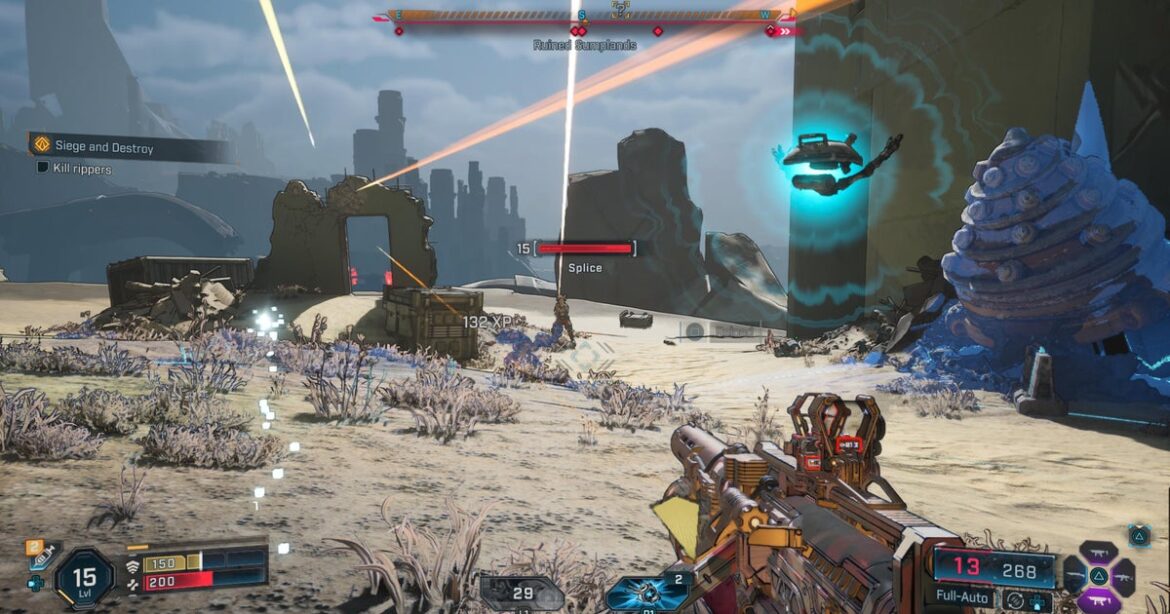
Take Kairos itself, which finally gives the series its first true open world, with zero loading screen interruptions. It’s more fun to traverse as well, with majorly improved movement mechanics that let you double-jump, grapple, or jet-pack across the alien landscape. You can utilise these in combat too, grappling to vantage points or hovering behind cover as you heal up – moves that, in particular, suit Harlowe’s aggressive style perfectly.

The ability to summon a personal vehicle on command also does away with the awkward moments in previous games where you’d need to run to the nearest spawn point for new wheels. These customisable hoverbikes get the job done even if they’re not that amazing to drive, and your robot buddy Echo having sat-nav makes getting from place to place literally as easy as following a straight line on the ground. So long as it works, anyway – sometimes Echo will just shrug at you or tell you it can’t find a path despite there clearly being one.

Of course, as with any Borderlands game, a lot of missions require you to traipse away to far-off locations just to have a single conversation with some sucker before going to the next waypoint, meaning you spend a lot of time simply travelling. However, one neat change is that you rarely have to rush all the way back to base to ‘complete’ a mission. You also get access to fast travel, though it’s limited to only a few key locations and then safehouses you have to take over. This can be a tad frustrating, particularly when some checkpoint locations are hundreds of metres away from where a fight is taking place.

Image credit: Rock Paper Shotgun/2K

There’s been a keener improvement to each Vault Hunter’s skills and build potential. Everyone gets three skill trees, stemming off three variations on their unique Action Skills, allowing for greater flexibility than in past Borderlands games and more opportunities to tailor your Vault Hunter to suit your playstyle.

The powers themselves are more satisfying too, as well as being more diverse. For instance, Harlowe’s CHROMA Accelerator, which throws out a huge, freezing cold energy orb, was my absolute cup of tea. A giant explosion which not only does impact damage, but also leaves behind radiation to deal damage over time? You can’t go wrong.

Thanks to the scale of options when it comes to selecting an Action Skill and placing action points, you can easily ensure you feel the same about your character. If you suck at aiming, you can still make this game fun by opting for explosive AOE damage, or – if you’re running Vex – picking up an ability that creates a massive saber-tooth tiger to fight on your behalf. If you want to buff out your already perfect aim (pfft, show-off) then you can do so by picking up skills which empower your guns.

Image credit: Rock Paper Shotgun/2K

There’s definitely something for everyone, far more so than in Borderlands 3. Suboptimally levelling up your skill tree isn’t punishing, either. You can experiment, try out new abilities, and then easily go and reset them at a respec machine for a minimal cost. If something isn’t working, it’s not the end of the world.

Borderlands 4, mind you, can be difficult. You’ll progress through the game and absolutely obliterate the Timekeeper’s loyal companions, and by absolutely obliterate, I mean die over and over again trying to beat them; take a break from playing the game; go outside for a cigarette; come back; die over and over again, then finally by the skin of your teeth win the battle.

Even so, for me, this challenge played into how much more I enjoyed this over previous Borderlands games. No matter how overpowered your Action Skill becomes or how good your guns get, you’ll still struggle, which makes those narrow wins all the more much more satisfying. I cannot describe how good it felt when, after sixth attempts to fell a particularly high-ranking boss, I finally got to watch them keel over.

Image credit: Rock Paper Shotgun/2K

And, when the campaign gets too exhausting (or when you’ve run out of cigarettes), there are countless side missions to take on instead, many of them both silly and charming. Whether it’s a couple whose farm animals are seemingly being abducted by aliens or a sentient rock who wants to be able to fly, there are loads of quirky (but not Claptrap-annoying) characters who fill out the world of Kairos and remind you that, for all the surrounding political unrest, it doesn’t always need to be suit-and-tie serious business.

After the excessive wackiness of Borderlands 3, with its shoehorned-in jokes and memes, Gearbox have indeed kept the main story of part 4 more grounded. The laughs haven’t been abandoned to achieve this, though – they’ve just been shifted into those sweeter side missions. Another wise choice.

Borderlands 4 takes everything that worked about the previous games, removes the majority of the hindrances (cough Claptrap cough), and refines its RPG aspects, all of which make this easily the best Borderlands I’ve ever played. It has its share of issues: not just the tech stuff, but also what sometimes feels like endless travelling and the overabundance of terrible weapons. But what is Borderlands, even a much-improved one, without its billions of garbage guns?


Source link

September 17, 2025 0 comments
0 FacebookTwitterPinterestEmail
Samsung HW-Q990F Soundbar System Review: Glorious Atmos
Gaming Gear

Samsung HW-Q990F Soundbar System Review: Glorious Atmos

by admin September 17, 2025


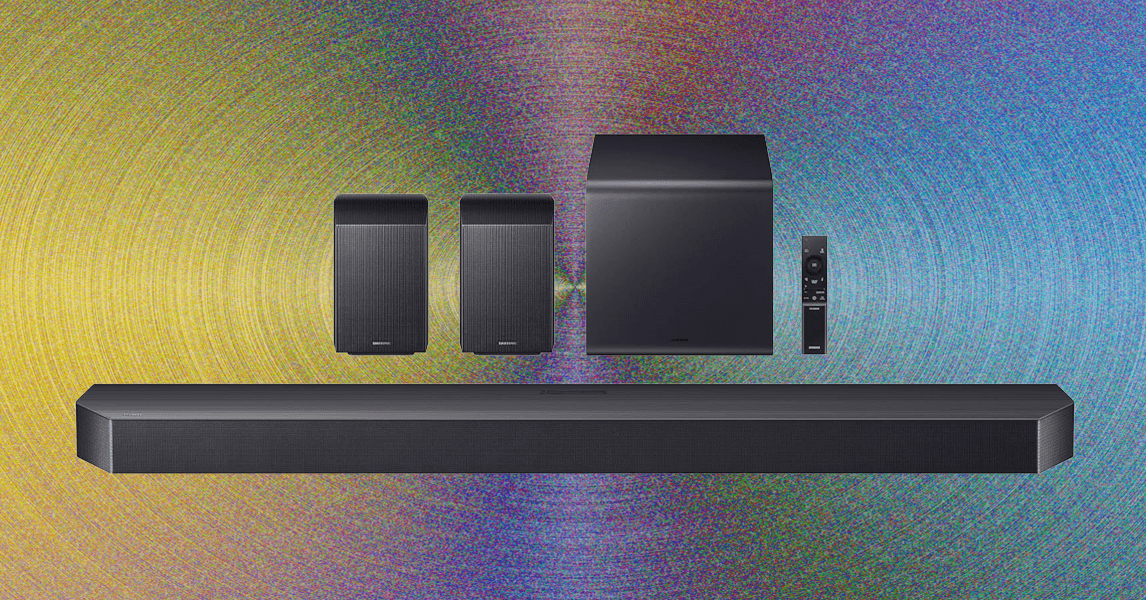
Most people aren’t using physical media anymore, which is why I spent the majority of my time testing the HW-Q990F with streaming media. I find that Apple TV has the best audio quality of any of the major streaming services, which tracks with my experience testing this bar: Atmos-mixed shows like sci-fi hit Foundation come through with gorgeous clarity and dynamic bass as you’d expect with any soundbar worth its salt.

It’s the overhead, object-based Atmos audio effects that really stagger me. Raindrops and creaky chairs seem to exist in my testing room with me; the burbling engines of Ford GT prototypes fill the room when watching Ford v Ferrari.

Samsung has both stellar processing and the ability to bounce sounds around smaller and medium-size rooms nailed. The side speakers on the satellite drivers and the various angled speakers on the main bar really make you feel like you are being attacked on all sides by audio. I really loved the way sounds swirled around me when watching my 4K Blu-Ray copy of Blade Runner 2049, with wavy synths meeting ship sounds and rainy backgrounds among other on-screen noises in 3D space.

Photograph: Parker Hall

There’s tons of adjustability when it comes to sound modes (Standard, Game, Surround, and Adaptive), EQ levels, and volume of each speaker, and I’d recommend tuning the settings to your personal taste in your specific room. I found the settings to be pretty bang-on out of the box; I have a fairly traditional home theater setup with two speaker stands behind my listening position and the subwoofer next to the TV stand, and it sounded great almost instantly (I did have to adjust the subwoofer level slightly up).

The soundbar can pair with modern Samsung TVs like the S95F in a mode Samsung calls Q-Symphony, allowing it to use the TV speakers in addition to the bar, subwoofer, and surrounds. I didn’t find this particularly enticing; it seemed to boost the highs a bit but didn’t really do much for overall immersion. If you have a Samsung TV, it’s worth trying both on and off, but this feature isn’t a deal breaker if you want an LG, Sony, TCL, Panasonic, or Hisense TV.

The best part of this system is that it works just fine with any other products in TV land, not just Samsung’s. I love how easy it is to set up, and I love that it really does feel like it is offering me the highest-quality sound in the most compact package. The fact that last year’s bar is still for sale (and still very similar sounding) is actually a plus: Samsung has pretty much nailed the existing needs of listeners at this point. There are very few soundbar systems that compete, but I’d say that higher-end bars from Sonos, Bose, and LG do give this system a run for its money. That said, none of them have this many channels done this well, which makes Samsung’s HW-Q990F the top of the pile for me in 2025 so far.


Source link

September 17, 2025 0 comments
0 FacebookTwitterPinterestEmail
Apple iPhone Air Review
Product Reviews

Apple iPhone Air review: the sexiest iPhone I’ve ever tested

by admin September 17, 2025


Why you can trust TechRadar


We spend hours testing every product or service we review, so you can be sure you’re buying the best. Find out more about how we test.

Apple iPhone Air: Two-Minute Review

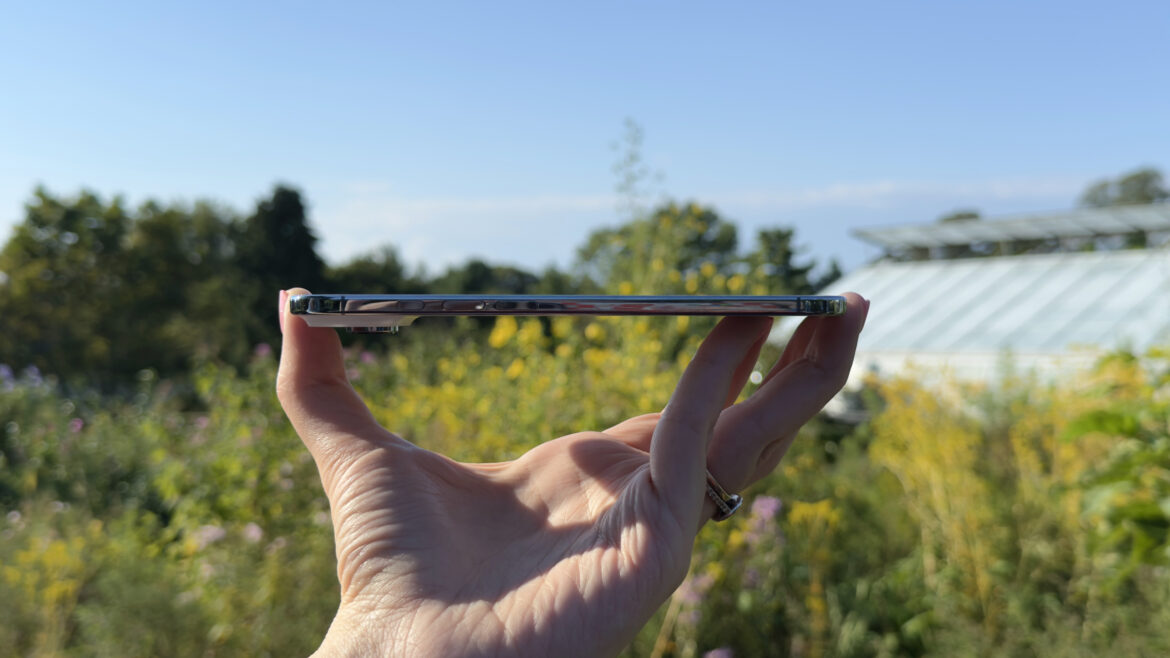
The iPhone Air is, to a degree, exactly what we were expecting: Apple’s thinnest iPhone ever, measuring just 5.64mm. It feels light, balanced, and durable thanks to a grade 5 titanium frame and Ceramic Shield glass. In the hand it’s sleek and refined – I’ve been using my Sky Blue unit for a week now and it’s still turning heads.

The 6.5-inch Super Retina XDR OLED display is excellent: it’s an always-on display that supports ProMotion, HDR, and brightness up to 3,000 nits. It’s slightly bigger than the iPhone 17’s screen, which gives apps, text, and videos more room to breathe, and it looks great whether I’m scrolling TikTok, watching HDR movies, or just browsing outside on a sunny day.

iOS 26 feels tailor made for the Air, with its new Liquid Glass design that looks striking and complements the physical build. Messages now support custom backgrounds, typing indicators, and polls, while the Phone app and Visual Intelligence get useful upgrades. And while Siri’s full AI overhaul isn’t here yet, Apple Intelligence features are starting to appear.

The biggest trade-off comes with the camera setup: there’s just a single 48-megapixel lens on the rear of the phone. It produces sharp, natural-looking photos and impressive portraits, but you’ll miss the flexibility of a telephoto or ultrawide if you’re used to them. The selfie camera is excellent, though, with Apple’s Center Stage smarts for automatic wide and ultrawide framing, and Dual Capture is genuinely fun.

Performance from the A19 Pro is snappy and smooth, and it capably handled everything I threw at it, though the phone does get warm during fast charging or heavy gaming. Battery life is decent but not class-leading: enough for a workday, usually six to eight hours of use, with my best stretch hitting around 10 hours away from the charger. Power users may want to invest in the $99 / £99.00 / AU$159 MagSafe Battery Pack, which matches the phone’s slim profile and adds about 65% more life, but it’s an added cost.

The iPhone Air isn’t the best iPhone for photography or endurance, but as a design statement, it’s a gem. It feels like the most exciting iPhone Apple has released in years, and while it costs more than the iPhone 17 with fewer cameras and shorter battery life, it delivers value in other key areas.

Apple iPhone Air: Price and Availability

Apple unveiled the iPhone Air at its September 9, 2025, ‘Awe Dropping’ event alongside the iPhone 17, iPhone 17 Pro, iPhone 17 Pro Max, AirPods Pro 3, and three new Apple Watches. The Air, though, stands out with its entirely new design, and is a whole new category of iPhone.

Sign up for breaking news, reviews, opinion, top tech deals, and more.

It starts at $999 / £999 / AU$1,799 for 256GB of storage, or you can bump that up to 512GB for $1,199 / £1,199 / AU$2,199, or 1TB for $1,399 / £1,399 / AU$2,599. The iPhone Air is an eSIM-only device worldwide and comes in four colors: Sky Blue, Light Gold, Cloud White, and Space Black. I’ve been testing a 1TB iPhone Air in Sky Blue.

Apple will officially launch the iPhone Air on September 19, 2025, but it’s up for pre-order now from the company’s online store, authorized retailers, and carriers.

Apple iPhone Air: Specs

Swipe to scroll horizontallyHeader Cell – Column 0

iPhone Air

iPhone 17

iPhone 17 Pro

iPhone 17 Pro Max

Weight:

165g

177g

206g

233g

Display:

6.5-inch OLED

6.3-inch OLED

6.3-inch OLED

6.9-inch OLED

Resolution:

2736 x 1260

2622 x 1206

2622 x 1206

2868 x 1320

Refresh rate:

120Hz

120Hz

120Hz

120Hz

Peak brightness:

3,000 nits

3,000 nits

3,000 nits

3,000 nits

Chipset:

A19 Pro

A19

A19 Pro

A19 Pro

Rear cameras:

48MP wide (26mm, ƒ/1.6)

48MP wide (26mm, ƒ/1.6), 48MP ultra-wide (13 mm, ƒ/2.2)

48MP wide (24mm, ƒ/1.78), 48MP ultra-wide (13 mm, ƒ/2.2), 48MP telephoto (8x optical zoom)

48MP wide (24mm, ƒ/1.78), 48MP ultra-wide (13 mm, ƒ/2.2), 48MP telephoto (8x optical zoom)

Front camera:

18MP (ƒ/1.9)

18MP (ƒ/1.9)

18MP (ƒ/1.9)

18MP (ƒ/1.9)

Storage:

256GB, 512GB, 1TB

256GB, 512GB

256GB, 512GB, 1TB

256GB, 512GB, 1TB, 2TB

Colors:

Space Black, Cloud White, Light Gold, Sky Blue

Black, White, Mist Blue, Sage, Lavender

Silver, Cosmic Orange, Deep Blue

Silver, Cosmic Orange, Deep Blue

Apple iPhone Air: Design

(Image credit: Jacob Krol/Future)

  • The freshest look that Apple has delivered in years
  • Unbelievably thin and light
  • Feels great in the hand with proper ergonomics

If you were following the Apple rumor cycle, we were all expecting an ultra-thin iPhone to be released – one that would potentially go thinner than the iPhone 6 or 6 Plus, be more stunning than the iPhone X, and offer a truly refreshed look and feel for the iPhone. The launch event’s ‘Awe Dropping’ tagline set the bar high – and the iPhone Air cleared it with room to spare.

It’s not the first ultra-thin phone – the Galaxy S25 Edge measures in at 5.8 millimeters – but it still feels as stunning, sleek, and sexy in my hand right now after living with it for a week as it did during my brief hands-on session following the launch event. It feels as exciting as the iPhone X, in that it might give us the playbook for the modern iPhone going forward – or at least show us one half of the purportedly incoming foldable iPhone.

The photos released by Apple, and even those shot by me for this review, only do it partial justice. The iPhone Air is the best representation yet of Apple’s vision for an iPhone that’s just glass. It weighs in at just 5.82 ounces, or 165 grams, fully justifying the ‘Air’ moniker. Much like the iPhone 17 or even a Pro Max, it feels balanced – not too top-heavy, not too bottom-heavy. It’s Goldilocks ergonomics.

I don’t know if I’d quite call it awe-dropping, but the thinness is the part that gets people excited. At its thinnest, the iPhone Air is 5.64 millimeters, or 0.22 inches, and the ‘plateau’ (Apple’s new term for the camera bump) only juts out a bit more. I was instantly wowed, and over the course of a week (well, eight days now), I’ve really become accustomed to this look and feel for an iPhone.

(Image credit: Jacob Krol/Future)

While conducting some testing over the week, I showed it to my brother and sister-in-law, who were both visibly impressed when holding it. They asked about durability and were a little stunned at the overall feel. Then came the questions about battery life and the camera – both of which I’ll address below – and whether the USB-C port was thinner.

On that last point – it’s still a regular USB-C port, but to fit it in this frame and get it this small, Apple’s design team started by 3D-printing a custom one. And given how thin this phone had to be, Apple went back to grade five titanium for the shell and sides of the device. To further enhance the looks, it has a polished finish. My Sky Blue review handset is different from the MacBook Air and iPad Air colors of the same name – it’s a bit lighter and pastel-like. I really like it, and the Air also comes in Light Gold, Space Black, and Cloud White.

While the innermost layer of the iPhone Air sandwich is made of that strong titanium, which can bend slightly under pressure but is designed to spring back, it’s topped and bottomed with glass and glass ceramic; specifically Ceramic Shield 2 on the front and Ceramic Shield on the back. The rear, like the iPhone 17, is mostly frosted matte glass, while the top bump gets the glossy finish.

Apple says the Air is three times more scratch-resistant on the front – though I’ve still been careful sliding this in and out of my front or rear jeans pockets – and the back is four times more crack-resistant.

I actually did drop it on concrete paving stones, and the iPhone Air came out completely unscathed. My dog Rosie pulled me suddenly, I dropped the Air, and it hit the ground on the top-left corner and then landed screen-down, single camera-up. Not even a scratch. Rosie was off the hook.

That incident, along with our Editor at Large Lance Ulanoff’s bend test and his fumble with the iPhone Air, gives some credence to Apple’s durability promises. Apple says the iPhone Air is more durable than any model before this and on par with the rest of the 17 lineup. In a test behind closed doors at Apple Park, I saw an iPhone Air put through the wringer, receiving a simulated force of 130 pounds, and bending and then springing back with no visible stress marks left.

It also has the same IP68 rating for resistance to dust and water as the iPhone 17, 17 Pro, and 17 Pro Max – it survived a light drizzle shortly after I unboxed it at Apple Park. The weather’s been wet in my home state of Jersey, and the Air has shown no issues when being used in rain or surviving a dunk test.

Even given the extreme thinness here, you still get the usual buttons you’d expect on an iPhone. Camera Control (still not a button) has been redesigned to live on the right-hand side, and it’s slightly thinner but about the same length as on other iPhones. The power/sleep button sits slightly higher on this side, with the Action Button, volume up, and volume down on the left. The main mono speaker lives at the top with some microphones, and there are two other microphones either side of the USB-C port on the bottom.

This design does, as mentioned, only leave room for a single camera, and likely a smaller battery inside, but Apple has also dropped the SIM card slot worldwide and opted for eSIM to save some space.

The iPhone Air is stunning, attracts a lot of admiring glances, and feels like the biggest refresh in iPhone design we’ve seen in a while. Yes, it’s the same key parts, just compressed; but in use it feels like the perfect showcase for iOS 26. If you’re after Apple’s best design this year, I think it’s clearly the iPhone Air – but there’s a lot more to this iPhone than just looks.

Apple iPhone Air: Display

(Image credit: Jacob Krol/Future)

  • At 6.5 inches the front is virtually all screen
  • It’s on a par with the displays on the Pro and Pro Max

For $999 / £999 / AU$1,799 it would be a little mean of Apple not to include ProMotion or always-on functionality here, and the iPhone Air supports both. As a whole, the screen here is basically in line with those of the iPhone 17, 17 Pro, or 17 Pro Max.

The front of the iPhone Air is nearly all glass, except for a thin black bezel that turns into the sloped polished side. It’s a 6.5-inch Super Retina XDR OLED display with a resolution of 2376 x 1260, which works out to 460 pixels per inch. It tops out at 3,000 nits of brightness when needed, supports the Wide Color P3 gamut and HDR, and features an anti-reflective coating. It also has the same Dynamic Island as the rest of the iPhone 17 line.

In daily use, the display is really the main appeal here – on paper, it’s 0.2 inches bigger diagonally than the iPhone 17 or 17 Pro, but it feels a bit more expansive. It offers more lines of text, or a slightly expanded view when viewing a webpage. Games or movies feel a little more like an event, and it offers a broad canvas for iOS 26. Lay two of these phones side by side and I think you’d have some idea of what Apple is planning to bring us with its long-rumored folding iPhone – and it would look mightily impressive, but we’re not quite there yet. And it’s still smaller than the Pro Max.

Colors looked punchy and vibrant, text was inky black and crisp, and it was a great display for daily use. I found that it got bright enough to battle the bright sunshine of California, the late summer sunshine of New Jersey and New York, as well as bright artificial lighting. I liked scrolling TikTok and Instagram Reels, or watching a video on it, mainly thanks to the super-smooth ProMotion display.

And iOS 26, with its Liquid Glass makeover, looks fantastic here.

Apple iPhone Air: Software and Apple Intelligence

(Image credit: Jacob Krol/Future)

  • Liquid Glass runs well here and feels purpose-built for the design
  • iOS 26 brings with it some really smart features

I have a feeling that the design team at Apple knew the Air was on the roadmap when designing Liquid Glass.

iOS 26 is running on the iPhone Air out of the box, and as on any iPhone, announces itself with a ‘Hello’ on the first boot. You’ll get a sense of the new translucent, glass-like nature of the software pretty quickly. It’s mostly visible in how notifications refract over your wallpaper or up top, with whatever is behind the element. I especially like the way the bottom menu bars look with this, although legibility can be an issue at times, depending on what’s behind the element. You’ll also notice a difference if you use light mode or dark mode.

The redesign is only a portion of iOS 26, as Apple’s latest OS introduces a number of new features. I’m keen to put many of the new parts of Messages to the test with my friends and various group chats. With the latter, you’ll now get typing indicators, and you can set a custom background for any Message group or individual. This will, I have a feeling, be an especially tough test for legibility with the Liquid Glass components. You also have the option to add polls in group messages, which is a fun way to decide on activities or maybe pick a restaurant.

The Phone app is entirely new, though you can switch back, placing your favorites up top and below that is a combined list of outgoing and incoming calls, missed calls, and even voicemails. It can be a lot to process at first, but after months on the beta I’m more or less used to it, although I have switched back to the original setup occasionally, as the new one makes voicemails a little harder to track down. You can also use Live Translation during calls, which can be helpful for international travel, and I especially like the wait-on-hold feature.

Visual Intelligence, which is engaged with a long press of Camera Control, is a bit smarter here, and can now identify events to add to your calendar and integrate with apps that add support with the API. However, we’re still waiting on the full AI-powered Siri, and many of the new Apple Intelligence features aren’t front and center here.

You can check out our full guide to iOS 26 here, as there’s a lot more to dig into.

Apple iPhone Air: Camera

(Image credit: Jacob Krol/Future)

  • Single-lens 48MP Fusion camera on the rear
  • You can get some impressive shots, especially portraits
  • Front-facing camera is 18MP with Center Stage

This is where the compromises necessitated by the iPhone Air’s unfeasibly thin design begin: the iPhone Air only features a single, 48-megapixel Fusion camera on the back. It can shoot at 1x, a sensor crop in 2x, or a maximum digital 10x, but the quality falls off noticeably with the latter.

I’ll cut to the chase here – if you’re after the iPhone with the best cameras, or even just some variety for shooting, this is probably not it.

I was impressed with some of the shots I took, particularly the one taken from 36,000 feet out an airplane window in the gallery below – the Air captured a surprising amount of detail around the engine, wing, and even the clouds, and what appears to be a mountain in the distance. The night mode worked very well when capturing my Bernedoodle, the aforementioned Rosie, and I’m especially impressed with the Portrait mode here, and the work going on behind the scenes to deliver the right bokeh effect in the right spot.

Still, as someone who used a 16 Pro Max before this, I miss the telephoto camera, even if that wasn’t a Super Res Zoom like on a Galaxy or a Pixel; 2x isn’t a lot. The iPhone Air also doesn’t have an ultra-wide or a macro camera. If anything, it’s made me think about the types of shots I’d want to capture with a phone, and if an ultra-wide or zoom is a deal breaker for you, you’ll want to look at the 17 or the 17 Pro duo.

The 48MP Fusion camera here can capture photos at a full 48 megapixels or, by default, a 24-megapixel photo that saves space by combining a 12-megapixel shot and a 48-megapixel shot. It normally does a pretty good job of preserving colors and details, and is something that Apple’s been doing for several generations of iPhone.

The main lens here does an admirable job, and I’m quite happy with some of the images I got – particularly in portrait mode, with the camera keeping colors within a realistic range and not skewing warmer or cooler, as well as capturing plenty of the finer details.

In some cases, photos looked a bit washed out – for instance, landscapes on particularly sunny days, as when I took test shots at a botanical garden (although I was able to capture a sunflower quite nicely, other fauna, and even orange fish below a less-than-crystal-clear pond). Mostly, though, the camera can capture those more vibrant moments, such as a shot of Yankee Stadium or the sunset from a plane window.

Without a true telephoto or an ultrawide, you’re able to take more creative control to capture unique shots. You can see a full gallery of test images – standard photos at 1x or 2x, and some digital zoom ones, as well as Portraits at 1x or 2x – below.

(Image credit: Jacob Krol/Future)

A new feature that takes advantage of the 18-megapixel Center Stage camera on the front and the rear camera is Dual Capture. It’s not a brand-new idea, and essentially this lets you record with the front camera and rear camera at the same time, with stabilization applied. I think it’s a lot of fun, especially for sports events, where you could capture both the on-field action and the reaction of you and your friends, and I imagine it would be a blast at concerts – I could record myself belting out Born to Run along with the Boss – but also for parents with young children.

The 18-megapixel selfie camera uses a larger image sensor than on previous iPhones, and it’s actually super helpful. Essentially, it can automatically adjust a wide or ultra-wide view so you can easily fit everyone into your selfie or video, and with the tap of a button you can rotate between vertical and horizontal without needing to physically rotate your phone. It also delivers a serious, high-quality selfie.

I’ll include some video samples below – the 48MP camera isn’t a slouch here, and performs on a par with the standard iPhone 17. The end result is either up to 1080p HD at up to 60 frames per second, or 4K at up to 60fps.

Image 1 of 24

(Image credit: Jacob Krol/Future)(Image credit: Jacob Krol/Future)(Image credit: Jacob Krol/Future)(Image credit: Jacob Krol/Future)(Image credit: Jacob Krol/Future)(Image credit: Jacob Krol/Future)(Image credit: Jacob Krol/Future)(Image credit: Jacob Krol/Future)(Image credit: Jacob Krol/Future)(Image credit: Jacob Krol/Future)(Image credit: Jacob Krol/Future)(Image credit: Jacob Krol/Future)(Image credit: Jacob Krol/Future)(Image credit: Jacob Krol/Future)(Image credit: Jacob Krol/Future)(Image credit: Jacob Krol/Future)(Image credit: Jacob Krol/Future)(Image credit: Jacob Krol/Future)(Image credit: Jacob Krol/Future)(Image credit: Jacob Krol/Future)(Image credit: Jacob Krol/Future)(Image credit: Jacob Krol/Future)(Image credit: Jacob Krol/Future)(Image credit: Jacob Krol/Future)

Apple iPhone Air: Performance

(Image credit: Jacob Krol/Future)

  • The iPhone Air feels responsive and fast, even with more intense workflows
  • A19 Pro chip should keep it running smoothly for years
  • Can get warm on the camera bump with gaming and other more intensive tasks

Powering the iPhone Air is Apple’s A19 Pro chip, which is a step up from the iPhone 17’s A19, and a slightly less powerful version of the A19 Pro in the iPhone 17 Pro and 17 Pro Max, without the extra cooling technology. The A19 Pro here is a 6-core CPU with two performance and four efficiency cores, a 5-core GPU, and a 16-core Neural Engine.

It’s a good lick faster than the A18 Pro or A18 found in the iPhone 16 Pro Max or 16, especially with various elements of iOS 26 – including spatializing a wallpaper – and in everyday use. Compared to the standard iPhone 17, I’d say performance is about neck and neck. The A19 Pro is arguably being used here to help regulate performance temperature.

I did notice the iPhone Air heating up during the first few days while it was still indexing and charging – especially from 0% to about 50% – before cooling as it slowed near 80%. It also warms up when multitasking with demanding apps at times.

For example, if I’m on a call and launch a game like Asphalt 9, the area around the camera housing on the rear can get noticeably warm, though it cools quickly as performance regulates. The heat doesn’t spread below the Apple logo, and a case, like Apple’s Bumper or Clear option, helps keep it from your fingertips.

Keep in mind that basically all the components do live in the plateau – including the silicon – so it makes sense that the area does heat up. When it comes to non-gaming tasks, though, the iPhone Air handles everything well, and delivers strong performance while keeping cool. That was the case with my daily workflow consisting of calls – audio and FaceTime – as well as Mail, Gmail, Slack, Safari, Chrome, Edits, Capcut, the Camera, and other apps. Even with creating a Genmoji or using Image Playground or another facet of Apple intelligence, the iPhone Air didn’t get especially warm.

In terms of quantitative testing, the iPhone Air scored slightly higher than the iPhone 17 on GeekBench 6.5, at 3,723 on single-core and 9,665 on multi-core. That’s in line with smartphones at this price range, though, as we noted in our Galaxy S25 Edge review, that phone has a thermal solution for keeping things cool.

Apple iPhone Air: Battery

(Image credit: Jacob Krol/Future)

  • It can deliver all-day battery for some, but more likely will last a full workday
  • You’ll likely need to recharge it during the day
  • While costly, the MagSafe Battery is a sound investment

We can only guess at the iPhone Air’s battery size for now, as Apple doesn’t officially release those numbers. It’s clear, though, that the company has squeezed as large a cell as possible inside this ultra-slim smartphone.

Instead of capacity, Apple provides viewing estimates: up to 27 hours of downloaded video playback and 22 hours of streaming. With the $99 MagSafe Battery attached, those numbers rise to 40 and 35 hours, respectively – about a 65% boost.

In my experience, the iPhone Air generally lasts through a workday – six to eight hours depending on use. That’s behind the iPhone 17, 17 Pro, and 17 Pro Max, but it still meets Apple’s “all-day” standard. On one test, I took it off a charger at 7:30am and it lasted until 5:50pm, or 10 hours and 20 minutes. At best, I recorded six hours and 35 minutes of active screen time; on average, I got around four hours and 45 minutes.

During my first few fast charges, the top of the camera plateau and the area beneath it did get warm, mostly between 0% and 50%, before cooling down. This isn’t unusual for fast charging and reflects the component layout.

Power users will likely need to recharge by the time they get home. Apple’s slim MagSafe Battery nearly matches the Air’s profile, adding only a bit more thickness than the camera bump. It recharges intelligently throughout the day, manages heat well, and uses pocket detection to optimize charging times. Optional, yes – but it complements the iPhone Air experience nicely.

Apple iPhone Air: Should you buy?

Swipe to scroll horizontallyiPhone Air Score card

Attributes

Notes

Rating

Design

The iPhone Air is Apple’s most exciting refresh in years.

5 / 5

Display

The iPhone Air’s 6.5-inch Super Retina XDR OLED is punchy, sharp, and smooth with ProMotion and Always-On functionality.

5 / 5

Software

iOS 26 feels tailor-made for the iPhone Air.

4 / 5

Camera

The iPhone Air relies on a single 48MP lens that delivers sharp, natural photos and impressive portraits, but lacks the versatility found on other models.

4 / 5

Performance

The iPhone Air feels fast and smooth in daily use, though it can warm up under sustained heavy gaming.

4 / 5

Battery

The iPhone Air should last a workday, but heavy users will need to recharge.

4 / 5

Value

At $999, the iPhone Air feels like a new kind of Pro – trading camera and battery versatility for design.

4 / 5

Buy it if…

Don’t buy it if…

Apple iPhone Air: How I tested

I’ve been covering smartphones for years — including iPhones since the iPhone 8 lineup — and my first personal iPhone was the 3GS. For this review, I set up the iPhone Air in Sky Blue, moving my number over from an iPhone 16 Pro Max via eSIM and starting fresh.

Over more than a week of testing, I put the Air through everyday use: calls, streaming music, gaming, watching TV and movies, capturing photos, and running my usual suite of work apps. I measured performance using both real-world applications and benchmarks, such as GeekBench 6.5, paying close attention to how it handled multitasking and more demanding workloads. For battery life, I tracked how quickly it drained during different tasks and also ran a standardized assessment.

On the camera side, I pushed the single 48MP rear lens through its paces — testing 1x, 2x crop, Portrait, and Night modes, plus video recording up to 4K at 60fps. I also spent time with the new 18MP selfie camera, trying both portraits and group shots, and had fun with Dual Capture for video.

To get a clearer sense of how it stacks up, I compared the results directly with the iPhone 17, the iPhone 16 and 16 Plus, iPhone 16 Pro and 16 Pro Max, Google Pixel 10 and Pixel 10 Pro, and Samsung’s Galaxy S25 Ultra.

First reviewed September 2025.


Source link

September 17, 2025 0 comments
0 FacebookTwitterPinterestEmail
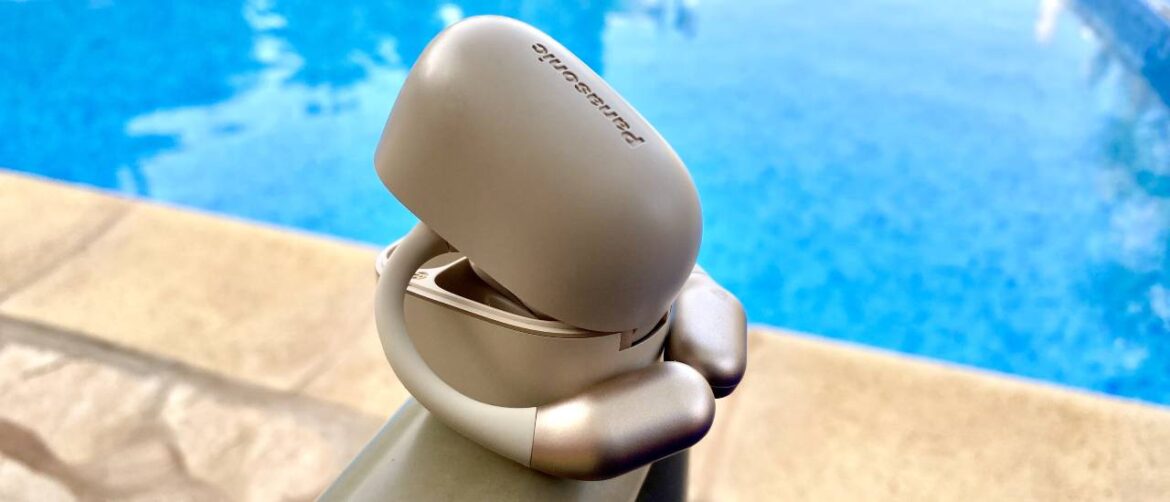
Panasonic RB-F10 open earbuds and carry case beside a swimming pool
Product Reviews

Panasonic RB-F10 review: Chic and comfortable open earbuds let down by fiddly controls

by admin September 17, 2025


Why you can trust TechRadar


We spend hours testing every product or service we review, so you can be sure you’re buying the best. Find out more about how we test.

Panasonic RB-F10: Two-minute review

Being a little down on a product you fundamentally really like feels uncharitable. It’s the audio equivalent of Ebenezer Scrooge giving Tiny Tim a pair of the incredible Shokz OpenFit 2+, then swapping that sweet sonic stocking stuffer for Bob Cratchit’s humble morsel of goose. Bah, humbug, indeed.

Truthfully, though, if you did buy me a pair of Panasonic RB-F10s for Christmas or my birthday, I’d be pretty smitten. Yes, they have their faults, but if you can overcome slightly fiddly on-ears controls, Panny’s recent buds are stylish, affordable, and feel so comfortable once they’re on, you might as well have a couple of pixies giving your ear canals a luxurious bubble bath.

I adore how these open earbuds feel on my lugholes. There’s no question the main selling point here is the soothing snugness the RB-F10s bring to your listening experiences. I genuinely forgot I was wearing Panasonic’s open earbuds, which weigh 8.79g each, during the vast majority of my testing.

I can’t think of a single occasion where the fit irritated me, be it in on a recent skin-sizzling 93F trip to Fuerteventura or enduring a mild Scottish downpour closer to home. These wrap-around buds neither slip or irritate your skin, nor do they begin to chafe after hours of prolonged use. Granted, I might be guilty of the (ahem) occasional wildly definitive-sounding declaration over the years, but I stand by the following statement: the Panasonic RB-F10s are the most comfortable earbuds of any kind I’ve ever worn. Stick that on the box, Panny.

Elsewhere, problems sadly surface that lower these otherwise supremely sturdy buds’ score. With grown-up looks, a classy charging cradle, and satisfyingly loud, well-weighted audio, there’s a whole lot to like about a pair of open ears that cost comfortably less than $100.

Yet it’s hard to stuff my fingers in my ears and pretend the RB-F10s don’t have issues – chief among them are some of the fiddliest, least dependable on-ears controls I’ve encountered on a pair of buds. At best, they’re semi-reliable. At worst? The simple task of pausing or skipping a track has made me chuck Panasonic’s ear accessories onto my sofa multiple times – a feeble bout of frustration the best open ear buds wouldn’t bring out in me.

(Image credit: Future / Dave Meikleham)

I’ll get to the RB-F10’s fuller audio performance shortly, but if you want the abbreviated version, they’re damn good. With weighty 17mm x 12mm drivers, they bring boom in spades for such svelte buds, while also delivering acoustics you’d never describe as either tinny nor scratchy.

Sign up for breaking news, reviews, opinion, top tech deals, and more.

Feature-wise, we’re looking at somewhat of a mixed bag. That’s a bag you’d drop every time you did your shopping thanks to those misfiring on-ear controls that are as dependable as a lion going for the vegan option at an all-you-eat zebra buffet. Though IPX4 waterproofing is welcome (and effective in my experience), battery life doesn’t exactly have my knees aquiver.

If you don’t have Panasonic’s nicely minimalist charging cradle to hand, you’re looking at a meagre seven hours of juice. If you’re a fiendish podcast binger like myself who often leaves home without a dock, these may not be the buds for you.

ANC (Active Noise Cancellation) has also been left off the party list and software support is non-existent. Though not the most feature-rich buds, the RB-F10s do at least support convincingly solid dual mic audio calls, and the presence of reliable Bluetooth multipoint connectivity is also welcome.

If it weren’t for those overly finicky on-ear controls, I’d unquestionably be giving the Panasonic RB-10s a higher score that would have it ruffling the feathers of some of the best earbuds. Yet due to those unpredictable controls and only so-so battery life, you may be better off looking at the sublime Nothing Ear (a), or the slightly more premium Bose QuietComfort Ultra Earbuds.

Panasonic RB-F10 review: Specifications

Swipe to scroll horizontally

Drivers

17mm x 12mm

Water resistant

IPX4

Battery life

7 hours (earbuds); 25 hours (including charged case)

Connectivity

Bluetooth 5.4

Weight

8.79 per bud / charging case 36g

Active noise cancellation

No

Panasonic RB-F10 review: Price and availability

(Image credit: Future / Dave Meikleham)

  • Released in June 2025
  • $110 / £79.99 / AU$165 (approx.)

The Panasonic RB-F10s have been out for a few months at this point, but you’d be hard pressed to tell. You’d have an easier time spotting a neon-dipped snow leopard during a blackout than finding these buds readily on sale.

Currently, the only place I’ve been able to locate these attractive, relatively affordable earbuds is the official UK Panasonic site. Available in black or a two-tone white scheme, these $110 / £79.99 / around AU$165 buds are very reasonable considering their overall build and sound quality.

Knowing Panasonic, the F10s are unlikely to become significantly easier to pick up going forward, so if you do see them in stock on the UK’s official site or somewhere like eBay (and fancy the cut of their jib), put your money where your sonic-slaying mouth is.

Panasonic RB-F10 review: Features

(Image credit: Future / Dave Meikleham)

  • IPX4 waterproofing works well
  • Seamless Bluetooth multipoint connections
  • Average battery if they don’t get a full charge

If there were a Deep Impact style meteor-centric oblivion on the horizon and you were forced to draw the short straw on who gets to board the shuttle to survival…. well, suffice to say that comet is cooking F10 owners. That’s a fruity way of saying the RB-F10s aren’t exactly feature-rich.

A lack of ANC or software support is perhaps expected at such an agreeable price point, but what’s considerably harder to stomach is the F10s’ battery life. I’ve seen mayflies with heaving drinking problems boast longer lifespans.

Unless you carry the handsome dock around you like it was a court-mandated bracelet, these open earbuds will die on you a little after seven hours. If you obsessively charge the buds in their dock, and I mean every single day, you’ll get a much healthier 25 hours of juice. Nevertheless, during my seven weeks of testing, I found Panny’s buds died out of nowhere an alarming amount. If you’re a committed jogger, these probably aren’t the earbuds for you.

Don’t walk away at a brisk pace just yet, though. The RB-F10s aren’t entirely no-frills and an IPX4 waterproof rating should never be taken for granted from a native Scot like myself. If you live in an area with regular showers you’ll definitely appreciate this feature. Thanks to their open ear design that shows off a whole lotta lobe, nailing down an IPX4 waterproof rating was key.

I was once caught in a downright biblical lashing of hailstones while nipping out for a lunchtime burger during my F10s testing, and it was mercifully only my soggy quarter pounder that met a watery fate that day. On the few times I have encountered showers while out and about, I’ve yet to hear all those sky tears cause any audible distortion while listening to music on the RB-F10s.

The F10s’ Bluetooth 5.4 multipoint connectivity is probably the most forward-looking feature these buds boast. Capable of pairing to a duo of iOS/Android devices at the same time, the F10s can register to 10 separate devices, though you can obviously only swap between a single pair at once.

The pairing/disconnecting process is relatively simple, involving holding the sensor button down on each bud for several seconds. Once you hone in on your two favorite devices, these buds will intuitively pick up on whatever content you were listening to on them last. It’s smart, hassle-free stuff.

Dual mic support also makes the F10s solid for voice calls. As glamorous – and depressingly unstaged – as this sounds, I had to take a relatively important fraud call from my bank while wearing Panasonic’s buds. The company’s claim that voice signals hold up to around 33ft proved largely true, and even taking an irritating security call while wandering about my Spanish friend’s (in no way death) cellar, the clarity of the audio never wavered.

So the F10s just about get a passing grade in the features department. Still, any prospective future teacher would be sticking a big, fat “could do better” before a pair of F11s rock up to school next year.

Panasonic RB-F10 review: Sound quality

(Image credit: Future / Dave Meikleham)

  • Bass satisfies for such lightweight buds
  • Vocal clarity is usually excellent
  • No software but EQ tweaks seldom needed

As someone who normally wears the best over-ears headphones in everyday life I’ve been mightily impressed by the range of sounds these sleek buds pump up. Keen to hear how the buds would fare, I decided to forgo my increasingly decrepit musical tastes and listen to some fresher bangers from Glastonbury 2025. Not in a mud-caked field in Somerset, you understand. Rather from the comfort of my reclining chair with an RF-10 popped into each ear.

Now let’s jump down the YouTube rabbit hole!

The five-piece indie pop group Wet Leg slithered around Glasto’s Other Stage and immediately wormed into my brain with Catch These Fists. Sensationally steely, winkingly erotic before exploding into a scrappily raunchy crescendo, it’s a bloody fun tune, and one where the RB-F10s powerful 17mm x 12mm drivers effortlessly pick up lead singer Rhian Teasdale’s growling lower registers.

I was also taken aback that the RB-F10s made the upbeat Yougotmefeeling by Parcels come alive in a full-bodied way that briefly made me do a double take on whether I was listening to their summery banger on budget earbuds or one of the best surround sound systems. There was one moment the video cut to the super sweaty crowd, and the subsequent swirling chorals almost made me believe I was standing among the throng covered in knocked-over plastic lager glasses.

Sticking with YouTube, I was delighted to bump into an energetic performance of Don’t Back into the Sun by The Libertines. The fact Carl Barat turned up with chaotic longtime collaborator Pete Doherty, who not only looked reasonably healthy, but didn’t flub his lines, was a nice surprise. That definitely wasn’t on my Glasto bingo card. Back to the Panasonic RB-F10s, Gary Powell’s pounding drumwork and John Hassall’s satisfyingly punchy bass came through without overwhelming Pete and Carl’s duets.

Even though I do a lot of my headphones testing on my iPhone, I must admit to consuming a lot of content on my iPad Pro, be it the best Netflix movies or the best Amazon Prime shows. On that note, I’ve been rewatching The Boys season 3 for roughly the 43rd time. Herogasm! Anyway, there’s a song that plays during a later episode where Homelander “might” be getting his morning milk from an unconventional source. Yick.

Still, if it wasn’t for that udderly unacceptable act, I’d never have found 1968’s Crimson and Clover by Tommy James and the Shondells. Talk about a psychedelic headtrip banger for the ages. This trance-like ‘60s tune is mellow yet somehow quietly sinister. For all three minutes and 25 seconds the RB-F10s deliver the big beats with aplomb while also delivering on the shakier strands that make you wonder if your entire head is about to fall into your buds.

So it shouldn’t come as a Tyler Durden-style shocker that I’m into the audio quality the Panasonic RB-F10s deliver at such a comparatively reasonable price. Bass also feels nuanced, with drivers capable of handling both big orchestral numbers without letting lyrics get lost in the shuffle. Sound-wise, these are some of the most well-rounded, best-judged buds I’ve tested.

  • Sound quality score: 4.5/5

Panasonic RB-F10 review: Design

(Image credit: Future / Dave Meikleham)

  • So light you can barely feel them
  • Classy little charging cradle
  • On-ear controls can be a nightmare

SHUT UP AND TAKE MY MONEY! Not enough? Alright. Zip those lips and take even more of my cents. I’m smitten with the design of the Panasonic RB-F10s, especially with the ultra alluring two-tone white shade (also available in black). Unfussy yet dignified, they have an aura of quiet confidence about them I really dig. And then there’s the comfort.

If it was legal to wed a pair of open earbuds based purely on how ludicrously comfortable they feel to wear, I’m slamming a ring on the RB-10s pronto…. before finding a cave where I can live out the rest of my days in shunned solitude. Hot dang, do these buds feel lovely.

I’ve worn some supremely comfy cans of late (like the likeable yet uneven Happy Plugs Play Pro over-ears), but Panasonic’s lightweight offerings are on another level. Once you get them out of their cute charging cradle, popping them on is a breeze. With a few tweaks I found the RB-10 almost immediately adjusted to a position that wrapped around my lobes in an entirely satisfying, seamless way.

I suspect this is down to two major factors. Firstly, the flexible (but not cheap-feeling) plastics they’ve been constructed from, which lets them contort around the shape of your ears with minimal fuss. Secondly, their oh-so-lightweight footprint. At well under 9 grams per bud, and thanks to their open design that leads to what Panasonic describes as an “unintrusive fit”, it’s almost alarmingly easy to forget you’re wearing the RB-F10s.

Fun fact: I went on a four-hour round trip to see the deeply underwhelming Jurassic World Rebirth semi-recently, and not once on that lengthy inner city tour could I feel Panasonic’s open buds rub my ears up the wrong way while listening to Jurassic-themed podcasts. Hey, you gotta keep it on brand, right? Honestly, I’m wearing them while currently writing this review and I legit can’t feel them. Witchcraft!

Sadly, the on-ear touch sensors are about as reliable as a chocolate watch… and a timekeeper that’s been placed into a giant oven at that. They simply don’t function as they should often enough.

(Image credit: Future / Dave Meikleham)

Located on the main body of each bud, a single tap should play/pause whatever you’re listening to, and touching the left bud’s sensor rapidly three times will turn the volume up (a double tap turns it down). Meanwhile, a trio of touches on the right earbud will skip forward a track (again, a double tap to go back a song).

The trouble is, these sensors are both weirdly sensitive and not sensitive enough. During my weeks of testing I’d find they’d follow the commands I wanted maybe 40% of the time. Hardly an ideal batting average, right?

If you’re sitting at a desk judging the exact position and pressure you need to hit the RB-F10s is easier. In motion, though? That’s a far more flustering story. I lost count of the times I accidentally skipped to a new podcast episode on walks due to my right bud’s sensor having a mind of its own.

Pausing tunes via the left earbud also proved to be a teeth-gnashing chore. It’s such a pity, because if the Panasonic RB-F10s controls were more reliable, I’d be awarding these attractive buds another half star.

To round off this finger-flummoxing package on a cheerier note, I’ve got to pour some love all over the RB-F10s’ charging “cradle”. Sorry, “dock”! Not only is it incredibly easy to jam into even the tightest of pockets, but the way both buds magnetically snap into their holders – Nintendo Switch 2 style – is stupidly satisfying.

Panasonic RB-F10 review: Value

(Image credit: Future / Dave Meikleham)

  • Build feels premium
  • Sound exceeds expectations for the price

The RB-F10s are a bit of a steal. Full disclosure: DO NOT STEAL. Packing that Panny quality without skimping on audio quality, they hit a lovely sweet spot between price and performance. In an age where it’s all too easy to pick up any random pair of buds for $20 at an airport, the F10s’ design and sonic quality shine through.

The very fact I’ve barely given my beloved Apple AirPods Max much of a look-in of late speaks volumes – and I’m in no way sorry about the tangential pun. Rocking premium build quality and striking sound at a rough $100 price bracket, the F10s are easy to recommend for homebody audiophiles who aren’t fussed about ANC, so are less likely to contend with noisy commutes.

Panasonic RB-F10: Scorecard

Swipe to scroll horizontally

Category

Comment

Score

Features

Standard seven-hour battery life not suited for runners; no ANC or software.

3/5

Sound quality

Resonant bass combines with a satisfyingly wide-sounding mid-range; acoustics easy to pick out.

4.5/5

Design

Stylish, practical and supremely comfortable, but fiddly controls drag them down.

3/5

Value

Made with quality components that exude class usually reserved for pricier buds.

4/5

Panasonic RB-F10: Should I buy?

(Image credit: Future / Dave Meikleham)

Buy it if…

Don’t buy it if…

Also consider

Swipe to scroll horizontallyRow 0 – Cell 0

Panasonic RB-F10

Huawei FreeAarc

Final Audio ZE3000 SV

Drivers

17mm x 12 mm

40mm dynamic

10mm F-Core SV dynamic

Active noise cancellation

No

Yes

Yes

Battery life

7 hours (earbuds); 25 hours (charging case)

7 hours (earbuds); 23 hours (charging case)

7 hours (earbuds); 28 hours (charging case)

Weight

8.7g per bud

8.9g per bud

4g

Connectivity

Bluetooth 5.4

Bluetooth 5.2

Bluetooth 5.3

Waterproofing

IPX4

IP57

IPX4

How I tested the Panasonic RB-F10

  • Tested for seven weeks
  • Used at home, outdoors and on flights

I tested the Panasonic RB-F10 over a seven-week period. Forgive me if that seems like an overly long testing window. I turned 40 during the review process and suffered a tiny existential breakdown. Thank heavens I had the F10s’ quality sound output to pick me up during my darker moments.

During that time I used these open earbuds to listen to my favorite tunes and podcasts across different environments, spanning my ground floor apartment, on walks through city centers and on public buses. I primarily connected the headphones to my iPhone 14 Pro – and to a lesser extent – my Apple iPad Pro 13-inch (2024).

First reviewed: September 2025

Read more about how we test.

Panasonic RB-F10: Price Comparison


Source link

September 17, 2025 0 comments
0 FacebookTwitterPinterestEmail
Apple Watch Series 11 review: stuck in the middle
Product Reviews

Apple Watch Series 11 review: stuck in the middle

by admin September 17, 2025


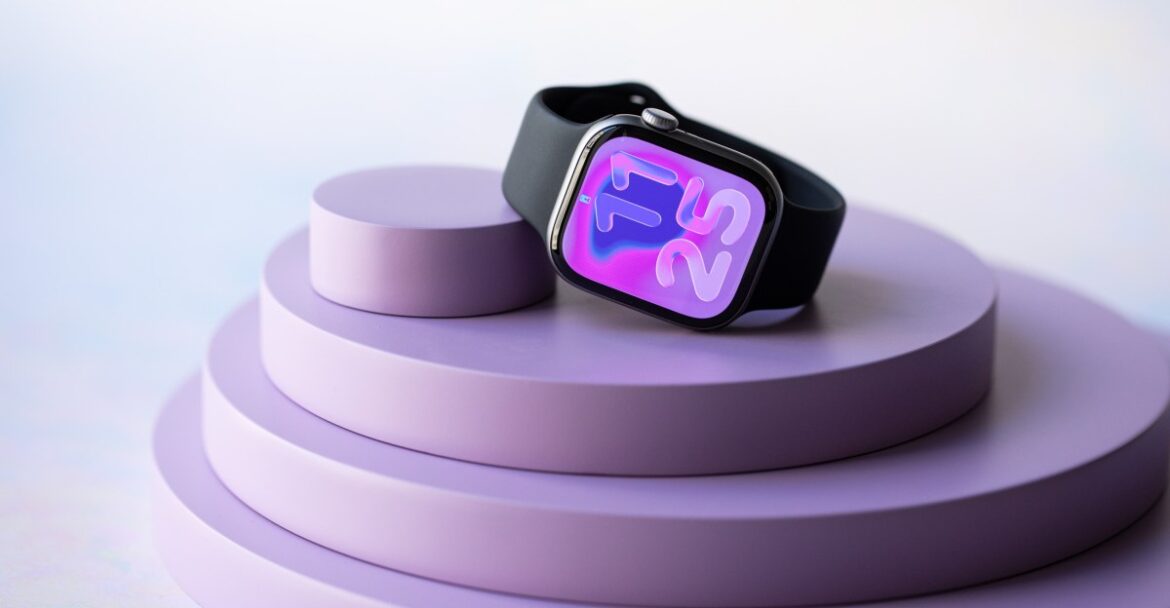
No one is going to wax lyrical about the Apple Watch Series 11. Not because it’s a bad smartwatch — it’s a great smartwatch, actually. There’s just nothing that makes it feel special this year. Alas, the $399 Series 11 is the middle child of Apple Watches.

It’s not the Series 11’s fault that the entry-level Apple Watch SE 3 got a major glow-up. It can’t help that the Apple Watch Ultra 3 gets everything the Series 11 has plus satellite connectivity. But there’s little to mask the fact that this watch doesn’t offer much more than the entry-level SE 3. You’re mostly paying extra for a bit of polish.

Hardware-wise, the Series 11 is nearly identical to its predecessor, but it has a redesigned dual antennae for 5G connectivity, a bigger battery, and a more scratch-resistant display. That’s about it. The smartest updates come in watchOS 26 — and none of those are exclusive to this watch.

Even so, there’s value in being a dependable workhorse. For certain folks, the Series 11 is still the best option over the new SE 3 or the Ultra. And that’s going to boil down to three factors: battery life, health, and comfort.

$399

The Good

  • Slightly better battery life
  • 5G connectivity
  • FDA-cleared hypertension notifications

The Bad

  • It’s not “bad,” but the most exciting updates are in watchOS 26 and coming to older watches, too

The significance of 24 hours

Since the first Apple Watch launched in 2015, Apple has never strayed from its “all-day” 18-hour battery life estimate. This year, for the first time ever, a watch has an estimated 24 hours on a single charge. It’s the single-most practical and important update for the Series 11.

Garmin lovers will scoff. After all, they measure battery life not in hours, but in weeks and months. But Apple has historically been ultraconservative with its battery estimates. For years, I’ve routinely gotten at least 24 hours on a single charge with Series watches. This year, the Series 11 has a bigger battery than previous models. The 42mm Series 11 gets a roughly 9 percent bump in capacity, while the 46mm gets an 11 percent increase. This, combined with a more power-efficient 5G modem, factors into why Apple felt confident to increase the estimate. But if you were hoping that this meant 36 to 40 hours on a single charge, the disappointing news is I’ve only seen a modest bump in my testing year-over-year.

Battery life is modestly better, but the overall design is the same as last year.

Here’s what my first 48 hours with the Series 11 looked like. I took it off the charger at 10:30AM with 100 percent battery. I proceeded to have a busy day with several notifications, the always-on display enabled, and a lot of futzing around to play with new features in watchOS 26. I didn’t stick it onto a charger until a full 28 hours later, with roughly 8 percent battery left. A 25-minute charging session brought that back up to 62 percent, and then I went for a 31-minute run, which brought it back down to 46 percent. I went about the rest of my day, slept an entire night, and when I woke up around the 45-hour mark, I had 12 percent left.

These are similar numbers to what I got on the Series 10. The main difference is that I feel a bit more confident that I’ll still have charge when I wake up the next day. That wasn’t always true with the Series 10. Quite a few times during long-term testing, I’d wake up with a dead watch and incomplete sleep data.

Although I wouldn’t call this mind-blowing, battery remains an area where the Series 11 has a slight edge over the SE 3. You can read about my experience with the SE 3’s battery here, but the gist is that you can feel the difference between fast charging and 24-hour battery versus fast charging with 18-hour battery. I had to baby the SE 3’s battery a bit more than the Series 11.

This matters because if you map out which Apple Watch has which features, the Series 11 is clearly positioned as the “health watch.” And while Apple leads on advanced health detection features, it needs to catch up on sleep tracking. You can’t have robust sleep tracking without a battery that reliably lasts at least 24 hours. So is it any coincidence that Apple is finally adding a Sleep Score (more on that below) in the year it improves battery life? I think not.

Apple Watch Series 11 specs

  • Material: aluminum with Ion-X glass; titanium with sapphire glass
  • Processor: S10 SiP
  • OS: watchOS 26
  • Display: always-on wide-angle OLED, 2,000 nits
  • Connectivity: Wi-Fi, Bluetooth, 5G, and LTE
  • Dimensions: 42mm: 42mm x 36mm x 9.7mm; 46mm: 46mm x 39mm x 9.7mm
  • Weight: 42mm: 29.7 aluminum and 34.6g titanium; 46mm: 37.8g aluminum and 43.1g titanium
  • Battery life: 24 hours with fast charging, 38 hours in low-power mode, zero to 80 percent in 30 minutes
  • Sensors: third-gen optical heart rate monitor, EKG sensor, Sp02, accelerometer, gyroscope, light sensor, barometer, altimeter, temperature sensor, depth gauge, water temperature sensor, compass
  • GPS: built-in GPS, GLONASS, GALILEO, QZSS, and Beidou
  • Water resistance: water resistant up to 50m, IP6X
  • NFC: yes
  • Compatibility: iPhone only

Better battery life means more possibilities outside of sleep tracking, too. For instance, Apple can offer better 5G connectivity for faster downloads and greater cellular coverage now that upgrading from LTE won’t automatically mean burning through the watch’s battery. I’ll dive deeper into 5G performance in my forthcoming Ultra 3 review, but unless you’re a heavy cellular user, the improvements here don’t dramatically change what the watch was already capable of.

The main reason you’d get the Series 11 over the SE 3 or Ultra 3 is because health tracking — not fitness tracking — is your primary concern in a smartwatch. If fitness is your top priority, the Ultra’s brighter and bigger screen, dual-frequency GPS, and rugged durability make more sense. The second reason to opt for the Series 11 is if you want something lightweight with the biggest possible screen without feeling like there’s a hulking brick on your wrist. That’s the Series 11 to a T.

Comfort-wise, this year’s model has the same dimensions as the Series 10, measuring 9.7mm thick with either a 42mm or 46mm case. The bezels are much thinner than the SE 3, with the display about 25 to 30 percent bigger, and it’s still 30 percent thinner than the Ultra 3. For older users or people with more petite wrists, this is a much more wearable design that doesn’t strain the eyes. (And if you want a keyboard to send messages more easily, that’s something the SE 3’s smaller screen can’t accommodate.)

Most of what sets the Series 11 watch apart from the SE 3 lies in this array of health sensors.

On the health front, you get every available feature, but again, neither the FDA-cleared hypertension notifications nor the shiny new Sleep Score is exclusive to the Series 11. Older watches like the Series 9, 10, and Ultra 2 will also get hypertension notifications. Any watch that supports watchOS 26 will get Sleep Score, including the SE 3.

I can’t comment on hypertension notifications yet. It got FDA clearance last Friday, requires 14 days’ worth of data in a 30-day period, and it only just rolled out yesterday. What I can tell you now is that the feature utilizes the existing optical heart rate sensor without first needing to calibrate with a blood pressure cuff. The feature is based on data from 100,000 study participants, and there’s a validation paper you can read that goes into more depth. The gist is that instead of giving you exact blood pressure readings, it searches your heart data to see if there are patterns correlated with hypertension. If yes, then you’ll get an alert notifying you to check in with your doctor. We’ll have to report back once we’ve had more time to test, but this has massive potential as a health screening tool. Apple said in its keynote that it expects to detect 1 million cases over the next year.

I made up for this abysmal sleep score with a big ole nap on my flight to the Apple Event.

What is available right now is the new Sleep Score, which is comprised of 100 points across three categories. You can earn up to 50 points for duration, where seven to eight hours is the ideal target. A consistent bedtime counts for up to an additional 30 points, while the last 20 points take into account how often and how long your sleep is interrupted. The way the data is presented is intuitive, and it smartly takes into consideration travel between time zones.

It’s not a unique metric. Fitbit, Garmin, Eight Sleep, and Oura have had sleep scores for years. However, I appreciate that Apple’s version gives more weight to factors within your control (duration and consistency) rather than sleep stage quality or biometrics. That creates more actionable insights than scores that include factors you have no control over. Conversely, it also means that most scores won’t be a surprise. On a night where I slept only two hours, I received an abysmal score of 23. I got a 93 on a night where I slept 7 hours, went to bed early, and only had six minutes of interrupted sleep. Still, I can see this being helpful if you’d rather focus on what you can control in improving your sleep habits.

Just as the health features are not exclusive to the Series 11, neither are the software updates in watchOS 26. I’ve been using the watchOS 26 beta since June, and I stand by what I said in my preview: the best updates are the revamped Smart Stack and the wrist-flick gesture.

Specifically, the Smart Stack menu subtly nudges you toward useful widgets when you need them. It’s always done this, but it’s a bit more noticeable now that there’s a tiny icon that pops up on your watchface to flag your attention. For example, if your phone camera is open, you’ll see a tiny camera icon on your watch. You can then use the double tap gesture to bring up the Smart Stack and open the remote. Meanwhile, the wrist-flick gesture is an extension of double tap. All you have to do is flick your wrist away from you to dismiss a notification, alarm, timer — you name it. Altogether, it’s easier than ever to use the Apple Watch one-handed, and that feels like a massive step forward.

Since the Camera app is open on my phone, watchOS 26 now shows me a small Camera icon. If I double tap, it’ll show me the Smart Stack with a widget for opening up the Camera Remote. I love this. Photo by Amelia Holowaty Krales / The Verge and Photo by Amelia Holowaty Krales / The Verge

Here are some other stray observations about watchOS 26:

  • You can use the Notes app on the wrist now! It’s been convenient to dictate my thoughts into my wrist when I’m on the go and then access them on my computer or phone later. My only complaint is that you have to give it a second before you press done, or it may not sync properly.
  • If you have a phone with Apple Intelligence, the new call features like Call Screening and Hold Assist pop up on your watchface. It’s helpful when you’re arguing with your health insurance company.
  • This is more iOS 26, but if you like creating custom workouts — REJOICE! Instead of having to tap and edit your interval runs on a teeny screen, you can now create and edit them on your phone via the new Workouts tab in the Fitness app. Hallelujah!
  • If you’re not into bombarding yourself with data and complications, the new Flow watchface is delightfully minimalist.
  • I still hate Liquid Glass, but it’s not so bad on watchOS 26.
  • Workout Buddy is fine but not spectacular. Some people may find its audio cues motivating, but it won’t wow people looking for more in-depth analysis.

This is HIGH-KEY my favorite update to the Fitness app. This is going to change my life.

A weird, in-between watch

The Series 11 is in a weird place. Most of what makes it great can be found on other Apple Watches, so there’s nothing that makes it truly stand out. Perhaps I’d be singing a different tune if the battery improvements were massive, but I suspect most Series 9 and 10 users would only get a few more hours with regular usage. Unless your current watch is broken, there’s little reason for people who prefer Series watches to upgrade.

For Apple Watch newbies or folks who aren’t convinced by smartwatches, the SE 3 is the more obvious, cost-effective choice. For people who want the best of the best, I could craft a 15-page PowerPoint extolling the Series 11’s best qualities, and they’d still buy an Ultra. For people who just want a slightly nicer Apple Watch? I guess that’s the Series 11.

The Series 11 is quite literally stuck in the middle this year.

That doesn’t make the Series 11 a bad product. It has just reached the point where it feels like the default, and default choices aren’t exciting. If you’ve held onto a Series 5 or a Series 6, you’re more likely to appreciate how the incremental improvements have added up to a better experience over time. But if you’re content with your perfectly functioning Series 7 or later? This is a year where I’d prioritize upgrading my phone or AirPods instead.

Correction, September 16th: A previous version of this article mentioned Apple Watches don’t track naps. This author was in dire need of one, but they have since watchOS 11.

Agree to Continue: Apple Watch Series 11

Every smart device now requires you to agree to a series of terms and conditions before you can use it — contracts that no one actually reads. It’s impossible for us to read and analyze every single one of these agreements. But we started counting exactly how many times you have to hit “agree” to use devices when we review them since these are agreements most people don’t read and definitely can’t negotiate.

You can only use the Apple Watch Series 11 with an iPhone. That means you’ll have already agreed to the iPhone’s terms of service and privacy agreements. Using optional services, like Apple Pay, Apple Music, or Fitness Plus, with your Series 10 will also come with their own agreements. Using the Health app also comes with its own terms and conditions.

If you choose to enable cellular service, you’ll also have to agree to your carrier’s terms. I activated cellular on T-Mobile and was asked to agree to one mandatory agreement.

If you add any third-party apps or integrations, you must also agree to those individual terms and privacy policies.

Specific to the Apple Watch, you must agree to the following:

Some features, like hypertension notifications, EKG, sleep apnea, or blood oxygen monitoring, may also require you to disclose your location data, as it depends on local regulatory clearances.

Final tally: One mandatory agreement plus any mandatory agreements for your iPhone. Several, several optional agreements.

0 CommentsFollow topics and authors from this story to see more like this in your personalized homepage feed and to receive email updates.

  • Victoria SongClose

    Victoria Song

    Senior Reviewer, Wearable Tech

    Posts from this author will be added to your daily email digest and your homepage feed.

    PlusFollow

    See All by Victoria Song

  • AppleClose

    Apple

    Posts from this topic will be added to your daily email digest and your homepage feed.

    PlusFollow

    See All Apple

  • FitnessClose

    Fitness

    Posts from this topic will be added to your daily email digest and your homepage feed.

    PlusFollow

    See All Fitness

  • Fitness Tracker ReviewsClose

    Fitness Tracker Reviews

    Posts from this topic will be added to your daily email digest and your homepage feed.

    PlusFollow

    See All Fitness Tracker Reviews

  • GadgetsClose

    Gadgets

    Posts from this topic will be added to your daily email digest and your homepage feed.

    PlusFollow

    See All Gadgets

  • ReviewsClose

    Reviews

    Posts from this topic will be added to your daily email digest and your homepage feed.

    PlusFollow

    See All Reviews

  • Smartwatch ReviewsClose

    Smartwatch Reviews

    Posts from this topic will be added to your daily email digest and your homepage feed.

    PlusFollow

    See All Smartwatch Reviews

  • TechClose

    Tech

    Posts from this topic will be added to your daily email digest and your homepage feed.

    PlusFollow

    See All Tech

  • WearableClose

    Wearable

    Posts from this topic will be added to your daily email digest and your homepage feed.

    PlusFollow

    See All Wearable


Source link

September 17, 2025 0 comments
0 FacebookTwitterPinterestEmail
PacketStream
Product Reviews

PacketStream Review: Pros & Cons, Features, Ratings, Pricing and more

by admin September 16, 2025


Why you can trust TechRadar


We spend hours testing every product or service we review, so you can be sure you’re buying the best. Find out more about how we test.

PacketStream started its journey in California in 2018, when it was established by the entrepreneur duo Arthur Aivazian and Ronald Bell. They imagined it as a company solving a particular need in the market – offering a network of peer-to-peer (P2P) residential proxies, which are IP addresses sourced from real devices around the world, allowing users to bypass geographic restrictions when accessing various kinds of data.

As opposed to many other residential proxy providers, which are centralized, PacketStream’s peer-to-peer nature allows acquiring and selling residential proxies to customers directly. In other words, users buy or sell residential IPs from and to one another. This system makes proxies cheaper, albeit at the cost of reliability and speed.

Another problem that this platform could face is the risk of unreliable IP addresses potentially being added to the network. This is because PacketStream, despite offering secure proxies in general, doesn’t entirely control the IPs sold through its network.

PacketStream: Plans and Pricing

Unlike many proxy providers out there with complex pricing plans, PacketStream keeps things simple, charging per bandwidth, with a flat fee of $1 per GB. This way, you get access to the entire network of residential proxies, which is a lot more straightforward and may even be a cheaper alternative to providers charging for individual IP addresses.

Indeed, $1 per GB is one of the most affordable pricing options in the industry, as most competitors charge a lot more. These include IPRoyal with $6.5 per GB, Bright Data with $8.40 per GB, and Webshare with $2.8 per GB (depending on the specific package you selected).

That said, you’ll need to purchase at least 50 GB, which will set you back by $50. This means you can’t buy just $1 of bandwidth to take the platform for a spin before deciding – the 50 GB minimum is a must. Still, PacketStream offers rotating proxies (alongside their static counterparts), so if one IP address doesn’t work, you can switch to a different one in a jiffy.

PacketStream offers a free trial, but without a standardized process. You need to contact the sales team to request this trial, which is futile for most individual users. The free trial is only suitable for people who plan to spend significant sums on proxies. After all, why contact a sales team if you just need to test a few gigabytes worth of proxies?

PacketStream accepts payments through PayPal and major credit cards.

PacketStream: Features

PacketStream allows users not just to buy proxies, but also to acquire them and sell them on to offset costs, and sell your unused device bandwidth for profit, offering it at prices starting at $0.10 per GB. The minimum payout is $5 and is sent to your PayPal account once per week with a 3% fee applied to cashouts.

Interestingly, Microsoft Defender blocked the download and installation of PacketStream, identifying it as a program that “displays deceptive product messages.” This is typically how ‘scareware’ is described, or software that makes deceptive or fraudulent claims about your computer’s health to trick you into buying unnecessary or potentially unwanted products, which may not be inherently malicious in the same way as other malware.

However, since PacketStream doesn’t make any scary claims about your device, the flagging as potentially malicious could be due to the application’s process of using your computer to route third-party traffic when you share your bandwidth with other users. Hence, the antivirus interprets the app’s behavior as unusual or questionable. So, if you fail to install PacketStream, this could be the reason.

Residential Proxies

PacketStream offers a P2P residential proxy network spanning 190 countries. These proxies are sourced from real devices whose owners sell their bandwidth on the PacketStream network. You don’t have to worry about illegally sourced IP addresses, a major problem plaguing proxy providers. Every IP address on PacketStream was consensually added by its owner to earn money.

The company has both randomized and static IP options on offer, with randomized IPs changing with every new request to provide a high level of anonymity. Static IPs, on the other hand, remain consistent for scenarios where a single and steady IP address is required. Selection of the type of residential proxy you need is done as part of the request when buying access.

PacketStream’s proxy IP addresses were reliable during our test and offered reasonable speeds. We chose IP addresses from different countries, and they provided fast connections, although the speed varies depending on the country. PacketStream lets you choose proxies from roughly 190 countries, but you can’t select by city, which we consider a disadvantage. Many rival proxy providers let you choose proxies from specific cities to increase your chances of evading geographical restrictions.

(Image credit: PacketStream)

The platform supports HTTP, HTTPS, and SOCKS proxy protocols, which differ in how they handle traffic and their compatibility, each having its own strengths and downsides. Having the latter option in particular is important as it reduces network delays and provides better speeds than HTTP/HTTPS, making it ideal for high-speed, general-purpose tasks like P2P sharing or streaming. The other two, on their part, offer benefits like content caching and content filtering.

Residential proxies can be used for many things. A good example is data scraping, wherein people use proxies to bypass website geo-restrictions and scrape relevant information.

Suppose you run a website that tracks the prices of commodities and delivers this data to users. Running a price monitoring site requires extracting data frequently and quickly from many websites. The websites (primary data sources) are privy to external data scraping and block it by implementing geographical and IP restrictions. They can identify specific IPs from data scraping bots and block them from further access. They can also ban IP addresses of an entire country from accessing their information.

PacketStream gives you access to a large network of residential IP addresses to bypass restrictions and scrape commodity price data. If one IP address gets discovered and blocked, just switch to another and try your luck.) Although specific numbers may differ, this proxy provider has millions of IP addresses across 190 countries, so you’ll have no fear of running out of new proxies to bypass geographical restrictions on websites and services.

Online retail is another common use case for residential proxies. Many people use automated bots to snap up fast-selling products, placing orders before they run out of stock. However, e-commerce sites don’t like this and often blocklist bot IP addresses. PacketStream’s residential proxies let users circumvent this block and get their desired product.

As far as an e-commerce site is concerned, residential proxies belong to legitimate devices. It’s challenging for them to detect and block these proxies. Even when they do, you can switch to another proxy and visit the e-commerce site. PacketStream’s large network of residential proxies allows people to utilize automated scripts to bid for products.

One major drawback is that PacketStream offers only residential IPs. It doesn’t provide datacenter IPs, which are faster and more reliable. Datacenter IPs are sourced from dedicated servers with more speed, making them ideal for massive data scraping tasks. Large enterprises are the main users of datacenter proxies, but PacketStream doesn’t serve this cohort well. This proxy provider best suits individuals and small businesses seeking affordable residential proxies.

PacketStream doesn’t offer mobile-specific IPs. Mobile device IP addresses are present on this P2P network, but you can’t specifically choose that option. Many businesses use mobile IPs for app testing and ad verification, but performing these tasks with PacketStream is difficult.

Likewise, PacketStream doesn’t offer proxies sourced directly from Internet Service Providers (ISPs). ISP proxies provide higher data throughput and reduced delay than residential proxies, but you can’t get them on PacketStream.)

Selling Bandwidth

(PacketStream lets users sell their unused bandwidth and make money. You can add your IP address to the network and earn money when people use your device as a proxy. Pricing is $0.10 per GB, which can help you offset the cost of buying bandwidth on PacketStream.

Sharing your bandwidth requires downloading the PacketStream client on your PC. This client is available on Windows and macOS, as well as on Linux, where it can be installed by running a specific command via Docker. It can run even on low-end PCs. The primary requirement is a stable internet connection.

After installing the PacketStream PC app, you can open it anytime and activate a shared connection. Your payout is automatically calculated based on the amount of data your shared connection transmits. Closing the PacketStream app immediately terminates the shared connection, giving you complete control over the process. PacketStream can’t use your connection without your consent, which you give by opening the app.

There’s no limit to the amount of bandwidth you can share. The minimum payout is $5 for 50 GB of bandwidth, which makes sense because 50 GB is the minimum amount of bandwidth that PacketStream users can buy. A 3% fee applies to every payout.

Reseller API

PacketStream offers reselling/white-label services. This feature is for people interested in starting their own proxy providers. In that case, you can sell PacketStream’s proxies under your own branding and earn money. PacketStream provides a bare-bones version of its platform, which you can customize to build a brand atop the company’s infrastructure.

(Image credit: PacketStream)

Resellers provide access to the same network of proxies available on PacketStream. Any device added to PacketStream’s network will become available on your proxy provider. This feature isn’t for individual users, but we consider it worth discussing to give a complete PacketStream review.

PacketStream: Ease of Use

PacketStream outshines many competitors in the user-friendliness criterion. It arguably has the simplest interface we’ve encountered in a proxy provider, thanks partly to its limited features (there’s not much to navigate).

(Image credit: PacketStream)

All features are neatly arranged on the left menu, and the main dashboard lies on the right side. With a white background and a few contrasting colors, PacketStream’s interface feels visually appealing and easy to navigate. The average person won’t have any issues understanding this interface: this can’t be said for some proxy providers.

There’s a drawback, though. PacketStream doesn’t offer a browser extension to manage proxies. You need the desktop interface to manage and deploy new proxies, unlike other proxies with browser extensions for seamless proxy management. An extension lets you switch proxies at the click of a single button, but PacketStream doesn’t provide this benefit.

PacketStream: Customer Support

An area where PacketStream lags behind its competitors is customer support. It offers direct support only via email, with no live chat or telephone option. You can send a support email and expect a response within 48 hours, but there’s no option to hold a real-time conversation with support staff.

Also, PacketStream doesn’t provide as many self-help support resources as most competitors. There’s a FAQ section and user guides on the website, but they aren’t as detailed as what we’ve seen in other proxy providers.

PacketStream: The Competition

PacketStream has many competitors, the most notable being Bright Data, Oxylabs, and Decodo (formerly Smartproxy).

Bright Data offers residential, ISP, and datacenter proxies. It also offers advanced web scraping APIs as pre-built datasets. In contrast, PacketStream offers none of these except residential IPs. If you need PacketStream’s proxies for automated data scraping, you’ll need an external platform for the APIs. However, at $1 per GB, PacketStream’s residential proxy service is much more affordable than Bright Data’s, which costs around $8.4 per GB.

Oxylabs provides residential, ISP, and datacenter proxies, with a massive pool of over 100 million IP addresses. It also provides a Web Unblocker and web scraping APIs for enterprises. Oxylabs is undoubtedly the more sophisticated platform. It offers more reliable and speedy proxy IPs, with complete control over its proxy network, unlike peer-to-peer PacketStream. However, Oxylabs’ residential IPs cost $8 per GB, compared to PacketStream’s $1.

Webshare offers residential, ISP, and datacenter proxies, but not web scraping APIs. Its pool of 80 million+ IP addresses across 195 countries is on par with Oxylabs and Bright Data but larger than PacketStream. With pricing as low as $2.8 per GB, Webshare is one of the most affordable proxy providers for enterprises. Yet, PacketStream’s $1 per GB beats it in pricing.

In summary, PacketStream lags slightly behind most competitors in certain advanced features and customer support. However, it outperforms them in ease of use and affordability, helped by the lower costs of running a P2P network and the opportunity to earn money through offering your bandwidth for other users.

PacketStream: Final words

PacketStream is among the most affordable residential IP providers in terms of price per GB, although the minimum purchase is worth $50. This makes it ideal for individual users or small businesses that require rotating and static proxies for mundane online activities. Having said that, enterprises will probably find it lacking for any large-scale data scraping needs. Besides, it lacks the more reliable datacenter and ISP proxies and has limited customer support.

We’ve rated the best VPN services.


Source link

September 16, 2025 0 comments
0 FacebookTwitterPinterestEmail
Hollow Knight: Silksong Review - Punishing Grandeur
Game Reviews

Hollow Knight: Silksong Review – Punishing Grandeur

by admin September 16, 2025


Hollow Knight: Silksong is an exemplar of its form. Games like Metroid and Castlevania helped establish the fun of an exploration and platforming adventure filled with upgrades that open up new paths to progression, and Team Cherry’s second Hollow Knight game takes that concept to a profound level of depth, sophistication, and scope. Pacing issues and a punishing approach to forward progression prevent a full-throated endorsement to every type of player, but those with significant patience can uncover a true masterpiece. 

While there are some scant references to the prior game, players should be comfortable thinking of Silksong’s story as a standalone installment, in which a warrior princess bug named Hornet is taken against her will to a distant kingdom called Hallownest. After escaping, she seeks to uncover the reason for her kidnapping and the secrets of the place, gradually unfolding a story of ancient mysteries and the decayed remains of a sovereignty governed through the powers of silk and music. The worldbuilding is immaculate, from the visuals of a land that has fallen into ruin to the beautifully written dialogue between characters that fleshes out the fiction. 

The environmental storytelling is backed up by rewarding exploration and traversal. Silksong’s world is truly vast, with an interconnected network of biomes that each contribute new threads to the web of understanding, from abandoned halls of long-forgotten experiments to clockwork machinery that drives the kingdom’s waning functions. Hidden paths abound, and the gradual unlocking of new shortcuts and areas that appear through the acquisition of abilities makes for a satisfying loop. 

Several platforming sequences are highly challenging, demanding split-second pad/stick control for long and unforgiving stretches. I relish those challenges for their design and canny pathing, but the distance between rest points does little to contribute to that enjoyment. Instead, I found the insistence on extremely long checkpoint placement hampered the sense of pacing in several instances, since I was forced to repeatedly redo early and manageable sections just to get a chance to practice and perfect the later ones. 


While combat encounters are frequent and demanding, they are tuned to reward careful attention and clever use of resources. Over the dozens of hours it takes to reach even the first of several endings, I consistently felt a sense of evolving control over the onscreen action, which is enhanced by several distinct crests, each of which alters movement, attacks, and available abilities in subtle but important ways. The distinct playstyles are yet one more way that Silksong layers in nuance.

I was especially fond of many of the bosses, which often have a wide variety of interesting movesets to learn and evocative visual themes that set each apart from the rest. In particular, bosses like Lace, Phantom, and the Cogwork Dancers feel rhythmic and intense, like impactful duels between master combatants. 

While the boss battles themselves are a rewarding challenge, I can’t say I was always a fan of the extreme damage each dealt, often ending individual attempts in mere seconds, or the sponge-like health pools of most, which sometimes feel like a chore to work through, even after nailing the mechanics of the fight. The frequent insistence on long, gauntlet-like runbacks to retry a given battle exacerbates those issues, which reads more like an unnecessary time sink, rather than a fun addition to the difficulty. 

Like many great games, all of Silksong’s systems, difficulty, and storytelling feel intentional and crafted to be as they are. Even as particular frustrations held back some measure of my potential enjoyment, I simultaneously marveled at the care that has gone into each detail of Silksong’s measured unraveling of plot and gameplay. Even beyond the credits, hours and hours of optional endings, additional zones and bosses, and new plot elements wait to be brought to light by a devoted player. It’s a truly immense game filled with hard-won moments of discovery and revelation. 

Musicians know the feeling of a piece that is woven with complexity, which takes longer to learn than most, but brings commensurate satisfaction upon mastery; Silksong is the video game equivalent, sitting ready to be played and adored, but only after appropriate levels of devotion and persistence.


Source link

September 16, 2025 0 comments
0 FacebookTwitterPinterestEmail
Apple Watch SE 3 review: major glow-up
Product Reviews

Apple Watch SE 3 review: major glow-up

by admin September 16, 2025


When I walked into Apple Park last week, there was one thing that I did not have on my bingo card: the $249 Apple Watch SE 3 stealing the show from the Apple Watch Series 11 and the Apple Watch Ultra 3.

But here we are. It’s 2025, and the entry-level Apple Watch is the one I’m most excited by.

That’s because compared to the iterative updates of the Series 11 and Ultra 3, the third-gen SE has gotten a massive, wide-ranging glow-up. Unlike the other watches, there also weren’t any leaks suggesting this was even in the cards, making this jam-packed release a total surprise. And the cherry on top? In the lead-up to the event, I wrote the easiest thing Apple could do to make the Apple Watch better was give people what they wanted. Nearly every single update to the SE 3 does exactly that.

$249

The Good

  • We finally get an always-on display
  • We get double tap and wrist flick!
  • So many more health features!
  • 5G!
  • Fast charging!
  • More durable!
  • On-device Siri!
  • Upgraded processor
  • You get a speaker too

The Bad

  • Those bezels are still thicc
  • Wish the battery life was a skosh better

I could probably just list all the changes, wrap up this review, and crawl into bed because many of them are such obvious improvements. Here they are in a nutshell:

  • The SE 3 jumps from the S8 chip to the S10, enabling faster processing and features previously limited to the Series and Ultra models, including double tap, wrist flick, on-device Siri, and improved voice isolation during phone calls.
  • Apple has finally heard the prayers of beleaguered SE users everywhere and given the people an always-on display. Huzzah!
  • It’s still only got an 18-hour battery life estimate, but the SE 3 finally has fast-charging.
  • There’s a wrist-temperature sensor now, enabling retrospective ovulation tracking and more robust sleep tracking data in the Vitals app.
  • Other health tracking features coming to the SE 3 include breathing disturbances, sleep apnea notifications, and the new Sleep Score.
  • The SE also gets 5G connectivity for faster downloads and better cellular coverage.
  • It supports audio playback now, so if you want to listen to your music or podcast from the wrist (hopefully not in public), you can.
  • The watch itself is purportedly four times more resistant to cracks than the SE 2.

There’s so many updates jam packed into this tiny little watch.

That’s a heckuva lot. All of these “new” features were introduced on the Series 8, 9, and 10, and they function identically on the SE. Given that, it’s become harder to differentiate the SE 3 and the Series 11, especially since the latter’s coolest updates are tied to watchOS 26 and are coming to this cheaper model, too.

At this point, there are only a few key upgrades reserved for the Series 11. The SE 3 doesn’t have EKG capabilities or the ability to measure blood oxygen. Hypertension notifications are limited to the Series and Ultra lineups. The SE 3 comes in the smaller 40mm and 44mm sizes, and it has thicker bezels. The smaller displays also mean that you don’t get a keyboard for texting. And while you get 5G, it lacks the re-engineered antennae in the Series 11, meaning you might get slightly worse coverage in certain areas. The SE 3 also misses out on the modest bumps to battery capacity and battery life in the Series 11.

You’re giving up this handful of features in exchange for $150 off the price. For the average person, that tradeoff is absolutely worth it.

When I tested the second-gen SE in 2022, it felt like a first-time buyer’s Apple Watch. You got the core features, and if you’d never had an Apple Watch before, you wouldn’t feel all that bothered by the thicker bezels or missing features. That’s also true this time around, except there’s even less to miss.

During testing, there were several moments when I forgot I wasn’t wearing a Series watch. The biggest pain point for me last time around was the lack of an always-on display. Now that’s available on the SE 3, most of my complaints evaporated. I can always see the time or my complications without having to wake the watch up. It sounds like a small thing, but it’s crucial to really making the watch a source of glanceable information. Likewise, I’ve become so fond of double-tap and wrist-flick gestures for single-handed convenience. Not having to give those up meant using the SE 3 didn’t feel like a sacrifice.

Behold! The always-on display. It is glorious.

I’ll get more into 5G performance in my upcoming Ultra 3 review, but I didn’t notice a huge drain in my day-to-day usage. (This might be more of an issue for you if you frequently leave your phone at home.)

The biggest features you lose out on by choosing the SE 3 are EKGs or blood oxygen sensing. But let me play devil’s advocate here. For most of the past 18 months, none of the newer Apple Watches sold in the US could perform blood oxygen readings — and I didn’t hear many complaints. Also, while you can’t actively take on-the-spot EKGs, the SE 3 can still passively check for signs of atrial fibrillation via irregular heart rhythm notifications. I can’t comment on hypertension notifications yet, as the feature only just became available for testing yesterday. However, now that sleep apnea notifications, more robust period tracking, and wrist-temperature data for the Vitals app are available? I don’t feel like I’m missing anything except metrics I didn’t make much use of to begin with. Obviously, you’ll feel different if you do value EKG and blood oxygen, but I’d argue the majority of people get more value out of high and low heart rate alerts.

Up close, it’s hard to unsee how thick the bezels are on the SE 3.

But on the wrist? I got used to it.

As for battery life, you have to baby the SE 3 a smidge more than the Series 11. In my first 24 hours with the watch, I left my hotel at 7:30AM PT with 100 percent battery, tracked a 48-minute mini-golf session, and then hopped on a cross-country flight. After arriving home at 11:45PM ET, roughly 13 hours later, I had 27 percent battery left with no low-power saving mode used. A 10-minute charge while I brushed my teeth and did my skincare bumped me up to 37 percent, and that was enough to get me through the night. I woke up at 6:45AM with about 22 percent battery, and that got me to around 9AM before I really needed to charge.

Apple Watch users will find this battery babying normal, while Garmin or Fitbit diehards will view this as unbearably annoying. But it’s about what I’d expect from the SE 3. You have to be more aware of the SE 3’s battery levels if you’re going to push it hard throughout the day. You’re slightly freer to forget with the Series 11.

  • Material: aluminum with Ion-X glass
  • Processor: S10 SiP
  • OS: watchOS 26
  • Display: always-on, 1,000 nits
  • Connectivity: Wi-Fi, Bluetooth, 5G, and LTE
  • Dimensions: 40mm: 40mm by 34mm by 10.7mm; 44mm: 44mm by 38mm by 10.7mm
  • Weight: 40mm: 26.3g GPS and 26.4g cellular; 44mm: 32.9 GPS and 33g cellular
  • Battery life: 18 hours with fast charging, 32 hours in low power mode. Zero to 80 percent in 45 minutes.
  • Sensors: second-gen optical heart rate monitor, accelerometer, gyroscope, light sensor, barometer, altimeter, wrist temperature sensor, compass
  • GPS: built-in GPS, GLONASS, GALILEO, QZSS, and Beidou
  • Water resistance: up to 50 meters
  • NFC: yes
  • Compatibility: iPhone only

The only thing that truly bugged me was the screen size. I have the 40mm SE 3, and things are undoubtedly tiny, while the bezels are thicker than on the Series watches. But even I have to admit that it only really bothered me because I’d switched back from a higher-end Apple Watch. Eventually, I got used to it, and it’s much less noticeable if you use watchfaces with a black background. As someone with terrible eyesight, I find it easier to interact with and read notifications on a bigger display, but if you’ve got good eyesight, this may be a nonissue for you.

The best Apple Watch for most people right now

Beefing up the $250 SE 3 this much sows chaos into the Apple Watch lineup. Right now, the dividing line between the Ultra and the Series 11 is clear — there’s better GPS tracking, a rugged design, more buttons, satellite connectivity, and the biggest honking screen and battery Apple has to offer. The line between the SE 3 and Series 11? For many people, it’s now nonexistent.

The skeptic in me believes that the SE 3’s glow-up is partly an effort to draw more people into the Apple Watch ecosystem. It’s an incredible value, and Apple happens to be coming off five consecutive quarters of declining Apple Watch shipments due to a decrease in consumer demand, fewer models, and ho-hum feature upgrades. You don’t need to be a financial whiz to see the SE 3 will likely do gangbusters in terms of sales.

This watch is just an incredible value.

The SE line doesn’t get refreshed every year, and it’s possible that with the Series 12 or 13, Apple may introduce a new chip or sensor that enables more advanced health features that won’t make their way over to the SE 3. But that’s a moot point for people who are looking to buy today.

The true decision boils down to whether you think a bigger display, thinner bezels, EKGs, and blood oxygen are worth an extra $150. If you have to buy now, I’d recommend getting the 44mm SE 3 to mitigate the screen issue. But unless you have legitimate health reasons for needing the latter two metrics? Save that extra $120–$150 for a rainy day.

Agree to Continue: Apple Watch SE 3

Every smart device now requires you to agree to a series of terms and conditions before you can use it — contracts that no one actually reads. It’s impossible for us to read and analyze every single one of these agreements. But we started counting exactly how many times you have to hit “agree” to use devices when we review them since these are agreements most people don’t read and definitely can’t negotiate.

You can only use the Apple Watch SE (2025) with an iPhone. That means you’ll have already agreed to the iPhone’s terms of service and privacy agreements. Using optional services, like Apple Pay, Apple Music, or Fitness Plus, with your SE will also come with their own agreements. Using the Health app also comes with its own terms and conditions.

If you choose to enable cellular service, you’ll also have to agree to your carrier’s terms. I activated cellular on T-Mobile and was asked to agree to one mandatory agreement.

If you add any third-party apps or integrations, you must also agree to those individual terms and privacy policies.

Specific to the Apple Watch, you must agree to the following:

Final tally: one mandatory agreement plus any mandatory agreements for your iPhone. Several, several optional agreements.

0 CommentsFollow topics and authors from this story to see more like this in your personalized homepage feed and to receive email updates.

  • Victoria SongClose

    Victoria Song

    Senior Reviewer, Wearable Tech

    Posts from this author will be added to your daily email digest and your homepage feed.

    PlusFollow

    See All by Victoria Song

  • AppleClose

    Apple

    Posts from this topic will be added to your daily email digest and your homepage feed.

    PlusFollow

    See All Apple

  • FitnessClose

    Fitness

    Posts from this topic will be added to your daily email digest and your homepage feed.

    PlusFollow

    See All Fitness

  • Fitness Tracker ReviewsClose

    Fitness Tracker Reviews

    Posts from this topic will be added to your daily email digest and your homepage feed.

    PlusFollow

    See All Fitness Tracker Reviews

  • GadgetsClose

    Gadgets

    Posts from this topic will be added to your daily email digest and your homepage feed.

    PlusFollow

    See All Gadgets

  • ReviewsClose

    Reviews

    Posts from this topic will be added to your daily email digest and your homepage feed.

    PlusFollow

    See All Reviews

  • SmartwatchClose

    Smartwatch

    Posts from this topic will be added to your daily email digest and your homepage feed.

    PlusFollow

    See All Smartwatch

  • Smartwatch ReviewsClose

    Smartwatch Reviews

    Posts from this topic will be added to your daily email digest and your homepage feed.

    PlusFollow

    See All Smartwatch Reviews

  • TechClose

    Tech

    Posts from this topic will be added to your daily email digest and your homepage feed.

    PlusFollow

    See All Tech

  • WearableClose

    Wearable

    Posts from this topic will be added to your daily email digest and your homepage feed.

    PlusFollow

    See All Wearable


Source link

September 16, 2025 0 comments
0 FacebookTwitterPinterestEmail
Apple Watch Series 11 Review: Finally, the Watch Lives Longer
Product Reviews

Apple Watch Series 11 Review: Finally, the Watch Lives Longer

by admin September 16, 2025


For years, Apple has tried to extend the battery life of the Apple Watch. For as many years, the company has only succeeded by half measures. Features like Low Power mode or faster charging help you keep the watch on your wrist for longer, but Apple has not significantly improved the watch’s 18-hour battery life—even at last year’s much-hyped decade-versary of the Apple Watch.

I say this to give the context of why such a little thing was so shocking. After wearing the new Apple Watch Series 11 for a full afternoon and wearing it to sleep, I woke up in the morning and discovered that I still had 58 percent battery left. 58 percent! I can wear the watch to sleep, get up, get my kids to school, and charge the watch when I’m at my desk! Constantly fussing over battery life was a major pain of the Apple Watch, and it’s been fixed.

Longer battery life also makes it significantly easier to use Apple’s newest health features as well. If you have a Series 3 or 4 and have been waiting to upgrade, this is the year to do it. Too bad Apple couldn’t pull this off last year.

In a Heartbeat

Photograph: Adrienne So

First things first: The new Series 11 comes in 42- and 46-millimeter case sizes with aluminum and titanium finishes in a variety of colors—Gold, Natural, and Slate for titanium, Rose Gold, Silver, Space Gray, and Jet Black for aluminum). It has the same slim case as last year’s Series 10, along with features like fast charging and a new, more scratch-resistant glass.

Apple CEO Tim Cook has long contended that the Apple Watch is meant to save your life. In accordance with this, the newest features on the watch (or more accurately, the watchOS 26 update that applies to all Apple Watches, Series 6 or later) are health-related. First, the watch now offers hypertension, or high blood pressure, notifications.

Undiagnosed high blood pressure now affects as many as one in three people worldwide and can lead to heart attacks, stroke, or other long-term health conditions. The optical heart rate monitor on the watch purports to check how your blood vessels respond to your heartbeats; Apple says that the feature was developed with data from a series of studies that totaled over 100,000 participants.


Source link

September 16, 2025 0 comments
0 FacebookTwitterPinterestEmail
  • 1
  • …
  • 12
  • 13
  • 14
  • 15
  • 16
  • …
  • 31

Categories

  • Crypto Trends (1,098)
  • Esports (800)
  • Game Reviews (772)
  • Game Updates (906)
  • GameFi Guides (1,058)
  • Gaming Gear (960)
  • NFT Gaming (1,079)
  • Product Reviews (960)

Recent Posts

  • This 5-Star Dell Laptop Bundle (64GB RAM, 2TB SSD) Sees 72% Cut, From Above MacBook Pricing to Practically a Steal
  • Blue Protocol: Star Resonance is finally out in the west and off to a strong start on Steam, but was the MMORPG worth the wait?
  • How to Unblock OpenAI’s Sora 2 If You’re Outside the US and Canada
  • Final Fantasy 7 Remake and Rebirth finally available as physical double pack on PS5
  • The 10 Most Valuable Cards

Recent Posts

  • This 5-Star Dell Laptop Bundle (64GB RAM, 2TB SSD) Sees 72% Cut, From Above MacBook Pricing to Practically a Steal

    October 10, 2025
  • Blue Protocol: Star Resonance is finally out in the west and off to a strong start on Steam, but was the MMORPG worth the wait?

    October 10, 2025
  • How to Unblock OpenAI’s Sora 2 If You’re Outside the US and Canada

    October 10, 2025
  • Final Fantasy 7 Remake and Rebirth finally available as physical double pack on PS5

    October 10, 2025
  • The 10 Most Valuable Cards

    October 10, 2025

Newsletter

About me

Welcome to Laughinghyena.io, your ultimate destination for the latest in blockchain gaming and gaming products. We’re passionate about the future of gaming, where decentralized technology empowers players to own, trade, and thrive in virtual worlds.

Recent Posts

  • This 5-Star Dell Laptop Bundle (64GB RAM, 2TB SSD) Sees 72% Cut, From Above MacBook Pricing to Practically a Steal

    October 10, 2025
  • Blue Protocol: Star Resonance is finally out in the west and off to a strong start on Steam, but was the MMORPG worth the wait?

    October 10, 2025

Newsletter

@2025 laughinghyena- All Right Reserved. Designed and Developed by Pro


Back To Top
Laughing Hyena
  • Home
  • Hyena Games
  • Esports
  • NFT Gaming
  • Crypto Trends
  • Game Reviews
  • Game Updates
  • GameFi Guides
  • Shop

Shopping Cart

Close

No products in the cart.

Close