Laughing Hyena
  • Home
  • Hyena Games
  • Esports
  • NFT Gaming
  • Crypto Trends
  • Game Reviews
  • Game Updates
  • GameFi Guides
  • Shop
Tag:

phone

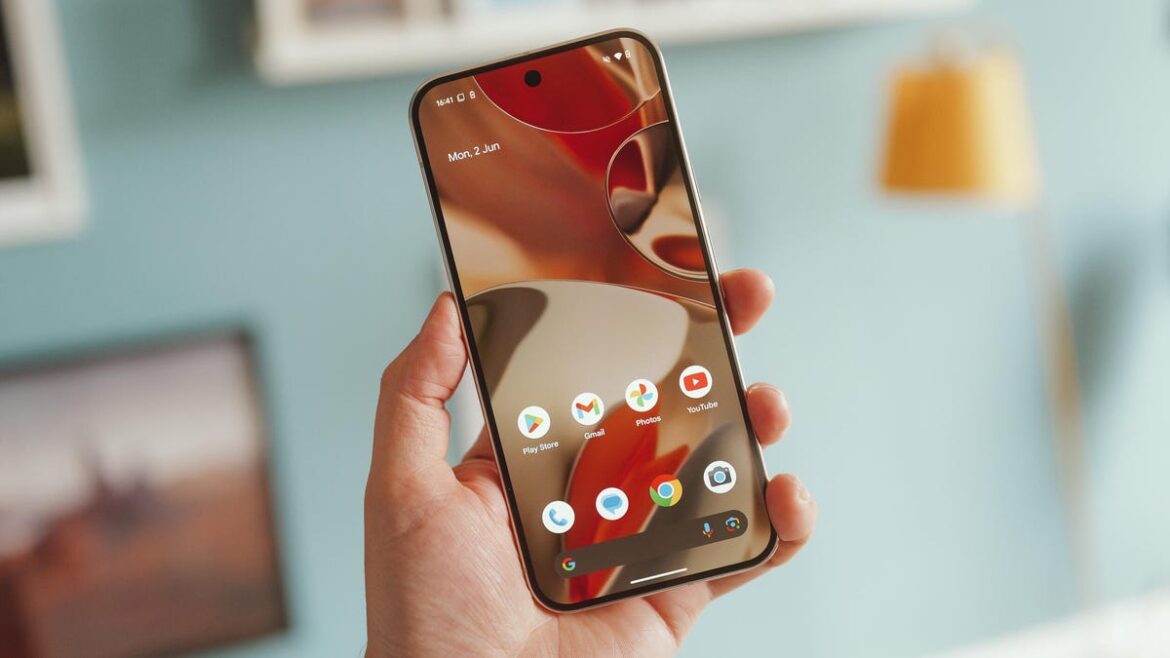
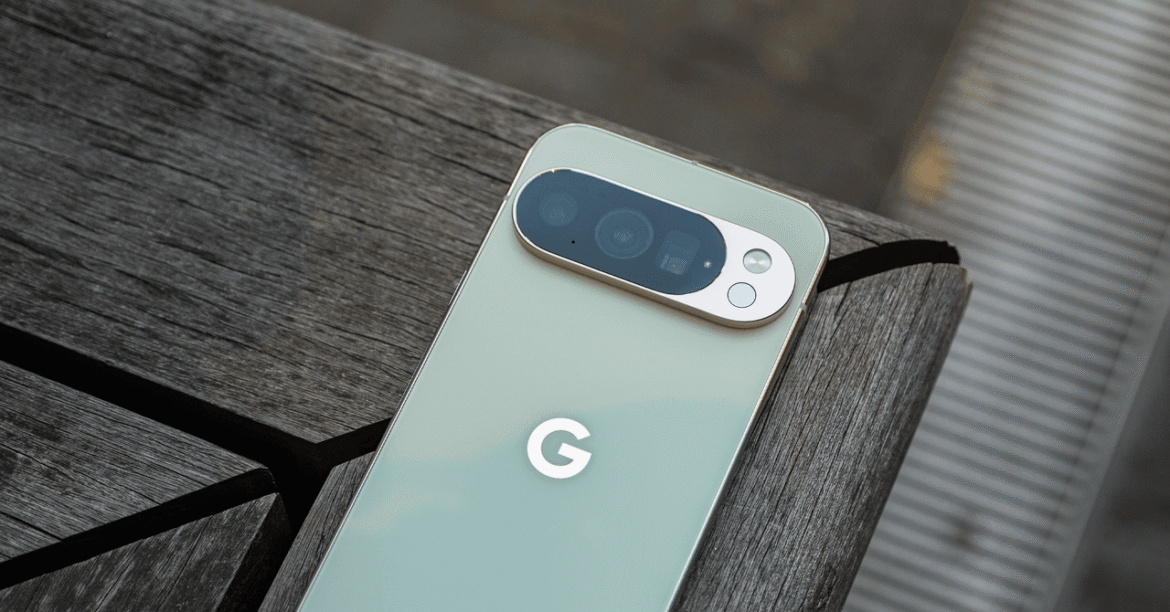
Key Pixel Settings to Change on Your Google Phone
Gaming Gear

Key Pixel Settings to Change on Your Google Phone

by admin August 31, 2025


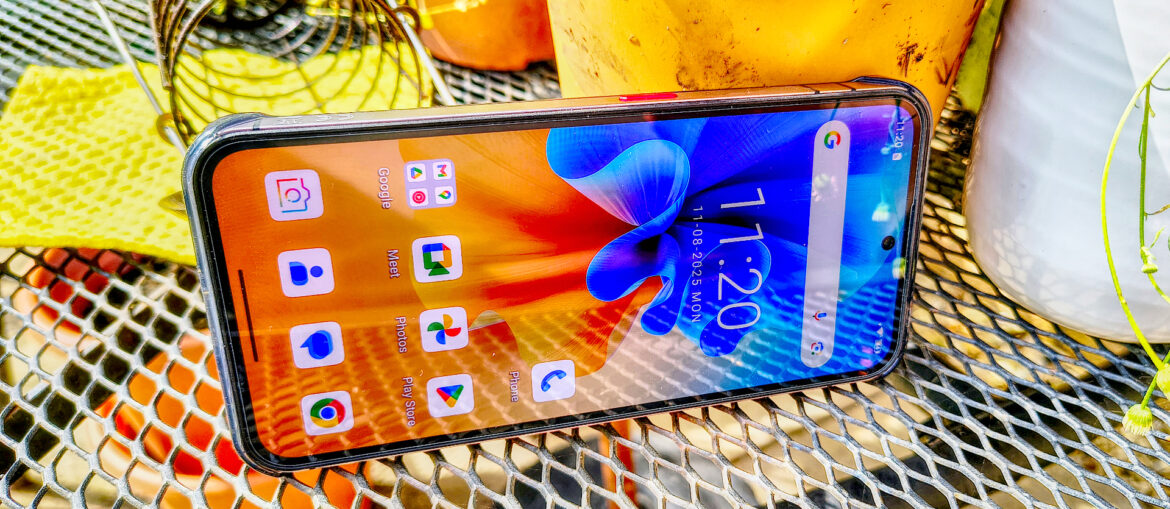
While we’re talking about the display, make sure your Pixel is using the highest screen resolution. In Display & touch, scroll down to Screen resolution and choose Max resolution. It may eat up more battery life, but you paid for a high-quality display! Use it. Smooth display sits right below, but it’s finally enabled by default, allowing your phone to hit a 120-Hz screen refresh rate.

Enhance Your Lock Screen

Photograph: Julian Chokkattu

The lock screen is fairly customizable. Head to Settings > Display & touch > Lock screen to customize how notifications appear (compact or full list), hide silent notifications, hide sensitive content, and add shortcuts to the left or right corner (like Flashlight or Wallet). You should also enable Dynamic clock, which changes the size of the clock based on what’s on the lock screen. To change the appearance of the lock screen clock, head to Settings > Wallpaper & style and Clock (on the lock screen tab). There are several styles to choose from, and you can adjust the colors and size.

As for your lock screen wallpaper, tap on a photo and then tap Effects. You can customize how photos of your loved ones appear—within shapes, a fresh background color, with real-time weather animations, or a Cinematic look that adds depth.

Change the Power Button Behavior

If you want to restart your Pixel or turn it off, you have to pull down the notification drawer and tap on the digital power button. What about the physical power button? Google defaults it to triggering its Gemini voice assistant. You can actually get the power menu back by pressing the power button and the top volume button simultaneously, but if you want the old-school behavior back, head to Settings > System > Gestures > Press & hold power button.

If you go this route but still want to access Gemini, you can just say, “Hey Google,” to set up voice commands, or use the Gemini widget on the home screen to activate it. To add a widget, press and hold anywhere on the home screen, tap Widgets, and scroll to Gemini.

Switch to the AV1 Codec and Use Video Boost

This is for the Pixel 10 series, but these phones can now record in the AV1 video format. This greatly saves storage space, so if you’re someone who takes a lot of video, it’s the smart approach. However, AV1 isn’t supported universally. You shouldn’t have issues uploading AV1 videos to Instagram, for example, but you’ll want to check if the source you want to upload to supports it. To switch to AV1, open the camera app, click the gear icon on the left, then tap the three dots at the top right. Scroll to the bottom, tap on Video format, and choose AV1.

Speaking of video, Google’s Pro Pixel phones, since the Pixel 8 Pro, have been able to use a feature called Video Boost. This sends your footage to the cloud for processing, improving color, brightness, and stabilization, while reducing noise. Depending on the length of the video, the processing can take 20 minutes, several hours, or even a day. You’ll be notified when it’s ready, and until then, you can use the native footage you originally shot. It’s a smart way to level up the video quality (the Pixel 10 Pro can even upscale it to 8K), even if it’d be nice if Google just improved native video capture. To enable Video Boost, switch to the Video tab in the camera app, tap the gear icon in the camera app, and toggle it on.

Disable Pro Res Zoom and Camera Coach

Courtesy of Joel Chokkattu

Another one for Pixel 10 users, Pro Res Zoom is available on the Pixel 10 Pro models, and Camera Coach is on all Pixel 10 phones (though there’s a chance one of these could come to older Pixels). You can learn more about how these camera features work here, but Pro Res Zoom essentially stitches hundreds of frames together once you go past 30X to 100X digital zoom, and employs generative AI to fill in the details of the image. That results in spectacularly sharp zoomed-in photos, but it may leave a weird taste in your mouth because parts of it were AI-generated. You can turn it off! Open the camera, press the gear icon on the bottom left, and tap the three-dot menu icon. Tap Model download and then the trash icon next to Pro Res Zoom.

Source link

August 31, 2025 0 comments
0 FacebookTwitterPinterestEmail
Oukitel WP210
Product Reviews

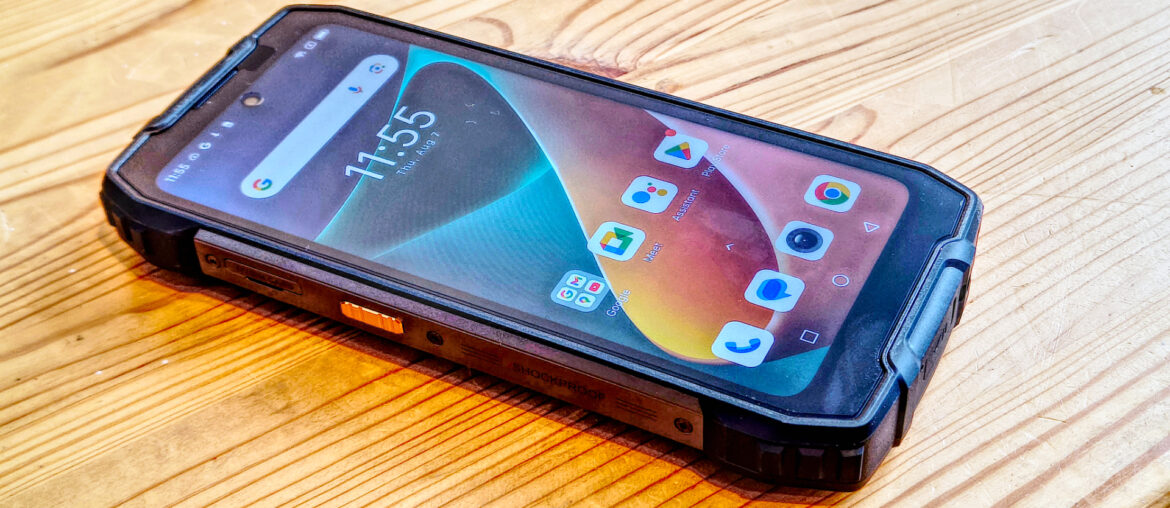
Oukitel WP210 rugged phone review

by admin August 30, 2025


Why you can trust TechRadar


We spend hours testing every product or service we review, so you can be sure you’re buying the best. Find out more about how we test.

Oukitel WP210: 30-second review

Having seen a few rugged phones, they typically fall into one of two categories: either being excessively bulky to achieve extended battery life, or lightweight with less longevity and features.

Curiously, the Oukitel WP210 strikes a sweet spot between these two positions, making it appealing to a few distinct user groups who might be drawn to its blend of ruggedness, performance, and sleek design.

At a weight of 311g and with a relatively slim 13.7mm profile, sized like a standard phone, this is a design that manages to hide its rugged credentials effectively. Yet it still manages to deliver its IP68 / IP69K / MIL-STD-810H ratings, enabling it to handle harsh environments and even submersion.

From an aesthetics angle, this is a rugged phone that isn’t trying to be a Sci-Fi prop or project a military resilience; its carbon-fibre accents, matte polycarbonate shell, and metal frame give it a modern industrial look.

Available in red, black and grey, for a rugged phone, this design is classy while being understated, which is something many business customers will like. It’s styled to appeal to both outdoor adventurers and business professionals – rugged, but not overbuilt.

It features a high-end MediaTek SoC, making apps and the interface slick and responsive. It comes with 12GB of RAM and 512GB of storage, but alas, no Micro SD card expansion beyond that capacity. The 6.7-inch OLED display delivers intense colours and brightness, while the rear camera cluster features the 108MP Samsung S5KHM6, capturing high-quality images and videos.

Having high-end features such as these comes at a cost, but in this design, the asking price from Oukitel is only $399.99 for US customers, which seems like a bargain.

Sign up to the TechRadar Pro newsletter to get all the top news, opinion, features and guidance your business needs to succeed!

While it might not be the best rugged phone I’ve tested, it’s certainly one of the best value devices in its category.

(Image credit: Mark Pickavance)

Oukitel WP210: price and availability

  • How much does it cost? $400/£311
  • When is it out? Available globally
  • Where can you get it? Direct from the maker or via an online retailer

Oukitel sells the WP210 directly, though not in all regions. Currently, US customers can get it directly for $399.99.

However, it isn’t shown on the UK, French or German sites. I’m also seeing it on Amazon.com for $499.99 and Amazon.co.uk for £351.49. Worldwide, it’s available via Aliexpress, too.

The obvious competitors for the WP210 are the Ulefone Armour 30 Pro and its bigger brother, the WP300.

The Oukitel WP300 has a higher battery capacity, but less RAM, a less powerful SoC, and a lower-quality camera. And, it costs almost the same price. The selling point of the WP300 is its detachable second screen, which doubles as a watch.

The Ulefone Armor 30 Pro features a heavier design at 509g, offering more battery capacity and 16GB RAM, but it comes with a less powerful SoC and a lower-quality camera. If you need longer running, it’s an alternative, but it doesn’t offer the same performance levels as the WP210.

(Image credit: Mark Pickavance)

Oukitel WP210: Specs

Swipe to scroll horizontally

Item

Spec

CPU:

MediaTek Dimensity 8200 (Octa-core, up to 3.1GHz)

GPU:

Mali-G610 MC6

NPU:

MediaTek NPU 580

RAM:

12GB

Storage:

512GB

Screen:

6.7-inch AMOLED,120Hz refresh rate, Gorilla Glass 5

Resolution:

1080×2412 pixels

SIM:

2x Nano SIM (no TF)

Weight:

311g

Dimensions:

163.6 × 77.85 × 13.7 mm

Rugged Spec:

IP68 IP69K dust/water resistant (up to 1.5m for 30 min), MIL-STD-810H Certification

Rear cameras:

108MP Samsung S5KHM6 + 2MP GalaxyCore GC02M1 macro + 0.3MP depth

Front camera:

32MP Sony IMX615

Networking:

WiFi 6, Bluetooth 5.3

OS:

Android 15

Battery:

8800 mAh battery (Max 45W charge wired, 10W reverse)

Colours:

Red, Black, Grey

Oukitel WP210: design

  • Solid construction
  • No headphone jack
  • Lacks TF card expansion

What’s great about this phone design is how relatively normal it feels to use. It’s a classic modern Android phone-sized device, slightly thicker than a standard smartphone.

The metal banding about the outside feels solid and secure, and Oukitel provide it out of the box with a solid plastic bumper already mounted.

From a button perspective, there is nothing to see here. It’s the standard layout, featuring a power and audio rocker on one side and a user-customizable button on the other. In this respect, it’s a design that most people could simply pick up and use, rather than needing to adapt.

One nice feature on a phone this affordable is that the fingerprint reader is embedded under the screen, rather than being located on the power button. This makes the phone much easier to use for left-handed users.

(Image credit: Mark Pickavance)

There are a few oddities which aren’t normal, and one of these is that there is no headphone jack, sadly.

However, there is an IR blaster on the top edge, the usefulness of which is undermined by the fact that no corresponding app is provided for its use. I suspect this should have been in the Oukitel Toolbox, but it might work with third-party tools.

Unusually, the SIM tray is next to the USB-C port on the bottom edge, and not the left side. It can accept two Nano SIMs, but it does not have a MicroSD card slot in the tray.

That’s the single biggest disappointment for those who use extra storage, even if Oukitel did give the phone 512GB of space to cushion that blow.

Overall, the WP210 appears designed not to push anything too radical on the customers, and except for the missing MicroSD functionality, it hits all the key areas that most people are looking for in a rugged phone.

(Image credit: Mark Pickavance)

Design score: 4/5

Oukitel WP210: hardware

  • MediaTek Dimensity 7050
  • 16000 mAh battery

The MediaTek Dimensity 8200 is a powerful mid-range system-on-chip (SoC) designed to deliver impressive performance and efficiency for smartphones. It features an octa-core CPU, combining high-performance Cortex-A78 cores with energy-efficient Cortex-A55 cores, along with a Mali-G610 MP6 GPU for enhanced graphics capabilities.

When compared to other mid-range SoCs, such as the Qualcomm Snapdragon 8 Gen 4, the Dimensity 8200 holds its ground with competitive benchmark scores and efficient power consumption. While the Snapdragon 8s Gen 4 may have a slight edge in memory bandwidth and higher clock speeds, the Dimensity 8200 offers a balanced performance that caters to both everyday tasks and demanding applications .

Overall, the MediaTek Dimensity 8200 is a solid choice for those seeking a capable and efficient SoC in the mid-range smartphone market, and I’ve seen it previously in the Oukitel WP200 Pro, which, on specification, bears an uncanny resemblance to the WP210.

The WP210 appears to be an externally redesigned WP200 Pro, which, from an economic perspective, makes perfect sense. But the WP200 Pro cost $200 more when it was launched.

Another common feature of the WP200 Pro is the 6.7-inch Super AMOLED display, which is rated at 500 nits and features a 120Hz refresh rate.

This display technology offers vibrant colours, deep blacks, and excellent contrast, enhancing the visual experience for users. Additionally, the screen is protected by Gorilla Glass 5, ensuring durability against scratches and impacts. The high refresh rate provides smooth scrolling and fluid animations, making it ideal for both everyday use and gaming. Overall, the OLED display on the WP210 combines durability with impressive visual quality, making it an excellent choice for those seeking a rugged yet visually appealing smartphone.

(Image credit: Mark Pickavance)

The last feature I wish to talk about is the battery, which, by rugged phone standards, is on the modest end of the spectrum. 8800mAh is still about twice what a typical phone has, and as we’ll see later in the benchmarks, it provides decent longevity.

The charging capability is 45W using the included charger of that exact specification, and charging takes about 2.5 hours. It can reverse charge at up to 10W, although in the Oukitel marketing material, it’s shown doing this using an addon that then wirelessly charges a tablet. Given that the tablet would undoubtedly have a USB-C port, that would be an idiotic thing to do, as it would further reduce the efficiency of the power transfer.

There isn’t any wireless charging in the phone, even if it looks like the designer made the underside of the phone intentionally flat for that purpose.

To summarise, the SoC is punchy, the screen is lovely, the battery is big enough for the job, and it charges reasonably quickly.

Oukitel WP210: cameras

  • 108MP, 2MP and 0.3MP sensors on the rear
  • 32MP on the front
  • Four cameras in total

(Image credit: Mark Pickavance)

The Oukitel WP210 has four cameras:

Rear camera: 108MP Samsung S5KHM6SX , 2MP GalaxyCore GC02M1 macro, 0.3MP Galaxy Core GC032A
Front camera: 32MP Sony IMX615

This is the identical camera configuration as the WP200 Pro, with the main sensor being the 108MP Samsung S5KHM6SX. This 1/1.67-inch format, 108 MP stacked imager boasts a 0.64 µm pixel pitch, ISOCELL 2.0 technology, and Nonacell Bayer RGB colour filters, according to Samsung.

With a whopping 108 megapixels, this sensor is capable of producing incredibly detailed images or can effectively pixel bin to achieve vibrant colours and HDR contrast. The results, especially in outdoor lighting, can be impressive; however, there are times when the focus system appears to target the wrong object in the shot.

One downside is the absence of optical zoom; instead, the digital zoom transitions can feel quite jarring. The rear camera also lacks wide or telephoto sensors, relying on a somewhat lacklustre 2 MP macro sensor and a 0.3 MP sensor for depth effects. Therefore, the main sensor shoulders the majority of the photographic responsibilities. On a positive note, Oukitel has included a comprehensive camera application that features a full PRO mode for manual controls, alongside options for timelapse, slow-motion, night views, and panoramas.

What I would avoid is a feature that the user-defined button offers, which is to switch into underwater mode. While this phone is rated for full submersion for a limited time period, it’s only to a depth of 1.5M, and that could be difficult to control in the ocean or even a pool.

Under the right conditions, images taken are decent, though they might not stand out as extraordinary. But given the price point of this device, the main sensor is a practical choice that is better than some phones that use 50MP sensors.

On the front, the choice of a 32 MP Sony sensor for selfies might seem excessive, especially since it only records at 1080p. It raises questions about the need for such high resolution for 1080p video, but this sensor does manage to capture good-quality images for those who enjoy digital self-portraits.

It’s worth noting that this phone lacks Widevine L1 video encryption, offering only L3. This limitation means that when streaming from primary services like Netflix or Disney+, you’ll only have access to 480p resolution, even with a fast 5G connection.

In short, the cameras are probably better than one might have anticipated, but they lack the optical focus and stabilisations that premium phones offer these days.

(Image credit: Mark Pickavance)

Oukitel WP210 Camera samples

Image 1 of 13

(Image credit: Mark Pickavance)(Image credit: Mark Pickavance)(Image credit: Mark Pickavance)(Image credit: Mark Pickavance)(Image credit: Mark Pickavance)(Image credit: Mark Pickavance)(Image credit: Mark Pickavance)(Image credit: Mark Pickavance)(Image credit: Mark Pickavance)(Image credit: Mark Pickavance)(Image credit: Mark Pickavance)(Image credit: Mark Pickavance)(Image credit: Mark Pickavance)

Oukitel WP210: performance

  • Decent SoC
  • GPU is game-friendly
  • Big battery

Swipe to scroll horizontally

Phone

Header Cell – Column 1

Oukitel WP210

Ulefone Armor 30 Pro

SoC

Row 0 – Cell 1

Dimensity 8200

Dimensity 7300X

GPU

Row 1 – Cell 1

Mali-G610 MC6

Mali-G615 MC2

Mem

Row 2 – Cell 1

MediaTek NPU 580

MediaTek NPU 655

NPU

Row 3 – Cell 1

12GB/512GB

16GB/512GB

Weight

Row 4 – Cell 1

311g

509g

Battery

Row 5 – Cell 1

8800

12800

Geekbench

Single

1246

1030

Row 7 – Cell 0

Multi

3968

3269

Row 8 – Cell 0

OpenCL

4310

2509

Row 9 – Cell 0

Vulkan

4736

2502

GFX

Aztec Open Normal

73

36

Row 11 – Cell 0

Aztec Vulkan Norm.

57

42

Row 12 – Cell 0

Car Chase

60

36

Row 13 – Cell 0

Manhattan 3.1

114

61

PCMark

3.0 Score

13970

11282

Row 15 – Cell 0

Battery

22h 44m

26h 38m

Charge in 30 mins

%

26

42

Passmark

Score

16455

14377

Row 18 – Cell 0

CPU

8490

7142

3DMark

Slingshot OGL

Maxed Out

7238

Row 20 – Cell 0

Slingshot Ex. OGL

Maxed Out

5446

Row 21 – Cell 0

Slingshot Ex. Vulkan

Maxed Out

3814

Row 22 – Cell 0

Wildlife

6023

3284

Row 23 – Cell 0

Nomad Lite

625

360

I chose the Ulefone Armor 30 Pro as the phone to compare with the WP210, because it’s roughly the same price, has a similar profile and also has plenty of RAM and storage.

However, what the 30 Pro lacks is the Dimensity 8200. It uses the Dimensity 7300X instead, and the difference is striking in terms of performance. In many graphical tests, the WP210 is twice the speed of the Armor 30 Pro, and even in pure computing benchmarks, it has about a 20% edge.

Where the Armor 30 Pro is advantaged is with its battery capacity, which is 45% bigger.

However, the flip side of that win, and its increased longevity, is that it takes twice as long to charge the battery, and the battery life wasn’t 45% longer. When you also consider the weight difference, the WP210 is a much better option unless total running time is your only criterion.

Overall, the WP210 delivers the same excellent user experience as its WP200 Pro brother, with the exception that it has more storage and RAM. But the price difference between them makes the WP210 a better value, as it does in comparison to the Ulefone Armor 30 Pro.

(Image credit: Mark Pickavance)

Oukitel WP210: Final verdict

There is plenty to like in the WP210, as it manages to magically provide a decent battery life and a punch processor without being the size and weight of a house brick.

Those aspects, along with the OLED screen and 108MP camera, should bring the WP210 plenty of attention, and the mid-range pricing should seal the deal.

I don’t understand why Oukitel left the SD card option from the card slot, or why this is a dramatically more powerful phone than the WP300, but these are mysteries that only the designers at Oukitel could answer.

Overall, for those who want a well-built mid-range rugged phone, you could do substantially worse than the WP210, which surprised this reviewer at numerous points.

It’s also an excellent choice for anyone who fancied the WP200 Pro but didn’t like the price, as it is roughly the same phone with less storage and RAM for a significant cost reduction.

If there is a question mark over this device, it’s the level of support that Oukitel is likely to provide throughout the product’s life. My review phone came with Android 15 installed and a June security update, but it’s worth flagging the trade-off between upfront cost and lifecycle reliability. Only time will tell, but Oukitel is not known for timely Android version upgrades or regular security patches, and its customer service is also not a strong point.

These points are equally applicable to the majority of Chinese rugged phone makers; however, it’s worth noting that two to three years is the typical life cycle of these products, and beyond that point, they are often no longer supported.

Should I buy a Oukitel WP210?

Swipe to scroll horizontallyOukitel WP210 Score Card

Attributes

Notes

Rating

Value

Affordable for a phone with these specs

4/5

Design

Not much heavier than an ordinary phone, but rugged and well-featured

4/5

Hardware

Gorgeous OLED screen, 512GB of storage, but no TF expansion

4/5

Camera

Excellent main sensor, slightly undermined by a lack of anti-shake on video capture

4/5

Performance

GGreat performance and decent battery life

4/5

Overall

A practical and effective design that many will love

4/5

Buy it if…

Don’t buy it if…

Also Consider

For more ruggedized devices, we’ve reviewed the best rugged tablets, the best rugged laptops, and the best rugged hard drives

Oukitel WP210: Price Comparison


Source link

August 30, 2025 0 comments
0 FacebookTwitterPinterestEmail
How to Back Up Your Android Phone (2025)
Gaming Gear

How to Back Up Your Android Phone (2025)

by admin August 30, 2025


There are some premium apps for MacOS that offer more of an iTunes-like experience, but nothing that I vouch for.

Backing Up to Your Chromebook

Here is how to back up files from your Android phone on a Chromebook:

  1. Plug your phone into a USB port on your Chromebook.
  2. Drag down the notification shade and look for a notification from Android System that says something like Charging this device via USB, Tap for more options and tap it.
  3. Look for an option that says File transfer and select it.
  4. The Files app will open on your Chromebook, and you can drag any files you want to copy over.

Backing Up to Another Cloud Service

Maybe you have run out of Google storage, or you prefer another cloud service. There are Android apps for Dropbox, Microsoft’s OneDrive, MEGA, Box, and others. Most of them offer some cloud storage for free, but what you can back up and how you do it differ from app to app.

We looked at how to back up mobile photos on a few of these before, and you can usually set that up to be automatic, though other files often have to be backed up manually. If you want to automatically sync photos and other files across devices using one of these services, then check out the Autosync app. There are specific versions for Dropbox, OneDrive, MEGA, and Box.

Whatever service you choose, make sure to keep your cloud storage safe and secure.

Backing Up a Samsung Phone

If you have a Samsung phone, then you have additional backup options. We recommend sticking with Google, because Samsung backups can be restored only to Samsung phones, but if you want a second backup or you plan to stick with Samsung, here’s how to use Samsung’s cloud service:


Source link

August 30, 2025 0 comments
0 FacebookTwitterPinterestEmail
Google adds iPhone-like ‘Calling Cards’ to its Phone app
Gaming Gear

Google adds iPhone-like ‘Calling Cards’ to its Phone app

by admin August 29, 2025


Google’s Phone app is adding “Calling Cards” that let you customize the appearance of contact screens for incoming calls. They’re similar to the Contact Poster feature that iPhone users have had since 2023, allowing Google Phone app users to replace the teeny contact photos that appear when someone is calling you with full-screen images and stylized names.

The update is part of Android’s Material 3 Expressive design language overhaul, which Google used to test a revamped Phone app interface in June. Calling Cards started appearing in beta versions of Google’s Contacts and Phone apps earlier this month, but now they’re getting a public release in version v188 of the Phone app. Google says Calling Cards will be available worldwide, and are being rolled out “in phases,” so they might take a while to appear for everyone.

When the feature becomes available, Phone app users will see a banner on the Home tab that reads “Introducing calling card: Customize how you see your contact when they call you.” Tapping on this takes users to the Calling Card page, but you can also navigate to it manually in Contacts. From there, Calling Cards can be created for each contact by selecting an image from the device’s camera, gallery, or Google Photos, and choosing a font and color option that will be used to display the contact’s name.

Unlike Contact Posters on iOS, you can’t design your own Calling Card that will appear for other contacts when you call them. Google’s Calling Cards only let you set customized screens that are specific to your device, so you’ll have to set these for every individual person if you want to use the feature. Those contacts can’t edit how their Calling card appears on your device, however, so you can have some fun with how you customize them.

This is rolling out alongside a new “Take a message” feature for the Phone app that automatically answers and transcribes voicemails when you miss a call. Users can record a custom greeting that callers hear when leaving a voicemail for Take a Message, or select from one of the available greeting presets. Transcripts and voicemail audio can be found in the Phone app Recents tab, and Google says that all messages are “stored privately on your device.” The feature is available on Pixel 4 phones or newer, and on Pixel Watch 2 models or newer when paired with Pixel 6 or more recent Google phone models.


Source link

August 29, 2025 0 comments
0 FacebookTwitterPinterestEmail
Solana Seeker Review: A More Measured Crypto Phone
NFT Gaming

Solana Seeker Review: A More Measured Crypto Phone

by admin August 24, 2025


Solana’s first smartphone, 2023’s Saga, was a big swing for Solana Labs—and initially a miss with consumers, at least until a massive price cut and crypto airdrop incentives drove sudden, sellout demand months after release.

Now, the 2.0 model has arrived. The new Seeker serves as an attempt by Solana to deliver a more palatable crypto phone. It costs half the price of the Saga at launch, currently selling for $500, with early pre-orders getting it $50 cheaper. By some measures, it’s expectedly less robust and ultra-premium than the pricey Saga.

Solana Seeker. Photo: Decrypt

But the Seeker hits a much better sweet spot at this price, with mostly good-to-great hardware plus the added crypto features that help set it apart from your average Android phone. It’s still decidedly niche in appeal, and the state of the Solana dapp store doesn’t feel that different from back in 2023, with little to keep my attention beyond trading apps.

But Solana users don’t have to take as much of a gamble buying the Seeker, and if the mobile dapp ecosystem improves and/or there are serious airdrops ahead, maybe it’ll prove to be just as worthwhile as the Saga was to early adopters. But that’s still a maybe, for now.

A solid Android

The moment it hit your hand, it was clear that the Solana Saga was a beast—heavy and expensive-feeling, thanks to the ceramic backing, with distinctive visual elements.

At half the price, the Seeker has taken a different route. A plastic frame and glass backing make it more mid-range in feel than flagship, though it’s hardly anonymous among Androids thanks to the reflective “Seed Vault” cutout on the back and along the side (which houses the fingerprint sensor), plus a pair of Solana logos.

Solana Seeker and Saga. Photo: Decrypt

The 6.36-inch screen—while smaller than the 6.67-inch display of the Saga—is actually both brighter and noticeably crisper than its predecessor, with the same kind of dynamic refresh rate (up to 120Hz) that makes for smooth scrolling. That’s a big win.

The Mediatek Dimensity 7300 chip here is a step down in terms of raw horsepower, though, with Geekbench benchmark testing showing a 33% dip in multi-core and 44% drop in single-core performance compared to the Saga’s more powerful Qualcomm Snapdragon 8+ Gen1 chip.

What does that mean in practice? Not much, really: In everyday use, the Seeker feels snappy and responsive when navigating around Android, browsing the web, and using social media and video apps. It’s not built to handle the glossiest games at top settings, but in terms of day-to-day needs, the Seeker didn’t disappoint. And the beefy 4,500mAh battery should get you to bedtime without a top-up, with wireless charging here as a welcome convenience.


Camera quality was the one notably underwhelming element of the Seeker during my testing, which is typical at this price point. During my week of carrying the Seeker around, the three rear cameras—a 108-megapixel main sensor plus 50MP telephoto (zoom) and 13MP ultra-wide—gave me broadly similar outcomes: pretty good shots when there was a lot of natural light, and routinely rough and blurry snaps in low light.

The Solana Saga was largely conceived during a bull run and ultimately launched after SOL cratered in value. Meanwhile, the Seeker was created following that collapse, though ultimately launched after the Solana ecosystem’s monumental comeback.

It makes sense that the Seeker is a more measured device at a much more reasonable starting price—and camera qualms aside, it did everything I needed it to as a smartphone.

Room to grow

Like the Saga, the Solana Seeker is designed from the ground up to be a secure crypto wallet thanks to the Seed Vault, which stores your private keys and guards transactions behind your fingerprint approval.

Solana Seeker. Photo: Decrypt

The native, Solflare-powered Seed Vault Wallet is easy to use, with a double-tap of the side button and fingerprint scan used to authorize moves. Phantom and other wallets can also be added via the Solana Dapp Store. And the Seeker ID, which gives you a plain-English .skr wallet name (or “digital passport”) for sending and receiving crypto, is a nice user-friendly touch that could become more useful in time.

The Seeker is primed to power a potential world of decentralized, on-chain apps… and yet, the Dapp Store selection gives me a similar feeling that it did with the Saga back in 2023. Beyond trading apps like Jupiter, Drift, Vector, and Marinade.finance, there were few Solana-powered apps or games that really grabbed my attention.

Solana Seeker. Photo: Decrypt

If you’re actively trading in the Solana trenches, then the Seeker can keep you in the game wherever you are. But if you’re betting on Solana Mobile’s vision of disrupting the Google/Apple duopoly and upending centralized apps and services with comparable crypto-powered alternatives, then that potential future still feels far off right now. Most of the apps I needed to communicate and stay connected and entertained still came from Google’s Android Play Store.

But there’s promise, and the Saga showed us that being an early adopter to the Solana Mobile ecosystem could pay off big time in terms of exclusive token airdrops and access.

Whether the Seeker can recreate that magic—or crucially, expand upon it—remains to be seen.

Just 20,000 Saga phones were ultimately made, while 150,000 Seekers have already shipped. A larger group of users means better adoption for developers, but it also means dilution and less exclusivity for airdrops and rewards. And we’ve yet to see how the upcoming SKR token, which will be distributed to both users and developers, will help boost growth.

Buying a Seeker is a bet that the Solana Mobile ecosystem will keep growing in the coming years, and that the access and incentives for owners will justify the buy-in price. That’s a gamble for now, but it’s a much more affordable one than the Saga. And if you’re already actively in the Solana world, then picking up a Seeker feels like a no-brainer.

Daily Debrief Newsletter

Start every day with the top news stories right now, plus original features, a podcast, videos and more.


Source link

August 24, 2025 0 comments
0 FacebookTwitterPinterestEmail
How purple skin and a Spanish phone number almost sank The Rogue Prince of Persia
Game Updates

How purple skin and a Spanish phone number almost sank The Rogue Prince of Persia

by admin August 23, 2025


The Rogue Prince of Persia celebrated its 1.0 release yesterday with a remarkably honest behind-the-scenes video from developers Evil Empire, detailing the ups and downs of a year-long Early Access period, including the decision to completely overhaul the game’s art style and redesign its purple-skinned protagonist.

The video opens with the admission that this Roguelike take on the wall-jumping, time-rewinding Prince suffered multiple blows upon its Early Access release in May 2024. The first of these was the surprise drop of heavyweight Hades 2, which also launched in May and stole most of the Prince’s limelight. The second was the negative player response to both the game’s lack of content and its colourful visual style, which was inspired by Persian miniature paintings and the artwork of Mœbius/Jean Giraud.

Watch on YouTube

Notably, the decision to give the titular Prince and all NPCs a purple skintone was met with confusion. In a developer diary from 2024, it was revealed that this was intended as a direct ode to the PC CGA port of Prince of Persia from 1990, which featured neon skin for all due to a limited 4-colour palette. Unfortunately, this homage went over the heads of most players.

“During a brainstorming session about skins, our art director had raised a seemingly innocent question,” says Evil Empire Marketing Manager Matthew Houghton in the video. “Are we sure that making the Prince purple won’t be a problem? At the time, everyone told him no. He was overthinking it; colours are cool, they’re stylish, it adds a bit of fantasy! Well…now we all know how that turned out.”

The Prince’s purple look, along with its original inspiration. | Image credit: Rock Paper Shotgun/Evil Empire/Ubisoft

The rest of the footage details how Evil Empire not only packed The Rogue Prince of Persia with additional content, but also revamped the art style – a decision that is now conveyed in more detailed levels and a decidedly less-purple Prince adorning everything from the game’s key art to the album cover of its impressive soundtrack by Persian American musician ASADI. Alas, even this visual update faced unexpected friction in the form of a bizarre Steam issue which required the devs to use a Spanish phone number to get their own product updated.

“Through all those problems and roadblocks,” Houghton continues, “we’ve had a great community giving us a helping hand the whole way. Even when it was clear we had a tonne of work to do, they’ve been there giving us support, feedback and encouragement. So a special shoutout to you guys for sticking with us on our crazy journey.”

Despite these nice words, Houghton acknowledges that the game has faced a low player count during its Early Access. The 1.0 release is now considered final, and throughout the video there does seem to be a slight feeling of “well, we sure hope more folks play this, or else we’ll never make a sequel.” Which would be a shame, considering that last year’s Prince of Persia: The Lost Crown was a superb effort that Ubisoft sent out to die with poor promotion before disbanding the team behind it.

I intend on giving the Rogue Prince of Persia a proper go this weekend and am looking forward to it. I also liked the purple Prince look, because I can’t help but admire unorthodox art design decisions, especially when they’re an ultra-niche homage to computer colour schemes that existed when I was a kid. But I can see how his grape skin along with the game’s more cartoony and dreamy original visuals failed to latch onto players, and it does feel as if the final result is actually a tad more reminiscent of the Persian miniature inspiration.

Most of all, however, I’m sticken by the frankness of Evil Empire in this video. Despite taking over Dead Cells DLC from Motion Twin, Houghton consistently acknowledges that the team was inexperienced in certain regards, and that this was their first fully-fledged project. It’s rare to see admissions of setbacks that aren’t couched in corporate industry speak (particularly for a gaming brand owned by Ubisoft). I only hope that the Rogue Prince of Persia manages to catch a few more eyes because of it.


Source link

August 23, 2025 0 comments
0 FacebookTwitterPinterestEmail
At This Point, It’s Impossible to Know What the Trump Phone Looks Like
Product Reviews

At This Point, It’s Impossible to Know What the Trump Phone Looks Like

by admin August 22, 2025


It’s been over two months since Trump Mobile announced the T1 Phone was being “Made in the USA” designed “with American values in mind,” and it seems that anyone deciding to preorder it still can’t be sure exactly what phone they might receive.

In posts on X and Instagram on Wednesday, the Trump Mobile account encouraged followers to place their preorder, promising them that “the wait is almost over.” This was joined by an image that looks nothing like the one of the T1 phone that’s currently on the Trump Mobile website. It instead looks rather suspiciously like the rear side of a Samsung Galaxy S25.

Not just that, it actually appears to be the back of a third-party S25 phone case from Spigen that has been Photoshopped gold and stamped with the T1 logo and trademark American flag. Still visible, just behind the flag, is the Spigen company logo.

Spigen’s social media account commented under the post on X with an apt “??? bro what,” before writing on its own page that it had a “lawsuit incoming.” WIRED has reached out to Spigen for comment.

This isn’t the first time that questions as to what the T1 Phone will actually turn out to be have been raised. Not long after it was announced in June, the specs of the phone changed on the Trump Mobile website, along with deleting claims that it would be made in the USA.

Currently, the Trump Mobile website claims the T1 Phone will have a 6.2-inch punch-hole AMOLED screen with 120 Hz refresh rate, 50 MP main camera with a 16 MP selfie camera, and a 5,000 mAh battery. There’s also 256 GB of internal storage, an in-screen fingerprint sensor and “AI face unlock.”

It’s priced at $499, which includes a $100 deposit that apparently covers shipping and handling as well as your first month of Trump Mobile service. This suggests buyers will be required to use Trump Mobile with their T1 Phone, with no clear details before you authorize payment of any ongoing commitment to the service.

Users can, at least, wait to receive the phone before activating the service, and can request a full refund “at any time prior to the shipment of the phone.”

As to what the phone will look like when (and if) that ever happens though, it’s currently impossible to know—and Trump Mobile seems as unsure as the rest of us. All of which isn’t helping to curb suspicions that, right now, the T1 Phone—initially pegged to arrive in August—probably doesn’t exist in any shape or form.


Source link

August 22, 2025 0 comments
0 FacebookTwitterPinterestEmail
Made by Google Pixel 10 Event Watch Party: Watch the New Phone Reveals With Us Tomorrow
Gaming Gear

Made by Google Pixel 10 Event Watch Party: Watch the New Phone Reveals With Us Tomorrow

by admin August 20, 2025


The Pixel 10 series will get its big reveal on Wednesday, and you can watch the Made by Google event right alongside CNET’s editors.

Starting at 12:30 p.m. ET (9:30 a.m. PT), the Pixel 10 watch party will kick off on CNET’s YouTube channel. Hosts Bridget Carey and Iyaz Akhtar will review and analyze details and rumors about the Pixel 10. 

Preshow guests include CNET Managing Editor Patrick Holland, who will share what we already know about the Pixel 10 (Google’s been openly teasing the phone line for weeks). Minutes before the event begins, Senior Editor Mike Sorrentino will call in from the show floor.

Next comes the Made by Google event, which starts at 10 a.m. PT and will be broadcast on our livestream. 

When the Made by Google event wraps, our post-show begins with CNET Senior Editor Abrar Al-Heeti and Mashable’s Timothy Beck Werth calling in to discuss all the reveals.

Want to join our show? You can leave questions or comments using the live chat on CNET’s YouTube page. 

CNET is also running a Pixel 10 live blog throughout the event, and you can check out every Pixel 10 rumor we’ve heard so far.

Don’t miss any of CNET’s unbiased tech content and lab-based reviews. Add us as a preferred Google source on Chrome.

Watch this: What We Expect From the Made by Google Pixel 10 Event

07:11


Source link

August 20, 2025 0 comments
0 FacebookTwitterPinterestEmail
Blackview BV7300
Product Reviews

Blackview BV7300 rugged phone review

by admin August 17, 2025


Why you can trust TechRadar


We spend hours testing every product or service we review, so you can be sure you’re buying the best. Find out more about how we test.

Blackview BV7300: 30-second review

Blackview is a thriving technology brand that initially specialised in rugged outdoor phones designed to support rugged lifestyles and survive demanding and challenging environments. Over the years, Blackview has expanded its product range to include mainstream smartphones, smartwatches, earphones, tablets, and laptops.

The Blackview BV7300 is a rugged smartphone designed for outdoor enthusiasts and professionals who need a durable and reliable device. It features a reinforced frame and textured back for a secure grip, making it both tough and stylish. The BV7300 is equipped with dual camping lights and a 20MP night vision camera, ensuring safety and visibility in low-light conditions. Its super-large 15000mAh battery supports 45W fast charging, providing long-lasting power for extended use.

The device runs on Android 14 with DokeOS 4.0, offering a smooth and personalised user experience. With up to 18GB RAM and 256GB ROM, the BV7300 delivers powerful performance for various tasks. Additionally, it boasts IP68 and IP69K ratings for water and dust resistance, as well as MIL-STD-810H certification for durability in extreme environments.

The BV7300’s weaknesses include an odd low-resolution screen and a limitation to 4G comms, not 5G. And at 528g, this is a bulky phone to use for everyday use.

It is unlikely to be our top choice for rugged smartphones, but it offers excellent value for those who occasionally venture into challenging environments.

(Image credit: Mark Pickavance)

Blackview BV7300: price and availability

  • How much does it cost? $280/£166
  • When is it out? Available globally
  • Where can you get it? Direct from the maker or via an online retailer

Available directly from the maker’s own shop, the asking price is £166 in the UK and $279.99 for US customers, making it a substantially better deal in those countries that don’t apply tariffs to Chinese goods.

If bought via Amazon.com and with a coupon applied, it can be had for only $219.99, but the standard price is $249.99. UK customers can get it via Amazon for £170.

Sign up to the TechRadar Pro newsletter to get all the top news, opinion, features and guidance your business needs to succeed!

For those willing to wait for AliExpress to deliver, it can be found for less than £150 or $195.

Typically, I’d mention another phone that uses the same platform as the BV7300, but alas, it’s almost unique to this device. The only other Android device using the G81 SoC is the Oukitel RT3 Pro tablet.

Based on the specification, this is a decent phone for what is the bargain basement end of recent rugged phones

(Image credit: Mark Pickavance)

Blackview BV7300: Specs

Swipe to scroll horizontally

Item

Spec

Model

BV7300

Processor (SoC)

MediaTek Helio G81 (12nm), Octa-core (2×2.0GHz Cortex-A75 + 6×1.8GHz Cortex-A55)

GPU

Mali-G52 MC2

RAM

6GB (expandable up to 18GB with virtual RAM)

Storage

256GB eMMC 5.1

Expandable Storage

microSDXC (up to 2TB, shared SIM slot)

Display

6.67″ IPS LCD, 720×1604 pixels, 90Hz refresh rate, 700 nits brightness

Rear Cameras

50MP (Samsung S5KJN1, f/1.8, PDAF) + 20MP (Sony IMX376 night vision, f/2.0)

Front Camera

32MP Galaxycore GC32E1

Video Recording

1080p @ 30fps (front and rear)

Operating System

Android 14 with DokeOS 4.0

Connectivity

Dual SIM (Nano), Wi-Fi 802.11 a/b/g/n/ac, Bluetooth 5.3, NFC, FM radio

Wireless Networking

Dual Bands: 2.4G/5.0GHz,802.11 ab/g’n/ac, BT 5.3

2G Bands

850/900/1800900(B2/B3/B5/88)

3G Bands

WCDMA: B1/B2/B4/B5/B8

4G Bands LTE-FDD

81/B2/B3/B4/B5/B7/B8/B12/B13/B17/B19/B20B26/B28A/B28B/B66

4G Bands LTE-TTD

B40/B41/B38

Ports

USB Type-C (no 3.5mm headphone jack)

Sensors

Accelerometer, gyro, proximity, compass

Flashlight

800-lumen dedicated flood flashlight

Battery

15,000mAh Li-Po, 45W wired charging, 7W reverse wired charging

Durability

IP68/IP69K water and dust resistance, MIL-STD-810H compliant

Build Materials

Polycarbonate, TPU, Aluminium alloy

Dimensions

186.2 × 85 × 24 mm

Weight

528g

Blackview BV7300: design

  • Built to last
  • Large camping light
  • No headphone jack

Blackview devices often feature sharp lines, reinforced corners, and textured surfaces that evoke a tool-like toughness. They look like they belong in a toolbox as much as a backpack. And, the BV7300 is no exception.

It has metal sides and buttons that, together with the rubberised bumpers, reinforce the rugged identity. These style aspects aren’t just decorative; they are a signal of durability, and this phone was made to operate in harsh environments.

The button layout is by-the-numbers, with the volume rockers and fingerprint-reading power button on the right, and the user-definable function button on the left.

In addition, the left side is also where the SIM tray resides, and it’s one where you can use two Nano SIMs or one and a MicroSD card for additional storage.

The rear mounts the two cameras near the top and relatively central, making them easy to aim, but the majority of the back is taken up with a substantial camping LED.

(Image credit: Mark Pickavance)

To diverge for a moment, many phones these days come with a substantial metal label stuck to them. This details the model, spec, IMEI number, serial number and various standards that the maker wishes to acknowledge. Do you leave these on, or do you peel them off?

Until now, I’ve always left them on, as the information might be necessary at some point and locating it could be crucial.

Why am I mentioning this? On the BV7300, the label is slapped over half of the camping LED, and therefore, it needs to be removed if you want to use that feature. I chose to leave it in place for my photographs, but if I were to use this device in anger, it would need to be removed.

The use of the back with the dual-element LED lamp also negates the possibility of wireless charging, but with a battery this big, that probably wasn’t a possibility.

What this design lacks is a headphone jack, although you could use an adapter with the USB-C port if you own one.

As is often the case with Blackview hardware, the BV7300 sells its robust credentials confidently and doesn’t stray away from the feature set that most of its customers expect.

(Image credit: Mark Pickavance)

Design score: 4/5

Blackview BV7300: hardware

  • MediaTek Dimensity 7300
  • Odd resolution display
  • 15000 mAh battery

The MediaTek Helio G81 is a mid-range SoC introduced in August 2024, designed primarily for budget-friendly Android smartphones with a focus on gaming and multimedia performance.

It has an older brother, the G80, that has basic AI features, and this chip added Enhanced AI (MediaTek NeuroPilot, Android NNAPI support), allegedly. It also sports  EIS (electronic image stabilisation), along with support for a 120Hz display. The makers, Mediatek, have also added the Helio G85, which is remarkably similar to the G81 used in this phone.

All the G8X series use dual A75 performance cores combined with six A55 efficiency cores to deliver both power and long battery life. They also all use the Mali-G52 MP2 GPU, which isn’t especially powerful, but is good enough for smooth video playback.

It’s a solid choice for rugged phones and budget gaming handsets, offering a good balance of efficiency and features without pushing into premium territory.

One potential improvement could be that this chip uses a 12nm FinFET (TSMC), whereas the latest Dimensity chips use 6nm and even 4nm. That limits how far its efficiency can go, and it also has a capped bandwidth by using LPDDR4x 1800Mhz memory.

But this chip does support a screen with a 2520 x 1080 resolution and a 120Hz refresh rate, but unfortunately, that wasn’t what Blackview gave the BV7300.

The 6.67-inch IPS LCD has the curious resolution of 720 x 1604 pixels, a 90Hz refresh rate and a 700 nits brightness. That means it can’t display 1080p video at its full quality, and that includes the video captured by the primary camera.

If neither the screen nor the SoC are the star of this show, what is? Possibly the battery, which has a capacity of 15000mAh, is mostly responsible for this phone weighing more than 500g.

If you aren’t put off by such a bulky device, that’s plenty of battery capacity, and it can be shared with other devices using reverse charging.

When we get to the benchmarking, it will become evident that those comments are foreshadowing, in many respects.

(Image credit: Mark Pickavance)

Blackview BV7300: cameras

  • 50MP and 20MP sensors on the rear
  • 32MP on the front
  • Three cameras in total

(Image credit: Mark Pickavance)

The Blackview BV7300 has three cameras:

Rear camera: 50MP Samsung JN1 primary, 20MP Sony IMX376 Night Vision
Front camera: 32MP Galaxycore GC32E1-WA1XA

I wasn’t expecting much considering the cost of this camera and its inevitably tight production budget. But the 50MP Samsung JN1 primary is a workmanlike sensor that, in good lighting conditions, can deliver some decent quality images.

I’d recommend that, unlike me, you disable the AI and HDR functionality, as it tends to oversaturate the colours to the point of making some captures pop-art.

The JN1 is a decent, if now slightly old, Samsung sensor that uses pixel-binning to create generally good 13MP captures from its 50MP source data.

Its limitation is that it isn’t great in low-light conditions, resulting in blurry and grainy results. Blackview’s answer to that was to make the second sensor the 20MP Sony IMX376, which is a specialist Night Vision camera.

What’s mildly confusing is that within the Android camera app, there are ‘Night’ and ‘Night Vision’ modes, with the first being an AI-enhanced EIS mode that uses the Samsung JN1 but longer exposure times.

Electronic Image Stabilisation (EIS) is a technology used in the context of the MediaTek Helio G81 System on Chip (SoC) to reduce blurriness and shakiness in videos and images. EIS works by using software algorithms to compensate for small movements and vibrations during video recording or photography. This is particularly useful for handheld shooting, where even slight hand movements can cause noticeable shake in the footage.

While EIS helps, it’s not the same as optical stabilisation, and the results are a bit mixed. If you truly want to take images in low light, the MX376 is a much better choice as it uses IR flash to bathe even the darkest locations in light that the sensor can see and generate an image from. It’s only B&W, and the images are in 20.2MP resolution.

Using this mode, you should be able to capture nocturnal creatures if you turn the screen brightness down and stay quiet enough that your presence isn’t an issue.

As a camera system, the BV7300 is better than I expected, but it’s also worth noting that it is a budget device. So you get a Pro mode, panoramas, time-lapse, document shooting and even AR stickers. But equally, the best video resolution is ‘high’, which translates into 1080p when you’ve recorded something.

When you consider that the Samsung ISOCELL JN1 is capable of 4K at 30fps, that’s an intentional omission.

It’s normal at this point in my phone reviews to moan that the makers only support Widevine L3 video encryption, reducing the quality of streaming to only 480P from most of the big streaming brands.

However, since the best resolution this display can support is only 720p, it’s probably not an issue in the greater scheme of things.

(Image credit: Mark Pickavance)

Blackview BV7300 Camera samples

Image 1 of 16

(Image credit: Mark Pickavance)(Image credit: Mark Pickavance)(Image credit: Mark Pickavance)(Image credit: Mark Pickavance)(Image credit: Mark Pickavance)(Image credit: Mark Pickavance)(Image credit: Mark Pickavance)(Image credit: Mark Pickavance)(Image credit: Mark Pickavance)(Image credit: Mark Pickavance)(Image credit: Mark Pickavance)(Image credit: Mark Pickavance)(Image credit: Mark Pickavance)(Image credit: Mark Pickavance)(Image credit: Mark Pickavance)(Image credit: Mark Pickavance)

Blackview BV7300: performance

  • Not 3D game-friendly GPU
  • Decent battery performance

Swipe to scroll horizontally

Phone

Header Cell – Column 1

Blackview BV7300

Doogee Fire 6 Power

SoC

Row 0 – Cell 1

Mediaktek Helio G81

Unisoc T606

GPU

Row 1 – Cell 1

Mali-G52 MP2

Mali G57 MP1

Mem

Row 2 – Cell 1

N/A

N/A

NPU

Row 3 – Cell 1

6GB/256GB

8GB/256GB

Weight

Row 4 – Cell 1

528g

430g

Battery

Row 5 – Cell 1

15000

15500

Geekbench

Single

446

391

Row 7 – Cell 0

Multi

1469

1368

Row 8 – Cell 0

OpenCL

218

460

Row 9 – Cell 0

Vulkan

361

461

GFX

Aztec Open Normal

5.5

5.5

Row 11 – Cell 0

Aztec Vulkan Norm.

4.8

4.8

Row 12 – Cell 0

Car Chase

3.2

5.4

Row 13 – Cell 0

Manhattan 3.1

4.9

8.8

PCMark

3.0 Score

7391

7790

Row 15 – Cell 0

Battery

30h 40m

31h 18m

Charge 30

%

16

13

Passmark

Score

6767

6289

Row 18 – Cell 0

CPU

3268

2947

3DMark

Slingshot OGL

789

1479

Row 20 – Cell 0

Slingshot Ex. OGL

490

985

Row 21 – Cell 0

Slingshot Ex. Vulkan

504

976

Row 22 – Cell 0

Wildlife

226

432

Row 23 – Cell 0

Nomad Lite

N/A

49

It wasn’t easy to find a phone I’d reviewed recently that was comparable to the BV7300, because most that use the Helio G99 or one of the Dimensity series MediaTek SoCs are significantly more powerful than the G81 used here.

Eventually, I chose the Doogee Fire 6 Power, and its underwhelming Unisoc T606 SoC to be something to compare.

Performance-wise, these phones are closely matched, both in CPU and GPU speeds, and neither is a phone you would pick to play 3D games on.

What ultimately divides them is that the BV7300 only comes with 6GB of RAM, and the Nomad Lite test refuses to run with less than 8GB. And, I did try RAM expansion mode, and that 3D Mark test wants real memory, not mapped storage.

Where both phones excel is in respect of battery capacity and running time, with the Fire 6 being a little better because it has 500mAh more battery at its disposal. I worked out the running time per mAh, and the Blackview has a tiny advantage, although it’s also nearly 100g heavier for that win.

Overall, this isn’t a phone that anyone wanting high performance would gravitate towards, but if you want a rugged phone that can take reasonable pictures and last at least four working days without a recharge, then the Blackview BV7300 might be for you.

(Image credit: Mark Pickavance)

Blackview BV7300: Final verdict

Looking for an affordable phone that can withstand some abuse, whether on holiday, a building site, or in the jungle? Then the Blackview BV7300 might fit the bill.

There isn’t much about this phone that stands out, other than perhaps the battery life and the price, but for some, having a phone that can get wet and be dropped and still work is the critical requirement.

The BV7300 ticks that box, even if it makes it less than lightweight, and in a company scenario, you are unlikely to take flak for going over-budget.

Should I buy a Blackview BV7300?

Swipe to scroll horizontallyBlackview BV7300 Score Card

Attributes

Notes

Rating

Value

Cheap and chunky

4/5

Design

Heavy, but designed to take abuse

4/5

Hardware

MediaTek Helio G81, odd screen, big battery

4/5

Camera

Two rear sensors but only 1080p video

3.5/5

Performance

Budget phone performance but good battery life

3.5/5

Overall

A practical device if you don’t mind the weight

4/5

Buy it if…

Don’t buy it if…

Also Consider

For more durable devices, we’ve reviewed all the best rugged tablets, the best rugged laptops, and the best rugged hard drives

Blackview BV7300: Price Comparison


Source link

August 17, 2025 0 comments
0 FacebookTwitterPinterestEmail
  • 1
  • 2
  • 3

Categories

  • Crypto Trends (1,098)
  • Esports (800)
  • Game Reviews (772)
  • Game Updates (906)
  • GameFi Guides (1,058)
  • Gaming Gear (960)
  • NFT Gaming (1,079)
  • Product Reviews (960)

Recent Posts

  • This 5-Star Dell Laptop Bundle (64GB RAM, 2TB SSD) Sees 72% Cut, From Above MacBook Pricing to Practically a Steal
  • Blue Protocol: Star Resonance is finally out in the west and off to a strong start on Steam, but was the MMORPG worth the wait?
  • How to Unblock OpenAI’s Sora 2 If You’re Outside the US and Canada
  • Final Fantasy 7 Remake and Rebirth finally available as physical double pack on PS5
  • The 10 Most Valuable Cards

Recent Posts

  • This 5-Star Dell Laptop Bundle (64GB RAM, 2TB SSD) Sees 72% Cut, From Above MacBook Pricing to Practically a Steal

    October 10, 2025
  • Blue Protocol: Star Resonance is finally out in the west and off to a strong start on Steam, but was the MMORPG worth the wait?

    October 10, 2025
  • How to Unblock OpenAI’s Sora 2 If You’re Outside the US and Canada

    October 10, 2025
  • Final Fantasy 7 Remake and Rebirth finally available as physical double pack on PS5

    October 10, 2025
  • The 10 Most Valuable Cards

    October 10, 2025

Newsletter

About me

Welcome to Laughinghyena.io, your ultimate destination for the latest in blockchain gaming and gaming products. We’re passionate about the future of gaming, where decentralized technology empowers players to own, trade, and thrive in virtual worlds.

Recent Posts

  • This 5-Star Dell Laptop Bundle (64GB RAM, 2TB SSD) Sees 72% Cut, From Above MacBook Pricing to Practically a Steal

    October 10, 2025
  • Blue Protocol: Star Resonance is finally out in the west and off to a strong start on Steam, but was the MMORPG worth the wait?

    October 10, 2025

Newsletter

@2025 laughinghyena- All Right Reserved. Designed and Developed by Pro


Back To Top
Laughing Hyena
  • Home
  • Hyena Games
  • Esports
  • NFT Gaming
  • Crypto Trends
  • Game Reviews
  • Game Updates
  • GameFi Guides
  • Shop

Shopping Cart

Close

No products in the cart.

Close