
Laughing Hyena
  • Home
  • Hyena Games
  • Esports
  • NFT Gaming
  • Crypto Trends
  • Game Reviews
  • Game Updates
  • GameFi Guides
  • Shop
Tag:

monitors

DAAPrivacyRightIcon
Product Reviews

The best monitors for every budget in 2025

by admin September 26, 2025


Monitors are more than screens to plug into your PC — they shape how you work, play and create. Whether you need the best monitor for gaming, video editing or everyday tasks, there are plenty of options that balance price, performance and design.

In 2025, you’ll find everything from compact displays for light work to massive widescreen panels that make multitasking a breeze. A new monitor might also mean sharper images with high resolution panels, or better comfort with IPS displays that offer accurate colors and wide viewing angles.

Of course, not every job calls for 4K or higher. Sometimes a lower resolution option makes more sense, especially if you want to save money or don’t have a powerful GPU. With so many types of monitors on the market, the right choice comes down to your setup and the kind of work (or play) you plan to do.

Quick Overview

See 10 more

Table of Contents

Best monitors for 2025

SAMSUNG

Screen size: 27 inches | Resolution: 1080p | Display type: IPS | Max refresh rate: 75Hz | Weight: 6.6 pounds | Connector type: HDMI | Brightness (cd/m2): 250cd/m2

The best budget monitor with a balance of size, refresh rate and color accuracy is Samsung’s 27-inch 1080p T35F. It’s good for business or light PC gaming and content work, thanks to the IPS panel and 75Hz refresh rate. Plus, it’s fairly attractive and modern looking. There are some things you don’t get at that price, of course – it can only tilt and has just an HDMI 1.4 connection.

$153 at Amazon

BenQ

Screen size: 24-inches | Resolution: 1080p | Display type: IPS | Max refresh rate: 165Hz | Weight: 12.2 pounds | Connector type: HDMI | Brightness (cd/m2): 350cd/m2

If you’re good with a 24-inch 1080p display, BenQ’s EX240 offers a fantastic mix of image quality, brightness and speed. The key selling point is the 165Hz refresh rate and 1ms response time, both excellent for a monitor in this price range. At the same time it puts out a very respectable 350 nits of brightness and offers punchy colors and good viewing angles. It also looks like it costs a lot more, making it a very good value overall.

$105 at Amazon

HP

Screen size: 28-inches | Resolution: 4K | Display type: IPS | Max refresh rate: 60Hz | Weight: 14 pounds | Connector type: HDMI, DisplayPort | Brightness (cd/m2): 400cd/m2

The 28-inch HP V28 4K HDR monitor is a great all around choice, especially for entertainment or content creation. The 60Hz IPS panel and factory calibration delivers excellent color accuracy and it’s a nice size for creative or business work. It comes with DisplayPort, HDMI and three USB 3.0 ports, along with a USB-C port with 65W of charging for a laptop or tablet. And it’s easy to set just right, thanks to its height, swivel and pivot adjustments.

$219 at Amazon

ASUS

Screen size: 27-inches | Resolution: 4K | Display type: IPS | Max refresh rate: 60Hz | Weight: 19 pounds | Connector type: HDMI, DisplayPort | Brightness (cd/m2): 350cd/m2

The ASUS ProArt PA279C is a great content creation monitor for the price due to the 4K resolution and remarkable color accuracy straight from the factory. At the same time, it offers decent brightness at 350 nits, a wide 180 degree viewing angle and excellent ergonomics. It even has an HDR setting, though the monitor isn’t really bright enough for true HDR editing, and color accuracy falls off a bit at that setting.

$400 at Amazon

Dell

Screen size: 27-inches | Resolution: 4K | Display type: IPS | Max refresh rate: 60Hz | Weight: 21.5 pounds | Connector type: HDMI, DisplayPort | Brightness (cd/m2): 400cd/m2

The Dell UltraSharp U2723QE is a perfect monitor for content creators thanks to the IPS Black panel that allows a true 2000:1 contrast ratio. It also offers 98 percent coverage of the DCI-P3 HDR color space with 1.07 billion colors (via 8-bit + FRC) — excellent numbers for a monitor under $500. It also has a wide array of ports, including USB-C, HDMI and DisplayPort, along with a Gigabit Ethernet port, five USB-A ports, two USB-C ports (one with 90W charging) and a KVM switch for use with multiple computers at once.

$529 at Amazon

LG

Screen size: 32 inches | Resolution: 4K | Display type: IPS | Max refresh rate: 60Hz | Weight: 18.1 pounds | Connector type: HDMI, DisplayPort | Brightness (cd/m2): 350cd/m2

If you want bang for the buck in terms of size, look no farther than the 32-inch LG 32UN650-W. It comes with a 31.5-inch 60Hz IPS 10-bit panel (8-bit + FRC to be exact) that covers an excellent 95 percent of the DCI-P3 gamut and displays up to 1.07 billion colors. At the same time, it supports HDR, albeit with just 350 nits maximum brightness, along with AMD FreeSync to improve smoothness when gaming. It’s great ergonomically as well thanks to the tilt and height adjustments, and it even comes with built-in speakers.

$390 at Amazon

Dell

Screen size: 27 inches | Resolution: 1440p | Display type: QD-OLED | Max refresh rate: 280Hz | Weight: 14.97 pounds | Connector type: HDMI, DisplayPort | Brightness (cd/m2): 1000cd/m2 peak

Alienware’s 27-inch 280Hz QD-OLED Monitor (AW2725D) is in the upper end of this category, but the price point may be a new low for a QD-OLED monitor. It combines QHD resolution with a high-speed 280Hz refresh rate and true 10-bit display with 99.3 percent DCI-P3 coverage, allowing sharp high-quality visuals along with a smooth gaming experience. Oh, and there is one other catch — you’ll need to wait until this summer to buy one.

$800 at Dell

ViewSonic

Screen size: 27 inches | Resolution: 4K | Display type: IPS | Max refresh rate: 60Hz | Weight: 18.4 pounds | Connector type: HDMI, DisplayPort | Brightness (cd/m2): 350cd/m2

ViewSonic’s ColorPro VP2786 27-inch 4K HDR monitor offers a great balance of resolution, color accuracy or brightness for content creators. The true 10-bit IPS panel covers 98 percent of the DCI-P3 color palette with an excellent Delta <2 accuracy figure, and is certified for soft-proofing by the demanding Fogra print industry. At the same time, it offers HDR10 support, albeit with a limited 350 nits of output. It even includes a “ColorPro” wheel control compatible with Adobe or Capture One apps.

$1,000 at Amazon

ASUS

Screen size: 32 inches | Resolution: 4K | Display type: OLED | Max refresh rate: 240Hz | Weight: 19.4 pounds | Connector type: HDMI, DisplayPort | Brightness (cd/m2): 1,000cd/m2

The OLED benefits of the ASUS Rog Swift OLED PG32UCDM are crystal clear as it offers nearly everything creators or gamers would want: 1,000 nits of brightness in HDR mode, true 10-bit with 99 percent DCI-P3 coverage for maximum color accuracy and a 240Hz refresh rate with an incredible 0.03 ms response time. Contrast is also top-notch thanks to the QD-OLED display’s ability to flip individual pixels completely off. It’s also on point in terms of connections with a 90W USB-C charging point, plus both HDMI 2.1 and DisplayPort 1.4 available. Note that it lists for over $1,000 but it can often be found on sale at or below that price.

$1,000 at Amazon

Dell

Screen size: 31.5 inches | Resolution: 4K | Display type: LCD | Max refresh rate: 60Hz | Weight: 22.5 pounds | Connector type: HDMI, DisplayPort | Brightness (cd/m2): 350cd/m2

Dell’s P3223QE 4K USB-C Hub monitor is productivity-oriented, thanks to its wired Ethernet connectivity and USB-C ports that offer up to 90W of power delivery for laptops. It’s a 4K IPS panel with a 178-degree viewing angle and 350 nits of brightness and support for a billion colors (8-bit + FRC). It offers height, pivot, swivel and tilt adjustment, a VESA mounting interface and DisplayPort/HDMI inputs.

$393 at Amazon

AOC

Screen size: 27 inches | Resolution: 2,560 x 1,440 | Display type: VA | Max refresh rate: 180Hz | Weight: 11.9 pounds | Connector type: HDMI, DisplayPort | Brightness (cd/m2): 1000cd/m2 in HDR mode

For more on this subject it’s best to check out Engadget’s gaming monitor guide, but here, we highlight two top picks from that story.

The Q27G3XMN offers a nearly unbeatable mix of features, performance and affordability. It’s a mini-LED monitor with HDR performance that’s not as good as the OLEDs on this list (though far brighter overall), but better than anything you’ll find on an edge-lit LCD. With a 180Hz refresh rate, it’s also speedy enough for all but the most fast-paced competitive esports games. Best of all, it’s priced affordably at under $300. For those reasons, unless you have a bigger budget or more specific needs, the Q27G3XMN is going to be the best bet for most people.

$270 at Amazon

Alienware

Screen size: 26.7 inches | Resolution: 2,560 x 1,440 | Display type: QD-OLED | Max refresh rate: 360Hz | Weight: 9.4 pounds | Connector type: HDMI, DisplayPort | Brightness (cd/m2): 400cd/m2

Screen size: 26.7-inch | Resolution: 2,560 x 1,440 | Refresh rate: 360Hz | Panel type: QD-OLED | Response time: 0.03ms (GtG) | Aspect ratio: 16:9 | Brightness: 250 cd/m² | Weight: 9.4 pounds without stand

If you want a gaming monitor that basically does it all, the Alienware AW2725DF has a lot going for it. This QD-OLED features a 360Hz refresh rate and 0.03ms response. It also carries a Vesa DisplayHDR True Black 400 certification, so expect near-flawless HDR performance. It even has a HDMI 2.1 port if you want to use it with an Xbox Series X or PlayStation 5. From a performance standpoint, the only downside is that it won’t produce true blacks in rooms with too much ambient light. However, this is true of every QD-OLED monitor on the market right now.

At close to $1,000, it’s also expensive. But for what it’s worth, the OLED market is incredibly competitive at the moment. I’ve seen the AW2725DF go on sale a few times over the past couple of months, dropping to as low as $700.

$730 at Amazon

Apple

Screen size: 27 inches | Resolution: 5K | Display type: Retina (Mini LED) | Max refresh rate: 60Hz | Weight: 13.8 pounds | Connector type: USB-C, Thunderbolt 3 | Brightness (cd/m2): 600cd/m2

In general, monitor compatibility issues with MacBooks and Macs are a thing of the past, though you can still experience issues with things like refresh rates, particularly on M1 Macs. If you’d prefer to stay within the Apple family, the most cost-effective option is still the 27-inch Apple Studio Display. It supports 5K resolution (5,120 x 2,880) with up to 600 nits of brightness, so it can handle creative chores with ease. It even includes a 12-megapixel UltraWide camera that keeps you in frame via Center Stage, along with a three-mic array, so you won’t have to spend extra on a webcam

$1,679 at Amazon

Lenovo

Screen size: 14 inches | Resolution: 1440p | Display type: IPS | Max refresh rate: 60Hz | Weight: 1.5 pounds | Connector type: USB-C | Brightness (cd/m2): 300cd/m2

This category also has its own guide, but we’re including the best travel monitor as this category applies to a lot of buyers.

If you’re always on the go, Lenovo’s M14t Gen2 mobile monitor makes it easy to bring a nice second display anywhere you want. Its 14-inch panel features a 2,240 x 1,400 resolution with a 100 percent sRGB color gamut and a 16:10 aspect ratio for a little extra vertical screen space. It also supports USB-C power pass-through (up to 65 watts) so it can conveniently share juice with a connected device like a phone or laptop. You even get sketching support thanks to Lenovo’s included stylus. Best of all, the stand tilts from zero to 90 degrees so it can fit even in tight spaces and it’s portable enough to cross the globe at just 1.5 pounds.

$281 at Amazon

ASUS

Screen size: 32 inches | Resolution: 4K | Display type: Mini LED | Max refresh rate: 120Hz | Weight: 32.3 pounds | Connector type: HDMI, DisplayPort, USB-C | Brightness (cd/m2): 1,600cd/m2

ASUS has lowered the price for its high-end ProArt PA32UCXR reference monitor to just $3,000 , making it a true bargain for a no-compromise display. It delivers up to 1,600 nits of peak brightness and is DisplayHDR 1400 certified thanks to the mini LED display tech with 2,304 local dimming zones. The true 10-bit panel also offers 98 percent DCI-P3 and Rec.2020 coverage and supports Dolby Vision, HDR10 and HLG HDR modes, and color accuracy is calibrated to Delta E < 1, less than nearly any monitor on the market.

If that’s not enough, it supports up to a 120Hz refresh rate and has a 5-millisecond response time, while supporting AMD FreeSync — making it perfect for gaming creation artists.

On top of this model, ASUS now makes several slightly less bright and much less expensive variants, including the $1,300 PA32UCRK, offering 1,000 nits of brightness and a 60Hz (not 120Hz) refresh rate. Specs are nearly identical otherwise.

$2,800 at Amazon

Factors to consider before buying a monitor

Panel type

The cheapest monitors are still TN (twisted nematic), which are strictly for gamers or office use. VA (vertical alignment) monitors are also relatively cheap, while offering good brightness and a high contrast ratio. However, content creators will find that LCD, IPS displays (in-plane switching) deliver better color accuracy, pixel density, picture quality and wide viewing angles — making them a strong option for general computer monitor use.

If maximum brightness is important, a quantum dot LCD display is the way to go — those are typically found in larger displays. OLED panels are now available and offer the best blacks and color reproduction, but they lack the brightness of LED or quantum dot displays. Plus, they’re expensive. The latest type of OLED monitor, called QD-OLED from Samsung, is now common among gaming monitors. The most notable advantage is that it can get a lot brighter, with recent models hitting up to 1,000 nits+ of peak brightness.

MiniLEDs are now widely used in high-end displays. They’re similar to quantum dot tech, but as the name suggests, it uses smaller LED diodes that are just 0.2mm in diameter. As such, manufacturers can pack in up to three times more LEDs with more local dimming zones, delivering deeper blacks and better contrast. MiniLED displays also tend to offer excellent backlight control, making them a great choice for HDR content and video editing.

Screen size, resolution and display format

Where 24-inch displays used to be more or less standard (and can still be useful for basic computing), 27-, 32-, 34- and even 42-inch displays have become popular for entertainment, content creation and even gaming these days.

Nearly every monitor used to be 16:9, but it’s now possible to find 16:10 and other more exotic display shapes. On the gaming and entertainment side, we’re also seeing curved monitors and widescreen ultrawide monitors with aspect ratios like 21:9. If you do decide to buy an ultrawide display, however, keep in mind that a 30-inch 21:9 model is the same height as a 24-inch monitor, so you might end up with a smaller display than you expected.

A 4K monitor is nearly a must for content creators, and some folks are even going for 5K or all the way up to 8K. Keep in mind, though, that you’ll need a pretty powerful computer with a decent graphics card to drive all those sharp pixels. And 4K higher resolution should be paired with a screen size of 27 inches and up, or you won’t notice much difference between 1440p. At the same time, I wouldn’t get a model larger than 27 inches unless it’s 4K, as you’ll start to see pixelation if you’re working up close to the display. That’s when a lower resolution monitor shows its limits.

One new monitor category to consider is portable monitors designed to be carried and used with laptops. Those typically come in 1080p resolutions and sizes from 13-15 inches. They usually have a lightweight kickstand-type support that folds up to keep things compact and maximize portability and functionality.

HDR

HDR adds vibrancy to entertainment and gaming – but be careful before jumping in. Some monitors that claim HDR on their marketing materials don’t even conform to a base standard. To be sure that a display at least meets minimum HDR specs, you’ll want to choose one with a DisplayHDR rating with each tier representing maximum brightness in nits.

However, the lowest DisplayHDR 400 and 500 tiers may disappoint you with a lack of brightness, washed out blacks and mediocre color reproduction. If you can afford it, the best monitor to choose is a model with DisplayHDR 600, 1000 or True Black 400, True Black 500 and True Black 600.

Where televisions typically offer HDR10 and Dolby Vision or HDR10+, most PC monitors only support the HDR10 standard, other than a few (very expensive) models. That doesn’t matter much for content creation or gaming, but HDR streaming on Netflix, Amazon Prime Video and other services won’t look quite as punchy. In addition, the best gaming monitors are usually the ones supporting HDR600 (and up), rather than content creation monitors – with a few exceptions.

Refresh rate

High refresh rate is a key feature, particularly on gaming monitors. A bare minimum nowadays is 60Hz, and 80Hz and higher refresh rates are much easier on the eyes. However, most 4K displays top out at 60Hz with some rare exceptions and the HDMI 2.0 spec only supports 4K at 60Hz, so you’d need at least DisplayPort 1.4 (4K at 120Hz) or HDMI 2.1. The latter is now available on a number of monitors, particularly gaming displays. However, it’s only supported by the latest NVIDIA RTX 3000- and 4000-series, AMD RX 6000-series GPUs. Support for G-Sync and AMD FreeSync is also something to look for if you want to eliminate screen tearing and stuttering during fast-paced gameplay — especially when paired with a high refresh rate.

Inputs

There are essentially three types of modern display inputs: Thunderbolt, DisplayPort and HDMI. Most monitors built for PCs come with the latter two, while a select few (typically built for Macs) will use Thunderbolt. To add to the confusion, USB-C ports may be Thunderbolt 3, and by extension, DisplayPort compatible, so you may need a USB-C to Thunderbolt or DisplayPort cable adapter depending on your display.

Color bit depth

Serious content creators should consider a more costly 10-bit monitor that can display billions of colors. If budget is an issue, you can go for an 8-bit panel that can fake billions of colors via dithering (often spec’d as “8-bit + FRC”). For entertainment or business purposes, a regular 8-bit monitor that can display millions of colors will be fine.

Color gamut

The other aspect of color is the gamut. That expresses the range of colors that can be reproduced and not just the number of colors. Most good monitors these days can cover the sRGB and Rec.709 gamuts (designed for photos and video respectively). For more demanding work, though, you’ll want one that can reproduce more demanding modern gamuts like AdobeRGB, DCI-P3 and Rec.2020 gamuts, which encompass a wider range of colors. The latter two are often used for film projection and HDR, respectively.

Monitor FAQs

Is OLED better than mini-LED for monitors?

OLED is better than mini-LED in many areas but not all. Here are the advantages of OLED panels:

  • OLED monitors don’t have any “blooming” or halos around bright parts of the image.

  • OLEDs have blacks with zero brightness, which is not achievable on mini-LED. That means they also have higher contrast ratios.

  • OLEDs consume less energy.

  • OLEDs have faster response times for gaming.

And here are the advantages of mini-LED monitors:

  • They are brighter (often much brighter), so it can be better for HDR content.

  • They don’t suffer from burn-in like OLED can.

What size monitor is best for a home office?

This depends on the individual. For normal use, 27-32 inches is the sweet spot. If you’re one who likes many windows open at a time (like a stock broker), then you might want to go up to 37 or even 42 inches.

Are curved monitors worth it for gaming?

If you need as much speed as possible, a curved monitor lets you rapidly look around the screen without changing focus or moving your head as much compared to a flat screen. It also provides more immersion. The drawback is that curved displays tend to be wider so they take up more desk space. They’re also generally more expensive.
Source link

September 26, 2025 0 comments
0 FacebookTwitterPinterestEmail
What Is a High Refresh Rate? Explaining 120 Hz on Phones, TVs, and Monitors
Gaming Gear

What Is a High Refresh Rate? Explaining 120 Hz on Phones, TVs, and Monitors

by admin September 19, 2025


Many of our favorite TVs and monitors feature displays with high refresh rates, promising smoother on-screen action and a sharper picture. The same is true for the best Android phones and all of Apple’s iPhone Pro models (since the 13 Pro and onward). Today, every iPhone 17 model can reach a 120-Hz refresh rate. It has become standard across the board.

High refresh rates are frequently discussed in gaming, where fast reactions and instant on-screen updates can mean the difference between victory and defeat. That includes gaming monitors and even gaming phones, which can usually hit 144 Hz, 165 Hz, or higher. But what exactly does screen refresh rate mean? We break it down.

Updated September 2025: We’ve added mention of the latest iPhones, updates to screen technology, new links, and refreshed copy.

Table of Contents

AccordionItemContainerButton

What Is a Refresh Rate?

All content on your display, whether it’s a phone or computer monitor, is made up of individual still frames (photos) shown in sequence at a very high speed. The refresh rate is measured in hertz (Hz), and it dictates how often the frame can change. A refresh rate of 120 Hz allows a new frame to be displayed up to 120 times every second. A 60-Hz display can only refresh the screen 60 times per second. And you can guess how many times a 90-Hz screen can refresh.

What About Frame Rate?

The potential benefit of a high screen-refresh rate is limited by the frame rate of what’s playing on the screen. With videos or video game graphics, this is expressed as frames per second (fps). Movies typically run at 24 frames per second because it’s a theatrical standard, while many games can run at 120 fps.

And Touch-Response Rate?

To confuse you more, manufacturers sometimes list the touch-response rate (or touch sample rate) for touchscreen displays, which is also measured in hertz. This number relates to how often the touchscreen scans for a touch from your finger. The higher the touch-response rate, the faster it responds to your touch.

How Refresh Rates Impact Your Phone

Google via Simon Hill

A higher refresh rate allows a phone’s display to keep up with gaming action and reduces motion blur on video, but it can also make navigating around the interface feel more responsive than it would on a display with a lower refresh rate. Games look less choppy during frenetic action, video footage of fast-paced sports action appears smoother, and any jerkiness when scrolling a long web page is reduced. To get the full benefit of a high refresh rate, you also need a high frame rate, and ideally, the two match.

The cost is often your battery life. Refreshing the image on a display more times per second requires more battery power. Processing power is also needed to run graphics at a higher frame rate. Processors have improved enormously, but battery life is still limited on smartphones. For that reason, most phones with high refresh rates do not run at the highest rate all the time.

Higher refresh rates first came to smartphones with the gaming-focused Razer Phone in 2017, then manufacturers like Apple, Samsung, OnePlus, and Google adopted them in flagship devices like the iPhone range, Galaxy series, and the Pixel range. Apple calls its version “ProMotion.”


Source link

September 19, 2025 0 comments
0 FacebookTwitterPinterestEmail
Best Heart Rate Monitors (2025), WIRED Tested and Reviewed
Product Reviews

Best Heart Rate Monitors (2025), WIRED Tested and Reviewed

by admin August 25, 2025


FAQS

We tested and recommend all of the heart rate monitors below, which do a pretty impeccable job. But what do all these terms mean?

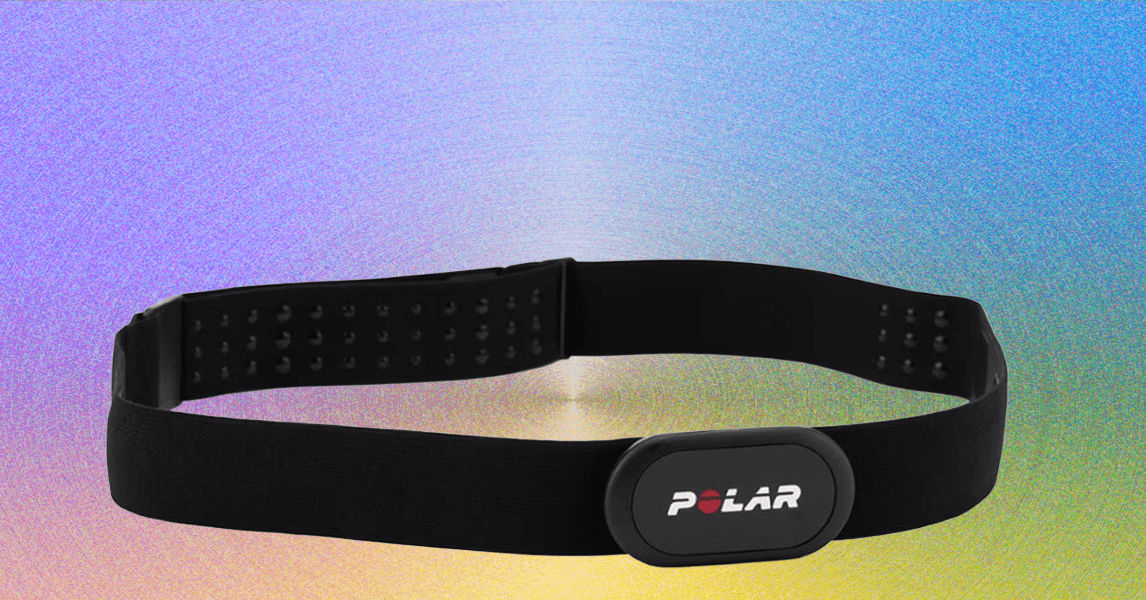
Heart rate zones: If someone tells you they’ve been doing 80/20 training, they’ve been doing heart rate zone-based workouts. Heart rate zones are an easy way to break down your range of effort during exercise. Zones go from 1 to 5, with 5 indicating working at 90 to 100 percent of your maximum heart rate. Zone 2 represents training at 60 to 70 percent of maximum heart rate and represents light training. 80/20 training is intended to build endurance and means that 80 percent of your runs should be in Zone 2. If your heart rate monitor doesn’t tell you your zone, you can calculate it using Polar’s simple tool.

Maximum heart rate: Some monitors can inform you of your maximum heart rate, which is the number of beats your heart can reach during exercise. This is useful for knowing when you’re training at peak intensity and can be used to create heart rate zones. Factors like your age and fitness level can influence what that maximum heart rate will be. You can generate an estimate of your maximum heart rate by simply subtracting your age from 220 and use that at a starting point.

VO2 max: The term VO2 max stands for maximum rate of oxygen your body can consume during exercise; the higher the better. It provides a useful indicator of your ability to sustain intense effort for long periods. Calculating this accurately is done in lab conditions, so heart rate monitors and watches often use their own algorithms to approximate that lab testing.

Heart rate variability: Heart rate variability measures the intervals between heart beats and is measured in milliseconds. High HRV readings are considered better than lower ones, because it means that the body is responding in a resilient way to stress. However, your HRV readings can differ widely from one person to another because they can be influenced by age, fitness level, or even when the measurement was taken.

Resting heart rate: This is the number of times your heart beats in one minute when at rest, which is a simple indicator of your current level of cardiovascular fitness and general well-being. Typically, your heart rate is supposed to sit anywhere from 60 to 100 bpm at rest. A low resting heart rate is associated with athletes, because the heart has been trained to be more efficient. But an uncharacteristically low or high RHR could mean that something is not quite right.

Calories burned: A heart rate monitor looks at your effort based on your heart rate and uses the company’s own algorithms to offer an indicator of how many calories you’ve burned during a workout. Heart rate is one of the strongest, if not the strongest indicators of effort, which means a heart rate monitor is one of the most accurate ways to get this information.


Source link

August 25, 2025 0 comments
0 FacebookTwitterPinterestEmail
DAAPrivacyRightIcon
Product Reviews

The best gaming monitors in 2025

by admin August 18, 2025


If you want to get the most out of your games — whether you’re into competitive FPS titles, sprawling RPGs or story-driven adventures — a good gaming monitor can make all the difference. Smooth gameplay, low input lag and crisp visuals are just the start. With the right screen, everything from your aim to your immersion gets a serious upgrade.

These days, there’s a lot more to consider than just refresh rate or screen size. You’ll find ultrawide gaming monitors, widescreen displays, models with USB-C support, and monitors that can bring out the best in your CPU and GPU. Some even match the style of your setup, pairing perfectly with gaming headsets and accessories for a clean, cohesive look.

Whether you’re shopping on a tighter price range or splurging on high-end picture quality, we’ve rounded up the best options to suit different setups and play styles — so you can level up your experience without the guesswork.

Table of contents

Best gaming monitors for 2025

AOC

Screen size: 27-inch | Resolution: 2,560 x 1,440 | Refresh rate: 180Hz | Panel type: VA | Response time: 1ms GtG | Aspect ratio: 16:9 | Brightness: 1000 cd/m² | Weight: 11.9 pounds with stand | Display type: VA panel with Mini LED backlight | Response time: 1 ms GtG | Connector type: 1 × DisplayPort 1.4, 2 × HDMI 2.0

The Q27G3XMN offers a nearly unbeatable mix of features, performance and affordability. It’s a mini-LED monitor with HDR performance that’s not as good as the OLEDs on this list, but far better than anything you’ll find on an edge-lit LCD. With a 180Hz refresh rate, it’s also fast enough for all but the most fast-paced competitive esports games. Best of all, it’s priced affordably at under $300. For those reasons, unless you have a bigger budget or more specific needs, the Q27G3XMN is going to be the best bet for most people.

Pros

  • Relatively affordable
  • True HDR performance
  • Fast enough

Cons

  • Expect some smearing
  • No USB ports

$298 at Amazon

AOC

Screen Size: 23.8-inch | Resolution: 1,920 x 1080 | Refresh Rate: 180 Hz | Panel Type: VA | Response Rate: 4ms (gtg) | Aspect Ratio: 16:9 | Brightness: 250 cd/m² | Weight: 6.9 pounds with stand | Display type: VA panel with W‑LED backlight | Response time: 1 ms MPRT | Connector type: 1 × HDMI 2.0, 1 × DisplayPort 1.4, plus 3.5 mm audio out

Today, there are only two reasons to buy a 1080p monitor: Either you want the fastest possible display, or you want to spend as little as possible and get as much performance as possible. If the latter is true, I would go for the AOC 24G15. For $110, you’ll get a 24-inch screen with a high contrast VA panel, 180Hz refresh rate and 1ms response rate. If you’re patient, I’ve seen the 24G15 go on sale for as little as $90.

One thing to note: AOC also sells a 27-inch version of the 24G15 for about $30 more. I would avoid that model; it won’t look good due to low pixel density.

Pros

  • Affordable
  • 180Hz refresh rate
  • 1ms response rate

Cons

  • Low resolution
  • Epect some smearing

$109 at Amazon

Alienware

Screen size: 26.7-inch | Resolution: 2,560 x 1,440 | Refresh rate: 360Hz | Panel type: QD-OLED | Response time: 0.03ms (GtG) | Aspect ratio: 16:9 | Brightness: 250 cd/m² | Weight: 9.4 pounds without stand | Display type: QD‑OLED | Response time: 0.03 ms GtG | Connector type: 2 × DisplayPort 1.4, 1 × HDMI 2.1, USB 3.2 Gen 1 hub including 1 × Type‑C (downstream)

If you want a gaming monitor that basically does it all, the Alienware AW2725DF has a lot going for it. This QD-OLED features a 360Hz refresh rate and 0.03ms response. It also carries a Vesa DisplayHDR True Black 400 certification, so expect near-flawless HDR performance. It even has a HDMI 2.1 port if you want to use it with an Xbox Series X or PlayStation 5. From a performance standpoint, the only downside is that it won’t produce true blacks in rooms with too much ambient light. However, this is true of every QD-OLED monitor on the market right now.

At close to $1,000, it’s also expensive. But for what it’s worth, the OLED market is incredibly competitive at the moment. I’ve seen the AW2725DF go on sale a few times over the past couple of months, dropping to as low as $700.

Pros

  • 360Hz refresh rate
  • Fantastic HDR performance
  • Three-year burn-in coverage

$698 at Amazon

Dell

Screen size: 34.18-inch | Resolution: 3,440 x 1,440 | Refresh rate: 165 Hz | Panel type: QD-OLED | Response time: 0.01ms (GtG) | Aspect Ratio: 21:9 | Brightness: 250 cd/m² | Weight: 13.8 pounds with stand | Display type: QD‑OLED ultrawide (curved 21:9) | Response time: 0.1 ms | Connector type: Built‑in USB 3.2 Gen 1 hub, standard DP and HDMI inputs

For those looking for a more immersive gaming experience, an ultrawide monitor is the way to go. And right now, one of the best 21:9 displays you can buy is the Dell AW3423DWF. It offers an excellent 165Hz refresh rate, 0.01ms response time and AMD FreeSync Premium Pro support. The panel is also DisplayHDR TrueBlack 400 certified, making it great for watching movies and playing single-player games. The only feature that would make the AW3423DWF better is had Dell included an HDMI 2.1 port, but since ultrawide gaming isn’t really a thing in console gaming, the omission is not a deal breaker.

$571 at Amazon

LG

Screen size: 31.46-inch | Resolution: 4K and 1080p | Refresh rate: 240Hz and 480Hz | Panel type: WOLED | Response time: 0.03ms (GtG) | Aspect ratio: 16:9 | Brightness: 275 cd/m² | Weight: 19.8 pounds with stand | Display type: WOLED dual‑mode OLED (4K UHD or FHD) | Response time: 0.03 ms GtG | Connector type: DisplayPort and HDMI ports (DP for 4K 240 Hz or HDMI for 1080p 480 Hz), G‑Sync/FreeSync compatible

If money is no object and you play a mix of immersive games and competitive shooters, the LG 32GS95UE-B is the monitor for you. It offers something no other monitor on this list does. The 32GS95UE-B4K is both a 4K, 240Hz display and an FHD, 480Hz one. Moreover, it can switch between those two modes with the press of a button.

Yes, the 1080p output looks muddy stretched across a 32-inch screen, but for a feature that extends the versatility of an already incredible monitor, that’s a small sacrifice. At $1,400, the 2GS95UE-B is the most expensive monitor on this list. But if you’re in the market for a 4K display, chances are you’ve already spent a lot of money building a PC that can drive that many pixels.

Pros

  • Dual 4K and 1080p modes
  • Up to 480Hz refresh rate
  • OLED

Cons

  • Very expensive
  • Low pixel density at FHD

$1,099 at Adorama

How we test gaming monitors

While I’ve not used every product recommended in our list, I have extensively tested dozens of gaming monitors in the past, including models with WOLED and QD-OLED panels. In the case of the Alienware monitor I highlight above, I bought one for myself with my own money. Separately, I spent dozens of hours over a two-year period researching computer monitor options to write the current version of this guide.

Factors to consider before buying a gaming monitor

LCD vs OLED

When shopping for a gaming monitor, you first need to decide if you want to go with a screen that has an LCD or OLED panel. For most people, that choice will come down to price; OLED gaming monitors are more expensive than their LCD counterparts. Even if money isn’t a concern, the choice might not be as straightforward as you think; both LCD and OLED panels come in a few different flavors, and knowing the differences between each type is important to making an informed decision.

LCD monitors come in three different varieties: twisted nematic (TN), vertical alignment (VA) or in-plane switching (IPS). For the most part, you want to avoid TN monitors unless you’re strapped for cash or want a monitor with the fastest possible refresh rate or fast response rate. TN screens feature the worst viewing angles, contrast ratios and colors of the group.

The differences between VA and IPS panels are more subtle. Historically, VA gaming monitors featured slower pixel response times than their TN and IPS counterparts, leading to unsightly image smearing. However, that’s improved in recent years. VA panels also frequently sport better contrast ratios than both TN and IPS screens. They’re not dramatically better than their IPS siblings on that front, but when contrast ratios aren’t an inherent strength of LCDs, every bit helps.

On the other hand, IPS panels excel at color accuracy and many offer high refresh rates and response times that are as fast as the fastest TN panels. The majority of LCD gaming monitors on the market today feature IPS panels, though you will frequently find VA screens on ultrawide monitors.

What about OLED?

If you can afford one, an OLED screen makes for the best monitor for gaming. The ability of organic light-emitting diodes to produce true blacks is transformational. Simply put, every game looks better when there isn’t a backlight to wash out shadow detail. Plus, you can experience true HDR with an OLED screen, something that LCDs aren’t known for.

Today, OLED screens come in two different flavors: WOLED and QD-OLED, with LG producing the former and Samsung the latter. I won’t bore you with the technical details of how the two panel types differ from one another other than to note both technologies broadly offer the same set of shortcomings.

Most notably, OLED monitors don’t get very bright. At best, the most capable models peak at around 250 nits when measuring brightness across the entire screen. I didn’t find this to be an issue in my testing, but your experience may vary depending on the ambient light in your gaming setup.

If brightness is important to you, note that due to manufacturer tunings, different models can perform better than others, even if they feature the same panel from LG or Samsung. It’s worth comparing monitors in the same class to find the model that’s right for you.

Separately, almost all OLEDs feature sub-pixel layouts that produce text fringing in Windows. The latest generation of OLED panels from both LG and Samsung are much better in this regard, to the point where modern OLEDs are good enough for reading and image editing. However, it’s still worth going to your local Micro Center or Best Buy to see the model you want in person, as the text fringing issue is hard to capture in photos and videos.

Another (potentially more serious) issue is burn-in. Organic light-emitting diodes can get “stuck” if they display the same image for long periods of time. Every OLED gaming monitor you can buy today comes with features designed to prevent burn-in and other image quality issues. Provided you don’t use your new OLED monitor for eight hours of daily productivity work, I don’t think you need to worry about burn-in too much.

Screen size, resolution and aspect ratio

After deciding where you fall on the LCD vs OLED debate, you can start thinking about the size of your future gaming monitor. Personal preference and the limitations of your gaming setup will play a big part here, but there are also a few technical considerations. You should think about size in conjunction with resolution and aspect ratio.

A 1440p monitor has 78 percent more pixels than a 1080p resolution screen, and a 4K display has more than twice as many pixels as a QHD panel. As the size of a monitor increases, pixel density decreases unless you also increase resolution. For that reason, there are sweet spots between size and high resolution. For instance, I wouldn’t recommend buying an FHD monitor that is larger than 24 inches or a QHD one bigger than 27 inches. Conversely, text and interface elements on a 4K monitor can look tiny without scaling on panels smaller than 32 inches.

You also need to consider the performance costs of running games at higher resolutions. The latest entry-level GPUs can comfortably run most modern games at 1080p and 60 frames per second. They can even render some competitive titles at 120 frames per second and higher — but push them to run those same games at 1440p and beyond, and you’re bound to run into problems. And as you’ll see in a moment, a consistently high frame rate is vital to getting the most out of the latest gaming monitors.

If your budget allows for it, 1440p offers the best balance between image quality and gaming performance. As for 1080p resolution and 4K, I would only consider the former if you’re on a tight budget or enjoy competitive gaming shooters like Valorant and Overwatch 2. For most people, the user experience and productivity benefits of QHD far outweigh the performance gains you get from going with a lower resolution screen.

Just a few years ago, 4K was not a viable resolution for PC gaming, but then NVIDIA came out with its 40 series GPUs. With those video cards offering the company’s DLSS 3 frame generation technology, there’s a case to be made that the technology is finally there to play 4K games at a reasonable frame rate, particularly if you exclusively play big, AAA single-player games like Alan Wake 2 and Cyberpunk 2077 or enjoy strategy games like the Total War series. However, even with frame generation, you will need a GPU like the $999 RTX 4080 Super or $1,599 RTX 4090 to drive a 4K display. Plus, 4K gaming monitors tend to cost more than their 1440p counterparts.

If you want an ultrawide, note that not every game supports the 21:9 aspect ratio, and fewer still support 32:9. When shopping for a curved monitor, a lower Radius, or ‘R’ number, indicates a more aggressive curve. So, a 1000R monitor is more curved than an 1800R one.

The best gaming monitor

(Photo by Igor Bonifacic / Engadget)

Refresh rates and response times

And now, finally, for the fun stuff. The entire reason to buy a gaming monitor is for its ability to draw more images than a traditional computer monitor. As you shop for a new screen, you will see models advertising refresh rates like 120Hz, 240Hz and 360Hz. The higher the refresh rate of a monitor, the more times it can update the image it displays on screen every second, thereby producing a smoother moving image. When it comes to games like Overwatch, Valorant and League of Legends, a faster refresh rate can give you a competitive edge, but even immersive single-player games can benefit.

A monitor with a 240Hz refresh rate will look better in motion than one with a 120Hz refresh rate, but there are diminishing returns. At 60Hz, the image you see on your computer monitor is updated every 16.67ms. At 120Hz, 240Hz and 360Hz, the gap between new frames shortens to 8.33ms, 4.17ms and 2.78ms, respectively. Put another way, although a 360Hz monitor can display 50 percent more frames than a 240Hz screen in a given time period, you will only see a speedup of 1.14ms between frame intervals. And all that depends on your GPU’s ability to render a consistent 360 frames per second.

Ultimately, a fast response monitor will do you no good if you don’t have a gaming PC with a graphics card that can keep up. For example, with a 1440p 360Hz monitor, you realistically need a GPU like the RTX 4070 Super or RTX 4080 Super to saturate that display while playing competitive gaming titles like Overwatch 2 and Valorant.

There’s also more to motion clarity than refresh rates alone. Just as important are fast response times, or the amount of time it takes for pixels to transition from one color to another and then back again. Monitors with slow response times tend to produce smearing that is distracting no matter what kind of game you’re playing. Curved gaming monitor options help with immersion by wrapping the screen around your field of vision, making the gaming setup feel more expansive. Unfortunately, response times are also one of the more opaque aspects of picking the best gaming monitor for your needs.

Many LCD monitor manufacturers claim their products feature 1ms gray-to-gray (GtG) response times, yet they don’t handle motion blur to the same standard. One of the reasons for that is that many companies tend to cherry-pick GtG results that make their monitors look better on paper. The Video Electronics Standards Association (VESA) recently created a new certification program to address that problem, but the grading system is unwieldy and, as far as I can tell, hasn’t had a lot of pickup from manufacturers.

For now, your best bet is to turn to resources like Rtings and Monitors Unboxed when shopping for a new gaming monitor. Both outlets conduct extensive testing of every screen they review and present their findings and recommendations in a way that’s easy to understand.

FreeSync vs G-Sync

No matter how powerful your system, it will sometimes fail to maintain a consistent framerate. In fact, you should expect frame rate fluctuations when playing graphically-intensive games like Alan Wake 2 and Cyberpunk 2077. For those moments, you want a gaming display with adaptive sync. Otherwise, you can run into screen tearing.

Adaptive sync technologies come in a few flavors. The two you’re most likely to encounter are AMD FreeSync and NVIDIA G-Sync, and each has its own set of performance tiers. With G-Sync, for instance, they are – from lowest to highest – G-Sync Compatible, G-Sync and G-Sync Ultimate.

The good news is that you don’t need to think too much about which adaptive sync technology a display supports. In the early days of the tech, it was rare to see a gaming monitor that offered both FreeSync and G-Sync since including the latter meant a manufacturer had to equip their display with a dedicated processor from NVIDIA. That changed in 2019 when the company introduced its G-Sync Compatible certification. Today, if a monitor supports FreeSync, it is almost certainly G-Sync Compatible, too, meaning you can enjoy tear-free gaming whether you’re using an AMD or NVIDIA GPU.

In fact, I would go so far as to say you shouldn’t make your purchasing decision based on the level of adaptive sync performance a monitor offers. As of right now, the list of G-Sync Ultimate-certified displays is about two dozen models long, and some are a few years old now.

The best gaming monitor

(Photo by Igor Bonifacic / Engadget)

Inputs

Almost every gaming display on the market right now comes with at least one DisplayPort 1.4 connection, and that’s the port you will want to use to connect your new monitor to your graphics card. If you own a PS5 or Xbox Series X/S, it’s also worth looking out for monitors that come with HDMI 2.1 ports, as those will allow you to get the most out of your current generation console.

A word about HDR

As fast and responsive gaming monitors have become in recent years, there’s one area where progress has been frustratingly slow: HDR performance. The majority of gaming monitors currently on sale, including most high-end models, only meet VESA’s DisplayHDR 400 certification. As someone who owned one such monitor, let me tell you it’s not even worth turning on HDR on those screens. You will only be disappointed.

The good news is that things are getting better, albeit slowly. The release of Windows 11 did a lot to improve the state of HDR on PC, and more games are shipping with competent HDR modes, not just ones that increase the brightness of highlights. Thankfully, with more affordable mini-LED monitors, like our top pick, making their way to the market, HDR gaming is finally within reach of most PC gamers.

Gaming monitor FAQs

Are curved monitors better for gaming?

It depends on personal preference. Many manufacturers claim curved monitors offer a more immersive gaming experience due to the way the display wraps around your field of vision. However, I find the edge distortion distracting, particularly when you increase the field of view in a game.

What aspect ratio should I look for in a gaming monitor?

The vast majority of 24-, 27- and 32-inch gaming monitors feature 16:9 aspect ratio panels, and that’s been the case for many years. In fact, nearly every game made in the last two decades supports 16:9 resolutions, such as 1,920 x 1,080 and 2,560 by 1,440, and if you buy a standard-sized monitor, you won’t need to worry about letterboxing.

In the case of ultrawides, 21:9 is the most common aspect ratio, with some very wide models sporting 32:9 panels. Among games, support for 21:9 and 32:9 resolutions is far from universal, so don’t be surprised if a game doesn’t fill the entirety of your screen.

Is OLED good for gaming?

OLED monitors are great for gaming. Not only do they offer excellent motion clarity and input latency, but they’re also easily the best displays for HDR gaming. If money is no object, and you primarily use your PC for gaming, you can’t go wrong with an OLED monitor.

How much does a good gaming monitor cost?

While you could easily spend more than $1,000 to obtain the best gaming monitor on the market now, the reality is that the budget and midrange categories have never been more competitive. In 2015, I spent $500 CAD to buy a 1080p monitor with a 144Hz refresh rate and TN panel. The budget AOC model I highlight above is not only cheaper than my first gaming monitor, but it also features a faster 180Hz refresh rate and a higher contrast VA panel.


Source link

August 18, 2025 0 comments
0 FacebookTwitterPinterestEmail

Categories

  • Crypto Trends (1,098)
  • Esports (800)
  • Game Reviews (772)
  • Game Updates (906)
  • GameFi Guides (1,058)
  • Gaming Gear (960)
  • NFT Gaming (1,079)
  • Product Reviews (960)

Recent Posts

  • This 5-Star Dell Laptop Bundle (64GB RAM, 2TB SSD) Sees 72% Cut, From Above MacBook Pricing to Practically a Steal
  • Blue Protocol: Star Resonance is finally out in the west and off to a strong start on Steam, but was the MMORPG worth the wait?
  • How to Unblock OpenAI’s Sora 2 If You’re Outside the US and Canada
  • Final Fantasy 7 Remake and Rebirth finally available as physical double pack on PS5
  • The 10 Most Valuable Cards

Recent Posts

  • This 5-Star Dell Laptop Bundle (64GB RAM, 2TB SSD) Sees 72% Cut, From Above MacBook Pricing to Practically a Steal

    October 10, 2025
  • Blue Protocol: Star Resonance is finally out in the west and off to a strong start on Steam, but was the MMORPG worth the wait?

    October 10, 2025
  • How to Unblock OpenAI’s Sora 2 If You’re Outside the US and Canada

    October 10, 2025
  • Final Fantasy 7 Remake and Rebirth finally available as physical double pack on PS5

    October 10, 2025
  • The 10 Most Valuable Cards

    October 10, 2025

Newsletter

About me

Welcome to Laughinghyena.io, your ultimate destination for the latest in blockchain gaming and gaming products. We’re passionate about the future of gaming, where decentralized technology empowers players to own, trade, and thrive in virtual worlds.

Recent Posts

  • This 5-Star Dell Laptop Bundle (64GB RAM, 2TB SSD) Sees 72% Cut, From Above MacBook Pricing to Practically a Steal

    October 10, 2025
  • Blue Protocol: Star Resonance is finally out in the west and off to a strong start on Steam, but was the MMORPG worth the wait?

    October 10, 2025

Newsletter

@2025 laughinghyena- All Right Reserved. Designed and Developed by Pro


Back To Top
Laughing Hyena
  • Home
  • Hyena Games
  • Esports
  • NFT Gaming
  • Crypto Trends
  • Game Reviews
  • Game Updates
  • GameFi Guides
  • Shop

Shopping Cart

Close

No products in the cart.

Close