Laughing Hyena
  • Home
  • Hyena Games
  • Esports
  • NFT Gaming
  • Crypto Trends
  • Game Reviews
  • Game Updates
  • GameFi Guides
  • Shop
Tag:

free

Toad
Game Updates

Mario Kart World’s New Patch Improves Free Roam, Online Races

by admin September 24, 2025


Mario Kart World is being patched to 1.3.0, and with the rounder number comes a more significant update. It introduces a new way to play online with friends, a bunch of improvements in Free Roam, and yet again halfway suggests it will boost the frequency with which you’ll encounter three-lap races, but still in frustratingly ambiguous language.

Nintendo’s update notes for game patches are notoriously sparse. The most recent system update for the Switch 2 came with the legend, “General system stability improvements to enhance the user’s experience,” offering not a single extra detail. Mario Kart World‘s 1.1.2 patch notes were similarly a single sentence long. So 1.3.0’s detailed list is of some significance.

So the headline here is you can now join your friends online when playing Knockout Tour, alongside regular Race and Battle modes. There’s another nice touch that if when trying to join friends for Knockout Tour, Race or Battle online and the game is full, you and one other person can play Free Roam together while you wait. That’s a lot better than staring at a queue.

Talking of Free Roam, the new patch improves the map show it will finally show you the locations of P Switches you’ve already found, and the Peach Medallions you’ve previously claimed. Given how ubiquitous these are, and how (annoyingly) similar they can be, this’ll make it far easier to know if you’re just repeating yourself. Also, all those previously discovered P Switches will act as quick travel points, if a little unspecific—the notes say it’ll “move to a location near the P Switch.”

When it comes to the actual racing itself, one key improvement is a slight speeding up of the replenishment rate of item boxes, meaning a new one will spawn in more quickly after the previous is nabbed by an opponent, along with an increase in your time spent invincible after being spun out or crashing.

But most importantly, when playing “wireless” races there’s another increase to the frequency with which three-lap courses will appear. That was a common lament when the game was first released, first supposedly addressed in a patch at the end of July, although this didn’t do much to ease people’s frustration, and many suspected didn’t actually affect online racing at all. Hopefully this latest tweak will make a more noticeable improvement, although it’s worth noting that yet again the patch notes speak only of “wireless” and not “online,” and no one knows if this is a deliberate distinction. God knows why Nintendo won’t just let it be a fixed toggle we can flip on—clearly World‘s new contiguous races have so enamored Nintendo that it isn’t able to let go of them properly, much to the ongoing frustration of players.

The notes also come with changes to UFOs in Free Roam, and a bunch of fixes for some niche issues. We’re obviously still a fair way off the time when updates will include new and classic courses getting added, which is when things get much more interesting. You can read all the patch notes below:

General

  • You can now join friends playing “Knockout Tour” by selecting “Friends” from “Online Play” “1p.”
  • Up to 2 players can now play “Free Roam” while waiting if the game was full when trying to join friends playing “Race,” “Knockout Tour” or “Battle” in “Online Play.”
  • The “Free Roam” map now displays the locations of P Switches you’ve run over and Peach Medallions you’ve obtained.
    • You can now select a P Switch from the map and move to a location near the P Switch.
  • In “Free Roam”, you can now transform into the character pulled into the UFO.
    • If “Dash Food” in “Settings/Controller” is set to “Doesn’t transform” then you will not transform.
  • It is now easier to encounter UFOs in “Free Roam.”
  • The conditions for the appearance of some Peach Medallions in “Free Roam” have been adjusted.
  • When spectating in “Knockout Tour” or “Balloon Battle” in “Online Play” or “Wireless Play”, you can now choose who to watch, even if you are holding the Joy-Con 2 or Joy-Con horizontally.
  • Decreased the time between when an item box is taken by someone and the next time it is revived.
  • Increased the invincible time after spinning or crashing during a race.
  • Reduced the force of jumps when landing on a rival from above.
  • Decreased the amount of time between when you finish and when spectating begins in “Knockout Tour” or “Balloon Battle” in “Online Play” or “Wireless Play.”
  • Decreased the amount of time between passing through the checkpoint and when the ranking is displayed in “Knockout Tour” in “Wireless Play” and “LAN Play.”
  • Further increased the frequency of lap-type courses appearing in the selection when choosing the next course in “VS Race” and wireless races.

Fixed Issues

  • Fixed an issue in “Online Play” and “Wireless Play” where the ranking would sometimes become incorrect if a player went off course at the same time as reaching the finish line.
  • Fixed an issue in “Grand Prix”, “Knockout Tour”, and “VS Race”, where the CPU’s ranking would sometimes drop after reaching the finish line.
  • Fixed an issue in “Knockout Tour” in “Online Play” where other players’ ratings would sometimes appear as “0” on the results screen.
  • Fixed an issue where a Spiny Shell would sometimes pass the first place player in “Wireless Play” or “Online Play.”
  • Fixed an issue where players would sometimes be sent flying backwards a great distance when hit by a Spiny Shell.
  • Fixed an issue where the second item in an item slot would sometimes not disappear when hit by Lightning.
  • Fixed an issue where hitting the base of a pillar in mid-air would sometimes cause a large jump.
  • Fixed an issue that sometimes caused movement to become unstable when doing a wall ride on water.
  • Fixed an issue where players would sometimes be swept away strongly after landing when doing a mini jump while going up a river.
  • Fixed an issue where players would sometimes pass through the ground when hit by a car driving on the road.
  • Fixed an issue in “Free Roam” where players would sometimes be unable to enter pipes correctly after exiting a trailer.
  • Fixed an issue where the results screen would sometimes become distorted after spectating “Balloon Battle” in “Online Play.”
  • Fixed an issue where the game would sometimes not proceed to the course selection screen after exiting a pipe during “Free Roam” in “Online Play.”
  • Fixed an issue where Bullet Bill would sometimes slip through walls when used in “Sky-High Sundae.”
  • Fixed an issue where players would sometimes get stuck on a wall at the start of the race heading from “Airship Fortress” to “Shy Guy Bazaar.”
  • Fixed an issue where players would sometimes get stuck in walls when using a Bullet Bill in “Bowser’s Castle.”
  • Fixed an issue in “Cheep Cheep Falls” where item boxes were sometimes difficult to pick up when Smart Steering was turned on.
  • Fixed an issue in “Knockout Tour” “Spiny Rally” where sometimes there was an item box buried in the ground.
  • Several other issues have been addressed to improve the gameplay experience.



Source link

September 24, 2025 0 comments
0 FacebookTwitterPinterestEmail
Play online shooter ARC Raiders free next month in final test weekend before release
Game Reviews

Play online shooter ARC Raiders free next month in final test weekend before release

by admin September 23, 2025


Embark Studios will launch an ARC Raiders Server Slam ahead of the online shooter’s release, so players can get a taste of what to expect.

While a couple of public network tests have already run, the studio is providing one last weekend from 17th – 19th October for players across the globe to check out the game on all platforms: PS5, Xbox Series X/S, and PC (Steam, Epic).

No codes or pre-registration will be required for entry, plus participants will receive an exclusive backpack cosmetic as thanks to unlock with a full game purchase, although progress won’t carry over.


Pre-Order Trailer | ARC RaidersWatch on YouTube

ARC Raiders is a PvPvE sandbox shooter from the studio behind The Finals, which merges extraction and survival gameplay.

The full game will be released on 30th October.

“We’re excited to welcome Raiders to the Server Slam – this is where we’ll really put ARC Raiders through its paces ahead of full launch,” said executive producer Aleksander Grøndal. “Our goal is simple: make sure that on October 30, when the servers go live, every player experiences the game exactly as we’ve intended – polished, balanced, and ready for action. Thanks for joining us – let’s prepare to go topside.”

The game’s most recent test was at the end of April this year, but it’s been a long time coming – ARC Raiders was first revealed at The Game Awards in 2021 and has since received a genre change.

It also won’t be free-to-play when it releases. It’s available to pre-order now.


Source link

September 23, 2025 0 comments
0 FacebookTwitterPinterestEmail
DAAPrivacyRightIcon
Gaming Gear

Here’s how EventVPN is different from other free VPNs

by admin September 23, 2025


EventVPN, a new freemium VPN built by the same team and on the same infrastructure as ExpressVPN, launched on September 18 for iOS and macOS. It comes with unlimited free bandwidth, a relative rarity among free VPNs, and carries over ExpressVPN’s kill switch and post-quantum WireGuard protocol. Free users get 35 server locations and one device connection, while paid users get 125 locations and eight simultaneous connections.

EventVPN isn’t the first free VPN that actually aims to ensure user privacy — the free version of Proton VPN is also safe, as are a few others on our best VPN list, like hide.me and Windscribe. However, ExpressVPN isn’t wrong that free VPNs often don’t have their users’ interests at heart. The EventVPN announcement left me with one big question: what’s it doing to be safer, more private and/or better than other free options?

The most interesting feature of EventVPN — and one I can’t currently find duplicated on any other free VPN — is that it has no user data backend whatsoever. It uses Apple ID validation to manage accounts and connection tokens without storing any information itself. This doesn’t move the security needle much (Apple isn’t immune to data leaks either), but it does make it theoretically impossible for EventVPN to sell user information.

Of course, a clear privacy policy that EventVPN sticks to would accomplish the same thing. But just like with RAM-only servers automatically deleting user activity logs, it’s always nice to have an option other than trusting the VPN provider to keep its word. And to be fair, ExpressVPN has a clear privacy policy that it sticks to, so there’s good reason to believe EventVPN will do the same for its own policy.

There is one unfortunate cost to that relative privacy, though: EventVPN’s free plan requires you to watch ads. When I briefly tested it, I was shown one 30-second ad whenever I connected and another when I disconnected. It’s galling to be asked to watch ads for a service that also has a paid tier ($9.99 per month, or $69.99 for a year), since I’ve already named three other equally good freemium VPNs that don’t show ads at all. At least EventVPN anonymizes the ads, showing advertisers a masked identifier instead of any real info on you.

To sum up, EventVPN is a lot better than free VPNs that turn you into the product, but its ads put it a step behind ProtonVPN, hide.me, Windscribe and even TunnelBear. If ExpressVPN has always worked far better for you than any other provider, it might be worth using EventVPN as a backup free service. Otherwise, there are better options.

EventVPN


Source link

September 23, 2025 0 comments
0 FacebookTwitterPinterestEmail
Free ebooks and cheap iPhone 17 accessories are this week’s best deals
Gaming Gear

Free ebooks and cheap iPhone 17 accessories are this week’s best deals

by admin September 21, 2025


A cool new perk recently became available for Prime members: for a limited time, you can get a three-month subscription to Kindle Unlimited. If your ebookshelf is looking bare, Amazon is currently offering a three-month subscription to Kindle Unlimited for free. The service typically costs $11.99 per month, so the deal saves you $35.97 over the course of the trial. Keep in mind that your subscription will automatically renew once the trial period is over. The discount is one of Amazon’s early Prime Big Deal Days deals (that’s a mouthful), dropping well ahead of the October 7th event. We’ll be on the hunt for more early deals as that date approaches.

Kindle Unlimited is a subscription service that gives you access to a library of over four million books, thousands of audiobooks, and an assortment of magazines. You can download items from the Kindle Unlimited library onto — you guessed it — a Kindle, or any device with the Kindle app. The library is large enough that you should be able to find books in your favorite genres (perhaps by your favorite author, too) and three months is plenty of time to tear through a full series or two.

More deals our readers loved this week


Source link

September 21, 2025 0 comments
0 FacebookTwitterPinterestEmail
A pile of computers and monitors
Gaming Gear

Where to Recycle Your Old Computers and Printers for Free

by admin September 20, 2025


Tossing your old printers and laptops in the trash is not only bad for the environment; it can even be illegal. It’s no wonder a recent CNET survey found that nearly a third of us have old, unused tech sitting in our closets and basements. The good news is that recycling your e-waste is simpler than you might think. 

You don’t have to hunt down a special facility; major retailers like Best Buy and Staples make it incredibly convenient to recycle your old tech. Most will take laptops, printers and other computer accessories off your hands for free. Plus, some stores even offer trade-in programs that can get you a gift card or a discount on new gear, making it a win-win for both you and the planet.

Don’t miss any of our unbiased tech content and lab-based reviews. Add CNET as a preferred Google source on Chrome.

Clearing out your unused tech not only frees up space in your home, but also keeps harmful components out of landfills. So if you’ve been holding onto gear you haven’t used in years, now’s the time to let it go the right way.

Here’s what you need to know about recycling your old tech. For more, learn how to recycle your old phones.

What to do before you recycle your old computer

Wherever you choose to take or mail in your items to be recycled, you’ll want to protect your data by removing it as best you can. One way to do this is to perform a factory reset on your computer. Our guide walks you through the process.

Where to recycle your old printers and computers

Some retail stores will accept computers and printers for recycling, but it’s not always a free service. Policies vary by company.

Apple

You can recycle your old Apple computers, monitors and peripherals, such as printers, for free at an Apple store, but there’s a costly catch. According to the Apple Free Recycling program, you must also purchase a qualifying Apple computer or monitor to receive this service. Need another option? A third-party company called Gazelle buys old MacBooks to recycle them. After accepting Gazelle’s offer, you print a prepaid label or request a prepaid box and ship the machine to them.

Read more: Phone and Laptop Repair Goes Mainstream With Push From iFixit

Best Buy

Best Buy generally accepts up to three household items per household per day to be recycled for free, including desktop computers and printers, as well as other items ranging from e-readers to vacuum cleaners. While three is the limit for most items, there’s a higher limit for laptops — Best Buy will take five of those per household per day. Note that rules for dropping off monitors vary by state, and it’s not always free to do so. Best Buy also offers a mail-in recycling service for select items, but that’s also not free. A small box that holds up to 6 pounds costs $23, while a large box (up to 15 pounds) costs $30.

Office Depot 

Office Depot and OfficeMax merged in 2013. The retailers offer a tech trade-in program both in-store and online where you may be able to get a store gift card in exchange for your old computers and printers. If the device has no trade-in value, the company will recycle it for free. Office Depot also sells its own tech recycling boxes that you can fill with electronics to be recycled and then drop off at the stores, but they aren’t free. The small boxes cost $8.39 and hold up to 20 pounds, the medium ones cost $18.29 and hold up to 40 pounds, and the large boxes cost $28 and hold up to 60 pounds.

Staples 

You can bring your old desktop computers, laptops, printers and more to the Staples checkout counter to be recycled for free, even if they weren’t purchased there. The retailer also has a free at-home battery recycling box which, according to a Staples rep, has led customers to recycle thousands of batteries per week, up from an earlier average of 50 per week. Here’s a list of everything that can be recycled at Staples.

Read more: How to Factory Reset a MacBook, Windows Laptop or Chromebook

Where to find electronics recycling centers

If you don’t live near a major retailer or would rather take your computers and printers to a recycling center, you can locate places near you by using search tools provided by Earth911 and the Consumer Technology Association.

Earth911

Use the recycling center search function on Earth911 to find recycling centers near your ZIP code that accept laptops, desktops and printers. Note that the results may also turn up places that accept mobile phones and not computers or printers, so you may have to do a little filtering.

Greener Gadgets

Consult the Consumer Technology Association’s Greener Gadgets Recycle Locator to find local recycling centers in your area that will take old items. The search function also allows you to filter the results to separately hunt for places that take computers versus printers.

Watch this: iPhone Air Is a Wild Card – and Starts a Big Change for Apple

06:39


Source link

September 20, 2025 0 comments
0 FacebookTwitterPinterestEmail
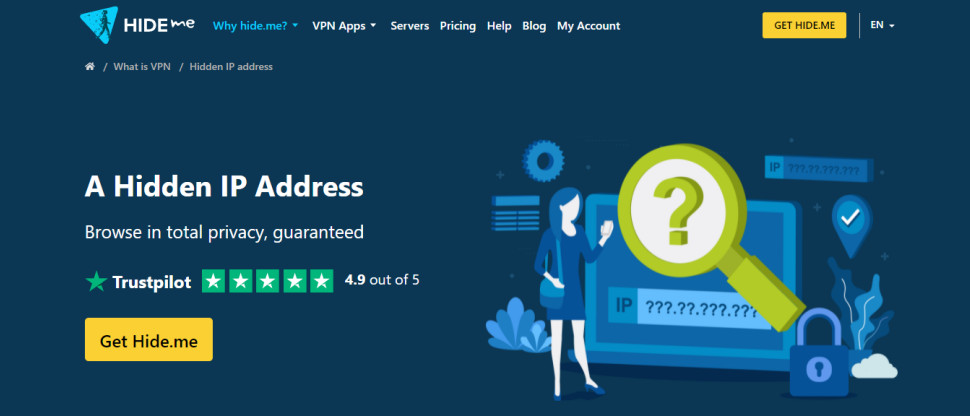
Hide.me Website
Product Reviews

Hide.me Free VPN | TechRadar

by admin September 20, 2025


Why you can trust TechRadar


We spend hours testing every product or service we review, so you can be sure you’re buying the best. Find out more about how we test.

On paper, Hide.me Free boasts an impressive offering – unlimited data, customizable tools, and a truly free VPN that’s more than just a trial. There are a handful of limitations – par for the course for a free VPN – but Hide.me Free’s strong core features and server array are strong counterpoints.

Ultimately, if you’re on the hunt for a free service that has your privacy in mind and will watch your back as you go about your usual browsing, Hide.me Free has the right features and pretty nifty apps.

Features

    Hide.me subscription options:

  • 24 month plan – $2.69 per month ($64.56 total cost)

Hide.me Free gets the VPN basics right – just like its paid counterpart. Users can take their pick of an impressive number of tried-and-tested VPN protocols, including OpenVPN, WireGuard, IKEv2, SSTP, and SoftEtherVPN. We also liked that we could select a “fallback protocol”, which the VPN used if our first choice failed to connect – which it didn’t, incidentally.

However, the availability of these protocols varies depended on the platform we tried, which were Windows, Android, and iOS.

Swipe to scroll horizontally

Platform

WireGuard

OpenVPN

IKEv2

SSTP

SoftEther

Windows

✅

✅

✅

✅

✅

Mac

❌

✅

✅

❌

❌

Android

✅

✅

✅

✅

❌

iOS

✅

✅

✅

❌

❌

IPv6 support
All Hide.me Free apps come with full IPv6 support, setting them apart from other free providers that offer a simple checkbox feature that claims to prevent IPv6 leaks. More often, however, free VPNs typically ignore the issue of IPv6 leaks.

Hide.me Free is the only free service on our list that allows users to connect using IPv4, IPv6, or both. If you’re unfamiliar with IPv6, this won’t matter that much, but if you are – and if your ISP allows you to use IPv6 – Hide.me Free will work with it right out of the box with no risk of IPv6 leaks.

Still, this is way more control than we see even from the likes of our best VPN overall, NordVPN.

Auto-connect
Hide.me Free’s auto-connect tool is one of the best we’ve ever tested, too. Available on desktop apps and Android and iOS, we enabled it with a simple toggle we could further customize it to allow us to select different actions when connecting to unsecured Wi-Fi, secured Wi-Fi, or Ethernet networks.

The options for each are: “Connect or Disconnect”, “Ask what to do”, or “Ignore Network”. This is a nice array of options. So, if security is your primary concern, you could configure the auto-connect tool to ask whether you want Hide.me Free to automatically connect whenever you join an unsecure network – like the free Wi-Fi you find in cafes, airports, and hotels – so you don’t accidentally join a dodgy hotspot that lacks encryption or, in the worst case scenario, is a bogus connection monitored by a data-hungry bad actor. This is especially useful for folks who commute to work or have a vacation on the cards.

Each time the app made one of these automated decisions, it then added the name of the network and the decision it made to a list. That’s better reporting than most VPN apps, which typically expect you to maintain that list yourself or manually add networks to a trusted list as you access them.

Image 1 of 4

(Image credit: Hideme.Free)(Image credit: Hideme.Free)(Image credit: Hideme.Free)(Image credit: Hideme.Free)

Split tunneling
We were glad to see that Hide.me Free offered split tunneling for Windows, Mac, and Android, though the feature is currently missing from iOS. Like the auto-connect tool, Hide.me Free’s split tunneling is highly customizable, allowing users to pick and choose which apps or sites use the VPN tunnel and which don’t.

So, using the split tunneling tool, you could route traffic headed to your streaming app/site of choice through your regular internet connection, and not the encrypted Hide.me Free tunnel.

This will reduce the amount of traffic the VPN has to deal with on its limited data budget and ensure that you can actually enjoy your content without any buffering or lag.

Kill switch
Hide.me Free has a reliable kill switch that we weren’t able to trip any time we tampered with the VPN protocol software to cause it to disconnect. Our real IP address was not leaked at any point during testing, which is a must-have factor for any VPN, and especially impressive for a free service.

The kill switch is available on all platforms, including iOS, unusually. It’s not always easy to find, though – it’s named “Network Protection” in the Android settings, for example.

In addition to a simple on/off toggle, users can also configure a script inside the app that’ll launch whenever the kill switch is triggered (cutting your internet connection) or disabled. You could use this to create an alert warning you that the kill switch was triggered, or forcibly close a process or launch an app.

Why is this useful? Well, imagine that you always leave your VPN on at home, connected to a nearby server. What happens if that connection drops out? Usually, a VPN will display a notification to let you know, but what if you wanted something else to happen?

If your VPN is connected to a local network, you might want to send a notification to other devices connected to it or, to prevent communication across a now unsecured connection, you might want to close some apps and programs. Hide.me Free makes this possible via scripts – a series of commands that give you more control over how the app responds to a kill switch failure.

Other features
Hide.me Free also boasts obfuscation – but we found that it was pretty basic. Still, it might help you establish a secure VPN connection if you live in a privacy-unfriendly country (like China or Russia) where VPNs are routinely sniffed out and blocked. If you’re looking for the most reliable VPN for China, Hide.me Free probably shouldn’t be your first choice, but it may help with less intensive VPN blocking, and we’re glad that the option is there for free users.

The lock setting allows users to lock the VPN app whenever it’s minimized or after a specified number of minutes has passed. It works like a mobile device App Locker: select a PIN and rest assured that, without this PIN, nobody will be able to unlock (and interfere with) your VPN.

It might seem like security overkill, but it ensures that friends, family, and other nosy individuals can’t happen across your device and adjust your VPN settings. You wouldn’t want a sibling to disconnect the VPN while you’re torrenting, right? Network Lock puts a stop to this kind of meddling.

As mentioned earlier, Hide.me Free gives users unlimited data to play with – there are no monthly caps and no hard limits. Admittedly, that’s a huge bonus that means you won’t have to carefully ration out your VPN usage over the month. Hide.me Free does have its hangups, however, that mostly hinge around the differences between its free and premium plans.

Missing features and hangups
Hide.me Free users are limited to a single simultaneous connection. That means only one person, on one device, can use the VPN at any given time. This is pretty much par for the course when it comes to free VPNs, although Windscribe Free is a notable exception to the rule, offering unlimited connections for free and paid users.

Free users won’t find support for port forwarding or SOCKS5 proxy, either. There’s no option for TOR over VPN, and multi-hop is restricted to paid users.

On a more technical note, Hide.me Free also lacks support for downloading OpenVPN or other manual configuration files (like WireGuard keys). This makes it a lot more difficult to use the VPN with a router. Lots of routers work with OpenVPN but, more often than not, they also require a configuration file that tells them exactly how to set up the connection and the IP address of the server they’re trying to access. Without this file, we can’t recommend Hide.me Free as a fully-fledged router VPN.

Features score: 7/10

Server network

We were unable to discern the total number of VPN servers in Hide.me Free’s network but, as free users are restricted to a small subset of locations, this isn’t a huge stumbling block.

Hide.me Free gives users access to servers in 7 countries: Finland, France, Germany, Netherlands, Switzerland, the UK, USA. It is worth noting that Hide.me claims that free users have 8 locations to choose from but, on our Windows testing machine, we only saw the 7 listed above. Singapore is often listed as a free location, but during our testing, we saw it marked as Premium-only.

We took a closer look at the free locations to determine whether the listing in the app matches the likely real location of the server. We’re happy to say that all 7 locations are accurately listed, although the Finnish servermay be in Estonia.

Image 1 of 2

(Image credit: Hideme.Free)(Image credit: Hideme.Free)

As with other VPNs, Hide.me Free allows users to add servers to a favorites list for easy access and set specific servers as the default, so the VPN automatically connects to them when the big “Connect” button is clicked or tapped. It’s a nice time-saving measure we’re glad to see included.

One notable aspect of Hide.me Free’s server array is that 6 of its 7 locations are based in Europe, with the 7th being in the US. Lots of free VPNs have blank spots on the map, so this isn’t entirely surprising, but today, we find that most top-rated free VPNs have at least one server location in Asia.

For example, Windscribe Free has coverage in Hong Kong, and Proton VPN Free has servers in Japan. Extending the range of the server network benefits everyone, giving folks outside of Europe access to nearby servers, improving their overall browsing experience, and offering people elsewhere the opportunity to location-hop and check out a new region of local content.

Servers score: 6/10

Apps

Hide.me Free is available for Windows, Mac, Android, iOS, and Linux. This is a decent spread, and it’s nice to see that Hide.me doesn’t neglect its Linux userbase. We were also glad to see that Hide.me Free has its very own Firefox, Chrome, and Edge browser extensions, too.

There are also Hide.me Free apps for Apple TV, Android TV, and Amazon Fire TV. We’d like to laud this selection, but it is, unfortunately, irrelevant, as the free version isn’t quick enough to keep up with HD streaming.

Overall, nothing major is missing from Hide.me Free’s app offering, which is impressive for a free service, as are the three browser extensions.

The only hiccup to note is that the missing access to the OpenVPN files means that it’s not going to work as a VPN for your router.

Apps score: 8/10

Ease of use

First things first, we were impressed that Hide.me Free doesn’t require any registration or sign-up to use. We simply downloaded the app from the provider’s website and followed along with an installation wizard. In fact, across all platforms, we didn’t run into any trouble when installing Hide.me Free.

The more we dug into Hide.me Free’s usability, however, the more cracks appeared. We installed Hide.me Free on a device that we’d previously used the paid edition on, and it automatically logged in, presumably because it didn’t remove our old credentials when uninstalling.

The dashboard warned us that our plan had expired and that it was time to upgrade, and there was no obvious “use free version” button – or even a hint that a free version existed.

Eventually, we double-clicked a server location in the location list, and a new “Trial Expired” screen appeared. It gave us the option to “Downgrade to a free plan”. When we hit downgrade, we were finally able to use Hide.me Free.

Of course, most users won’t be affected by this issue as they’ll be installing the app on a device that hasn’t used Hide.me before. Still, if you’re one of the unlucky few who has, it’s an unnecessary hassle. Hide.me could make life way easier by offering a “Downgrade” button to everyone with an expired plan rather than forcing them on a digital goose chase.

(Image credit: Hideme.Free)

We also experienced an odd quirk where, once the app had installed and displayed the “Finished” page, the app launched immediately. Most VPNs wait until you’ve closed the page to do this, so the app appeared before we’d even closed the installer. It’s odd, but it didn’t cause any issues.

Once the Hide.me Free Windows app was up and running, we were greeted by a quick tutorial that introduced us to all the most important sections of the app. If you’re an experienced VPN user, this won’t be all that useful, but anyone on the hunt for a good VPN for beginners will appreciate the easy-to-digest signposting.

Overall, we found Hide.me Free’s Windows app to be rather overcomplicated. It looks more like an operating system desktop than a simple app. The dashboard is designed to be customizable – it can contain all kinds of widgets that users can edit and reposition to suit their needs.

(Image credit: Hideme.Free)

One widget displays the currently-selected location and connect button, another holds the map of Hide.me Free’s locations, and a third contains your account information. There are even widgets listing your favorite servers, streaming servers, account information, a “Privacy Search” button that allows you to make searches from within the app, and a long list of links to Hide.me Free’s social media channels.

It’s a great idea in theory, and we always like to see customization, but it’s also almost entirely unnecessary. We didn’t need the dashboard to constantly tell us that we were using the free version, and we didn’t find ourselves needing immediate access to Hide.me’s X account. Plus, there’s already a link to the map view in the left-hand sidebar, rendering the one in the dashboard redundant.

We didn’t see any massive benefit to the dashboard. If anything, it actually makes the app look worse than the competition because the widgets have fixed sizes, meaning there’s a lot of wasted white space. Compare that to the super-compact Windscribe Free VPN UI which takes up no more room on desktop that it does on mobile.

Still, there are plenty of ways to avoid the dashboard. Clicking the “Locations” option in the sidebar takes you to a simple location list. From here, you can double-click any free location to join a server and, once you’re done, double-click again to disconnect.

When we tried Hide.me Free on iOS, we found that the layout is much more conventional, which was a plus for us. The iOS app is well-designed and works similarly to premium mobile VPNs. Joining a server is as easy as tapping the “Connect” button, and users have the option of selecting “Best location” to choose another free location.

Regardless of the platform we used, Hide.me Free did a good job of underscoring which features are available to free users and which aren’t. We selected the SmartGuard ad blocker, for instance, and the app warned us that our experience was “restricted”.

(Image credit: Hideme.Free)

Digging into Hide.me Free’s advanced tools, we found that they’re organized unusually. Almost every other app we’ve tested puts options like auto-connect and split tunneling in a settings menu, but Hide.me Free lists them (and other significant tools) in their own Features menu. If you’re used to diving into the settings to find these things, you might miss them at first, but it’s nothing a bit of exploration can’t fix.

Hide.me Free’s actual settings menu is nice and easy to parse. It mostly consists of simple on/off options. The technical settings, however, are laid out a little differently across platforms, which can make it difficult to find the specific setting you’re looking to tweak.

Fortunately, Hide.me Free’s menus have a search box – which we found rather unique. It’s a great addition to the mix that makes hunting down tools quick and easy, so long as you know what you’re looking for. So, if you’re searching for a DNS setting but can’t find it, just type “DNS” into the search box, and Hide.me Free will display every setting that includes “DNS”.

During our testing, when we went about our regular browsing, we encountered a lot of CAPTCHA tests. These tests went on for a long time, too, often cornering us into 7 or 8 rounds of selecting the squares containing motorcycles or chimneys. This ground our browsing to a halt – and given that Hide.me Free also throttles speeds, it makes for a less-than-ideal everyday experience.

More CAPTCHAs usually means that the IP addresses on Hide.me’s free servers aren’t as fresh as they might be – either through age or the number of customers on those free servers using them – and that’s not a great sign.

Finally, when we weren’t using Hide.me Free and made a big change to our network configuration (by connecting to a second VPN, for example), the Hide.me Free dashboard would suddenly appear. We hadn’t clicked on it or switched to it – it simply popped up.

We can only assume that the Hide.me Free Windows app thinks it’s solely responsible for our network settings and, if something changes, it’s the app that’ll take charge. It doesn’t matter all that much, however. We simply minimized the dashboard and went about our business as usual. It’s another small interface irritation, however, and it could become seriously frustrating if it happens regularly.

Ease of use score: 5/10

Speed and performance

We put Hide.me Free’s speeds to the test using our 1 Gbps connection and the WireGuard protocol. The service achieved pretty decent results, clocking in at 415 Mbps on our Windows machine and 25 Mbps on Android.

While this isn’t quite as quick as Proton VPN Free and Windscribe Free, both recording 900 Mbps, it’s still more than you need for easy-breezy day-to-day browsing.

How we perform speed tests

(Image credit: Shutterstock)

We test from two different virtual PCs, one in the UK and one in the US, using a 1 Gbps connection. You can find out more in our VPN testing methodology.

It is worth noting that, during the course of our hands-on testing, we did notice inconsistencies in Hide.me Free’s speeds. Initially, our testing machine reported that we had been throttled to a measly 1 Mbps, but subsequent testing proved more fruitful.

It’s uncertain whether this vacillation in results will repeat but, if it does, it could cause issues for free users attempting to use Hide.me Free to stream, torrent, or check out social media feeds – as 1 Mbps just isn’t enough to keep up with resource-intensive activities.

Speed and performance score: 6/10

Unblocking

As part of our real-world tests, we tried streaming Netflix and YouTube, and were successful on both occasions. The only caveat here is that we were forced to reload Netflix before the page loaded fully, and we did experience some buffering when initially tuning in to content. After about five minutes or so, however, the experience settled and remained smooth.

We’d still recommend looking to a paid service for the most reliable access to today’s top streaming platforms (and smaller regional services), but Hide.me Free impressed us by holding its own.

Hide.me Free isn’t our first-choice torrenting VPN, either, despite the fact that all of its free servers appear to support P2P activity. You’re better off with PrivadoVPN or Proton VPN. Hide.me Free also lacks a port forwarding option – you’ll have to subscribe to the paid version to check it out.

Unblocking score: 6/10

Privacy and security

Hide.me Free uses AES-256 and ChaCha20 via WireGuard. There are a lot of protocols to choose from when you open up the app, though we typically recommend WireGuard, thanks to its blend of speed and security. We’re also glad to see that Hide.me Free ditched less secure options, like L2TP, a long time ago.

We also believe that Hide.me Free is geared more towards technical users and folks who want to learn about VPN technology and cybersecurity. This is most visible in the provider’s blog, where the company regularly posts in-depth articles covering essentials like encryption.

Digging into Hide.me Free’s server infrastructure, there was no real technical detail to be found, but the Network page on the provider site claims that: “Our servers are hand-picked, security-hardened and self-maintained… To protect our users’ privacy, we control and run a self-managed VPN network without any involvement of outsiders. Every server stores sensitive cryptographic keys in a temporary storage to minimize attack surface.”

Terms like “hand-picked” and “security-hardened” don’t raise any eyebrows. “Self-maintained” and “self-managed without any involvement of outsiders”, however, does. It seems unlikely or, worse, misleading. Unless Hide.me Free is running its own data centres, others will, at least, have physical access to the servers.

Servers storing keys “in a temporary storage” fit with them being RAM-based. We suspect that, if it’s true, Hide.me Free would simply claim as much. Instead, perhaps the provider means that the keys are stored in a folder of temporary files, which is always emptied when the server closes or starts.

Hide.me Free hasn’t implemented full post-quantum encryption, but it has achieved a degree of quantum resistance with its custom dynamic WireGuard configuration. Currently, Hide.me is working to deliver a better and more complete post-quantum solution.

Hide.me Free generates a random username and an internally-assigned (not public) IP address when users connect to a server. Any data related to their session links solely to that ID. The company says that this means usage data remains anonymous and unconnected to your real, public IP address.

Like a lot of VPNs, Hide.me Free’s apps include crash reporting and related telemetry features which might send app usage and troubleshooting information back to the company. This data is anonymized and not linked to you personally. It helps Hide.me determine if a lot of users are having problems connecting to a certain country – not that you, in particular, are.

Finally, as a cherry on top, Hide.me had its no-logs policy successfully audited in 2024. This is a good foundation to build on, and we’d like to see the service commit to annual audits of its policies, apps, and servers.

Privacy and security score: 6/10

Track record

Hide.me was founded over 13 years ago and is currently based in Labuan, Malaysia, and owned by a Malaysia-based IT security company, eVenture Ltd. The provider also has a second office in Zagreb, Croatia, according to its LinkedIn page.

The VPN makes some impressive claims, including that it was the first BSC VPN to offer IPv6 and WireGuard support, and that it was one of the first services to implement WireGuard in a privacy-friendly way.

In mid-2024, Hide.me published the results of a privacy audit conducted by Securitum. The security consultancy inspected server configurations, interviewed Hide.me staff, reviewed deployment procedures, and more. Hide.me didn’t publish the full report, unfortunately, and instead published a summary of the results. The good news is that the summary still contains plenty of detail.

Overall, the audit was positive with Securitum stating: “As a result of the audit, it was confirmed, that declared by Hide.me no-logs policy is indeed applied, and the audit did not reveal any issues on VPN container that could lead to a compromise of user privacy.”

We’re happy to see Hide.me invest in its transparency, but there’s more that could be done. We’d like to see Hide.me undergo more regular audits of different types (covering the provider’s apps, for example) and publish the full report afterwards.

The only blemish on Hide.me’s record we found was a Mac app bug discovered in 2019. The bug possibly allowed a privilege escalation, a type of exploit that malware could use to acquire extra rights on your system, perhaps infect your device, or cause other issues. This is bad as security vulnerabilities go, but it’s not uncommon; NordVPN had three of these reported in 2018.

Track record score: 7/10

Customer support

A lot of free VPNs don’t offer customer support to their user base. The good news is that Hide.me Free bucks this trend, and customers have access to 24/7 technical support.

There are also community forums. These are a handy resource for folks who prefer to do their own troubleshooting, and other users are generally happy to share their own experiences and ideas that you simply won’t hear from customer support. Unfortunately, these forums aren’t as active as they could be, so you may end up waiting a while for a response.

(Image credit: Hideme.Free)

Hide.me Free’s support site contains a huge number of detailed articles, which is great, but there’s not a lot of material for beginners. The FAQ page warns that “port 25 is blocked for security reasons”, for instance, but doesn’t attempt to explain what port 25 is, why it matters, or why a user should care.

Fortunately, if you have any burning questions or want to clarify your confusion, free users get full access to the Hide.me Free support team. We opened a live chat session, reached position 1 in the queue, and an agent joined us within seconds. When we raised an email ticket, we received a helpful reply in under half an hour, which is impressively quick – and a much faster response time than we’ve seen with many paid VPNs.

Customer support score: 8/10

Pricing and plans

As Hide.me Free is the limited version of the full-fat Hide.me subscription, the plan naturally comes with notable omissions that are only available to paying customers. These include:

  • Access to 91 server locations
  • 10 simultaneous connections
  • Port forwarding
  • SOCKS5 proxy
  • SmartGuard ad, tracker, and malware blocker
  • Bolt “Fast Proxy” technology (speed booster)
  • Multi-hop

A 2-year plan comes in at $2.69 a month – which makes Hide.me’s premium offering one of the more reasonable options on the market. Still, Surfshark has it beat at $1.99 a month and a long list of innovative security-boosting tools. In comparison, Hide.me doesn’t quite stack up.

Pricing and plans score: 5/10

Should you use Hide.me Free?

Hide.me Free does a decent job of holding its own against other free providers on the market, but the truth is that you can get a lot more for nothing elsewhere. The clunky Windows dashboard really lets the service down – other providers do it better.

On the other hand, if you can handle having a single device connection and deal with a few hiccups during setup, Hide.me Free’s customizable tools and features are some of the best on the market.

Being able to use the service without handing over an iota of personal information is an impressive plus, too. So, if you’re looking for a free VPN that’ll have your back during your day-to-day browsing, with an audited no-logs policy, Hide.me Free could be worth investigating.

Overall score: 64/100

Hide.me Free Alternatives


Source link

September 20, 2025 0 comments
0 FacebookTwitterPinterestEmail
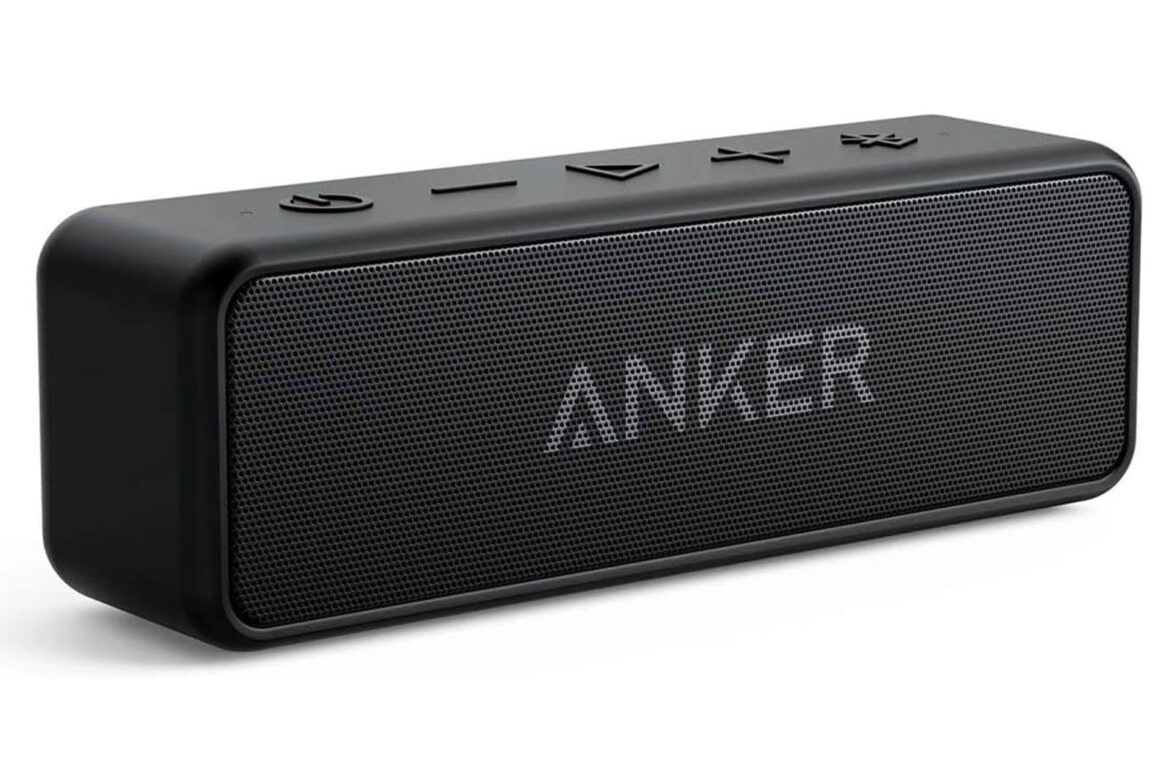
Anker Soundcore 2
Game Updates

Say No to $100 Speakers, This Anker Alternative Is Nearly Free on Amazon

by admin September 20, 2025


Premium brands love charging $100, $200, even $300 for Bluetooth speakers but a lot of the time, you’re paying for the label more than the performance. If you want real bang for your buck, the Anker Soundcore 2 is a fantastic choice. Now, with Amazon dropping the price from $45 to just $29, this deal is too good to pass up.

See at Amazon

A Pocket Powerhouse That Delivers Where It Counts

The Soundcore 2 isn’t your average small speaker: Inside its compact body hides a powerful 12W output, delivered through dual neodymium drivers engineered to produce rich sound even at higher volumes. One of its standout features is the BassUp technology which selectively boosts low frequencies in real time and makes bass tones punchier without causing distortion.

One of the big concerns when buying a portable speaker is durability and resistance to weather conditions: The Soundcore 2 handles that with an IPX7 rating of waterproofing. It’s a level of protection that can keep it underwater for full submersion up to 1 meter for 30 minutes. It also makes it easy to clean it up—just wash off and go.

Anker’s famed power management combined with a 5,200mAh lithium-ion battery lets this speaker run for up to 24 hours on a single charge. That’s enough to last a full day of work or travel without constantly hunting for an outlet. Plus, fast charge technology means you’re back to full power quickly and makes it ready for your next adventure.

Portability is never sacrificed: Tipping the scales at about half a pound and measuring small enough to fit into backpacks, purses, or big pockets with ease, it fits easily in your pocket. The looks are clean and minimalist, and the controls are uncomplicated enough that anyone can become familiar with them quickly. And talking of Bluetooth, the new Bluetooth 5.0 standard ensures reliable and low-latency connections with your device and improved range.

If expensive Bluetooth speakers are out of your budget, then this Anker Soundcore 2 deal shows you don’t have to take out a second mortgage on a quality portable speaker that’s rugged, sounds great, and plays all day on one battery charge.

See at Amazon


Source link

September 20, 2025 0 comments
0 FacebookTwitterPinterestEmail
DAAPrivacyRightIcon
Gaming Gear

Ready to download iOS 26? See if your iPhone is eligible for the free update first

by admin September 19, 2025


Now that iOS 26 is available to download for many iPhone users — here’s how to install it — it’s time to check your phone to see if you’re eligible for the update. The new OS became available on Monday this week, along with iPadOS 26 and Apple’s other operating system updates.

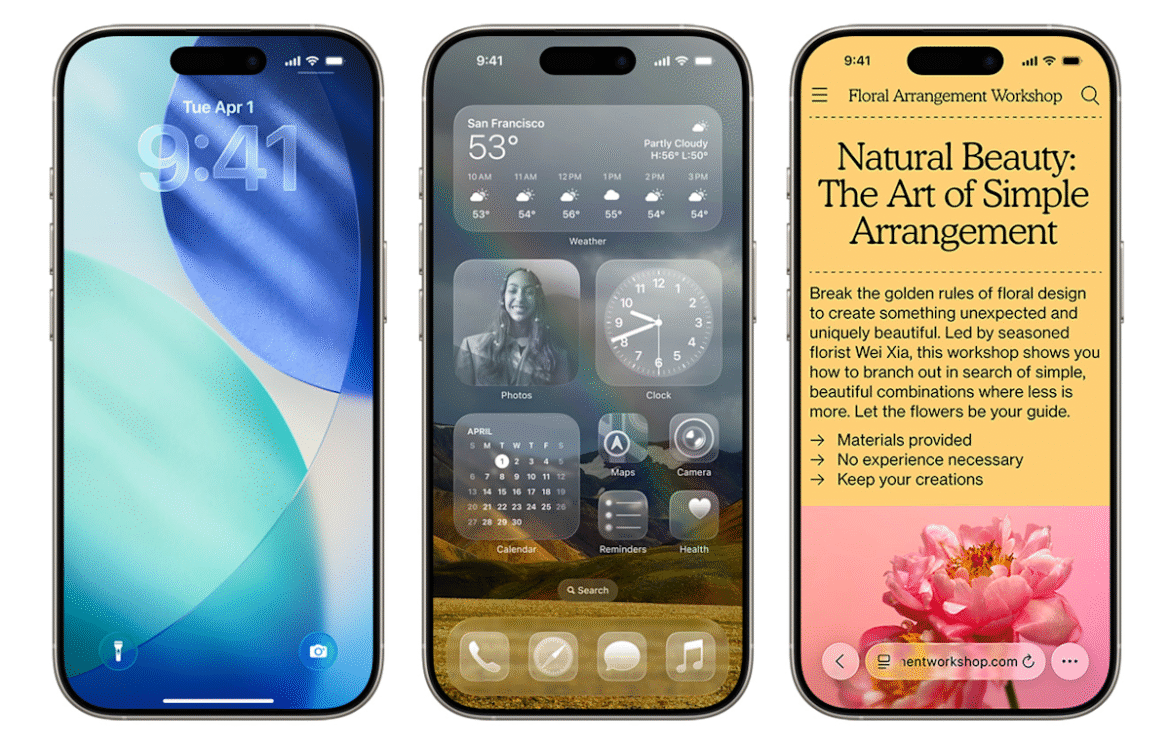
If your phone is compatible with the latest OS, you’ll notice substantial changes when you install the new update. You may have already heard about “Liquid Glass,” which (intentional or not) is sort of like Apple’s take on the old Windows Vista design language. That’s the most notable change, but we spent two weeks test-driving many of the other features included in the update — you can check out our hands-on iOS 26 preview for more impressions.

Not sure if you have an eligible smartphone or tablet but also don’t want to upgrade? No worries, we’ll help you find out if your devices will be able to run iOS 26.

While Apple didn’t nix any iPhones from its eligibility list last year, that’s not the case for 2025, as a few models are getting the axe this time around. All iPhone 8 models and the iPhone X were the last to receive the boot in 2023, and this year, iPhones released in 2018 will be left behind.

You can find a full list of iPhones and iPads that support iOS 26 and iPadOS 26 below. To see everything you get with the latest OS updates, you can check out our big rundown of what to expect from iOS 26. Additionally, here’s everything Apple revealed at the iPhone 17 launch event, including the all-new iPhone Air. (Check out Engadget’s liveblog of the event for full details.)

These three iOS 18 iPhones aren’t compatible with iOS 26

Unlike last year, a trio of iPhones won’t be eligible to download the newest iOS. These three models that were first released in 2018 won’t be coming to the iOS 26 party:

iPhones compatible with iOS 26

Per Apple’s site, the devices listed below will be compatible with iOS 26. In short, if you have an iPhone that was announced in 2019 or later, you’re in the clear:

  • iPhone SE (second generation or later)

iPads compatible with iPadOS 26

Meanwhile, the iPads listed below are eligible to download iPadOS 26:

  • iPad Pro 12.9‑inch (3rd generation and later)

  • iPad Pro 11‑inch (1st generation and later)

  • iPad Air (3rd generation and later, including M2 and M3)

  • iPad (8th generation and later, including A16)

  • iPad mini (5th generation and later, including A17 Pro)

What if I don’t want to buy a new iPhone?

If you want to continue using your older iPhone that isn’t supported by iOS 26, that’s fine. However, you’ll eventually miss out on security updates which could potentially put your phone at risk for malware and other threats. Additionally, some apps may stop working if they require a certain version of iOS or later. And, of course, you won’t be able to access the latest features iOS 26 offers.

Should I upgrade to iOS 18.7 or iOS 26?

When you first open Software Update in Settings, you’ll notice two different upgrade options: iOS 18.7 and iOS 26. Apple released the former to address security issues, so you can at least download that one if you’re unsure about all the big changes on iOS 26. It also gives you more time to wait for Apple to take care of any bugs on the new OS.

However, if you’re excited to finally have the Liquid Glass aesthetic on your phone and use all the new features iOS 26 has to offer, go ahead and install that one. After all, Apple had all summer to weed through the most problematic bugs during its beta phase and usually releases a new update shortly after the initial launch.

iOS 26 features to try out first

Liquid Glass design: Your home screen is getting revamped with new app icons, including dark mode and all-clear options. You’ll also notice buttons with a new floating design. Liquid Glass, in Apple’s terms, was designed to make all of the company’s operating systems more visually cohesive.

Phone app redesign: You can finally scroll through contacts, recent calls and voicemail messages all on one screen. It also comes with a new feature called Hold Assist that’ll notify you when an agent comes to the phone so you can avoid the elevator music.

Live Translate: iOS 26 brings the ability to have a conversation via phone call or text message with someone who speaks another language. Live Translate will translate your conversation in real time.

Polls feature: Coming to group messages in the Messages app, chat members can now create polls. This can help prevent the unwanted 30+ messages when it comes to deciding which restaurant you’re meeting at this weekend.

New lock screen options: More customizable iPhone lock screen options are available with iOS 26, including a cooler clock, 3D wallpaper effects, more widgets and better focus mode options.

Snooze longer (or shorter): Say goodbye to the 9-minute snooze setting in your alarms (if you want). You now have the option to change your snooze time from one to 15 minutes.

Fresh Camera app design: You’ll find the Camera app is simpler to navigate in iOS 26, with all the buttons and menus located in convenient spots. That means less swiping, more photo taking. Plus, there’s a new feature that tells you if your lens is too dirty.

Screenshot revamps: When you take a screenshot, you now have the option to search for the image on Google (maybe you’re looking for a sweater you saw on a celeb) and you can ask ChatGPT questions about the photo — all from the edit screen. It’s like a reverse image search but without all the hard work.


Source link

September 19, 2025 0 comments
0 FacebookTwitterPinterestEmail
Jump into Little Nightmares III Today in a Free Demo
Esports

Jump into Little Nightmares III Today in a Free Demo

by admin September 18, 2025


Little Nightmares III, the upcoming game from Bandai Namco, has released a free demo today across multiple platforms. The demo allows you to control characters Low and Alone as they attempt to escape The Necropolis, a desolate desert city frozen in time while being stalked by the mysterious Monster Baby, and can be experienced either solo or through online co-op with friends on the same console (though progress won’t carry over to the full game).

Little Nightmares III, the upcoming game from Bandai Namco Entertainment America Inc., gets a free consumer demo available today on PlayStation 5, Xbox Series X|S, Nintendo Switch 2, PC, PlayStation 4, Xbox One and Nintendo Switch. The demo lets players take on the role of Low and Alone as they try find a way out of The Necropolis, a desolated city stopped in time in the middle of a desert where the threat of the mysterious Monster Baby looms at every corner. Players can try the game solo or in online co-op with friends who have the same console. Progress will not be transferred to the final game.Little Nightmares III lets players follow the story of Low & Alone, two children trapped in the Spiral, a world filled with delusions and dangers that they have to escape. The game can be played either solo or in online co-op with a friend. Little Nightmares III will be available on October 10, 2025, for PlayStation 5, Xbox Series X|S, Nintendo Switch 2, PC, PlayStation 4, Xbox One and Nintendo Switch. For more information, visit: www.bandainamcoent.com/games/little-nightmares-3.

For more news on Little Nightmares III, stay tuned to GamingTrend!


Share this article


The link has been copied!


Affiliate Links


Source link

September 18, 2025 0 comments
0 FacebookTwitterPinterestEmail
DAAPrivacyRightIcon
Gaming Gear

See if your iPhone is eligible for the free update

by admin September 17, 2025


Did you know you can officially download iOS 26 on your iPhone? The update became available yesterday, along with iPadOS 26 and Apple’s other operating system updates. But that’s assuming you have an eligible device.

If your phone is compatible with the latest OS, you’ll notice substantial changes when you install the new update. You may have already heard about “Liquid Glass,” which (intentional or not) is sort of like Apple’s take on the old Windows Vista design language. That’s the most notable change, but we spent two weeks test-driving many of the other features included in the update — you can check out our hands-on iOS 26 preview for more impressions.

Not sure if you have an eligible smartphone or tablet but also don’t want to upgrade? No worries, we’ll help you find out if your devices will be able to run iOS 26.

While Apple didn’t nix any iPhones from its eligibility list last year, that’s not the case for 2025, as a few models are getting the axe this time around. All iPhone 8 models and the iPhone X were the last to receive the boot in 2023, and this year, iPhones released in 2018 will be left behind.

You can find a full list of iPhones and iPads that support iOS 26 and iPadOS 26 below. To see everything you get with the latest OS updates, you can check out our big rundown of what to expect from iOS 26. Additionally, here’s everything Apple revealed at the iPhone 17 launch event, including the all-new iPhone Air. (Check out Engadget’s liveblog of the event for full details.)

These three iOS 18 iPhones aren’t compatible with iOS 26

Unlike last year, a trio of iPhones won’t be eligible to download the newest iOS. These three models that were first released in 2018 won’t be coming to the iOS 26 party:

iPhones compatible with iOS 26

Per Apple’s site, the devices listed below will be compatible with iOS 26. In short, if you have an iPhone that was announced in 2019 or later, you’re in the clear:

  • iPhone SE (second generation or later)

iPads compatible with iPadOS 26

Meanwhile, the iPads listed below are eligible to download iPadOS 26:

  • iPad Pro 12.9‑inch (3rd generation and later)

  • iPad Pro 11‑inch (1st generation and later)

  • iPad Air (3rd generation and later, including M2 and M3)

  • iPad (8th generation and later, including A16)

  • iPad mini (5th generation and later, including A17 Pro)

What if I don’t want to buy a new iPhone?

If you want to continue using your older iPhone that isn’t supported by iOS 26, that’s fine. However, you’ll eventually miss out on security updates which could potentially put your phone at risk for malware and other threats. Additionally, some apps may stop working if they require a certain version of iOS or later. And, of course, you won’t be able to access the latest features iOS 26 offers.

Should I upgrade to iOS 18.7 or iOS 26?

When you first open Software Update in Settings, you’ll notice two different upgrade options: iOS 18.7 and iOS 26. Apple released the former to address security issues, so you can at least download that one if you’re unsure about all the big changes on iOS 26. It also gives you more time to wait for Apple to take care of any bugs on the new OS.

However, if you’re excited to finally have the Liquid Glass aesthetic on your phone and use all the new features iOS 26 has to offer, go ahead and install that one. After all, Apple had all summer to weed through the most problematic bugs during its beta phase and usually releases a new update shortly after the initial launch.

iOS 26 features to try out first

Liquid Glass design: Your home screen is getting revamped with new app icons, including dark mode and all-clear options. You’ll also notice buttons with a new floating design. Liquid Glass, in Apple’s terms, was designed to make all of the company’s operating systems more visually cohesive.

Phone app redesign: You can finally scroll through contacts, recent calls and voicemail messages all on one screen. It also comes with a new feature called Hold Assist that’ll notify you when an agent comes to the phone so you can avoid the elevator music.

Live Translate: iOS 26 brings the ability to have a conversation via phone call or text message with someone who speaks another language. Live Translate will translate your conversation in real time.

Polls feature: Coming to group messages in the Messages app, chat members can now create polls. This can help prevent the unwanted 30+ messages when it comes to deciding which restaurant you’re meeting at this weekend.

New lock screen options: More customizable iPhone lock screen options are available with iOS 26, including a cooler clock, 3D wallpaper effects, more widgets and better focus mode options.

Snooze longer (or shorter): Say goodbye to the 9-minute snooze setting in your alarms (if you want). You now have the option to change your snooze time from one to 15 minutes.

Fresh Camera app design: You’ll find the Camera app is simpler to navigate in iOS 26, with all the buttons and menus located in convenient spots. That means less swiping, more photo taking. Plus, there’s a new feature that tells you if your lens is too dirty.

Screenshot revamps: When you take a screenshot, you now have the option to search for the image on Google (maybe you’re looking for a sweater you saw on a celeb) and you can ask ChatGPT questions about the photo — all from the edit screen. It’s like a reverse image search but without all the hard work.


Source link

September 17, 2025 0 comments
0 FacebookTwitterPinterestEmail
  • 1
  • 2
  • 3
  • 4
  • 5
  • …
  • 9

Categories

  • Crypto Trends (1,098)
  • Esports (800)
  • Game Reviews (772)
  • Game Updates (906)
  • GameFi Guides (1,058)
  • Gaming Gear (960)
  • NFT Gaming (1,079)
  • Product Reviews (960)

Recent Posts

  • This 5-Star Dell Laptop Bundle (64GB RAM, 2TB SSD) Sees 72% Cut, From Above MacBook Pricing to Practically a Steal
  • Blue Protocol: Star Resonance is finally out in the west and off to a strong start on Steam, but was the MMORPG worth the wait?
  • How to Unblock OpenAI’s Sora 2 If You’re Outside the US and Canada
  • Final Fantasy 7 Remake and Rebirth finally available as physical double pack on PS5
  • The 10 Most Valuable Cards

Recent Posts

  • This 5-Star Dell Laptop Bundle (64GB RAM, 2TB SSD) Sees 72% Cut, From Above MacBook Pricing to Practically a Steal

    October 10, 2025
  • Blue Protocol: Star Resonance is finally out in the west and off to a strong start on Steam, but was the MMORPG worth the wait?

    October 10, 2025
  • How to Unblock OpenAI’s Sora 2 If You’re Outside the US and Canada

    October 10, 2025
  • Final Fantasy 7 Remake and Rebirth finally available as physical double pack on PS5

    October 10, 2025
  • The 10 Most Valuable Cards

    October 10, 2025

Newsletter

About me

Welcome to Laughinghyena.io, your ultimate destination for the latest in blockchain gaming and gaming products. We’re passionate about the future of gaming, where decentralized technology empowers players to own, trade, and thrive in virtual worlds.

Recent Posts

  • This 5-Star Dell Laptop Bundle (64GB RAM, 2TB SSD) Sees 72% Cut, From Above MacBook Pricing to Practically a Steal

    October 10, 2025
  • Blue Protocol: Star Resonance is finally out in the west and off to a strong start on Steam, but was the MMORPG worth the wait?

    October 10, 2025

Newsletter

@2025 laughinghyena- All Right Reserved. Designed and Developed by Pro


Back To Top
Laughing Hyena
  • Home
  • Hyena Games
  • Esports
  • NFT Gaming
  • Crypto Trends
  • Game Reviews
  • Game Updates
  • GameFi Guides
  • Shop

Shopping Cart

Close

No products in the cart.

Close