Laughing Hyena
  • Home
  • Hyena Games
  • Esports
  • NFT Gaming
  • Crypto Trends
  • Game Reviews
  • Game Updates
  • GameFi Guides
  • Shop
Tag:

download

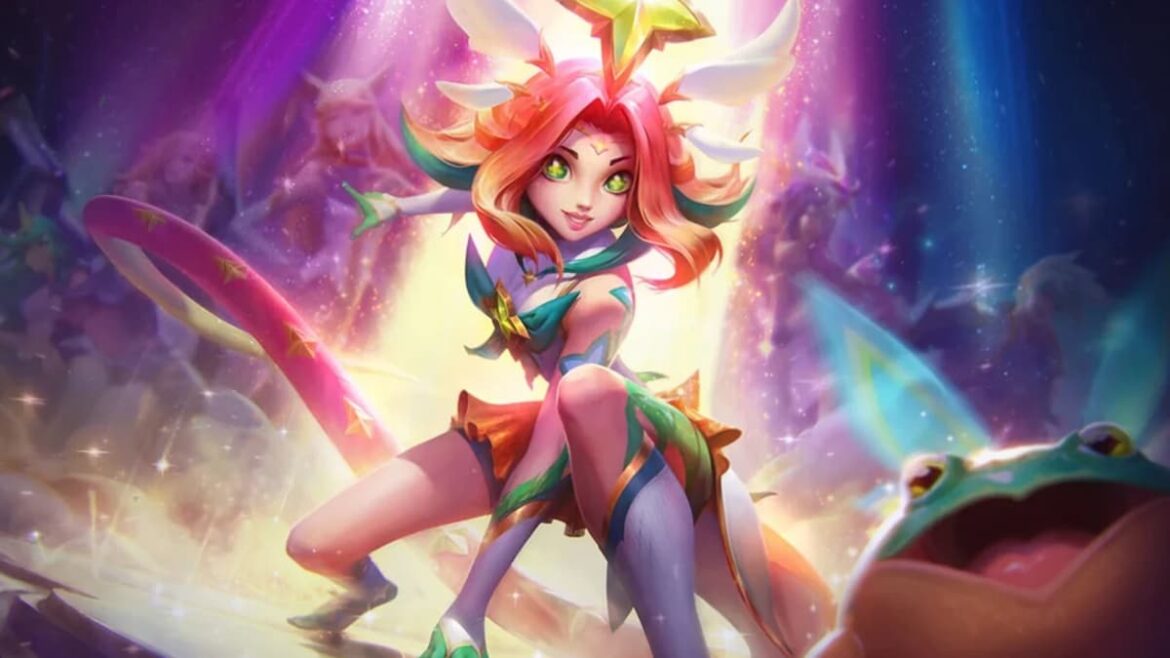
Star Guardian Neeko from League of Legends
Esports

How to download and play League of Legends on Mac

by admin October 1, 2025


As one of the biggest MOBA titles in both casual and esports, League of Legends is definitely worth downloading on your PC—but what if your rig runs on macOS? This guide is all about how to install and play LoL on Mac, so you can focus on gaming and leave the worries to us.

League of Legends is a PC-exclusive game that can run smoothly on almost every machine in 2025, thanks to Riot’s focus on optimizing performance. But not all games run on Mac, so you might wonder if LoL is playable on an Apple device—and if so, how to install it.

Can you play League of Legends on Mac

Unlike many popular PC games that are Windows-exclusive, League of Legends offers an official Mac client. But this wasn’t always the case.

Just one download button away. Image via Riot Games

At launch in 2009, LoL was only available on Windows, so players had to bank on workarounds to make it work unofficially. Considering the growing popularity, however, Riot released a Mac version of the game in 2013. So, as of 2025, you just need to download the official Mac installer to play LoL on your Apple device. 

After a recent update, some players on Mac have been receiving warning messages about the game moving to Metal graphics from OpenGL and that their devices don’t support Metal. Unless you own an old Mac that doesn’t meet the minimum requirements for LoL, you don’t have to worry about this message.

According to reports, the warning message is wrongly showing up for some players with supported Mac devices due to an internal issue, so just make sure of the system requirements and you should be good.

Mac system requirements for League of Legends

Here are the minimum system requirements to play LoL on a Mac device in 2025:

CPUIntel: Core i5-750
ARM: Not supportedCPU FeaturesSSE2GPUAMD: HD 6570
Intel: Intel HD 4600 Integrated GraphicsVRAM1GBFree Storage Space12GB HDDOS VersionsMacOS 10.13.6OS Architecturex64RAM2GBRecommended GFX SettingLowRecommended Resolution1024×768

Here are the recommended system requirements to play LoL on a Mac device in 2025:

CPUIntel: Core i5-3300
ARM: Not supportedCPU FeaturesSSE3GPUAMD: Radeon HD 6950
Intel: Intel UHD 630 Integrated GraphicsVRAM2GBFree Storage Space16GB SSDOS VersionsMacOS 11 (MacOS 12 AND 13 not supported yet)OS Architecturex64RAM4GBRecommended GFX SettingHighRecommended Resolution1920×1080 Tip:

It’s worth noting that as mentioned on the League of Legends website, the game does not currently support MacOS 12 and 13. Additionally, if you’re having trouble playing the game with MacOS 10.15, the only fix at this point in time is to revert your OS to 10.14.

How to download League of Legends on Mac

Install it with this button. Screenshot by Dot Esports

Ever since Riot released the dedicated version, installing League of Legends on Mac has been a piece of cake. Just follow these steps:

  1. Visit the official League of Legends website. 
  2. Click on the Download Mac installer button.
  3. Run the installer. Log into your Riot account when prompted. If you don’t have an account, make one. 
  4. Follow the on-screen instructions and the game should be ready for you to play in no time. 

That’s it. You should be able to jump into the action once the installation is complete. 

Dot Esports is supported by our audience. When you purchase through links on our site, we may earn a small affiliate commission. Learn more about our Affiliate Policy


Source link

October 1, 2025 0 comments
0 FacebookTwitterPinterestEmail
DAAPrivacyRightIcon
Product Reviews

Ready to download iOS 26? Make sure your iPhone is eligible for the free update first

by admin September 25, 2025


Have you updated your iPhone to the new iOS 26 yet or are you holding off? It’s been available to download since September 15 — here’s how to install it if you haven’t yet. The new OS was released alongside iPadOS 26 and Apple’s other operating system updates. Since then, the first beta of iOS 26.1 has already been released with some newer features.

If your phone is compatible with the latest OS, you’ll notice substantial changes when you install the new update. You may have already heard about “Liquid Glass,” which (intentional or not) is sort of like Apple’s take on the old Windows Vista design language. That’s the most notable change, but we spent two weeks test-driving many of the other features included in the update — you can check out our hands-on iOS 26 preview for more impressions.

Not sure if you have an eligible smartphone or tablet but also don’t want to upgrade? No worries, we’ll help you find out if your devices will be able to run iOS 26.

While Apple didn’t nix any iPhones from its eligibility list last year, that’s not the case for 2025, as a few models got axed this time around. All iPhone 8 models and the iPhone X were the last to receive the boot in 2023, and this year, iPhones released in 2018 will be left behind.

You can find a full list of iPhones and iPads that support iOS 26 and iPadOS 26 below. To see everything you get with the latest OS updates, you can check out our big rundown of what to expect from iOS 26. Additionally, here’s everything Apple revealed at the iPhone 17 launch event, including the all-new iPhone Air. (Check out Engadget’s liveblog of the event for full details.)

These three iOS 18 iPhones aren’t compatible with iOS 26

Unlike last year, a trio of iPhones won’t be eligible to download the newest iOS. These three models that were first released in 2018 won’t be coming to the iOS 26 party:

iPhones compatible with iOS 26

Per Apple’s site, the devices listed below will be compatible with iOS 26. In short, if you have an iPhone that was announced in 2019 or later, you’re in the clear:

  • iPhone SE (second generation or later)

iPads compatible with iPadOS 26

Meanwhile, the iPads listed below are eligible to download iPadOS 26:

  • iPad Pro 12.9‑inch (3rd generation and later)

  • iPad Pro 11‑inch (1st generation and later)

  • iPad Air (3rd generation and later, including M2 and M3)

  • iPad (8th generation and later, including A16)

  • iPad mini (5th generation and later, including A17 Pro)

What if I don’t want to buy a new iPhone?

If you want to continue using your older iPhone that isn’t supported by iOS 26, that’s fine. However, you’ll eventually miss out on security updates which could potentially put your phone at risk for malware and other threats. Additionally, some apps may stop working if they require a certain version of iOS or later. And, of course, you won’t be able to access the latest features iOS 26 offers.

Should I upgrade to iOS 18.7 or iOS 26?

When you first open Software Update in Settings, you’ll notice two different upgrade options: iOS 18.7 and iOS 26. Apple released the former to address security issues, so you can at least download that one if you’re unsure about all the big changes on iOS 26. It also gives you more time to wait for Apple to take care of any bugs on the new OS.

However, if you’re excited to finally have the Liquid Glass aesthetic on your phone and use all the new features iOS 26 has to offer, go ahead and install that one. After all, Apple had all summer to weed through the most problematic bugs during its beta phase and usually releases a new update shortly after the initial launch.

iOS 26 features to try out first

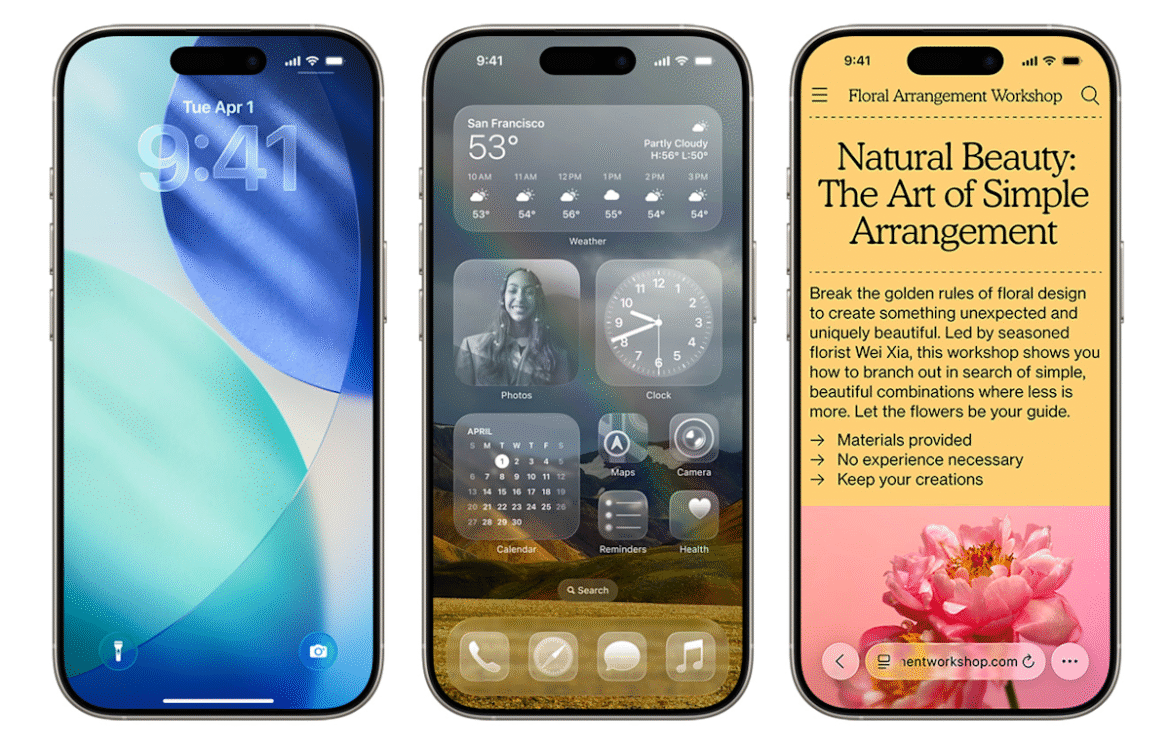
Liquid Glass design: Your home screen is getting revamped with new app icons, including dark mode and all-clear options. You’ll also notice buttons with a new floating design. Liquid Glass, in Apple’s terms, was designed to make all of the company’s operating systems more visually cohesive.

Phone app redesign: You can finally scroll through contacts, recent calls and voicemail messages all on one screen. It also comes with a new feature called Hold Assist that’ll notify you when an agent comes to the phone so you can avoid the elevator music.

Live Translate: iOS 26 brings the ability to have a conversation via phone call or text message with someone who speaks another language. Live Translate will translate your conversation in real time.

Polls feature: Coming to group messages in the Messages app, chat members can now create polls. This can help prevent the unwanted 30+ messages when it comes to deciding which restaurant you’re meeting at this weekend.

New lock screen options: More customizable iPhone lock screen options are available with iOS 26, including a cooler clock, 3D wallpaper effects, more widgets and better focus mode options.

Snooze longer (or shorter): Say goodbye to the 9-minute snooze setting in your alarms (if you want). You now have the option to change your snooze time from one to 15 minutes.

Fresh Camera app design: You’ll find the Camera app is simpler to navigate in iOS 26, with all the buttons and menus located in convenient spots. That means less swiping, more photo taking. Plus, there’s a new feature that tells you if your lens is too dirty.

Screenshot revamps: When you take a screenshot, you now have the option to search for the image on Google (maybe you’re looking for a sweater you saw on a celeb) and you can ask ChatGPT questions about the photo — all from the edit screen. It’s like a reverse image search but without all the hard work.


Source link

September 25, 2025 0 comments
0 FacebookTwitterPinterestEmail
DAAPrivacyRightIcon
Gaming Gear

Ready to download iOS 26? See if your iPhone is eligible for the free update first

by admin September 19, 2025


Now that iOS 26 is available to download for many iPhone users — here’s how to install it — it’s time to check your phone to see if you’re eligible for the update. The new OS became available on Monday this week, along with iPadOS 26 and Apple’s other operating system updates.

If your phone is compatible with the latest OS, you’ll notice substantial changes when you install the new update. You may have already heard about “Liquid Glass,” which (intentional or not) is sort of like Apple’s take on the old Windows Vista design language. That’s the most notable change, but we spent two weeks test-driving many of the other features included in the update — you can check out our hands-on iOS 26 preview for more impressions.

Not sure if you have an eligible smartphone or tablet but also don’t want to upgrade? No worries, we’ll help you find out if your devices will be able to run iOS 26.

While Apple didn’t nix any iPhones from its eligibility list last year, that’s not the case for 2025, as a few models are getting the axe this time around. All iPhone 8 models and the iPhone X were the last to receive the boot in 2023, and this year, iPhones released in 2018 will be left behind.

You can find a full list of iPhones and iPads that support iOS 26 and iPadOS 26 below. To see everything you get with the latest OS updates, you can check out our big rundown of what to expect from iOS 26. Additionally, here’s everything Apple revealed at the iPhone 17 launch event, including the all-new iPhone Air. (Check out Engadget’s liveblog of the event for full details.)

These three iOS 18 iPhones aren’t compatible with iOS 26

Unlike last year, a trio of iPhones won’t be eligible to download the newest iOS. These three models that were first released in 2018 won’t be coming to the iOS 26 party:

iPhones compatible with iOS 26

Per Apple’s site, the devices listed below will be compatible with iOS 26. In short, if you have an iPhone that was announced in 2019 or later, you’re in the clear:

  • iPhone SE (second generation or later)

iPads compatible with iPadOS 26

Meanwhile, the iPads listed below are eligible to download iPadOS 26:

  • iPad Pro 12.9‑inch (3rd generation and later)

  • iPad Pro 11‑inch (1st generation and later)

  • iPad Air (3rd generation and later, including M2 and M3)

  • iPad (8th generation and later, including A16)

  • iPad mini (5th generation and later, including A17 Pro)

What if I don’t want to buy a new iPhone?

If you want to continue using your older iPhone that isn’t supported by iOS 26, that’s fine. However, you’ll eventually miss out on security updates which could potentially put your phone at risk for malware and other threats. Additionally, some apps may stop working if they require a certain version of iOS or later. And, of course, you won’t be able to access the latest features iOS 26 offers.

Should I upgrade to iOS 18.7 or iOS 26?

When you first open Software Update in Settings, you’ll notice two different upgrade options: iOS 18.7 and iOS 26. Apple released the former to address security issues, so you can at least download that one if you’re unsure about all the big changes on iOS 26. It also gives you more time to wait for Apple to take care of any bugs on the new OS.

However, if you’re excited to finally have the Liquid Glass aesthetic on your phone and use all the new features iOS 26 has to offer, go ahead and install that one. After all, Apple had all summer to weed through the most problematic bugs during its beta phase and usually releases a new update shortly after the initial launch.

iOS 26 features to try out first

Liquid Glass design: Your home screen is getting revamped with new app icons, including dark mode and all-clear options. You’ll also notice buttons with a new floating design. Liquid Glass, in Apple’s terms, was designed to make all of the company’s operating systems more visually cohesive.

Phone app redesign: You can finally scroll through contacts, recent calls and voicemail messages all on one screen. It also comes with a new feature called Hold Assist that’ll notify you when an agent comes to the phone so you can avoid the elevator music.

Live Translate: iOS 26 brings the ability to have a conversation via phone call or text message with someone who speaks another language. Live Translate will translate your conversation in real time.

Polls feature: Coming to group messages in the Messages app, chat members can now create polls. This can help prevent the unwanted 30+ messages when it comes to deciding which restaurant you’re meeting at this weekend.

New lock screen options: More customizable iPhone lock screen options are available with iOS 26, including a cooler clock, 3D wallpaper effects, more widgets and better focus mode options.

Snooze longer (or shorter): Say goodbye to the 9-minute snooze setting in your alarms (if you want). You now have the option to change your snooze time from one to 15 minutes.

Fresh Camera app design: You’ll find the Camera app is simpler to navigate in iOS 26, with all the buttons and menus located in convenient spots. That means less swiping, more photo taking. Plus, there’s a new feature that tells you if your lens is too dirty.

Screenshot revamps: When you take a screenshot, you now have the option to search for the image on Google (maybe you’re looking for a sweater you saw on a celeb) and you can ask ChatGPT questions about the photo — all from the edit screen. It’s like a reverse image search but without all the hard work.


Source link

September 19, 2025 0 comments
0 FacebookTwitterPinterestEmail
DAAPrivacyRightIcon
Product Reviews

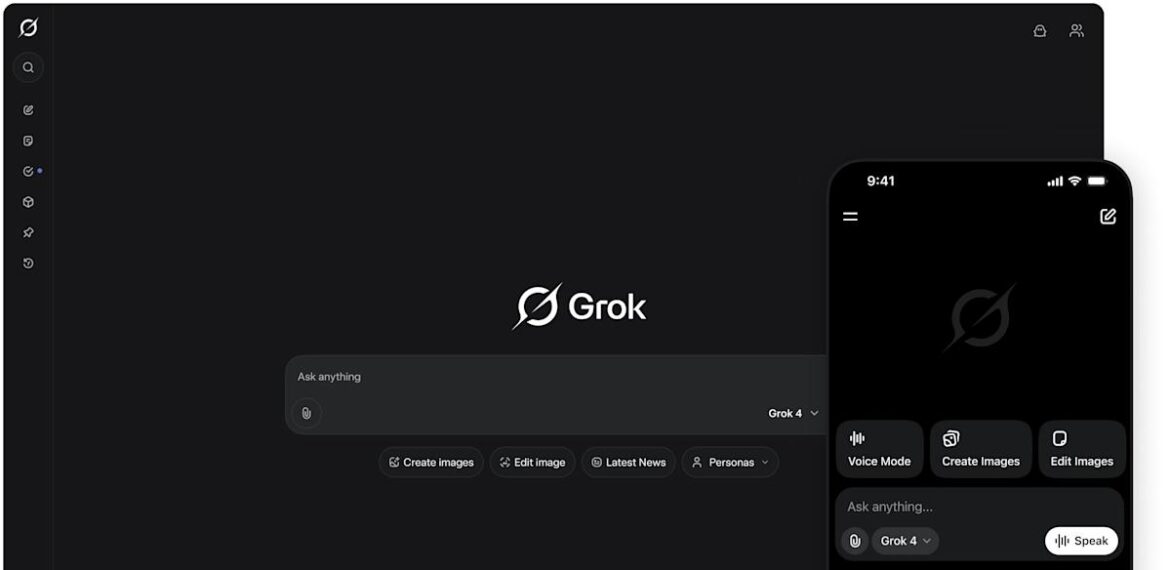
You can now download and tweak Grok 2.5 for yourself as it goes open source

by admin August 24, 2025


Unhinged as Grok may be, it’s now open source. xAI’s CEO, Elon Musk, posted on X that the company made the older Grok 2.5 model available to the public and will do the same with the upcoming Grok 3. For now, anyone can download, run and even tweak Grok, whose source code was uploaded to the Hugging Face platform. However, there are restrictions to xAI’s open-source license, which doesn’t let people use Grok to train, create or improve other AI models.

It’s not the first time xAI has made its models available to the public. In March 2024, the company released the raw base model of Grok-1, which isn’t finetuned for any specific task. As xAI continues to make Grok more accessible, it’s a stark contrast to OpenAI, which has only offered less powerful models of its ChatGPT model to researchers and businesses.

Making Grok open source allows independent developers to potentially improve on the AI model, but xAI is still trying to move past an extremely alarming episode of Grok providing antisemitic responses and referencing itself as MechaHitler. The Grok team attributed the incident to “deprecated code” that has since been fixed. As for Grok 3, Musk also said on X that it will also go open source in six months, but we may have to take that estimated release with a grain of salt, considering the CEO’s other promised timelines.


Source link

August 24, 2025 0 comments
0 FacebookTwitterPinterestEmail

Categories

  • Crypto Trends (1,098)
  • Esports (800)
  • Game Reviews (772)
  • Game Updates (906)
  • GameFi Guides (1,058)
  • Gaming Gear (960)
  • NFT Gaming (1,079)
  • Product Reviews (960)

Recent Posts

  • This 5-Star Dell Laptop Bundle (64GB RAM, 2TB SSD) Sees 72% Cut, From Above MacBook Pricing to Practically a Steal
  • Blue Protocol: Star Resonance is finally out in the west and off to a strong start on Steam, but was the MMORPG worth the wait?
  • How to Unblock OpenAI’s Sora 2 If You’re Outside the US and Canada
  • Final Fantasy 7 Remake and Rebirth finally available as physical double pack on PS5
  • The 10 Most Valuable Cards

Recent Posts

  • This 5-Star Dell Laptop Bundle (64GB RAM, 2TB SSD) Sees 72% Cut, From Above MacBook Pricing to Practically a Steal

    October 10, 2025
  • Blue Protocol: Star Resonance is finally out in the west and off to a strong start on Steam, but was the MMORPG worth the wait?

    October 10, 2025
  • How to Unblock OpenAI’s Sora 2 If You’re Outside the US and Canada

    October 10, 2025
  • Final Fantasy 7 Remake and Rebirth finally available as physical double pack on PS5

    October 10, 2025
  • The 10 Most Valuable Cards

    October 10, 2025

Newsletter

About me

Welcome to Laughinghyena.io, your ultimate destination for the latest in blockchain gaming and gaming products. We’re passionate about the future of gaming, where decentralized technology empowers players to own, trade, and thrive in virtual worlds.

Recent Posts

  • This 5-Star Dell Laptop Bundle (64GB RAM, 2TB SSD) Sees 72% Cut, From Above MacBook Pricing to Practically a Steal

    October 10, 2025
  • Blue Protocol: Star Resonance is finally out in the west and off to a strong start on Steam, but was the MMORPG worth the wait?

    October 10, 2025

Newsletter

@2025 laughinghyena- All Right Reserved. Designed and Developed by Pro


Back To Top
Laughing Hyena
  • Home
  • Hyena Games
  • Esports
  • NFT Gaming
  • Crypto Trends
  • Game Reviews
  • Game Updates
  • GameFi Guides
  • Shop

Shopping Cart

Close

No products in the cart.

Close