Laughing Hyena
  • Home
  • Hyena Games
  • Esports
  • NFT Gaming
  • Crypto Trends
  • Game Reviews
  • Game Updates
  • GameFi Guides
  • Shop
Tag:

Apple

A19 Pro
Gaming Gear

Apple debuts A19 and A19 Pro processors for iPhone 17, iPhone Air, and iPhone 17 Pro

by admin September 10, 2025


Apple announced a suite of four new iPhones today, and with them, new processors to power the devices. Additionally, the company also has new networking and cellular chips.

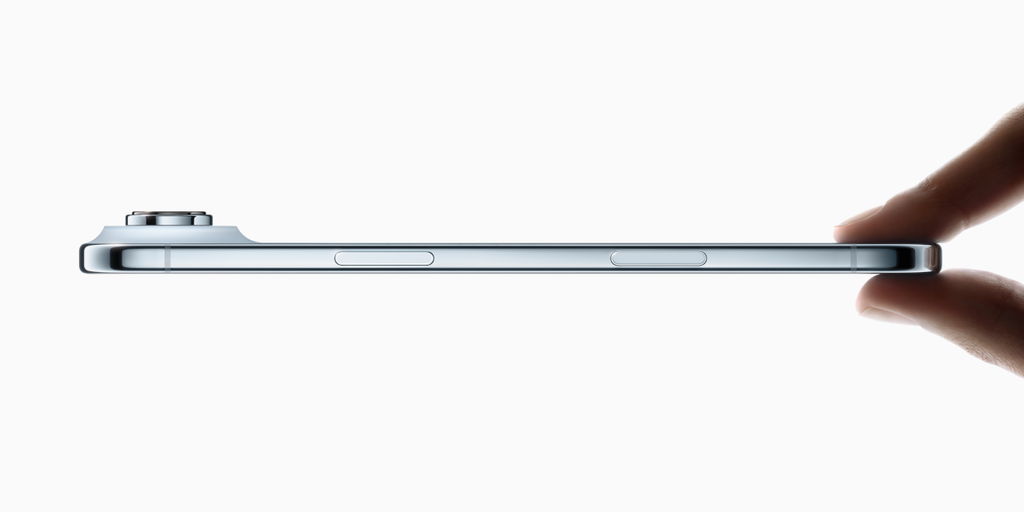
The phones include the iPhone 17, iPhone Air (a new 5.6-mm thin design), iPhone 17 Pro, and iPhone 17 Pro Max.

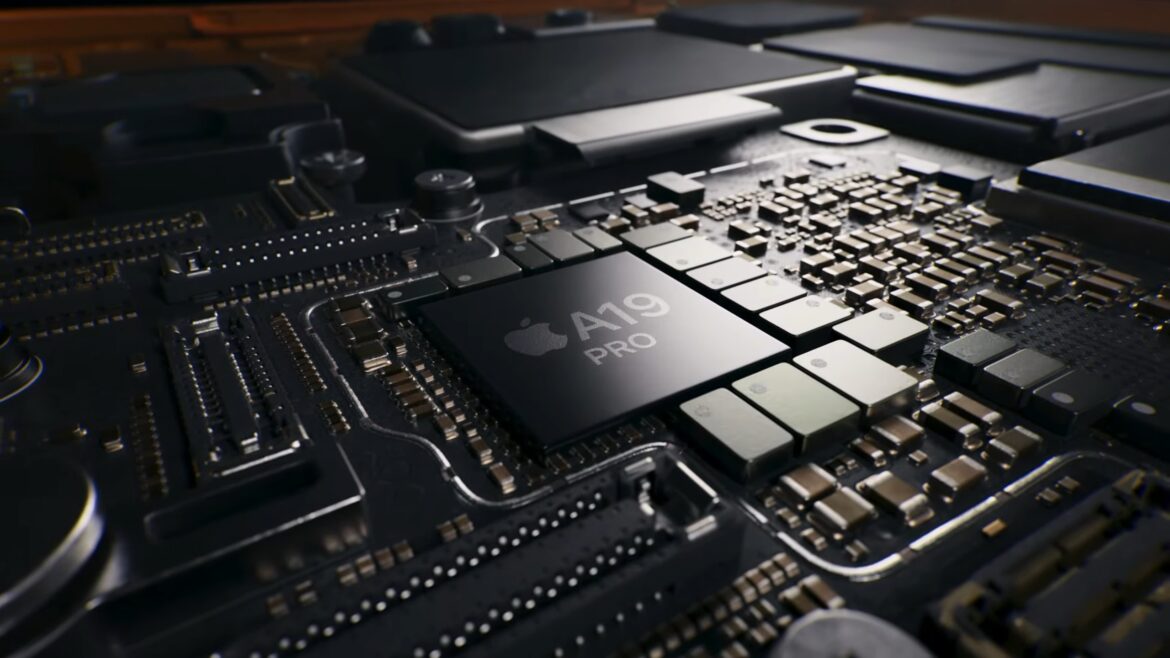
The base iPhone 17 will be powered by the A19 system on a chip, while the rest of the lineup relies on the more powerful A19 Pro. These chips are likely built on TSMC’s latest N3P process node, which is also expected to be used for Apple’s upcoming M5 chips for iPads and Macs.

A19

Image 1 of 4

(Image credit: Apple)(Image credit: Apple)(Image credit: Apple)(Image credit: Apple)

The A19 boasts six CPU cores and five GPU cores. The processor has four efficiency cores and two performance cores, while the GPU continues advancements in hardware-accelerated ray tracing, mesh shading, and MetalFX upscaling.

A19 Pro

Image 1 of 3

(Image credit: Apple)(Image credit: Apple)(Image credit: Apple)

The A19 Pro will power the new iPhone Air alongside the iPhone 17 Pro line. Like the A19, its six-core CPU utilizes two performance and four efficiency cores. The performance cores have better branch prediction and increased front-end bandwidth, while the new efficiency cores have a 50% increase in last-level cache.


You may like

On the iPhone Air, there’s a five-core GPU with the second generation of Apple’s Dynamic Caching, with faster floating point math and better image compression. Each GPU core has its own Neural Accelerators, which Apple claimed allows for MacBook Pro-level performance in an iPhone.

The iPhone 17 Pro and Pro Max get a more powerful 6-core GPU. Apple is promising a 40% increase in sustained performance over the previous generation.

(Image credit: Apple)

On the iPhone 17 Pro and Pro Max, the chip will be cooled by a new thermal system in a unibody design. This should help disperse heat and avoid the problems that iPhone 15 Pro users remember from launch in 2023.

The thermal system utilizes a vapor chamber filled with deionized water, which directs heat throughout the system. Apple says the aluminum unibody is 20 times better at cooling than the titanium used in the iPhone 15 Pro and iPhone 16 Pro. Unsurprisingly, Apple didn’t compare the A19 Pro in the iPhone Air to the version in the 17 Pro and Pro Max, which have the vapor chamber and additional GPU core.

N1 and C1X

Image 1 of 3

(Image credit: Apple)(Image credit: Apple)(Image credit: Apple)

Apple is continuing its expansion into all of the chips in its phones. On the iPhone Air, Apple has built its own networking chip, N1. This chip will allow for Wi-Fi 7, Bluetooth connections, and Thread. The new N1 chip is found on all of Apple’s latest iPhones.

Complementing the iPhone Air’s new A19 Pro is a new Apple-designed N1 chip. This chip takes over wireless duties, including Wi-Fi 7, Bluetooth 6, and Thread support. Apple states that this integrated chip design will yield performance and efficiency benefits for functions such as AirDrop and Personal Hotspot.

Get Tom’s Hardware’s best news and in-depth reviews, straight to your inbox.

Apple also announced an update to its in-house C1 modem, which was first introduced with the iPhone 16e. The new C1X modem promises up to a 2x boost in performance, but it still doesn’t include high-bandwidth, high-capacity mmWave technology. The iPhone 17 and iPhone 17 Pro models still feature Qualcomm 5G modems, so they retain mmWave support. Apple also boasts of an improvement in efficiency with the C1X.

iPhone 17, iPhone Air, iPhone 17 Pro pricing and availability

(Image credit: Apple)

All of the iPhones will see pre-orders on Friday, with availability beginning on September 19. The iPhone 17 will start at $799, while the iPhone Air will begin at $999. The iPhone 17 Pro and Pro Max will start at $1,099 and $1,199, respectively. All of the phones will start with 256GB of storage. For the first time, the 17 Pro Max will also offer a 2TB option.

In addition to the iPhones, Apple today also announced the AirPods Pro 3, Apple Watch Series 11, Apple Watch SE 3, And Apple Watch Ultra 3.

Image 1 of 3

(Image credit: Apple)(Image credit: Apple)(Image credit: Apple)


Source link

September 10, 2025 0 comments
0 FacebookTwitterPinterestEmail
Apple says the iPhone 17 comes with a massive security upgrade
Gaming Gear

Apple says the iPhone 17 comes with a massive security upgrade

by admin September 10, 2025


It’s less noticeable than a thinner profile or trick camera lenses, but Apple is pointing out another upgrade in the iPhone 17 family of phones that it says is part of “the most significant upgrade to memory safety in the history of consumer operating systems.” Explicitly targeting the spyware industry that produces exploits for tools like Pegasus to hack on targeted devices, a series of changes in Apple’s chips, OS, and development tools are part of what it calls Memory Integrity Enforcement (MIE).

With the introduction of the iPhone 17 lineup and iPhone Air, we’re excited to deliver Memory Integrity Enforcement: the industry’s first ever, comprehensive, always-on memory-safety protection covering key attack surfaces — including the kernel and over 70 userland processes — built on the Enhanced Memory Tagging Extension (EMTE) and supported by secure typed allocators and tag confidentiality protections.

The approach is similar to what we’ve seen from Microsoft’s introduction of memory integrity security features for Windows 11, as well as a series of changes that have arrived to prevent speculative-execution vulnerabilities like Spectre. Apple’s blog post also mentions efforts by ARM with the Memory Tagging Extension (MTE) to fight memory bugs, which is supported on Google’s Pixel phones starting with the Pixel 8 series and enabled for supported apps if you turn on Advanced Protection.

Apple says its implementation goes a step further, with the ability to protect all users by default and by designing its A19 and A19 Pro chips for enhanced security, while still adding memory safety changes for older hardware that doesn’t support the new memory tagging features. The company also says its new mitigation for Spectre V1 leaks works with “virtually zero CPU cost” — as performance hits have been an issue for memory integrity and other security features — with all of the changes making “mercenary spyware” even more expensive to develop.

The folks behind the security-focused GrapheneOS project acknowledged the “major security improvements” that will help iPhone security in a post on X, but also said they had issues with the presentation and how it portrayed iOS security vs features like MTE, already released for Android. We’ll learn more about how much has changed once these updates reach devices and attackers take their turn trying to crack open the iPhone 17 and iPhone Air’s security.


Source link

September 10, 2025 0 comments
0 FacebookTwitterPinterestEmail
Apple Reveals Ultra-Thin iPhone Air Alongside Smarter Wearables
GameFi Guides

Apple Reveals Ultra-Thin iPhone Air Alongside Smarter Wearables

by admin September 9, 2025


In brief

  • New Center Stage camera adds smarter framing, 4K HDR, and dual capture across iPhone 17 models.
  • iOS 26 brings on-device AI tools, including live translation, smart screenshots, and spam filters.
  • Final Cut Camera 2.0 adds ProRes RAW, genlock, and Apple Log 2 to iPhone 17 Pro for pro video work.

Apple’s new iPhone Air, its slimmest smartphone yet, led a slate of product announcements Tuesday, as the company focused on design, performance, and somewhat restrained emphasis on artificial intelligence across its devices.

Instead of spotlighting a major AI overhaul, humanoid robots, or a Siri reboot, the company leaned on thinner and more efficient phones—including enhanced iPhone 17 models alongside the Air—higher-performance chips, and incremental steps toward embedding AI and machine learning into its health, fitness, photo, and video applications.

One example: The new AirPods Pro 3 will offer a feature called Live Translation, enabling the earbuds to translate speech in real time through Apple Intelligence. They also include upgraded ANC, heart-rate monitoring, and extended battery life.

Apple also highlighted the expanded use of recycled titanium and aluminum after the company said in August it would bring iOS device glass manufacturing back to the United States. Here is what was announced on Tuesday.

iPhone 17 and iPhone Air

The iPhone 17 introduced several upgrades, including a 6.3-inch Super Retina XDR display with slimmer borders, 3,000 nits of peak brightness, and a second-generation Ceramic Shield that Apple claims triples scratch resistance. A 48-megapixel Dual Fusion camera system now includes a new square-sensor front camera, offering wider fields of view and AI-assisted group framing.

Powering the device is Apple’s A19 chip, a six-core CPU paired with integrated Neural Accelerators. Apple said it enables on-device generative AI tasks and doubles graphics performance compared with the iPhone 13. Battery life stretches to 30 hours of video playback, with fast charging via a 40W adapter.

The iPhone 17 starts at $799 with 256GB of storage and comes in black, lavender, mist blue, sage, and white. Preorders open Sept. 12, with availability beginning Sept. 19.

iPhone Air. Image: Apple

More notably, Apple introduced the iPhone Air—a 5.6-millimeter device that repositions internal components to maximize battery life in what it calls its lightest, most durable frame yet. The Air features a 6.5-inch display with ProMotion support up to 120Hz and uses the same Ceramic Shield on both front and back.

The phone runs on the A19 Pro chip and adds a new C1X modem that Apple says is twice as fast while drawing 30% less power. Connectivity includes Wi-Fi 7, Bluetooth 6, Thread, and faster 5G. The camera array includes a 48-megapixel main sensor with what Apple says is optical-quality 2x telephoto and Focus Control for portraits.

A magnetic battery pack accessory can extend use by up to 40 hours. The iPhone Air starts at $999.

iPhone Pro models

The iPhone 17 Pro and Pro Max round out the lineup, built with aerospace-grade aluminum, a vapor chamber cooling system, and the new A19 Pro chip. Both models feature Super Retina displays—6.3 inches for the Pro, 6.9 inches for the Max—and maintain the 3,000-nit brightness standard.

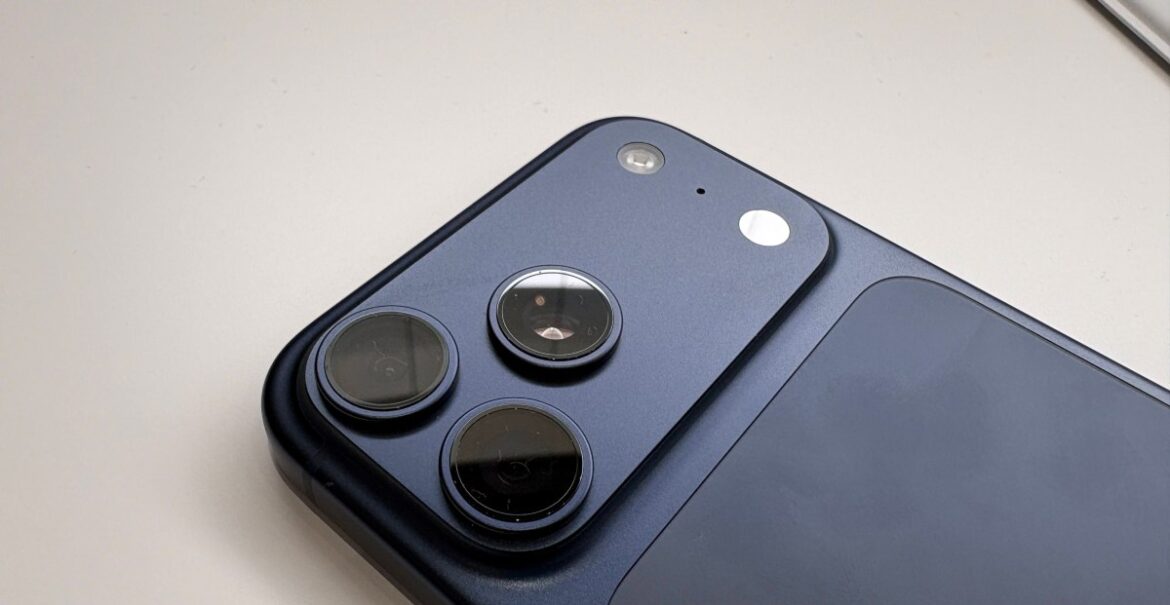
The Pro cameras go fully triple-lens: 48-megapixel main, ultra wide, and a telephoto with a tetraprism lens capable of 4x optical zoom at 100mm and 8x digital zoom at 200mm. Pro-level video tools include ProRes RAW, Apple Log 2, and genlock syncing.

Apple claims the Pro Max delivers the longest battery life of any iPhone, with up to 39 hours of video playback. Both models support eSIM in select markets. The iPhone 17 Pro starts at $1,099; the Pro Max at $1,199, with capacities up to 2TB.

Apple iPhone 17 Pro. Image: Apple

Apple’s new Center Stage front camera, available across the iPhone 17 Pro, Pro Max, and iPhone Air, introduces the first square sensor on an iPhone and brings several AI-driven improvements to both photography and video.

The upgraded 18-megapixel camera offers a wider field of view and allows users to capture photos and videos in portrait or landscape—even while holding the phone vertically. The system uses AI to detect subjects and automatically adjust framing during group selfies, expanding the field of view and rotating orientation to include everyone in the shot.

Video tools now include ultra-stabilized 4K HDR recording and a new Dual Capture mode that records from the front and rear cameras simultaneously—aimed at creators filming reaction or commentary content while capturing action in the background.

During FaceTime and third-party video calls, Center Stage uses subject tracking to keep users centered and in frame, adapting as they move or shift positions.

Final Cut Camera 2.0

Apple also announced Final Cut Camera 2.0, a major update to its pro video app that brings ProRes RAW and genlock support to the iPhone 17 Pro and Pro Max.

ProRes RAW lets users capture raw sensor data for flexible post-production editing, while genlock enables frame-accurate sync across multiple devices for professional multi-cam setups. The update also adds open gate recording, Apple Log 2 for expanded dynamic range, and 200mm telephoto capture at up to 4K60 fps.

Final Cut Camera 2.0 integrates with the new Center Stage front camera, offering manual control over orientation and framing for creators recording with the front lens. The app also supports timecode modes and pairing with Final Cut Pro for iPad via Live Multicam.

AirPods Pro 3 and Apple Watch

Apple also upgraded its line of wearables. The AirPods Pro 3, priced at $249, introduce real-time translation powered by Apple Intelligence. Spoken results play through the earbuds, with contextual text appearing on paired iPhones.

The earbuds now include a custom heart-rate sensor, support for 50 workout types, and a new “Workout Buddy” feature that offers voice coaching during exercise. Battery life hits eight hours, or 10 in hearing-aid mode. Foam-infused tips come in five sizes, including an XXS fit.

On the wrist, the Apple Watch Series 11 adds a new ceramic coating, liquid glass face, and a circular 5G antenna for improved efficiency. Battery life reaches 24 hours. Health features include AI-powered hypertension detection, with FDA clearance pending, and new sleep tracking with quality scoring.

The Apple Watch SE 3 gets an always-on display, the S10 chip, and faster 5G, with sleep tracking, ovulation history, and apnea notifications.

At the top end, the Apple Watch Ultra 3 adds a larger, wide-angle OLED display, 42 hours of battery life (72 hours in low power mode), and two-way satellite messaging for emergency communication. It’s positioned for endurance athletes, with enhanced GPS, cycling metrics, stroke detection for swimmers, and offline hiking maps. Pricing starts at $799.

Apple Intelligence

Apple continued its measured rollout of artificial intelligence with iOS 26, introducing new features under the “Apple Intelligence” label that rely on on-device processing and privacy-first design.

Live Translation, one of the flagship additions, enables real-time text and audio translation across Messages, FaceTime, and Phone—with results delivered both audibly and on-screen. Apple said the feature works entirely on-device and does not require an internet connection.


New visual intelligence tools allow users to take screenshots and immediately search or act on what’s shown—such as identifying landmarks, extracting text, or navigating to settings. These updates build on Apple’s approach of integrating machine learning into existing workflows rather than overhauling the interface.

The company also introduced screening tools for phone calls and messages designed to filter out spam and unwanted interruptions, using AI to prioritize relevant contacts.

Under the hood, iOS 26 features Apple’s own foundation model—running locally on-device—which is now accessible to third-party developers. Apple said apps can leverage these capabilities to deliver personalized, private AI functions, even when offline.

Despite the new tools, Apple Intelligence stops short of offering a conversational assistant or chatbot. Instead, the company framed the features as utility-focused enhancements, embedded within apps and designed to avoid dependence on the cloud.

Generally Intelligent Newsletter

A weekly AI journey narrated by Gen, a generative AI model.


Source link

September 9, 2025 0 comments
0 FacebookTwitterPinterestEmail
DAAPrivacyRightIcon
Product Reviews

Apple gives iPhone 14 and 15 owners an extra free year of satellite connectivity

by admin September 9, 2025


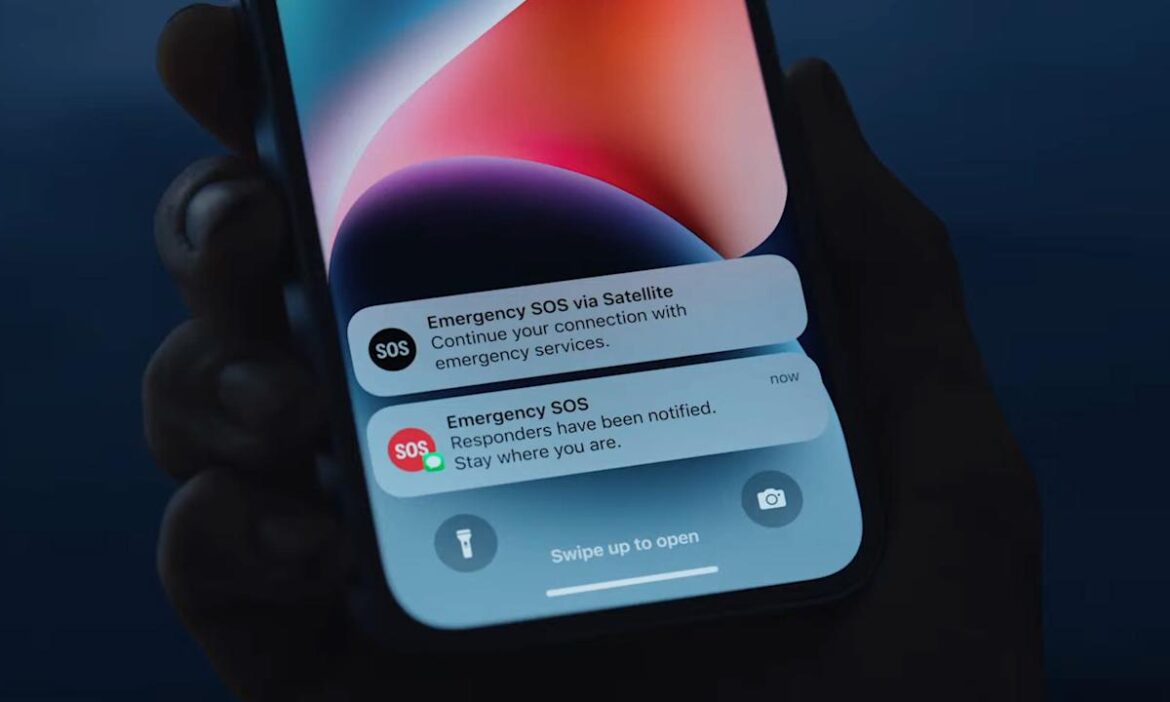
Tucked away in Apple’s iPhone 17 press releases was a bonus for off-grid owners of older models. The company gave iPhone 14 and 15 owners free access to satellite features for another year. This is Apple’s third extension since Emergency SOS via satellite launched with the iPhone 14.

“The free trial will be extended for iPhone 14 and iPhone 15 users who have activated their device in a country that supports Apple’s satellite features prior to 12AM PT on September 9, 2025,” the company’s copy reads. An Apple support page lists Armenia, Belarus, China mainland, Hong Kong, Macao, Kyrgyzstan, Kazakhstan and Russia as unsupported countries.

Apple’s off-grid feature set began in 2022 with Emergency SOS via satellite. In iOS 18, it expanded to include Messages via satellite, Find My access and roadside assistance. The features work through a partnership with Globalstar.

As for why Apple keeps extending the free access, a Redditor floated a logical-sounding theory after last year’s announcement. “I can’t see Apple ever charging for [Emergency SOS via satellite],” u/rotates-potatoes posted. “The positive PR of ‘saved by Apple’ is too good, and the negative PR of ‘died because they didn’t pay $3’ is too bad.” (It’s worth noting that the pricing was speculative. Apple hasn’t said how much it plans to charge.)

You can demo the features on your iPhone right now. To test Emergency SOS, head to Settings > Emergency SOS, and scroll down to “Try Demo” (at the bottom). For the texting feature, go to Settings > Apps > Messages, and scroll down to “Satellite Connection Demo.”


Source link

September 9, 2025 0 comments
0 FacebookTwitterPinterestEmail
Hands-on with all the new Apple Watches: Series 11, Ultra 3, and SE 3
Product Reviews

Hands-on with all the new Apple Watches: Series 11, Ultra 3, and SE 3

by admin September 9, 2025


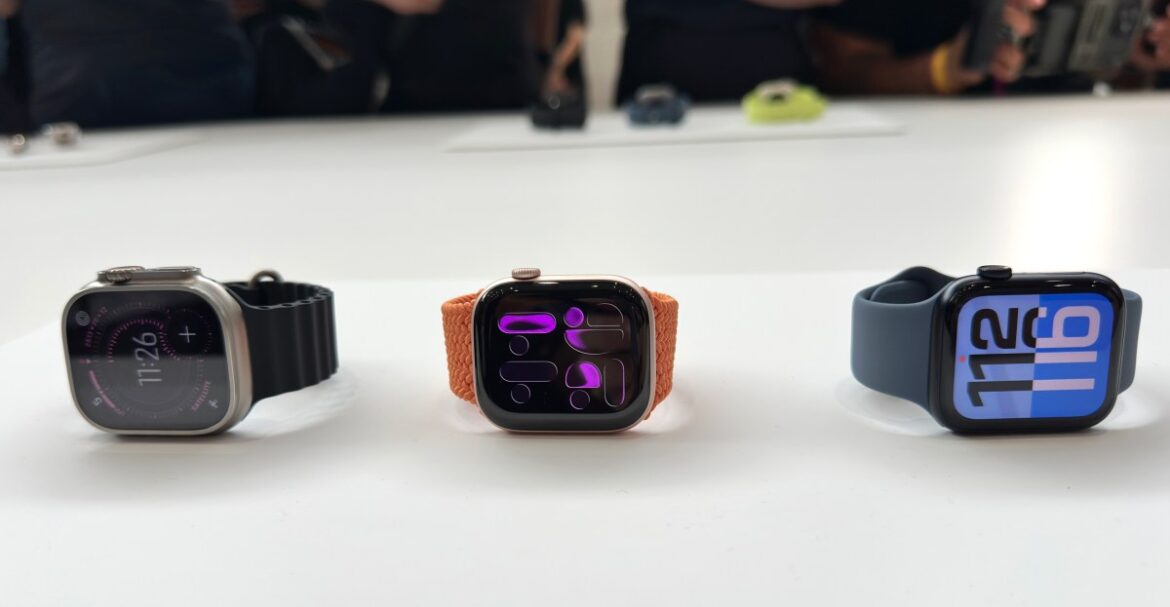
Following Apple’s “Awe dropping” event today, we’ve been able to try out all the new Apple Watch models announced today including the Series 11, the Ultra 3, and the refreshes SE 3.

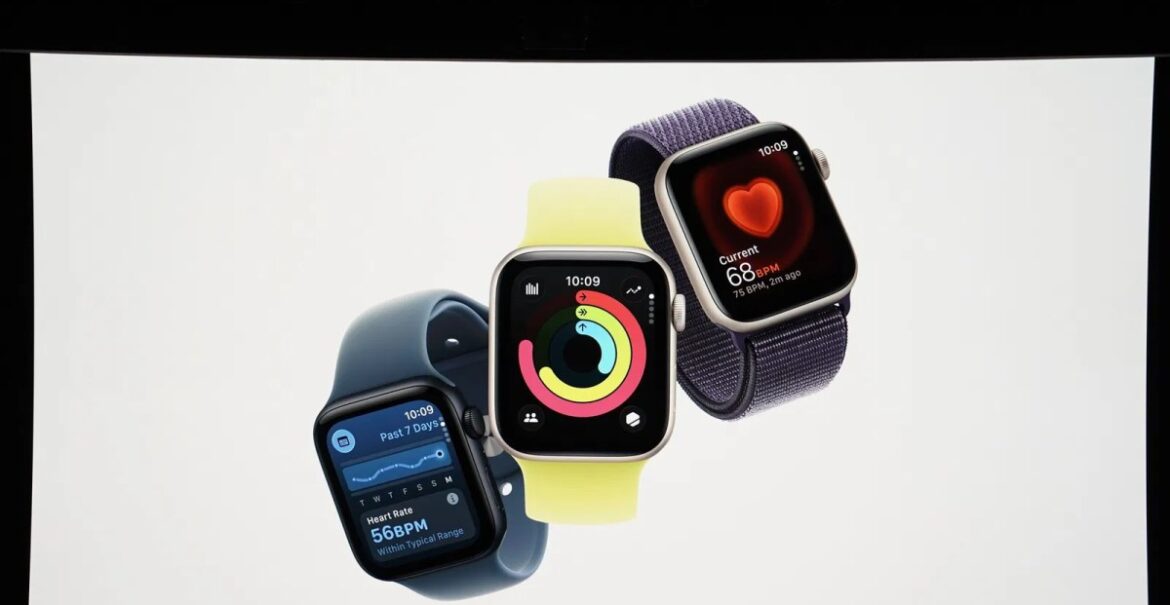
The entry-level Apple Watch SE was last updated in 2022 with the second-generation model, but the new SE 3, which starts at $249 for a 40 millimeter model, has gained some features from older Apple Watch models released since the SE 2’s debut, as well as the new Ultra 3 and Series 11 announced today. It will support both faster 5G cellular speeds and now charge twice as fast, with battery life getting a boost to up to 18 hours. It will also feature Apple’s new more scratch resistant Ion-X glass, an always-on display for the first time, sleep apnea detection, and the ability to use its speaker for playing music and podcasts – not just phone calls.

In person, the SE 3 feels surprisingly similar to the Series 11. In fact, at first I thought the SE 3 I was trying on was the Series 11. The only thing that visually set them apart for me was the profile and the colors. That’s huge for the SE 3, given the $250 price point. I’ll have to see how they feel in testing, but it truly doesn’t feel like you’re giving up much.

The Apple Watch Series 11 is also getting the 5G cellular upgrade as well as the sleep score, notifications of potential high blood pressure, a battery life bump to up to 24 hours, and the stronger glass. Its design isn’t that much different than the Series 10 but will be available in slightly larger 42mm and 46mm sizes and, according to Apple, will be the thinnest Apple Watch yet.

The high-blood-pressure demos weren’t available just yet, but we did get to see demos of the satellite SOS feature. It looks neat, but a crowded hands-on space isn’t the best place to get a sense of how 5G or satellite SOS will play out. I did get a look at the new Sleep Score screens, which are just about what you would expect.

The Apple Watch Ultra 3, which starts at $799, has a larger screen than the Ultra 2 but with smaller bezels so the actual size of the ultra-durable wearable remains the same. It’s also gaining 5G cellular capabilities with the addition of satellite connectivity, a boost to up to 42 hours of battery life, new health features including a sleep score and notifications when the signs of high blood pressure are detected, and the stronger Ion-X glass.

The Ultra 3 didn’t look all that different in person (though I appreciated the new minty Ocean strap). That said, I dug the new watchfaces in person. You can see a slight difference compared to the Ultra 2 in terms of display size, but it’s sight.

Apple isn’t charting an entirely new course with the design of its latest wearables, but there are still some notable upgrades and changes coming this year, and we’ve gone hands-on to let you know if they might be worth the upgrade.

Photography by Victoria Song


Source link

September 9, 2025 0 comments
0 FacebookTwitterPinterestEmail
Apple announces new entry-level Apple Watch SE 3 with always-on display
Gaming Gear

Apple announces new entry-level Apple Watch SE 3 with always-on display

by admin September 9, 2025


Apple has a refreshed entry-level smartwatch for 2025, the new Apple Watch SE 3. Announced at its “awe dropping” event alongside new iPhones, the new SE 3 gets a faster S10 processor, more battery life, and (finally) an always-on display.

The 2025 Apple Watch SE is a follow-up to the outgoing model, which was launched back in 2022. It’s once again Apple’s new base model wearable — typically a parts-bin remix of previous and current flagship features offered for a lower price. This isthe third iteration of Apple’s cheaper watches. The last-gen SE started at $249 for a 40mm version and $279 for 44mm. It used the same size screen and design of the older Apple Watch Series 6, but it shared the newer S8 processor of the Series 8 and Ultra watches that it launched beside. But it left out features like an always-on display and sensors for temperature, EKG, and blood oxygen.


Source link

September 9, 2025 0 comments
0 FacebookTwitterPinterestEmail
DAAPrivacyRightIcon
Product Reviews

The best DACs for Apple Music Lossless in 2025

by admin September 9, 2025


Apple Music is one of the few streaming services that offers high-resolution audio (aka “lossless”) at no extra charge. But enjoying that extra quality on your phone usually requires some extra hardware. That is the purpose of this guide, — to help you find exactly what you need depending on how you prefer to listen. Every product listed below will help you squeeze more audio quality out of your Apple Music subscription. In fact, whatever music service you use, your listening experience will be enhanced. Best of all, most of these recommendations are compatible with Android, Mac and Windows devices, too.

Fortunately, as data plans become more generous and technology advances, listening to these larger-files in their full glory is less of a challenge. There are still some hardware hurdles though, especially if you use AirPods (or any wireless headphones) as Bluetooth technology is theoretically capable of delivering some higher-resolution audio, and Apple products don’t support the required technology (codecs such as Aptx, LDAC etc.). Confusingly, there are also different levels of “lossless” on Apple Music, with standard “CD quality” audio and then “Hi-Res Lossless” files that are recorded at even higher data rates. But don’t worry, we have a solution for you below, no matter how you prefer to listen to your music.

Of course, a DAC or dongle is only part of the equation — your headphones or speakers are also just as important. So if you’re looking for the absolute best audio experience be sure to check out our guide to the best headphones. Although these options are wireless, many can be used with a cable, too, making them the perfect pairing for our recommendations below.

Best DACs for 2025

James Trew for Engadget

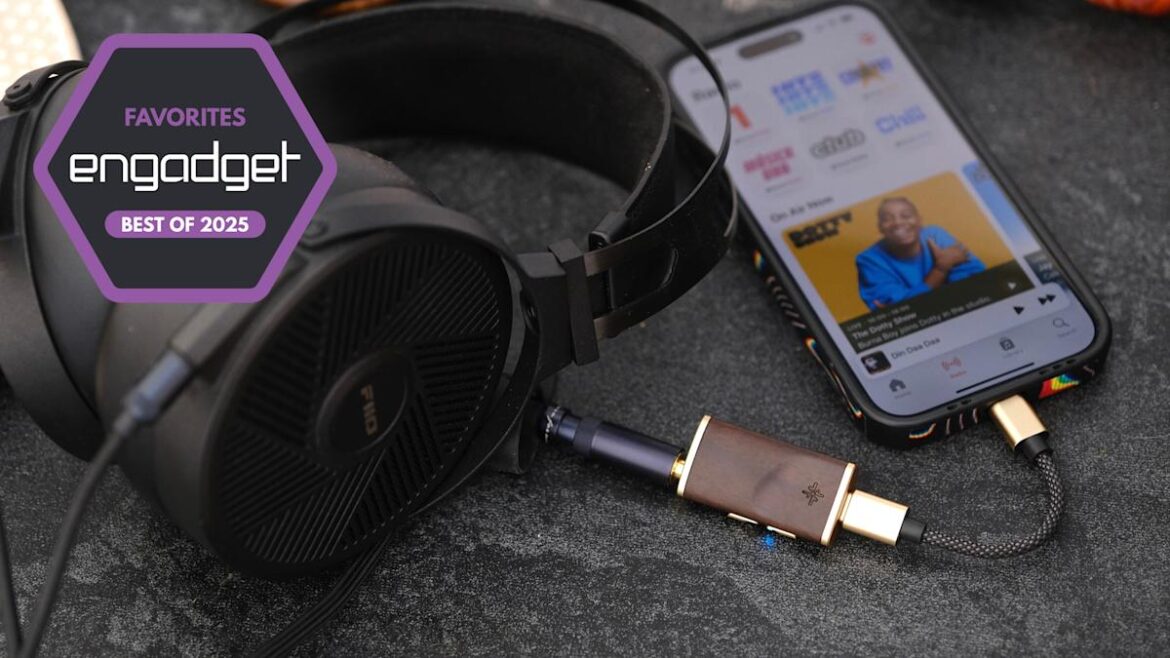
Fiio’s affordable KA11 dongle contains a DAC with a maximum resolution of 32bit/384kHz — which is well above Apple Music’s top-tier “Hi-Res” lossless format (24bit/192kHz) — so you can be sure that you’re getting every last bit of quality out of whatever you’re listening to. Best of all, the KA11 is powerful, too, with a higher volume output than Apple’s on headphone adapter (more on this below). At around $30, this dongle is the best bang for your buck when it comes to upgrading the audio experience on your iPhone, Android, PC or Mac. There’s even a Lightning version available for those with older iPhones and iPads.

We particularly like the simplicity of Fiio’s KA11 as it’s plug-and-play with no need to charge it. It’s only slightly bigger than a typical headphone adapter and it comes with a rugged, woven cable, so it can handle a lot of wear and tear. There’s even a small LED on the front that lets you know if you’re listening to standard, high, or higher-resolution files so you can be confident you’re getting the most out of your music in real time.

$33 at Amazon

Apple

Yes, it’s the Apple headphone adapter you know and (maybe) love, but it’s worth considering if you want something super lightweight and even more affordable. Apple’s dongle doesn’t support the larger, Hi-Res files available on its music service, but it can handle the standard lossless (24bit/48kHz) format no problem. As you’d expect, it’s available in Lightning and USB-C versions depending on which Apple device you’re connecting it to.

Sure, the most demanding listeners might lament the lack of support for the higher resolutions, and it can be a little quiet with some headphones that are high impedance (typically more expensive “audiophile” models). For the vast majority of users, though, Apple’s dongle will do the job. If you’re not sure, check the manual for your headphones and look for Impedance (often listed as Ohms) — anything below around 150Ohms and you should be fine. Anything above that, and you might want to consider Fiio’s dongle instead.

$15 at Adorama

iFi

While this guide is primarily focused on Apple Music, most of the gear here will unlock lossless audio no matter where you listen. If Tidal is your platform of choice, you might be familiar with the MQA codec, which the company used for its high-resolution audio until eventually switching to FLAC in 2024. MQA might not be as common in streaming anymore, but if you still want to make sure you can listen to music from stores or services that provide it, the iFi GO Link will have you covered, along with the standard Apple Music high resolution audio formats, and anything else, up to 32-bit/384kHz.

$59 at Macy’s

James Trew for Engadget

Sennheiser’s BTD700 is a wireless adapter that plugs into your phone, upgrading its Bluetooth capabilities with the latest high-resolution codecs such as Aptx Adaptive and Aptx Lossless. iPhones don’t support any of these natively, but with this small dongle, you can unlock the full potential of Bluetooth audio and the higher bitrates (and in theory audio quality) Aptx Lossless offers. There’s a small caveat, though: you will need Bluetooth headphones that also support one of these codecs such as these or these (or check the product page of the set you own or are considering).

The BTD700 is simple to use, just plug it in to your phone’s (or other device’s) USB-C port, pair your headphones to it and off you go. An LED on the dongle lets you know which of the six different Bluetooth “qualities” (codecs) you’re enjoying so you will know when you’re listening to lossless audio. The handy part? Once you’ve paired your headphones with the dongle, you won’t need to re-pair if you connect the BTD700 to a PC or Mac. This little adapter effectively gives anything with a USB-C port an audio upgrade, and there’s even a low-latency mode for gaming. Note, there’s no Lightning option here, so if you’re on an older phone you might have to live with using an adapter.

$60 at Macy’s

James Trew for Engadget

If you’re looking to take things to the next level without spending “high-end” money, there’s a lot to love about the Melody DAC from Snowsky. Unlike a simple dongle, the Melody has onboard controls and two headphone jacks. One of those is for regular 3.5mm headphones, but the other is for 4.4mm “balanced” headphones, which means the Melody can grow with you if your audio journey takes you deeper into the world of audiophilia.

The wood finish gives it a classy feel and although it’s light, it still delivers that quality “Hi-Fi” feel. As for sound quality, there’s support for 384K/32bit sample rates, which covers everything Apple Music can deliver. The built-in amplifier can easily go louder than you should probably ever listen and there are other luxuries, too, such as support for inline microphones — so you can still handle calls and take meetings on your phone. We also love that you can tailor the sound to your preference via the Fiio Control companion app.

$40 at Amazon

Fanmusic

While you can squeeze an impressive amount of audio tech into a headphone adapter, a slightly bigger device affords a decent step up in both specs and features. Moondrop’s Moonriver T2i DAC is slightly larger than a pack of gum, and it has a stylish design that doesn’t look like a boring, generic dongle.

Importantly, the Moonriver T2i builds on the success of the company’s Moonriver 2 DAC. The “2” partly refers to the use of dual DAC chips here, which delivers a “balanced” signal. Each channel can handle up to 32bit/384KHz resolution and there are two headphone ports. One for standard 3.5mm headphones and another for 4.4mm connections — making use of that balanced output. If this is your first step into the world of Hi-Fi DACs, you’re totally fine with 3.5mm headphones, but some prefer the 4.4mm connector as it provides more power and potential signal benefits, especially if you’re using a headphone amp.

With the Moonriver T2i you have a couple more practical advantages. For one, there are physical volume controls on the device itself. If you ever felt that the 16 levels of loudness on the iPhone (I just counted) weren’t enough, then the 100 steps of adjustment on the Moonriver T2i (via companion software) eliminate any worries about setting the music to the perfect level. If your headphones have an in-line microphone, the good news is that this dongle will pass that through to your phone or PC so you won’t need a separate device for calls.

Most importantly, the sound that comes out of the Moonriver T2i is bright and bold. You’ll hear audiophiles talk about sound stage, detail and width, all you need to know is that this DAC ticks off all the buzzwords and serves up bright, robust sound that’s going to make any lossless/hi-res music really shine.

$198 at Amazon

FiiO

Who said a DAC needs to be a dongle? If you’re looking for something a little more all-in-one then the SP3 BT active speakers from Fiio are a great option. We like that, for the same price as many standalone DACs, you have everything you need to decode high-resolution music from almost any source with USB-C and Aux inputs for phones along with standard Hi-Fi connections such as optical, RCA and coaxial.

These speakers didn’t make it to our testing bench, but the SP3 BTs regularly receive praise for their sound and premium build quality at a reasonable price. For Bluetooth listening, there’s support for both Aptx Adaptive and HD along with Sony’s rival LDAC making these speakers something of an audio swiss-army knife. While these speakers will make a perfect companion to your home office or workspace, they can easily find a home in your living room or den connecting to any other music players you might have (for vinyl you’ll still need a pre-amp).

$350 at Amazon

James Trew for Engadget

If you’ve had some experience with DACs and are looking to ratchet things up a notch or three, then the Mojo 2 from British company Chord wants to have a word. At $650, this is definitely in the high-end price range, but the experience and features it offers make it worth considering for serious audiophiles. But the brains behind the Mojo 2 have been making digital to analog converters pretty much since there was digital music to even convert. That experience is what makes the Mojo 2 a favorite among music fans.

Most options in this guide are designed for mobile devices first, the Mojo 2 is more of a hybrid device. The mobile dongles above all take their power from the player you connect them to, which is convenient, but obviously is less kind to your phone’s battery life. The Mojo 2 has an internal cell so won’t tax the one in your phone or laptop. It’s small enough to be portable, but substantial enough to live on your desk.

Unlike most DACs that use off the shelf chips to handle the digital-to-audio conversion, the Mojo 2 uses field programmable gate array (FPGA) technology to create its own custom “chip.” It’s also powerful enough to act as both a DAC and a preamp, driving even power-hungry headphones with ease. We’ve seen FPGA gain popularity in gaming circles for its ability to imitate various consoles, but that same flexibility is what makes it interesting to the audio engineers at Chord.

If you need something that’s capital L loud, then the Mojo 2 will not disappoint. Proceed with caution here. It’s actually powerful enough to drive two pairs of headphones at the same time and has two 3.5mm ports so you can do exactly that. The curious circular buttons can also be used to change sound profiles with an excruciating level of detail.

The Mojo 2 has standard USB-C, microUSB, optical and coax inputs so it’s more flexible than a lot of its competition in this regard. Although it’s worth noting that you can only charge the Mojo 2 via microUSB. Of course, there’s a cable provided for this, but if you’ve fully made the switch to USB-C, it’ll mean you have to guard the charging cable closely.

$643 at Amazon

DAC FAQs

What does DAC stand for?

DAC stands for digital to analogue converter. A digital-to-analog converter takes the digital (D) music from your phone or computer and converts (C) it into analog (A) sound you can hear. All phones and PCs have them, but since handsets moved to USB-C, Lightning or Bluetooth for music, the task of converting that signal was generally outsourced to either your adapter or your wireless headphones.

DACs can be used with phones, laptops and desktops but tend to be much simpler than a regular external audio interface. One basic distinction is that DACs are usually for listening only whereas an audio interface might have ports to plug in microphones and instruments (but an external audio interface is also technically a DAC). Some high-end DACs even include XLR outputs for better connectivity with professional audio equipment.

The best DACs tend to be lightweight, making them more suitable for mobile use, although it still gets a little tricky with the iPhone as you still might need to add another dongle to make it play nice with Lightning. Also, not all DACs support all the higher audio resolutions like DSD. Most standalone DACs require external power or an onboard battery, though some can use the power from whatever you plug them into — in which case expect a hit to your battery life.

Why do I need new hardware to listen to music?

The short answer is, you don’t. You can play “hi-res” audio files on most phones and PCs, you just might not be getting the full experience. If your device’s audio interface tops out at 44.1 or 48kHz (which is fairly common and covers the vast majority of music online) then that’s the experience you’ll get. If you want to enjoy better sounding music at a higher sample rate and bit-depth (aka resolution), you’ll need an interface that supports it and wired headphones, potentially using a headphone amp for an enhanced experience.

It’s worth pointing out that “lossless” and “hi-res” are related terms, but not the same thing and will vary from service to service. Apple uses ALAC encoding which is compressed, but without “loss” to the quality (unlike the ubiquitous .aac or .mp3 file formats). CDs were generally mastered to at least 16-bit / 44.1kHz which is the benchmark that Apple is using for its definition of lossless. In audio circles, a general consensus is that hi-res is anything with a sample rate above 44.1kHz. Increasingly, though, the term is being used for anything 96kHz and above.

This, of course, isn’t only about Apple’s new streaming formats. External DACs and audio interfaces are a great way to get the best sound and upgrade your listening experience generally. Especially if you want to get into the world of more exotic (read: pricey) headphones, as they often even require a DAC to provide enough clean digital signal to drive them. For audiophile headphones, a phone or laptop’s internal sound chipset often doesn’t have the oomph needed to deliver a hi-fi experience, meaning a better DAC could make all the difference in sound quality.

Okay, but can’t I just use the headphone adapter for my phone?

No. Well, yes, but see above. A Lightning or USB-C to 3.5mm headphone adapter often is an audio interface and most of the ones you’re buying for $7 (or that come free in the box) do not support hi-res audio beyond 48kHz / 24-bit. Android is a little more complicated, as some adapters are “passive” and really just connect you to the phone’s internal DAC like old school headphones. Others (active ones) have a DAC built-in and good luck finding out what your specific phone and the in-box adapter delivers. (Hint: connect it to a PC and see if it comes up as an audio interface. You might find some details there if it does).

What about Bluetooth headphones?

Chances are that over the last few years you’ve migrated from wired to wireless headphones (thanks, Apple). The world of Bluetooth headphones changes things a little when it comes to seeking better audio performance. What matters here is twofold, the headphones you’re using (as those will technically be the “DAC”) and the codec — the method used to send the musical data over to the headphones.

It’s also worth checking to see if your headphones support aptX and which version. Look out for aptX HD, aptX Adaptive and (for the highest quality) aptX Lossless which are all better than standard and becoming more common, albeit slowly. It’s worth noting that both your phone or media player and your headphones need to support the same aptX codec. Currently, no iPhone supports any type of aptX, though dongles exist that will offer that functionality.

Other higher-resolution Bluetooth codecs exist, like Sony’s LDAC, but Qualcomm’s AptX has wider support thanks to its prevalence in Android devices. Some high-end wireless headphones might even come with a headphone jack for wired connections when higher-quality audio is needed.


Source link

September 9, 2025 0 comments
0 FacebookTwitterPinterestEmail
Render of the iPhone 17 with Liquid Glass display. It's floating in a void with a representation of the Apple heatmap logo from the event invites in the background.
Gaming Gear

The 2025 Apple Event Is Tomorrow: What To Expect From iPhone 17

by admin September 9, 2025


Nothing in this world is certain, except for death, taxes and the reveal of a new iPhone every year. Since receiving our invites to attend Apple’s “awe dropping” iPhone 17 event, we’ve been hard at work deciphering what the enigmatic Apple logo heatmap could mean. While that’ll remain a mystery until Tuesday, we have seen a lot of the expected product lineup through leaked photos and rumors from industry analysts.

In addition to the base model, you can expect an iPhone 17 Pro and Pro Max and a slim version, nicknamed the iPhone 17 Air, to be revealed during the event. We’re also likely to see an Apple Watch Series 11, Apple Watch Ultra 3 and maybe an Apple Watch SE, which was last updated in 2022. The AirPods Pro 3 might also make their debut.

Don’t miss any of our unbiased tech content and lab-based reviews. Add CNET as a preferred Google source on Chrome.

iOS 26 and its minimalistic Liquid Glass feature tie the whole lineup together. The latter was showcased at WWDC 2025 and should be released shortly after the event.

Here are the biggest rumors and leaks about Apple’s new hardware. We’ll continue updating this piece ahead of the iPhone 17 event tomorrow. Whether you plan to watch the stream or just check in with the big announcements, CNET experts are bringing the latest live Apple event coverage to you before the keynote begins.

Watch this: iPhone Air Is a Wild Card – and Starts a Big Change for Apple

06:39

Here’s what the iPhone 17 could look like, in an array of different colors.

Zain bin Awais/CNET

What is the ‘awe dropping’ Apple event on Sept. 9?

If you’re excited about the new iPhone’s debut, you won’t have to wait long. Now that invites have gone out, we can officially confirm that Apple is planning its event for Tuesday, Sept. 9 at 1 p.m. ET/10 a.m. PT.

It turns out the leaks and rumors surrounding the event date were accurate. We can expect to see a full slate of product launches at the “awe dropping” Apple event, starting with the iPhone 17. The heatmap Apple logo included in the event invites hints at a new feature, but we don’t know what that could be.

iPhone 17

The standard iPhone is the cornerstone of Apple’s September presentation, and the iPhone 17 should be no different. All in all, this year won’t mark a groundbreaking shakeup for the iPhone. That’s supposedly coming next year, for the iPhone’s 20th anniversary. But there are still new features to get excited over in the meantime.

The largest alteration to the design is rumored to be the phone’s camera bump, which will more closely resemble the pill-shaped design of Google’s Pixel. Analyst Jeff Pu also believes that the selfie camera will be 24 megapixels — a solid upgrade from the 12-megapixel front-facing camera present in the iPhone 16 lineup.

There are conflicting rumors about the iPhone 17’s internal specs. Pu said that the new phone will have the same A18 chipset used in the iPhone 16, while leaker Fixed Focus Digital suggested that the phone will be upgraded to the A19 chip. It’s unknown whether the iPhone 17 will get a physical battery upgrade, but the Adaptive Power feature included within iOS 26 should help extend the phone’s battery life nonetheless.

Prominent leaker Majin Bu posted photos of the purported iPhone 17 lineup on X, and if they’re accurate, the device will come in black, blue, silver, purple and green.

Based on the Sept. 9 event date, we can expect preorders for the new Apple hardware to begin on Sept. 12, with a release date of Sept. 19.

The iPhone Plus might be replaced with a sleeker iPhone 17 Air in this year’s product lineup. Here’s a rendering of what that might look like.

Zain bin Awais/CNET

iPhone 17 Air

The iPhone 17 Air could replace the Plus model in the lineup. Its key feature could be an ultra-thin design, like Samsung’s Galaxy S25 Edge. It will be interesting to see if the slim design comes with a sacrifice to battery life, like with the S25 Edge. A Bloomberg report states that the Air could be as thin as 5.5mm. Pu notes that the Air will likely have a 6.6-inch display, with a resolution of 1,260×2,740 pixels.

There is a mix of rumors about the Air’s chip, with trusted sources such as Bloomberg reporting that it will have the standard A19 chip. More recently, MacRumors reported on a leaker’s assertion that the phone will contain the A19 Pro chip, but there’s no substantial evidence pointing toward either claim.

According to MacRumors, the Air has a 2,800-mAh battery — though it might be the first Apple phone to use a high-density silicon battery, which could increase actual battery capacity by between 15% to 20%. Note that the Adaptive Power feature shipping with iOS 26 might help with the battery life.

Judging by the numerous leaked photos and renders, it’s also extremely likely that the Air will have only one wide-angle rear camera, like the iPhone 16E. The front camera may also be moved to the left of the Dynamic Island cutout (that camera sensor bar at the top of the phone’s display) to maintain its form.

While the iPhone 17 is expected to stay at the baseline 8GB of memory, the Air could have 12GB of RAM, which is the same memory that the Pro and Pro Max phones are rumored to include.

A CNET mock up of the iPhone 17 Pro.

Viva Tung/CNET

iPhone 17 Pro and Pro Max

Whereas the Air is expected to make sacrifices to achieve its design, the iPhone 17 Pro and Pro Max are the most premium models in the lineup. Recent photos substantiate rumors that the Pro’s chassis will change from titanium to aluminum, making it lighter than previous models.

The biggest rumored upgrades coming are the cameras. MacRumors reported that the iPhone 17 Pro models will have an 8x optical zoom telephoto lens, up from the 5x one on the 16 Pro. Pu wrote that the Pro phones will feature a 48-megapixel telephoto camera, which is a substantial improvement over the 16 Pro’s 12-megapixel sensor. He similarly reports that the selfie camera will be upgraded to 24 megapixels, up from the 12-megapixel front-facing camera on the 16 Pro.

As reported on by MacRumors, one leaker claimed the iPhone 17 Pro Max will have the biggest battery in any iPhone to date — and the Pro will likely have a similarly sized battery. Bu claimed that both phones will have a vapor chamber cooling system, which could help keep these batteries from overheating on the sunniest summer days.

The Pro phones will come with the A19 Pro chip, but while the iPhone 17 Air could likely have a five-core GPU, the Pro and Pro Max will have a six-core GPU, ensuring better performance across the board.

For folks who care about showing off their new phone, you’ll be happy to know that one supposed leaker on Weibo claimed that one of the color choices for the iPhone 17 Pro and Pro Max is related to the slick iOS 26 Liquid Glass design, while we’ve seen leaked mockups of the Pro in black, silver, dark blue and orange.

It’s time for an upgrade to the Apple Watch and its premium edition. The budget smart watch might also get a new iteration this year.

Vanessa Hand Orellana/CNET

Apple Watch Series 11, Ultra 3 and SE

The Apple Watch Series 11 could get key improvements to its core features, battery life and performance.

We might not see a drastic change in design from the Apple Watch Series 10, but MacRumors reports that the Series 11 could get a more energy-efficient screen with higher resolution and better brightness settings (which could improve battery life). Keeping with the trend of upgrading the processor in each new Apple Watch, we should see an S11 chip present in the Series 11.

Gurman reported in March that Apple has been testing blood pressure tracking for future Apple Watch models, but it’s unclear how far along in development that feature is and whether it’s ready for release with the Series 11.

What is extremely likely to debut at this event, on the other hand, is the Apple Watch Ultra 3, since MacRumors found imagery for the smartwatch buried within the iOS 26 beta. The photos show an Ultra watch with a slightly larger display, clocking in at a 422×514-pixel resolution. The Ultra 3 would likely share an S11 chip with the Series 11. While the Ultra 2 already boasts the longest battery life of any Apple Watch, an S11 chip could see even greater returns on a single charge for the Ultra 3 — it could last three or four days in low-power mode.

The most unique feature that could come to the premium new Apple Watch is satellite connectivity. According to Gurman, Apple has been exploring adding this feature to the next Ultra model — if implemented, it would enable emergency messaging and location sharing in areas without cell service. Google’s new Pixel Watch 4 is the first smartwatch to support satellite connectivity.

There are some hints that we might see a new SE model. For starters, there hasn’t been an SE since 2022, which means Apple could be primed for a release this year. A report from Gurman also stated that a next-gen SE could be in the works. According to Gurman, the next SE design could largely focus on an improved exterior, but it’s also likely that the budget watch could get an upgrade to Apple’s S9 chip.

The WatchOS 26 AI-powered Workout Buddy feature will also be standard for any new Apple Watch introduced at this event, though it will need to be paired with an Apple Intelligence-enabled iPhone.

It’s been a couple of years since a new AirPods Pro model has been released — but we might just see a new iteration come September.

John Kim/CNET

AirPods Pro 3

It’s been a hot minute since Apple updated the AirPods Pro, according to CNET’s resident headphone reviewer David Carnoy. The second iteration of the premium wireless earbuds was released in 2022, and the company has been radio silent about the AirPods Pro 3 despite releasing new AirPods models every year since 2019.

That’s likely to change very soon, as MacRumors contributor Steve Moser found references to the AirPods Pro 3 in the underlying code for iOS 26’s first beta.

Bloomberg’s Gurman predicts that the product announcement will happen during the iPhone 17 event. He also reported that the new design will likely feature heart-rate monitoring as a key feature, similarly to the Powerbeats Pro 2. Apple analyst Ming-Chi Kuo further reported that the company is looking to add infrared cameras to future AirPods, but this hardware might not be ready until the AirPods Pro 4.

It’s also rumored that the AirPods Pro 3 could have an interactive touchscreen display in the charging case, doubling as a remote control. It’s also possible that the new wireless earbuds will have an H3 chip, an improvement over the AirPods Pro 2’s H2 chip that could improve battery life, enhance sound quality, provide better active noise cancellation and perform better during voice calls.

If you’re tired of light and dark mode, the new “all clear” Liquid Glass mode in iOS 26 might be just what you’re looking for.

Apple/Screenshot by Jeff Carlson/CNET

Announcement, beta and iOS 26 launch

A new generation of Apple hardware calls for new software as well, and iOS 26 is changing far more than the operating system’s naming convention. The iOS 18 successor — which was announced at WWDC — is on its fifth public beta, which fixes a number of bugs from the previous update and brings the software more in line with the most recent developer beta version.

We know what many of the main features of iOS 26 will look like before its full release. The design is largely minimalist, with a heavy emphasis on Liquid Glass, which presents a colorless “all clear” alternative to the light and dark mode interfaces. This unobtrusive design will make dynamic changes to the lock screen, where the time and date will change to fit your photo, and Safari, where unused tabs will gravitate toward the top of the screen.

The Camera, Photos and FaceTime apps are also going back to basics with simplified designs, while the Messages app is getting more colorful. The biggest features for iOS 26 are call screening for unknown numbers, live translation for calls and texts, a dedicated Games app and lyrics translations on the Music app.

For an in-depth breakdown of all of the iOS upgrades Apple has revealed (as well as the updates the company didn’t mention), check out the roundup from CNET’s Jeff Carlson here.

We’ll continue to update this piece as more details for the Sept. 9 “awe dropping” iPhone 17 event are confirmed. Check back for more information about release dates and upcoming Apple hardware as it becomes available.

Watch this: Apple Will Reveal the iPhone 17 Soon. Here’s What We Want

05:23


Source link

September 9, 2025 0 comments
0 FacebookTwitterPinterestEmail
DAAPrivacyRightIcon
Gaming Gear

Apple faces lawsuit over alleged use of pirated books for AI training

by admin September 7, 2025


Two authors have filed a lawsuit against Apple, accusing the company of infringing on their copyright by using their books to train its artificial intelligence model without their consent. The plaintiffs, Grady Hendrix and Jennifer Roberson, claimed that Apple used a dataset of pirated copyrighted books that include their works for AI training. They said in their complaint that Applebot, the company’s scraper, can “reach ‘shadow libraries'” made up of unlicensed copyrighted books, including (on information) their own. The lawsuit is currently seeking class action status, due to the sheer number of books and authors found in shadow libraries.

The main plaintiffs for the lawsuit are Grady Hendrix and Jennifer Roberson, both of whom have multiple books under their names. They said that Apple, one of the biggest companies in the world, did not attempt to pay them for “their contributions to [the] potentially lucrative venture.” Apple has “copied the copyrighted works” of the plaintiffs “to train AI models whose outputs compete with and dilute the market for those very works — works without which Apple Intelligence would have far less commercial value,” they wrote in their filing. “This conduct has deprived Plaintiffs and the Class of control over their work, undermined the economic value of their labor, and positioned Apple to achieve massive commercial success through unlawful means.”

This is but one of the many lawsuits filed against companies developing generative AI technologies. OpenAI is facing a few, including lawsuits from The New York Times and the oldest nonprofit newsroom in the US. Notably, Anthropic, the AI company behind the Claude chatbot, recently agreed to pay $1.5 billion to settle a class action piracy complaint also brought by authors. Similar to this case, the writers also accused the company of taking pirated books from online libraries to train its AI technology. The 500,000 authors involved in the case will reportedly get $3,000 per work.


Source link

September 7, 2025 0 comments
0 FacebookTwitterPinterestEmail
Best laptop deals for September 2025: Apple, Asus, and more
Gaming Gear

Best laptop deals for September 2025: Apple, Asus, and more

by admin September 7, 2025


If you want a great laptop, you’re going to have to fork over a ton of money, right? Not necessarily. There are dozens of good laptops on the market at various price points. However, it can feel overwhelming to find the right one for your needs (some are better suited for, say, college students, whereas others are ideal for gamers).

That’s why we’ve come up with this list of some of the best laptop deals available right now. In addition to the latest discounts, we’ll share each discounted model’s best features (and downsides) to give you more clarity during your shopping journey. And if you need to do more research, you can also check out our guides to the best laptops on the market and the top gaming laptops.

$599

The 2020 MacBook Air has been discontinued but remains a great value. It comes outfitted with the company’s original M1 chip in one of three different colors (silver, space gray, and gold).

Read More

Apple itself no longer sells the 13-inch MacBook Air with M1 — and hasn’t for years — but you can still get this solid laptop for $599.99 ($50 off) at Walmart. The 2020 model is available in one configuration, with 8GB of RAM and 256GB of storage, but it’s still capable at handling basic tasks like a champ, including streaming video, browsing, and dealing with documents. You can also use the M1 MacBook Air for creative work in Photoshop, Final Cut Pro, Logic, and Pixelmator, though you may experience slowdown due to its low 8GB of memory.

The laptop’s battery lasted between eight and ten hours when we originally reviewed it, and those figures should be mostly accurate, barring some differences likely caused by operating system updates. In addition to offering great performance for its price, the laptop also comes with other nice-to-have features, including a comfortable keyboard and an excellent trackpad. Just note its 720p webcam isn’t particularly good, so if a high-resolution webcam matters a lot to you, you may want to buy one separately. Also, be aware that, due to the limitations of the M1 chip, you can only use one external display at a time and port selection is also more limited than newer models.

$699

The 2022 MacBook Air is a thin, lightweight device powered by Apple’s M2 chip. The M2 model touts an improved 1080p webcam and a better display than its predecessor while retaining features like long battery life and MagSafe charging.

Read More

Apple’s 13-inch MacBook Air with the M2 chip is a significant leap above the M1 model it succeeded, both in terms of design and performance. The old wedge-shaped look was replaced for a more squared-off design that’s still used by the current-generation MacBook Air. It has a 1080p webcam, which was a welcome improvement given the disappointing camera on the 2020 M1 model. It’s also much lighter and thus more portable as well, yet it retains features like MagSafe charging and Touch ID, as well as a nice display.

Despite its age, the M2 processor inside of this machine is still powerful enough to handle many tasks, from common ones such as browsing to more complex and creative projects. Compared to newer, pricier models, this one unsurprisingly struggles with gaming. That being said, it’s capable of running Cyberpunk 2077. The entry-level 13-inch MacBook Air with M2 launched with 8GB of RAM, but that configuration became unavailable last year when Apple made 16GB the new standard.

While a well-rounded laptop overall, there is one key area where Apple’s M1 model is better: storage. The base M2 MacBook Air with 256GB of storage is actually slower than its predecessor because it’s stored in a single NAND chip. This was corrected in subsequent MacBook Air models, so the slowdown is unique to M2 machines with 256GB of storage. Also, be aware as well that port selection isn’t great, and the included display notch — which is also found on both the 14- and 16-inch MacBook Pros — can make using the menu bar more challenging until you get used to it. If that doesn’t bother you, however, you can get a configuration with 16GB of RAM, 256GB of storage, an 8-core CPU and GPU for $699 ($100 off) at Best Buy.

$898

The M4 MacBook Air has a speedy processor, and double the RAM of previous models. It has a thin and light design, all day battery life, and still starts with 256GB of storage. Read our review.

Read More

The 13-inch MacBook Air with M4 is Apple’s latest thin and lightweight laptop, and it’s our top pick in The Verge’s guide to the best laptops right now. It’s not a MacBook Pro, but Apple’s M4 processor in the Air is still mighty capable. In our tests, it only throttled under heavy load from creative applications, which is understandable given its fanless design. The machine comes with 16GB of RAM as standard rather than an optional upgrade, but the base configuration still comes with just 256GB of storage, so be mindful of that limitation if you work with a lot of larger files.

Apple hasn’t increased the number of ports on a MacBook Air since reintroducing MagSafe to the M2 model in 2022, but this generation has Thunderbolt 4 ports rather than Thunderbolt 3 for faster file transfer speeds. Another notable addition is the 1080p Center Stage camera from the MacBook Pro, so you’ll stay in frame if you move around on a video call. Battery life should last all day, though your experience will vary depending on how hard you push this machine.

You can currently get a configuration of the 13-inch with M4 with 16GB of RAM and 256GB of storage, and a 10-core CPU and GPU for around $897.50 ($102 off) at Amazon, and $899.99 at B&H Photo. If you need a larger screen, you can get the 15-inch MacBook Air with the same specs for $999 ($200 off) at Amazon and B&H Photo.

M4 and M4 Pro MacBook Pro

$1426

The entry-level MacBook Pro with M4 starts with 16GB of RAM — double that of its predecessor — and a 512GB SSD for the same starting price of $1,599. It also gets a third USB-C / Thunderbolt 4 port and comes in a space black option.

Read More

$1699

The 14-inch MacBook Pro with a 12-core / 16-core M4 Pro chip starts with 24GB of RAM — a 6GB increase over the prior generation. It also has a 512GB SSD, three Thunderbolt 5 USB-C ports, an optional nano-texture display, and a 12-megapixel webcam.

Read More

$2227

The 16-inch MacBook Pro with M4 Pro starts with 24GB of RAM and offers more computing cores (14 for the CPU and 20 for the GPU) compared to the 14-inch model. It also picks up Thunderbolt 5 ports and a 12-megapixel Center Stage camera.

Read More

The M4 generation MacBook Pros are Apple’s fastest laptops yet. The 14-inch MacBook Pro with M4 starts with 16GB of RAM and a 512GB SSD, and comes equipped with three Thunderbolt 4 ports, an HDMI port, an SD card slot, and a MagSafe charging port. It can send video to two external displays simultaneously (the previous generation could only handle one) and has an improved 12-megapixel Center Stage camera with better video quality.

The M4 MacBook Pro and M4 MacBook Air run on the same chip, but the Pro’s cooling system is better, so it handles resource-intensive tasks (including games) without throttling as easily. The laptop’s 14.2-inch screen is bright (up to 1,600 nits when viewing HDR content), and supports the P3 color gamut, both of which are important to professionals who rely on color accuracy when editing photos and video. The display has a 120Hz refresh rate, so scrolling through webpages or moving windows around should appear smoother than 60Hz screens. In our stress test, which included editing 33-megapixel RAW images and working with a large photo library in Adobe Lightroom, the laptop ran for 12 hours without kicking up the fans or feeling hot to the touch.

If you want even more power, you can jump up to the 14-inch MacBook Pro with an M4 Pro processor. It comes with 24GB of RAM, a 512GB SSD, a 12-core CPU, and a 16-core GPU. The M4 Pro MacBook Pro has over twice the memory bandwidth of the base M4 MacBook Pro, so it should perform better across the board. That said, it might be tough to notice the benefits of its extra memory and processing power during casual use, but it will come in handy when you’re pushing the laptop to the limits while video editing or playing games. It has three Thunderbolt 5 ports, and you can use that extra bandwidth with an external SSD with fast transfer speeds, to name an example. You can also get the MacBook Pro with M4 Pro with a 16-inch screen if you’d like to work on a larger display.

Right now, the 14-inch M4 model with 16GB of RAM, a 512GB SSD and 10-core CPU and 10-core GPU is $1,426 ($173 off) at Amazon. You can get a 14-inch M4 Pro model with 24GB of RAM, a 512GB SSD, 12-core CPU, and 16-core GPU for around $1,699 at Amazon, Best Buy, and B&H Photo. The 16-inch M4 Pro MacBook Pro with 24GB of RAM, a 512GB SSD, 14-core CPU, and 20-core GPU is currently on sale for $2,227 ($272 off) at Amazon.

Microsoft Surface Laptop 7th Edition

$889

The 13.8-inch Surface Laptop is Microsoft’s closest rival to the MacBook Air, using Qualcomm’s Snapdragon X chipsets for exceptional battery life.

Read More

We chose Microsoft’s 7th Edition Surface Laptop as one of the best laptops you can get because it’s the top Snapdragon Copilot Plus PC we’ve tried yet. The laptop runs on a power-efficient ARM processor that doesn’t skimp on performance. Its 13.8-inch 2,304 x 1,536 120Hz screen supports Dolby Vision HDR (High Dynamic Range) and looks very nice. It has a large, precision haptic trackpad that gives you plenty of room to tap and swipe, an offers satisfying feedback no matter where you press it.

The laptop has a pair of USB 4 ports, one USB-A 3.1 Gen 1 port, plus a headphone jack. One of the concerns of using an ARM-based Windows PC has been software compatibility, but this model proves that’s no longer something to be as worried about. It runs Photoshop, and apps compiled for X86 processors work thanks to Microsoft’s Prism emulator. Be sure to check the compatibility of the specific Windows app you rely, though, as there’s still a chance they won’t work as intended.

Even after our toughest tests, the battery lasted seven hours. That’s with 100 percent screen brightness, after downloading multiple Steam games, attending video calls, and running through multiple projects in Photoshop. Using the laptop with less power-hungry apps, including Slack, WhatsApp, Discord, and Chrome, the laptop used just 30 percent of its battery in seven hours. For the best battery life, you’ll want to stick to using native ARM apps when possible. If you want to make the switch to an ARM-based laptop to get some of the benefits MacBook users have had for years, the 7th Generation Surface Laptop is worth checking out.

You can get a 13.8-inch Microsoft Surface Laptop (7th Edition) with a Snapdragon X Plus processor, 16GB of RAM and 512GB SSD for around $888.86 ($211 off) at B&H Photo and Amazon. A model with the Snapdragon X Elite processor, 16GB of RAM, and a 512GB SSD is on sale for $949.99 ($450 off) at Amazon.

$1200

The Asus Zenbook S 16 features AMD’s Ryzen AI mobile processors. It’s one of the thinnest and lightest 16-inch laptops available and doesn’t cut corners on performance. It’s a mighty machine that can handle all sorts of heavy workloads with ease and grace.

Read More

We chose Asus’ Zenbook S 16 as another one of our top recommendations for students, but it’s a solid laptop for anyone who wants a large-screened Windows laptop. In our tests, the 16-inch 120Hz 3K (2,880 x 1,800) OLED display emits vivid colors and excellent contrast. The laptop was more than capable of handling common tasks, including video chats using its 1080p webcam, music streaming, but its graphics and gaming performance is what really sets it apart from laptops in its size and price classes.

This machine runs Cyberpunk 2077 at around 77 frames per second with the resolution set to 1080p with AMD’s FSR 2.1 upscaling software turned on. The laptop isn’t designed for gaming, but it’s good to know it’s up to the task if you’re willing to turn down some graphical settings. The Zenbook S 16’s battery lasted 11 hours during our testing. However, the percentage indicator in the Windows taskbar would often fluctuate, making it difficult to pin down exactly how much juice was left.

You can get a configuration of the laptop with 32GB of RAM, 1TB of storage, and an AMD Ryzen AI 9 HX 370 processor for $1,199.99 ($600 off) from Asus. To get the deal, which lasts through September 7th, you’ll need to sign up for a free Asus membership.

Asus ROG Strix Scar 16 (2025, RTX 5080)

$2899

Asus’ ROG Strix Scar 16 is a powerful gaming laptop configured with a 16-inch 2.5K 240Hz screen, Nvidia 5080 graphics card, Intel Core Ultra 9 275HX processor, 32GB of RAM, and 2TB of storage.

Read More

If you want to take a powerful gaming PC with you on the go, Asus’ ROG Strix Scar 16 is one of the best we recommend. It has a 16-inch 240Hz Mini LED display with a resolution of 2,560 x 1,600. The screen can’t quite match an OLED when it comes to rich contrast, but you get Dolby Vision HDR here, and its color accuracy impressed us in our tests. The laptop has larger keys instead of a number pad, which makes sense for a gaming-focused laptop. If you need a number pad, you can bring up a touch-sensitive one by clicking and holding the top part of the laptop’s large trackpad.

Under the hood, Asus fitted the ROG Strix Scar 16 with an Intel Core Ultra 9 275HX processor, 32GB of RAM, 2TB of storage, and an Nvidia GeForce RTX 5080 graphics card with 16GB of dedicated video memory. The laptop’s display supports Nvidia’s G-Sync technology, so you shouldn’t see screen tearing or other graphical anomalies when playing games. The laptop has three USB-A 3.2 Gen 2 ports, an HDMI 2.1 port, an ethernet port, and two Thunderbolt 5 ports. You can use either the HDMI 2.1 port or Thunderbolt 5 ports to carry a 4K 120Hz video signal to a compatible TV or gaming monitor.

In case aesthetics matter to you, the ROG Strix Scar 16 has RGB lighting on its underside as well as a dot-matrix LED array that can display animations on its lid. These features aren’t new, but each can add some flair to your setup. Right now, you can get the Asus ROG Strix Scar 16 in its base configuration for around $2,899.99 ($400 off) at Walmart and Best Buy.

The best Lenovo laptop deals

Lenovo Yoga Book 9i (2024)

$1500

The Lenovo Yoga Book 9i is a dual-screen laptop that can fold and flip into several different modes. A Bluetooth keyboard, mouse, and stylus come with it, along with a keyboard folio that can transform into a laptop stand. It’s the Swiss Army knife of laptops. Read our head-to-head review.

Read More

A dual-screen laptop is admittedly pretty niche, but we chose Lenovo’s Yoga Book 9i is the best of the bunch in our best laptops guide. It runs on Intel’s Core Ultra 7 155U processor, and comes with 16GB of RAM, a 1TB SSD, and integrated Intel UHD graphics chip. Its key feature is the pair of 13.3-inch 60Hz OLED touchscreen displays, which each have a 2880 x 1800 resolution. The screens have a clamshell design and are attached by a hinge, so the Yoga Book 9i looks like a typical laptop when opened.

You can use the laptop in a few configurations. In clamshell mode, the bottom screen displays a full-sized virtual keyboard with trackpad to give you a traditional laptop experience. Our experience in this mode was mixed because it’s too easy to accidentally minimize apps, or make typos if you’re used to the tactile feel of a physical keyboard.

You can attach the Yoga Book 9i to the included keyboard folio, which props it up and allows you to use both screens independently like a laptop attached to an external monitor (except, in the Yoga Book 9i’s case, they’re built-in). One screen can be folded completely over the other display to use the laptop like a large-screen tablet, or folded partially to prop one screen up if you want to watch a movie at a more comfortable angle.

During our testing, the Yoga Book 9i was difficult to use on a lap with the included Bluetooth keyboard because it would shift around while being used. However, moving apps from one display to another using touch gestures was intuitive thanks to tutorials in the User Center app, which immediately launch upon the first boot. The software also lets you enable and disable gestures, if you find some confusing or unnecessary. Switching from a traditional laptop to a dual-screen model will likely take an adjustment period, so it’s very helpful that Lenovo designed software to help ease you through the transition.

Despite having two screens, the Yoga Book 9i only weighs 2.95 pounds, which was light enough to carry in a backpack without weighing us down. The keyboard folio adds some bulk, but comes with an attached elastic band to keep the laptop and accessory from getting detached while you travel. If you’re dedicated to the dual-screen lifestyle, or you want to give it a try, the Lenovo Yoga Book 9i is on sale for $1499.99 ($500 off) at Best Buy.

Update, September 5th: Updated pricing and availability, and added a deal for Lenovo’s Yoga Book 9i (2024), as well as one for the Asus Zenbook S 16 that expires on September 7th.

0 CommentsFollow topics and authors from this story to see more like this in your personalized homepage feed and to receive email updates.

  • Brandt RanjClose

    Brandt Ranj

    Posts from this author will be added to your daily email digest and your homepage feed.

    PlusFollow

    See All by Brandt Ranj

  • Sheena VasaniClose

    Sheena Vasani

    Posts from this author will be added to your daily email digest and your homepage feed.

    PlusFollow

    See All by Sheena Vasani

  • AppleClose

    Apple

    Posts from this topic will be added to your daily email digest and your homepage feed.

    PlusFollow

    See All Apple

  • AsusClose

    Asus

    Posts from this topic will be added to your daily email digest and your homepage feed.

    PlusFollow

    See All Asus

  • DealsClose

    Deals

    Posts from this topic will be added to your daily email digest and your homepage feed.

    PlusFollow

    See All Deals

  • GadgetsClose

    Gadgets

    Posts from this topic will be added to your daily email digest and your homepage feed.

    PlusFollow

    See All Gadgets

  • GamingClose

    Gaming

    Posts from this topic will be added to your daily email digest and your homepage feed.

    PlusFollow

    See All Gaming

  • LaptopsClose

    Laptops

    Posts from this topic will be added to your daily email digest and your homepage feed.

    PlusFollow

    See All Laptops

  • MicrosoftClose

    Microsoft

    Posts from this topic will be added to your daily email digest and your homepage feed.

    PlusFollow

    See All Microsoft

  • PC GamingClose

    PC Gaming

    Posts from this topic will be added to your daily email digest and your homepage feed.

    PlusFollow

    See All PC Gaming

  • TechClose

    Tech

    Posts from this topic will be added to your daily email digest and your homepage feed.

    PlusFollow

    See All Tech


Source link

September 7, 2025 0 comments
0 FacebookTwitterPinterestEmail
  • 1
  • …
  • 4
  • 5
  • 6
  • 7
  • 8
  • 9

Categories

  • Crypto Trends (1,098)
  • Esports (800)
  • Game Reviews (772)
  • Game Updates (906)
  • GameFi Guides (1,058)
  • Gaming Gear (960)
  • NFT Gaming (1,079)
  • Product Reviews (960)

Recent Posts

  • This 5-Star Dell Laptop Bundle (64GB RAM, 2TB SSD) Sees 72% Cut, From Above MacBook Pricing to Practically a Steal
  • Blue Protocol: Star Resonance is finally out in the west and off to a strong start on Steam, but was the MMORPG worth the wait?
  • How to Unblock OpenAI’s Sora 2 If You’re Outside the US and Canada
  • Final Fantasy 7 Remake and Rebirth finally available as physical double pack on PS5
  • The 10 Most Valuable Cards

Recent Posts

  • This 5-Star Dell Laptop Bundle (64GB RAM, 2TB SSD) Sees 72% Cut, From Above MacBook Pricing to Practically a Steal

    October 10, 2025
  • Blue Protocol: Star Resonance is finally out in the west and off to a strong start on Steam, but was the MMORPG worth the wait?

    October 10, 2025
  • How to Unblock OpenAI’s Sora 2 If You’re Outside the US and Canada

    October 10, 2025
  • Final Fantasy 7 Remake and Rebirth finally available as physical double pack on PS5

    October 10, 2025
  • The 10 Most Valuable Cards

    October 10, 2025

Newsletter

About me

Welcome to Laughinghyena.io, your ultimate destination for the latest in blockchain gaming and gaming products. We’re passionate about the future of gaming, where decentralized technology empowers players to own, trade, and thrive in virtual worlds.

Recent Posts

  • This 5-Star Dell Laptop Bundle (64GB RAM, 2TB SSD) Sees 72% Cut, From Above MacBook Pricing to Practically a Steal

    October 10, 2025
  • Blue Protocol: Star Resonance is finally out in the west and off to a strong start on Steam, but was the MMORPG worth the wait?

    October 10, 2025

Newsletter

@2025 laughinghyena- All Right Reserved. Designed and Developed by Pro


Back To Top
Laughing Hyena
  • Home
  • Hyena Games
  • Esports
  • NFT Gaming
  • Crypto Trends
  • Game Reviews
  • Game Updates
  • GameFi Guides
  • Shop

Shopping Cart

Close

No products in the cart.

Close