Laughing Hyena
  • Home
  • Hyena Games
  • Esports
  • NFT Gaming
  • Crypto Trends
  • Game Reviews
  • Game Updates
  • GameFi Guides
  • Shop
Author

admin

admin

Ohnodiscord
Game Reviews

Rockstar Just Made 65,000 GTA 6 Fans Panic For No Reason

by admin September 20, 2025


In the span of about 20 seconds and with just a single Discord ping, Rockstar Games got 65,000+ people, nearly all of whom are waiting for Grand Theft Auto 6‘s launch, very excited and then crushed their hopes, dreams, and happiness.

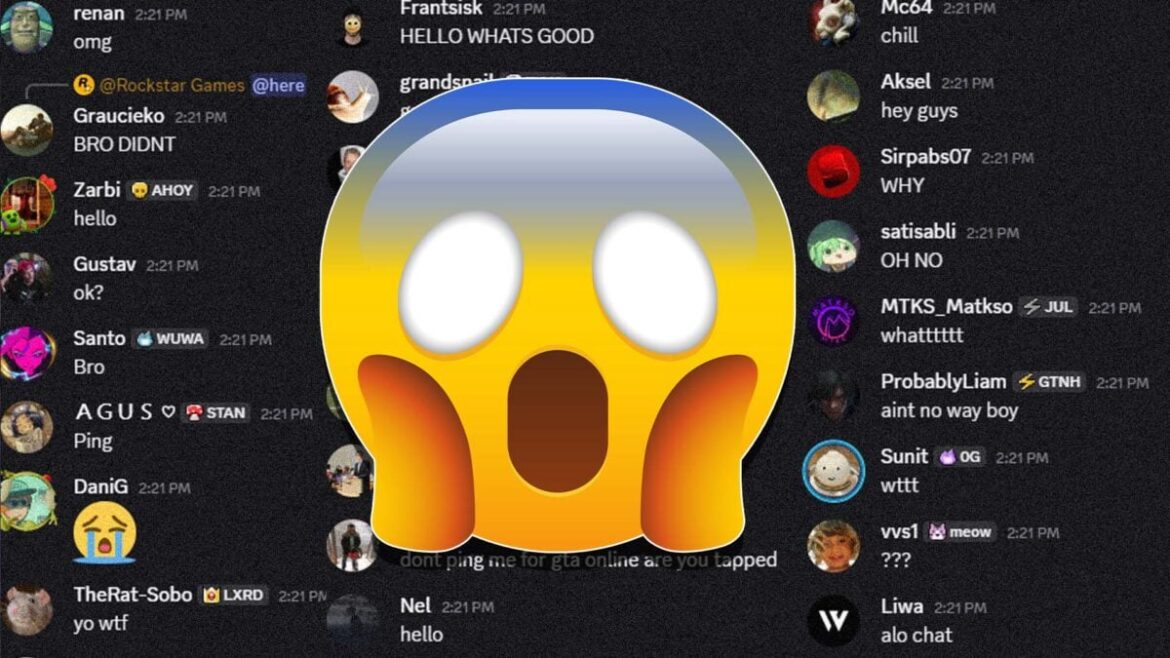
On September 19, at precisely 3:20 p.m. EST, Rockstar Games posted a single message in the GTA Online section of the company’s official Discord server. The message was simply Rockstar Games acknowledging a bug involving a GTA Online weekly challenge that was supposed to unlock a piece of in-game clothing for those who completed it, but wasn’t working properly. Pretty basic GTA Online update. But for some reason, Rockstar Games followed that message up with an “@here.” They did this in a server with 68,097 members. Uh oh!

©Kotaku / Rockstar Games

For those who don’t use Discord, dropping “@here” pings everyone in the server channel unless they specifically opt out of notifications. And most people don’t do that, especially not in Rockstar’s Discord server, where desperate fans cling to the hope that at any time, the studio could drop a new trailer for GTA 6.  Rockstar Games has also not really done this before. So that random “@here” instantly caused around 68,000 fans to freak the fuck out. Making matters worse is that for many, myself included, the notification simply appeared as “Rockstar Games – @here” with no further context.

I’ll fully admit that when I first saw it, I assumed the company was making some big random announcement about GTA 6. Instead, what I found when I opened Discord was a lot of confused, sad, and angry fans who weren’t sure why Rockstar had done this to them all. “Why!” “Whattt?” “Shut up!” “WTF?!” “No GTA 6??” “Stop it!” and “HOLY SHIT WHY” were just some of the hundreds and hundreds of messages that whizzed by my eyes when I opened Discord shortly after the ping.

I’ve reached out to Rockstar Games about the Discord ping and why it decided to do this. But whatever the reason, it won’t change the fact that for a brief and chaotic moment, 65,000+ people went wild thinking they were about to watch a new GTA 6 trailer or get news of another delay. Nope. There’s no new trailer or other big announcement, and GTA 6 is still set to launch in May of next year.




Source link

September 20, 2025 0 comments
0 FacebookTwitterPinterestEmail
$40M in Crypto Seized With No Charges, Reason Will Surprise You
NFT Gaming

$40M in Crypto Seized With No Charges, Reason Will Surprise You

by admin September 20, 2025


  • $40 million seized from TradeOgre exchange while charges “may follow”: What we know so far
  • Authorities keep cracking down on privacy coins

Royal Canadian Mounted Police seized cryptocurrency funds of TradeOgre, a niche cryptocurrency exchange operating since 2018. Since there are no filed criminal charges, this might be the first case for Canada’s law enforcers to shut down the crypto service.

$40 million seized from TradeOgre exchange while charges “may follow”: What we know so far

Last week, over 56 million Canadian dollars (CAD), or about $40 million, were seized by Royal Canadian Mounted Police from TradeOgre, an exchange known among privacy coin traders. As per the press release, law enforcers also “dismantled” the crypto exchange for the first time in Canada’s history.

At the same time, the funds were transferred to RCMP crypto wallets with no arrest warrant or court order. As explained by the police, investigators have reason to believe that the majority of funds transacted on TradeOgre came from criminal sources.

Formally, the exchange was shut down with $40 million in BTC and ETH seized for two reasons. First, TradeOgre operated in Canada without being registered with Financial Transactions and Reports Analysis Centre of Canada (FINTRAC) as a money service business.

Also, the exchange did not require its customers to submit “know-your-customer” documents, making anonymous crypto transfers possible.

The main attraction of this type of platform, which doesn’t require users to identify themselves to make an account, is that it hides the source of funds. This is a common tactic used by criminal organizations that launder money

Thus, this might be one of the first cases of a crypto service being shut down for not implementing KYC checks.

The investigation against the exchange was started in June 2024 after RCMP received a notice from the anti-money-laundering unit of Europol.

Authorities keep cracking down on privacy coins

The law enforcers are analyzing the data seized from TradeOgre and “charges may follow soon,” the statement goes.

For thousands of traders, TradeOgre remained the place to buy and sell privacy-focused coins, largely Monero (XMR).

As covered by U.Today previously, privacy coins are under fire, especially when offered on centralized exchanges. The architecture of these cryptocurrencies prevents them from being tracked by third parties — nobody can check the recipient, volume and other details of transactions with privacy coins.

You Might Also Like

Monero (XMR), the biggest privacy asset, has been delisted from all major exchanges operating in the European Union.


Source link

September 20, 2025 0 comments
0 FacebookTwitterPinterestEmail
Grayscale
Crypto Trends

Grayscale Rolls Out First Multi-Token Crypto ETF In The US

by admin September 20, 2025


Trusted Editorial content, reviewed by leading industry experts and seasoned editors. Ad Disclosure

Digital asset investment platform Grayscale, is making significant headlines in the cryptocurrency space with the launch of the first multi-token exchange-traded fund (ETF) available in the United States. 

The Grayscale CoinDesk Crypto 5 ETF, which begins trading on the New York Stock Exchange (NYSE) under the ticker “GDLC,” combines the five largest and most liquid digital assets: Bitcoin (BTC), Ethereum (ETH), XRP, Solana (SOL), and Cardano (ADA). 

Grayscale CEO Declares New Era Of Crypto Index Investing

Peter Mintzberg, CEO of Grayscale, emphasized the nature of this new launch, suggesting it heralds a new era of crypto index investing. 

In an interview with CNBC, he stated, “We are typically in the first mover position. Grayscale will continue innovating at scale for investors to access the fastest growing asset class of the last 10 years.” 

The increasing demand for diversified exposure to cryptocurrencies is evident among both institutional and retail investors amid rising prices. 

The movement towards mainstream acceptance of digital assets has gained momentum, particularly under the Trump administration, which facilitated the inclusion of cryptocurrencies in retirement plans and a new regulatory framework. 

The GDLC fund allocates approximately 70% of its assets to Bitcoin and 20% to Ether, and it has been trading in various forms since 2018, most recently in over-the-counter markets.

In 2025, Grayscale’s GDLC has already achieved major growth, surging over 40% as many cryptocurrencies reach record highs. Notably, the fund has outperformed Bitcoin by nearly 11% since June, thanks to the strong performance of its other constituent assets.

Analyst Predicts Over 100 New Crypto ETFs

Experts are optimistic that this new standard will streamline the process for launching similar products, potentially ushering in a wave of cryptocurrency exchange-traded funds. 

Eric Balchunas, a Senior ETF Analyst at Bloomberg, noted on social media that the last time a generic listing standard was implemented for ETFs, the number of launches tripled. He predicts a surge of over 100 crypto ETFs could enter the market in the coming year.

Supporters of this initiative argue that it could position digital assets on equal footing with traditional financial products, a goal that past SEC commissions have been hesitant to embrace. 

Greg Xethalis, General Counsel at MultiCoin Capital, commented on the SEC’s previous regulatory stance, noting that prior commissions often used regulatory frameworks as a means of imposing merit regulations on well-established product structures, despite the novelty of the underlying assets. 

He remarked, “As shown by the Bitcoin ETP launch, the market wants this product option, and this latest move both heeds that call and is a welcome return to normal course at the Commission.”

In addition to the GDLC launch, the SEC is reportedly on the verge of approving Bitwise’s BITW, an index fund that tracks the top ten cryptocurrencies by weighted market capitalization. 

Next month, the SEC is also expected to consider a series of individual spot crypto ETPs, including those focused on Ethereum staking, Litecoin (LTC), Solana, XRP, and Dogecoin (DOGE).

The daily chart shows BTC’s price consolidation. Source: BTCUSDT on TradingView.com

Featured image from DALL-E, chart from TradingView.com 

Editorial Process for bitcoinist is centered on delivering thoroughly researched, accurate, and unbiased content. We uphold strict sourcing standards, and each page undergoes diligent review by our team of top technology experts and seasoned editors. This process ensures the integrity, relevance, and value of our content for our readers.


Source link

September 20, 2025 0 comments
0 FacebookTwitterPinterestEmail
FTX founder Sam Bankman-Fried (Nikhilesh De/CoinDesk)
GameFi Guides

IG Group Buys Majority Stake in Australian Crypto Exchange Independent Reserve for $72M

by admin September 20, 2025


Online trading platform IG Group has acquired a majority stake in Australian cryptocurrency exchange Independent Reserve for 109.6 million Australian dollars ($72.4 million).

The deal, the company said, aims to strengthen IG’s position in Asia-Pacific’s fast-growing crypto markets and complements its recent crypto rollouts in the U.K. and U.S.

Independent Reserve is one of Australia’s oldest regulated crypto platforms, IG’s managing director for Asia Pacific and the Middle East, Matt Macklin, said. It also supports trading in 34 cryptocurrencies across Australian and Singaporean markets.

IG will initially acquire 70% of the company, with the option to buy the remaining 30% based on future performance. The deal is subject to regulatory approvals and expected to close in early 2026 for a total of 178 million Australian dollars ($117.6 million).

Independent Reserve CEO Adrian Przelozny said the transaction gives the exchange a bigger platform to grow while staying aligned with its goal of secure, regulated trading.

The move fills a regional product gap for IG, giving the firm “immediate access” to Australia and Singapore.

Independent Reserve reported revenue of $23.3 million for the fiscal year ending June 2025, up 88% year-over-year, the announcement adds. The platform also saw a 60% increase in monthly active users, reaching around 11,600, and has $1.12 billion in assets under custody from 129,400 funded accounts.

IG Group said the deal will be accretive to earnings starting in fiscal year 2027. Its shares are down 1.8% in today’s trading session.


Source link

September 20, 2025 0 comments
0 FacebookTwitterPinterestEmail
The Silo Series Book Box Set Drops To Lowest Price Ever At Amazon
Game Updates

The Silo Series Book Box Set Drops To Lowest Price Ever At Amazon

by admin September 20, 2025


We’re still waiting for a premiere date for Silo Season 3, but fans of the Apple TV+ dystopian science fiction series can bide the time by reading the source material in a stylish new format. A Deluxe Collector’s Edition of Hugh Howey’s best-selling book Shift was published earlier this week. Season 3 of Silo is based on Shift, so it’s the perfect time to check out this stellar collection of novellas. Shift Deluxe Collector’s Edition is up for grabs for $37 at Amazon or Walmart.

Shift is the second book in the Silo series, though it takes place before Wool (Book 1). Fans can get a matching Wool Deluxe Collector’s Edition for only $20 (was $40) at Walmart. This deal was also available at Amazon, but it sold out earlier this week. Amazon and Walmart also have The Silo Series 3-Book Box Set for an all-time low of only $22, which is saying a lot because William Morrow published the paperback collection in 2020. And if you like ebooks, the Kindle edition of the box set is only $3 for a limited time.

$22.18 (was $60)

The Silo Series Box Set collects paperback editions of Wool, Shift, and Dust. It also comes with a separate paperback chapbook of Silo short stories. In addition to roughly 1,700 pages of awesome science fiction, you’ll get to read some of Howey’s great nonfiction essays. All four books are boxed in a slipcase.

The three mainline books in the series are also sold separately in paperback. Each book is discounted to around $12 right now.

$37 (was $40)

Each Deluxe Collector’s Edition has new cover art, sprayed edges, and illustrated endpapers. A full topographical map of the silos is printed in color on the inside of the dust jackets. Shift’s sprayed edges are blue, while Wool has red edges. In addition to the original three novellas that make up Shift, this 608-page edition has an original Silo short story by the author.

The first two seasons remained faithful to Wool while also carving their own path with unique character arcs and plot beats. It’s expected that Season 3 will also differ from Shift in some big ways while maintaining the general story arc from the book.

Shift and Wool are regularly referred to as novels, and they do read like novels, but sections of each book were originally released as novellas. Shift rewinds the clock roughly 200 years and chronicles the apocalypse as well as the creation of the eponymous Silos.

The stories are largely told from the perspective of congressman Donald Keane, who begins working on the Silo project in 2049. Throughout the three novellas, you learn more about E-Day and the global disasters that led to opening of Silo 1 in 2110. The final section in Shift leads into Wool.

Shift Deluxe Collector’s Edition:

  • First Shift – Legacy: A Novella
  • Second Shift – Order: A Novella
  • Third Shift – Pact: A Novella
  • An original short story

$20 (was $40)

The Deluxe Collector’s Edition of Wool has the same features as the new edition of Shift, just with red sprayed edges. Wool has received numerous paperback and hardcover editions since its debut in 2011, but this is easily the best-looking version. Fans should snag a copy for $20 at Walmart before the hardcover sells out like it did at Walmart.

This edition of Wool is 592 pages and includes four novellas and the short story titled Holston, which serves as Part 1 of the Silo series. Howey also wrote an original essay for this edition that has behind-the-scenes details about the Apple TV+ series.

Wool Deluxe Collector’s Edition:

  • Holston: A short story
  • Proper Gauge: A Novella
  • Casting Off: A Novella
  • The Unraveling: A Novella
  • The Stranded: A Novella

Hugh Howey – Silo Series: Deluxe Collector’s Editions

Silo Series Deluxe Collector’s Editions

We would guess Dust will get a matching Deluxe Collector’s Edition of its own next fall. For now, you’ll need to settle for a paperback copy, as the hardcover edition of Dust is very expensive on the reseller market.

  • Wool Deluxe Collector’s Edition — $20 ($40)
  • Shift Deluxe Collector’s Edition — $37 ($40)

Wool tells the tale of a world struggling to survive. What is left of humanity has been forced to live in an underground silo, as the world above is no longer fit for life. Things grow even more troublesome when the silo’s sheriff leaves his post, and a mechanic named Juliette is forced to take his place. What follows is a dramatic sci-fi epic that sees Juliette attempting to unravel a world-altering conspiracy.

Howey originally self-published Wool via Amazon’s Kindle Direct Publishing program. As mentioned, he released the book in chunks (novellas), which is reminiscent of serialized novels that were popular in the 1800s by authors such as Charles Dickens. The Martian author Andy Weir experienced similar success with a serialized release strategy, but Weir utilized his personal blog to deliver the story to readers.

Wool quickly became one of the early massive success stories on the Kindle publishing platform. That success led to a distribution deal for a print version of Wool and eventually a hit TV series. The Apple TV+ series debuted in 2023 to critical acclaim. The series will conclude its run with Season 4, which is expected to air late next year. This timeline could change depending on whether Season 3 winds up airing later this year or in early 2026.

The Silo Series also has an excellent audiobook version performed by Edoardo Ballerini. Audible members can get all three books for around $30, and non-members will wind up paying about $40. A graphic novel adaptation of Wool released in 2014 and is available for only $11.50 (was $19) in paperback.

More Fiction by Hugh Howey

Howey is also the author of multiple standalone novels and the best-selling duology called The Sand Chronicles. We’ve included a list of Howey’s other books beyond the Silo series below:

Upcoming Deluxe Edition Sci-Fi Novels

Red Rising / Bobiverse Deluxe Editions

Several other popular contemporary sci-fi series are getting lavish new hardcover editions in the coming weeks. Dennis E. Taylor’s irreverent space epic Bobiverse is getting its first hardcover edition October 7. The first printing of We Are Legion (We Are Bob) has sprayed edges with “BOB” written over and over again. It also has fully illustrated endpapers. The best part is that We Are Legion’s Deluxe Edition is only $21 (was $30) at Amazon. Book 2, For We Are Many, is up for preorder for $27.90 (was $30), and Book 3, All These Worlds, is available for $30.

Meanwhile, Pierce Brown’s best-selling Red Rising Series is getting an even fancier hardcover edition on October 14. Red Rising Deluxe Slipcase Edition is up for preorder for $35 (was $50) at Amazon. This edition includes an illustrated foil slipcase, sprayed edges, a fold-out poster, and full-color endpapers.

Sign up for GameSpot’s Weekly Deals Newsletter:


Source link

September 20, 2025 0 comments
0 FacebookTwitterPinterestEmail
DAAPrivacyRightIcon
Product Reviews

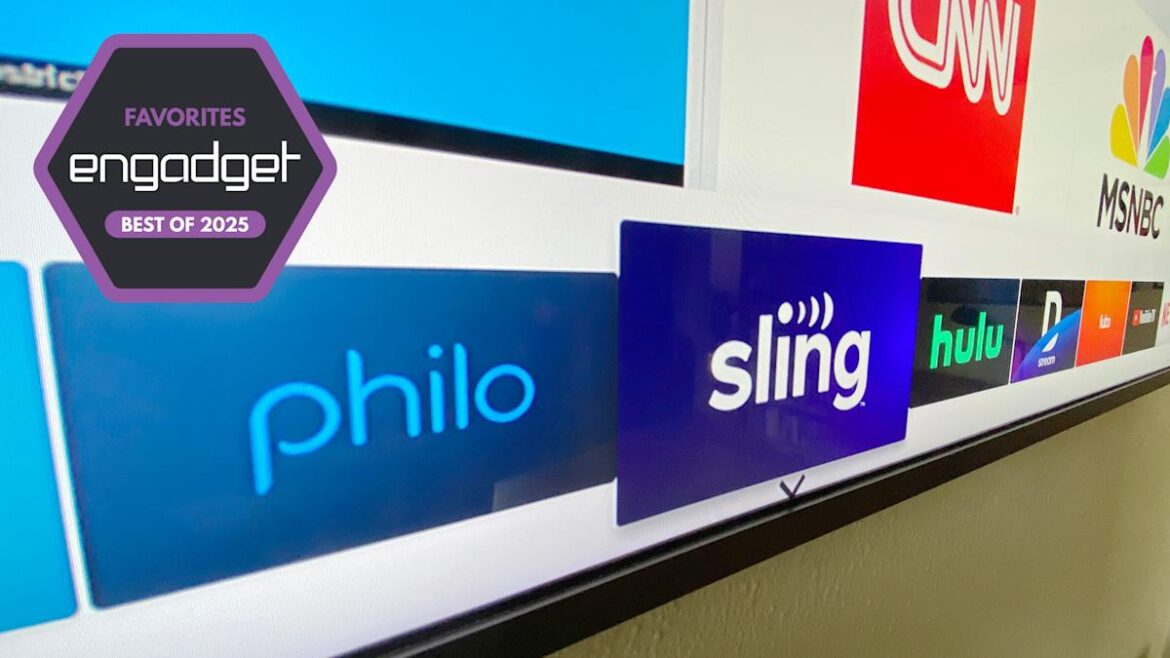
The best live TV streaming services to cut cable in 2025

by admin September 20, 2025


If you’re interested in a live TV streaming service, you’re probably looking for one (or all three) of the following: current sports matchups, breaking news and linear, cable-like channels. There are plenty of providers out there and we tried them all out to see what you get for your monthly bill — especially since every live TV streamer has raised prices over the past year or two. That said, in most markets, a live TV streaming service is still more cost-effective than cable. And you still don’t have to sign a contract. Right now, we think YouTube TV is the most well-rounded option — but the others might have more of what you’re looking for. Here are the best live TV streaming services based on our testing.

Table of contents

Best live TV streaming services for 2025

YouTube TV

Price: $83/mo. and up | Simultaneous at-home streams: 3 | Total channels: 100+ (base plan) | DVR limits: Unlimited, 9 mo. expiration | Multiview: Yes (select programming) | Contract: No | Free trial: Yes (length varies)

In mid-December of 2024, subscribers got a bummer of an email letting them know the price of YouTube TV would be going up yet again, this time to $83, which is a $10 hike from the last increase of $8 in March of 2023. Even still, Google’s option makes a strong case for delivering the best streaming service for live TV. 

Compared to our top pick for sports, YouTube TV covers major and minor teams, regional games and national matchups almost as well. It gives you clear navigation, a great search function, unlimited DVR and broad network coverage. But, even beyond the price increase, YTTV is financially precarious if you’re not great at resisting temptation.

Upon signup, you’re presented with nearly 50 different add-ons, including 4K resolution, premium channels and themed packages. Even if you fight the urge to roll Max, Shudder and AcornTV into the mix at signup, the enticement remains as it’s dangerously easy to add more to your subscription — when I searched for a program on a network I didn’t have, I was prompted to add it. And of course, you can also rent or buy movies that aren’t currently showing on any channels, just like you can via YouTube. While it’s convenient to be able to order up anything I might want on a whim, I could easily see this pushing one’s bill far above Google’s listed price per month.

Still, it’s nice to have all your entertainment in one place. And if you only want the add-ons, you can actually subscribe to most of the standalone networks without paying for the base plan. Either way, you get a familiar user experience, with navigation you’ll recognize if you’ve spent any time on regular ol’ YouTube. Unsurprisingly, Google’s search function was the best of the bunch, finding the shows and games I searched for quickly and giving me clear choices for how to watch and record.

At signup, you’ll also pick the shows, networks and teams you like, which are added to your library. YouTube TV then automatically records them. You get unlimited cloud DVR space (though recordings expire after nine months) and it’s dead simple to add programming to your library. Like a real cable experience, YouTube TV autoplays your last-watched program upon startup by default, but it was the only service that allowed me to turn that feature off by heading to the settings.

Searching for and recording an upcoming game was easy. Once the game was recorded, I had to hunt a little to find it in my library (turns out single games are listed under the Events heading, not Sports). But after that, playback was simple and included a fascinating extra feature: You can either play a recorded game from the beginning or hit Watch Key Plays. The latter gives you between 12 and 20 highlight snippets, each about 10 seconds long. It focuses on the most impressive shots in an NBA bout and includes every goal in an MLS matchup. The feature was available for NCAA basketball and in-season major American leagues (hockey, soccer and basketball at the time of testing). Foreign and more minor games didn’t have the feature.

Sports fans will also appreciate the new multiview feature that YouTube TV added mid-2024 that lets you pick up to four sports, news and weather channels from a select list and view them all at the same time on your screen. If you find yourself constantly flipping back and forth between games, this could save you some hassle.

YouTube TV also gives you the most in-app settings. You can add parental controls to a profile or pull up a stats menu that shows your buffer health and connection speeds. You can lower playback resolution for slow connections and even send feedback to YouTube. It was also the best at integrating VOD and live programming. For example, when I searched for a show that happened to be playing live, a red badge in the corner of the show’s image let me know it was on right then. I know it makes no difference whether I watch an on-demand recording or a live show, but I like the imagined sense of community knowing someone else might be watching this episode of Portlandia too.

Pros

  • Intuitive and smooth interface
  • Accurate search functions
  • Cool multiview feature
  • Good coverage of sports, news and linear programming networks

Cons

  • Very easy to overspend on extras
  • The price keeps going up

$83 at YouTube TV

Fubo

Price: $56/mo. and up | Simultaneous at-home streams: 10 | Total channels: 215 (base plan) | DVR limits: Unlimited, 9 mo. expiration | Multiview: Yes (select programming) | Contract: No | Free trial: Yes (length varies)

You may have heard about the announcement of the merger between Fubo and Hulu + Live TV and find yourself wondering how that’ll affect the two services. For now, the companies plan to operate the two as separate entities, but will use their combined power to leverage carrier and content deals. 

Such deals are no doubt behind Fubo’s latest package, a sports-focused plan that goes for $56 per month. Fubo Sports includes 20 sports and broadcast networks including ABC, CBS and FOX as well as ACC Network, Big 10 Network, CBS Sports Network and the ESPN stations available with the ESPN Unlimited plan. Fox News and FS1 and 2 are also included. For college and pro football fans, this package comes the closest to having most of what you need to watch most live games.  

For that reason and others, our top pick for live sports coverage is Fubo. When you first sign up, it asks which teams you follow across all kinds of associations. Pick teams from in-season leagues and you’ll quickly have DVR content to watch. That’s because Fubo records every game your chosen teams play as long as it’s aired on a supported channel – and its sports coverage is vast.

I tested out the top-tier package and the guide said there were 118 sports networks to choose from. In addition to the usual suspects from ESPN, Fox, NBC and CBS, you can watch motorsports, international leagues, adventure sports and even poker. Add-ons give you NBA TV, NHL Network, NFL Red Zone and MLB Network. And if you need access to all one thousand games the NBA plays in a season, you can add the NBA League Pass to your lineup for $17 per month. 

Fubo even has its own sports channels. And in August 2025, Fubo added access to ESPN+ for subscribers to its Pro, Essential, Elite and Deluxe plans. It does require setting up a MyDisney account, which you can learn about here. The only notable lack for sports fans is the absence of TBS and TNT which have licensing deals to show some NBA, MLB, NHL and NCAA games.

Still, the coverage is comprehensive. The UI designers obviously put effort into making everything easy to find with endless categorization, including breaking down sports offerings by type, giving lots of filtering options for live guide and on-demand content, as well as including interesting groupings on the home page.

Fubo also makes finding and recording your favorite games easy. Searching for an upcoming game was simple, as was sifting through the ample amount of recorded games I ended up with. I particularly liked FanView for live games, which inserts the video into a smaller window and surrounds that window with continually updating stats plus a clickable list of other games currently airing. But, unfortunately, the feature isn’t currently available. Hopefully Fubo will bring it back, as it was a differentiating perk for the service.  

Fubo did recently expand its multiview feature, letting you watch up to four live channels at once. This feature used to only be available on Apple TV boxes and only with sports fare, but I used it in January 2025 with a Roku device and was able to have two NCAA men’s games, my local evening news and CSI Miami from ion Mystery all up on the screen at the same time.

Fubo has made an obvious effort to win at sports, but recently it’s tried to deliver on the live TV experience as well. Based on what I’ve seen so far, it’s certainly made strides. The guide was impressive in the number of ways it let you organize live TV, yet everything felt clean and uncluttered. The Home, Sports, Shows and Movies pages were filled with recommendations and many iterations of categories, with almost all suggestions being live TV.

The focus on live TV can make the VOD and DVR playback functions feel second-rate. The search function wasn’t the best at finding the shows I looked for, and navigating available VOD content wasn’t as breezy as browsing through live programming. The lack of a pop-up preview window as you fast forward or rewind through recordings makes it tough to gauge where you are in a show.

At $85, this is technically the most expensive base package (now that DirectTV offers a 26-channel, sports-only package). And it’s now $2 more than YouTube TV and Hulu+ TV, which are both $83. But if you need all the sports – and want some nicely organized live TV during the few moments when there’s not a game on – this is the way to go.

It’s worth noting that a lapsed Fubo subscription will let you access a truncated version of the service for free. When my subscription expired after testing, I received an email detailing the content I could still watch without re-upping my payments. It’s similar to other free ad supported TV streamers, with a limited channel selection through the same Fubo interface.

Pros

  • Best coverage of sports networks
  • Automatically records your favorite teams
  • Informative FanView feature
  • Uncluttered live TV interface

Cons

  • DVR and VOD experience is inferior to the live component

$85 at Fubo

Hulu

Price: $83/mo. and up | Simultaneous at-home streams: 2 | Total channels: 95+ (base plan) | DVR limits: Unlimited, 9 mo. expiration | Multiview: No | Contract: No | Free trial: Yes (3 days)

When Hulu+ Live TV increased the price of its ad-supported base plan to $83 per month, it was the most expensive option out there. YouTube TV caught up a few months later and now both are the same price. Of course, because the service comes bundled with Disney+, ESPN+ and includes Hulu’s original programming, you get a lot of content you can’t find elsewhere. So if you already subscribe, or plan to get the regular Hulu app and/or Disney+, Hulu’s live component makes a lot of sense. Note that $83 gets you that content with ads — for ad-free Disney+ and Hulu, it’s $96 monthly.

But it looks as though things will soon change for the Hulu brand across the board. First, there was the announcement of the merger between the service and Fubo. Then in August 2025, Disney shared its plans to combine the on-demand Hulu with Disney+ in 2026. For now, Fubo, Hulu + Live TV and Disney+ will all operate as separate entities, but Variety reported on plans for Hulu+ Live TV to also be rolled into Disney+ at some point next year.

As it stands now, Hulu + Live TV carries your local affiliates and most of the top cable channels. For sports, you get all available ESPN iterations plus FS1, FS2, TBS, USA, NBC Golf, the NFL Network and TNT (Turner Network Television). You can also add on premium VOD channels like Max and Showtime, and it’s the only provider that includes Disney+ at no extra cost.

Navigation isn’t as smooth as most of the other options — as I used Hulu + Live TV, it felt like the live component had been shoehorned into the standard Hulu app. But for viewers who are already comfortable with (and paying for) Hulu and Disney+, this might be the best pick for your live TV subscription.

Pros

  • Includes Hulu, Disney+ and ESPN+ progrmming

$83 at Hulu

DirecTV

Price: Free, $20/mo. and up | Simultaneous at-home streams: Unlimited | Total channels: 105 (free), 9 – 185 (paid) | DVR limits: Unlimited (9-month expiration, maximum of 30 episodes per series) | Multiview: Yes (select mixes) | Contract: No | Free trial: Yes (5 days)

In mid-April, DirecTV Stream rebranded. Streaming is now the company’s primary offering and is simply called DirecTV. Customers looking for the original satellite TV service can still find it, but it’s nested within the streaming option on the website, with a disclaimer that states the dish-enabled plan is only for those who don’t have high-speed internet at home. It’s interesting to see a more traditional satellite provider shift its focus to streaming — a move that’s clearly intended to better compete with YouTube TV and other similar services.

The good news is that streaming with DirecTV requires no contract (the satellite plan still assesses a $20-per-month early termination fee). There’s no special equipment involved unless you want to get the Gemini Air streaming device. The HDMI streaming dongle supports 4K resolution, Dolby Atmos, Dolby Vision and HDR10+, similar to the 4K streaming sticks from Roku or Amazon that cost around $50. But you can’t buy the Gemini Air. Instead, you lease it for $10 per month, which, after five months or so, might start to feel like a bad deal.

It’s still the service that most closely resembles cable, complete with numbered channels and somewhat confusing plan structures. You can go for Signature packages, which range from $85 per month to $170 per month — those are most comparable to YouTube TV, Hulu + Live TV and Fubo. Or you can sign up for one of the four Genre Packs which cost $35, $40 or $70 monthly. These slimmed-down channel lineups focus on sports, entertainment, news or Spanish language stations. The entertainment pack reminds me of Philo and the sports offerings have a whiff of Sling’s Orange and Blue plans. 

In good news for sports fans, the company recently announced that subscribers to any DirecTV Signature Package or the MySports Genre Pack will gain access to the Unlimited version of ESPN’s service at no extra charge once it’s live. DirecTV customers with a Gemini device will also get access to the Disney+ and Hulu basic bundle.

Regardless of which plan you end up going with, it’s all based on the DirecTV streaming app, which you can download and watch for free, (like Tubi or Pluto TV), but once you add a plan or pack, the channels you paid for are unlocked.

Comparing the $85-per-month Entertainment Signature Package (not to be confused with the $35 MyEntertainment Genre Pack) to YouTube TV and Hulu + Live TV’s $83 base plans, the offerings are pretty similar. You get your area’s five major local channels (ABC, CBS, FOX, NBC, PBS), nearly all of the 20 most popular channels (with the exception of Ion and the History Channel), sports channels that include ESPN, TNT, and FS1, plus unlimited DVR space with a nine-month expiration.

The navigation and performance of the service remains largely unchanged from when we first started recommending it. I like the experience of flipping from one numbered channel to the next — it reminds me of watching TV as a kid, plus it’s great for serendipitously finding something to watch when you’re bored. The top navigation is pretty simple, with options for search, home, the live TV guide, your DVR library and on-demand content. The guide doesn’t split the channels into a ton of categories, just recent, sports, kids, movies and TV shows. There’s also a favorites channels list, which you can add to from the guide.

There’s still no way to stop whatever is playing as you browse the guide — something I find irritating, but it might not bother everyone. As you watch a show in the live guide, you can press your remote’s right D-pad button to advance to the next numbered channel and hitting the left button takes you to the preceding channel. If you want to rewind or fast forward, you have to first hit the center/enter/OK button and then you can control playback. That took me a minute to get used to, but wasn’t a huge learning curve. Pressing up shows you a few recent channels and the down button creates an inset of the show you’re watching alongside some suggested similar programming, popular channels, your continue-watching content and more browsing categories.

A new multiview feature lets you pick from seven “mixes,” each of which contains four channels that you can watch all at once in a grid on the same screen. There’s a mix for sports, news, business, kids, local and more and it’s available to subscribers to the Signature packages and the MySports genre pack.

I found it pretty simple to navigate DirecTV once I got the hang of it. That simplicity extends to the way it looks as well, with plain grids in grey and blue tones. Some might find that minimalism refreshing and clean. I found it a little uninspired — I wasn’t as excited to browse as I’ve been with other apps. Navigation is also a little slow. Compared to watching other live content (on the same TV with the same internet connection), DirecTV channels always took a second or two longer to load.

The search function requires you to input your entire query then hit Done to see your results. Other services start showing findings as you type. Again, the results are organized into three categories: shows, movies or all. If there’s something on a channel you’re not subscribed to, it’ll prompt you to go online and sign up for the channel. You can’t do it through the app, like you can with some services. You might find that annoying or be thankful for the slight bit of friction it adds to spending more money.

$0 – $170 at Direct TV

Sling TV

Price: Free, $20/mo. and up | Simultaneous at-home streams: 1 (Orange), 3 (Blue), 3 (Select) | Total channels: 600+ (free), 10 – 50 | DVR limits: 50 hours | Multiview: No | Contract: No | Free trial: No

To me, the idea of spending time fine-tuning channel choices sounds exhausting. But if you’re the type who wants to get exactly what you want without paying for too much of what you don’t, Sling TV may be your best bet. It breaks its base plan into two packages, Blue and Orange, with different channels on each. 

Sling snuck in a price increase at the tail end of 2024 and now Blue costs $51 a month. It carries a larger number of networks, while Orange seems to have spent its lineup dollars on ESPN and ESPN 2. But even at the new $46 monthly, Sling Orange is still the cheapest way to get those two sports outlets (ESPN+ is only $12 monthly, but doesn’t show all of ESPN’s content.) 

In August 2025, Sling introduced Day Passes that let you watch channels on the Orange plan for just $5. There are also weekend and week-long passes to choose from, so if there’s just a game or two you want to watch, this is probably the cheapest way to do it — just make sure Sling Orange includes the channels that air the events you want to watch. It’s worth noting that Disney, and subsequently Warner Bros Discovery, have filed suits against Sling for offering these short-term packages, so there’s a chance the mini plans may not be around long. 

Sling also added another plan to its lineup. The Select plan includes National Geographic, FX, the NFL Network, FS1, Fox News and more. In some markets, subscribers will also get their local ABC, NBC and Fox stations. The plan goes for $20, $25 or $30 depending on the number of local stations available.

After picking a plan, you can choose from a stable of add-on packages, with monthly prices ranging from $6 to $11. These include blocks of sports or lifestyle channels, kid-friendly fare, the Discovery+ bundle and a news package. There are 29 individual premium offerings, including AMC+, Starz, MGM+, Shudder and Acorn, which go for between $2 and $10 per month. Sling has pay-per-view movies, too.

As far as local coverage, Sling Blue grants access to ABC, Fox and NBC local affiliates in about 20 of the larger US markets including Los Angeles, Seattle, Dallas, NYC, Miami and DC. ABC coverage began in March 2023. That raised the price of Sling Blue in supported markets from $40 to $45. For people not in those areas (or who opt for Orange) Sling suggests getting an HD antenna to catch local stations for free. 

Sling now offers select sports in 4K. You’ll need a Roku, Amazon Fire or Apple TV device that supports 4K (and a compatible TV) but for no extra charge, you’ll get to certain sports events with a bump in resolution.

Sling’s navigation is speedy and the interface is nicely organized, putting an emphasis on what you like to watch, with recommendations that are pretty accurate. The UI also makes the add-ons you’ve chosen easy to find. In my tests, though, the app froze a number of times as I navigated. While most services froze once or twice, it happened enough times with Sling to frustrate me. I had to force quit or back out of the app and start over five or six times during the three weeks of testing. Compared to others, Sling’s DVR allowance is on the stingy side, only giving you 50 hours of recordings, though they won’t expire. You can pay for more DVR storage, but that will increase your overall costs.

I tried not to wander too far off-path during testing, but I feel it’s my duty to inform you that Sling has an Elvis channel, a Bob Ross channel and ALF TV (yes, an entire station devoted to the ‘80s sitcom starring a puppet). There’s also a Dog TV network intended to be played for your dogs when you leave the house, which you can add to Sling or get as a standalone app for $10 per month.

Pros

  • More affordable than most live services
  • Orange plan is the cheapest way to get ESPN
  • Highly customizable packages

Cons

  • Only 50 hours of DVR allowance
  • Local channels only in major metro areas

$46 and up at Sling TV

Philo

Price: $28/mo. and up | Simultaneous at-home streams: 3 | Total channels: 70+ (base plan) | DVR limits: Unlimited, 1 yr. expiration | Multiview: No | Contract: No | Free trial: Yes (7 days)

Philo held out at $25 monthly for a few years but increased to $28 in 2024 — though they did add AMC+ to the channel lineup to lessen the blow (and it has some good shows!). Despite the bump, it’s still one of the cheapest ways to get a cordless live TV experience. Philo’s free offerings recently increased as well, bumping up to more than 100 channels. 

The biggest caveat is that you won’t find any local stations or sports programming on Philo. If that’s not an issue, the service is great, with a clean, streamlined interface and generous DVR limits.

I’m a fan of minimalist design, so I appreciated presentation of the menus and guide. There are just four top navigation headings: Home, Guide, Saved and Search. And instead of the usual guide layout that stretches out or shortens a show’s listing to represent its air time, Philo’s guide features monospaced squares in chronological order with the duration of the program inside the square. Another nice touch is when you navigate to a square, it fills with a live video of the show or movie.

Philo doesn’t limit the amount of programming you can DVR and lets you keep recordings for a full year, which is more than the nine months other providers allow. Like all live TV streamers, Philo won’t let you fast forward VOD programming. If skipping commercials is important to you, I recommend taking advantage of that unlimited DVR policy and hitting “Save” on any show or movie you think you may want to watch, then fast forwarding it on playback (you can do this with all the services we tried).

As far as channels, Philo covers many of the top cable networks, with notable exceptions including Fox News, CNN, ESPN and MSNBC. Anyone looking for great news coverage should look elsewhere anyway, but the lack of a few must-have entertainment outlets like Bravo and Freeform was a little disappointing.

The 100 or so channels in Philo’s free service are baked into the paid plan, bringing the total to 170, which is a pretty good deal for under $30 monthly.

Pros

  • Affordable
  • Minimalist and easy interface
  • Unlimited DVR allowance that lasts for a year

Cons

  • No sports or local access
  • Limited news coverage

$28 at Philo

Back to top

How to stream live NFL games

The rights to air regular-season NFL games belong to a number of networks. Around 200 games are scheduled to appear Sundays on CBS/Paramount+ and Fox/Fox One. NBC/Peacock will host one Sunday night competition each week while Prime Video will air Thursday night contests (except for Thanksgiving week) and ABC/ESPN will show Monday night matchups. A few games will be exclusive to the NFL Network and Christmas-day games will air live on Netflix. YouTube aired a single week-one game. You can see the complete 2025 NFL schedule here (the airing network appears just below the game time on the list).

On many Sundays, multiple games are scheduled to air at the same time by the same broadcaster. That means Fox and CBS will broadcast regional games through the associated local affiliate station. Select national games will air through Fox One and Paramount+. To see all Sunday (daytime) matchups, you’ll need the NFL Sunday Ticket that’s now exclusive to YouTube TV and costs between $35 and $115 per month depending on the type of subscription you choose (YouTube recently announced monthly options for the Sunday Ticket). Note that the subscription doesn’t include Sunday night games — for that, you’ll need Peacock and/or local NBC station access through YouTube TV or elsewhere.

Most of the paid live TV streaming services we recommend here include the stations you’ll need to see most of the games. YouTube TV, Fubo TV (including the new, cheaper Fubo Sports package), Hulu + Live TV and DirecTV (Signature packages and MySports Genre packs) offer local Fox, CBS, ABC and NBC stations in most (but not all areas). They also carry sports-focused channels from those networks, like Fox Sports, CBS Sports and ESPN. Sling’s Orange plan includes access to a few local channels (varying by area), and also carries ESPN, but you’ll need the combined Orange and Blue plan to also get the Fox Sports channel — but neither plan carries CBS Sports.

How can I stream NFL games for free?

If you have a digital antenna hooked up to your TV, you can grab games that are broadcast over the airways for your region by tuning into your local CBS, Fox, NBC and ABC stations. You can buy a digital antenna for between $20 and $60. Of course, that won’t get you the games that are exclusive to the NFL Network, Prime Video or Netflix, and you won’t be able to watch games broadcast outside your area.

Nearly all paid live TV streaming services are currently offering free trials ranging from a few days to a week. You could hop from service to service, catching a few games before cancelling and not pay anything, but with 18 weeks in the regular season, you’ll obviously not be able to watch all games for free.

Alternatively, you can check out your local sports bar and watch a game for the price of a soda and maybe some nachos. As it turns out, bars and restaurants that provide those games to customers have to pay a ton of cash to do so, so you may as well take advantage of the opportunity.

Does Paramount Plus stream live NFL games?

Yes. Paramount owns CBS, which has historically held the rights to air many NFL games each season. This year, NFL on CBS includes more than 100 regular-season games, most of them Sunday matchups. You can see which NFL games will air on CBS/Paramount + here. Note that to watch your local CBS station you need Paramount+ Premium (formerly Paramount+ with Showtime) for $13 per month.

Can you stream live football on YouTube?

September 5, 2025 marked the first time YouTube was an official live NFL broadcaster when it aired a Friday night, week-one game of the 2025 NFL season from São Paulo, Brazil. It pit the Los Angeles Chargers against the Kansas City Chiefs (LA won 21-27) and aired worldwide on YouTube for free as well as for subscribers to YouTube TV.

There are no other plans for YouTube to air live NFL games for the 2025 season for free, but paid YouTube TV customers will be able to watch many live matchups on their local CBS, Fox, NBC and ABC stations as part of their subscription. Both YouTube TV subscribers and anyone with the YouTube app can subscribe to the NFL Sunday Ticket add-on for $35 to $60 monthly, depending on promotions. Through the YouTube app, you can also purchase access to other Primetime Channels including Paramount+, but it costs the same as paying for those accounts directly.

Best free live TV streaming services for 2025

There are loads of ways to get free TV these days. To start, many standard streaming apps have added live components to their lineups — even Netflix. Peacock Premium Plus subscriptions include regional NBC stations. Paramount+ Premium subscribers can watch on-air CBS programming. Max now includes a live CNN outlet with its service, and the new Fox One service includes multiple live Fox stations. True, if you’re already paying for a service it’s not technically “free” but at least the live content isn’t extra.

The smart TV operating system (OS) you use likely provides free live content too: Amazon’s Fire TV, Google/Android TV, Roku’s built-in Roku Channel and Samsung’s TV Plus all have hundreds of live channels and original programming. Some of the paid services we recommend above have a free version — namely Sling Freestream, Fubo Free (available after you cancel) and DirecTV’s MyFree. But if you’re looking for more, here are the best free ad-supported TV (FAST) apps with live TV that we tried:

Tubi

Local channels: A few | Sports coverage: Replays and shows about sports | On-demand: Yes | Total channels: 260 | Profiles per account: 1

You can watch Tubi without signing up, but doing so lets you make lists, add your favorite shows and channels, and remember where you left off in a program. There are a couple hundred live channels including dozens of regional Fox stations (which ones you see will depend on your location). You also get news-stream channels like NBC News Now, Fox Live Now and ABC News Live. Fox is Tubi’s parent company so there are picks like Fox Sports on Tubi, Fox Soul and Fox Weather as well. Around a dozen sports channels, channels devoted to true crime, dramas, comedy and lifestyle shows round out the complete lineup.

The live TV category lives in the side rail navigation, along with tabs for on-demand movies, TV shows, kids stuff and a categories section. Those sub-categories are lengthy with topics like Actors Turned Directors, Martial Arts Mayhem and Werewolf Mysteries. Within the live TV tab, the channels are also divided into categories so you can find news, sports and local fare along with genres like comedy, drama and sci-fi channels. Navigation is speedy and settings include useful features like parental controls, autoplay options and closed captioning modifiers. It’s an overall smooth experience — the only mild irritants I found is that the TV guide only stays open for 10 seconds if you’re not actively clicking around and your current show keeps playing as you browse the guide.

Pros

  • Free with no sign-in required
  • Shows some local Fox and ABC stations
  • Appealing on-demand content
  • Highly detailed categories sections for VOD

Cons

  • Channel guide disappears after 10 seconds
  • Current show continues playing as you browse

Free at Tubi

Plex

Local channels: No | Sports coverage: Replays and shows about sports | On-demand: Yes | Total channels: 800+ | Profiles per account: 15 (with a free Plex Home acct) 

Plex is not just an expansive FAST service with more than 500 live TV channels in most areas — it’s also a great tool for your other streaming pursuits. The search function will tell you which other services currently carry a particular title. I searched for Dept. Q, High Potential, Sinners and Willow and found I could watch those shows and movies with a subscription to Netflix, Hulu, HBO Max and Disney+, respectively. You can also search for content by actor or director and rent movies directly from Plex.

In 2024, Plex added movie and show reviews culled from other Plex users and professional critics — users can even share their reviews with friends on the service, creating a Letterboxd-like social media element. The search function can be slow (though it has improved over time) and, from what I’ve seen, it accurately directs you to the correct provider. It’s a thoroughly great live TV service too, with plenty of channels, good organization and an easy to navigate interface.

Pros

  • Good selection of free live channels
  • Helpful and accurate search for any title
  • Detailed organization that’s not overly complicated

Free at Plex

Sling

Local channels: A few | Sports coverage: Replays and shows about sports | On-demand: Yes | Total channels: 400+ | Profiles per account: 4 (with sign-up) |

Like DirecTV, Prime Video and Fubo, Sling offers a no-cost version of its paid service within the same app. If you pay for Sling, you won’t see the Freestream framing, but the channels are still available. Without a subscription, you can access more than 400 channels of free stuff, including news networks like BBC News, CBS News 24/7, ABC News live, Bloomberg and Cheddar news, along with a slew of regional Fox and CBS news stations. The sports offerings are pretty slim, but there are plenty of entertainment channels, AMC content, true crime stations and lots of channels devoted to a single show (Doctor Who, Farscape, Portlandia and Kim’s Convenience to name a few).

The navigation is a little clunkier to navigate than other services, with a mix of nested vertical and horizontal menus and different functions for your remote’s buttons depending on what screen you’re on. Whatever you’re watching pops up in a small picture-in-picture window when you go to the guide — and I particularly appreciate that the window is easy to close so you can browse in peace.

Pros

  • Good national news network selection
  • Nicely organized interface
  • Your current show becomes a pop-out as you browse and is easily closed

Cons

  • Often asks you to sign up for paid Sling plans

Free at Sling

Pluto TV

Local channels: A few | Sports coverage: Replays and shows about sports | On-demand: Yes | 4K live streams: No | Total channels: 250+ | Profiles per account: 1 | Picture-in-picture: No | Multiview: No | Contract: No

Pluto TV is granularly organized, separating out nearly two dozen categories for its live content — including local CBS news and a sports section that includes CBS Sports HQ, NBC Sports Now, channels for NFL, NBA and MLB, NBC Golf Pass and about two dozen more. There’s also plenty of Star Trek to go around and a bunch of Pluto’s own stations like Pluto History, Nick Jr Pluto, CSI Pluto, Pluto True Crime and a few Pluto Classic TV stations. A lot of that content, of course, comes courtesy of Pluto’s parent company, Paramount.

The live news-stream selection is fairly stacked and includes NBC News Now, ABC News Live, CNN Headlines, BBC News, Sky News and others. One thing I have to point out is that whatever you’re watching keeps playing and you can just see a sliver of the show above the guide as you browse, which I found distracting. But I did enjoy being able to flip from channel to channel using the up and down buttons on my remote’s D-pad, just like old-school cable surfing.

Pros

  • Highly organized guide
  • Lots of Paramount-owned content

Cons

  • Your current show plays under the guide

Free at Pluto TV

Back to top

What to look for in a live TV streaming service

How to stream live TV

Streaming live TV is a lot like using Netflix. You get access through apps on your phone, tablet, smart TV or streaming device and the signal arrives over the internet. A faster and more stable connection tends to give you a better experience. Most live TV apps require you to sign up and pay via a web browser. After that, you can activate the app on all of your devices.

Monthly Price

When I started testing these cord-cutting alternatives, I was struck by the price difference between live TV and a standard video streaming app. Where the latter cost between $5 and $20 per month, most live TV services hit the $80 mark and can go higher than $200 with additional perks, channel packages and premium extras. The higher starting price is mostly due to the cost of providing multiple networks — particularly sports and local stations. And, in the past year or so, every service has raised base plan prices.

Local channels

Only two of the services I tried don’t include full local channel coverage for subscribers and one of those makes no effort to carry sports at all. That would be Philo and, as you might guess, it’s the cheapest. The next most affordable option, Sling, only carries three local stations — and only in larger markets — but it still manages to include some of the top sports channels.

When you sign up with any provider that handles local TV, you’ll enter your zip code, ensuring you get your area’s broadcast affiliates for ABC, CBS, FOX and NBC. Of course, you can also get those stations for free. Nearly all modern television sets support a radio frequency (RF) connection, also known as the coaxial port, which means if you buy an HD antenna, you’ll receive locally broadcast stations like ABC, CBS, PBS, FOX and NBC. And since the signal is digital, reception is much improved over the staticky rabbit-ears era.

But local channel access is another area where traditional streaming services, like Netflix, are bleeding into broadcast territory. For example, you can watch your local NBC station with a Peacock subscription and you can tune into your area’s CBS station through your Paramount+ subscription. Netflix is even getting into the mix with a recently announced deal with one of France’s broadcast companies, TF1. The streaming service will now air TF1’s live TV channels and on-demand content inside the Netflix app. No word if the concept will expand to other regions, but it’s an interesting move to anyone interested in the future of streaming.

Live sports coverage

One reality that spun my head was the sheer number and iterations of sports networks in existence. Trying to figure out which network will carry the match-up you want to see can be tricky. I found that Google makes it a little easier for sports fans by listing out upcoming games (just swap in NBA, NFL, MLB, NHL and so on in the search bar). When you click an event, the “TV & streaming” button will tell you which network is covering it.

That just leaves figuring out if your chosen service carries the RSNs (regional sports networks) you want. Unfortunately, even with add-ons and extra packages, some providers simply don’t have certain channels in their lineups. It would take a lawyer to understand the ins and outs of streaming rights negotiations, and networks leave and return to live TV carriers all the time. That said, most major sporting events in the US are covered by ESPN, Fox Sports, TNT, USA and local affiliates.

I should also point out that traditional streaming services have started adding live sports to their lineups. Peacock carries live Premier League matches, Sunday Night Football games and aired the 2024 Olympic Games from Paris. Thursday Night Football as well as NBA and WNBA games are on Amazon Prime and Christmas Day Football airs on Netflix. HBO Max (formerly, er, HBO Max) now airs select, regular season games from the NHL, MLB, NCAA and NBA with a $10-per-month add-on.

You can watch MLS games with an add-on through the Apple TV app, and Apple TV+ includes some MLB games. Roku users can watch the just-added free sports channel and those who subscribe to Paramount Plus can see many of the matches aired on CBS Sports, including live NFL games. This year, January’s Super Bowl was live-streamed for free on Tubi. While all of these alternatives may not cover as much ground as live TV streamers, they could end up being cheaper avenues to the sports you want.

And if sports is all you’re after, there are sports-only plans that are a touch cheaper, too. The promised sports streaming service from ESPN, Fox and Warner Bros. called Venu was cancelled early this year. But on August 21, ESPN launched its own streaming service that includes all ESPN channels and costs $30 per month. Fubo Sports is $56 monthly and includes local broadcast stations from ABC, CBS and FOX plus a slew of sports networks (CBS Sport and FS1 among them) as well as all networks included with ESPN Unlimited.

Fox launched its own standalone service in August as well and it includes Fox Sports and all other Fox properties (News, Business, Weather) for $20 monthly. DirecTV also has a $70-per-month, sports-only streaming package called MySports and Comcast has a sports and news bundle for that same price (as long as you’re an Xfinity customer with auto-pay, otherwise it’s more expensive).

Traditional cable networks

Dozens of linear programming networks were once only available with cable TV, like Bravo, BET, Food Network, HGTV, CNN, Lifetime, SYFY and MTV. If you only subscribe to, say, Netflix or Apple TV+, you won’t have access to those. But as with sports, standard streamers are starting to incorporate this content into their offerings. After the Warner Bros. merger, Max incorporated some content from HGTV, Discovery and TLC. Peacock has Bravo and Hallmark shows, and Paramount+ has material from Nickelodeon, MTV and Comedy Central.

Other entertainment channels like AMC+ have stand-alone apps. The Discovery+ app gives you 15 channels ad-free for $10 per month (or with ads for $6 monthly). And a service called Frndly TV starts at a mere $7 per month and streams A&E, Lifetime, Game Show Network, Outdoor Channel and about 35 others. Of course, most live TV streaming options will deliver more sizable lists of cable networks, but just note that you may already be paying for some of them — and if all you need is a certain channel, you could get it cheaper by subscribing directly.

On-demand streaming

Most live TV subscriptions include access to a selection of video-on-demand (VOD) content, like you would get with a traditional streaming service. Much of this content is made up of the movies and TV series that have recently aired on your subscribed networks. This typically doesn’t cover live events and news programming, but I was able to watch specific episodes of ongoing shows like Top Chef or BET’s Diarra from Detroit. Just search the on-demand library for the program, pick an episode and hit play.

Partnerships, like Hulu’s relationship with Disney, and add-ons, such as bundling Max with your YouTube TV subscription or Starz with your Sling plan, will let you watch even larger libraries of on-demand content. But again, if VOD is all you’re after, paying for those networks directly instead of through a live TV plan will be far cheaper.

Digital video recordings (DVR) limits

Every option I tried offers some cloud DVR storage without needing a separate physical device. You’ll either get unlimited storage for recordings that expires after nine months or a year, or you’ll get a set number of hours (between 50 and 1,000) that you can keep indefinitely. Typically, all you need to do is designate what ongoing TV series you want to record and the DVR component will do all the hard work of saving subsequent episodes for you to watch later. You can do the same thing with sports events.

Aside from being able to watch whenever it’s most convenient, you can also fast-forward through commercials in recorded content. In contrast, you can’t skip them on live TV or VOD.

Simultaneous streams and profiles per account

Each plan gives you a certain number of simultaneous streams, aka how many screens can play content at the same time. And while most providers will let you travel with your subscription, there are usually location restrictions that require you to sign in from your home IP address periodically. Stream allowances range from one at a time to unlimited screens (or as many as your ISP’s bandwidth can handle). Some plans require add-ons to get more screens.

Most services also let you set up a few profiles so I was able to give different people in my family the ability to build their own watch histories and libraries, set their favorite channels and get individual recommendations.

Picture-in-picture mode and multiview

Picture-in-picture (PiP) usually refers to shrinking a video window on a mobile device or computer browser so you can watch it while using other apps. Sling, YouTube TV, FuboTV, Philo, DirecTV Stream and Hulu + Live TV all have PiP modes on computers and mobile devices.

Another feature, multiview, lets you view multiple (usually four) sports matches or other live content at once on your TV screen. YouTube TV, FuboTV and now DirecTV all let you do this. With YouTube TV, you can select up to four views from a few preset selection of streams. FuboTV offers the same feature, but only if you’re using an Apple TV or Roku streaming device. DirecTV lets you do so through “mixes” which include sports, news, business and kids variants with a set four channels in each mix.

4K live streams

Right now, just FuboTV, YouTube TV and DirecTV Stream offer 4K live streams — but with caveats. YouTube TV requires a $20-per-month add-on, after which you’ll only be able to watch certain live content in 4K. DirecTV Stream has three channels that show live 4K content — one with shows and original series, and two with occasional sporting events. You don’t have to pay extra for these but you do need to have either DirecTV’s Gemini receiver, or a device from Fire TV, Apple TV or Roku. You’ll need those same streaming devices to watch the select 4K programming on Sling as well. FuboTV shows certain live events in 4K but access is limited to the Elite and Premier packages, not the base-level Pro plan.

Of course, watching any 4K content also requires equipment that can handle it: a 4K smart TV or 4K streaming device paired with a cord and screen that can handle 4K resolution.

Tiers, packages and add-ons

Comparing price-to-offering ratios is a task for a spreadsheet. I… made three. The base plans range from $28 to $85 per month. From there, you can add packages, which are usually groups of live TV channels bundled by themes like news, sports, entertainment or international content. Premium VOD extras like Max, AMC+ and Starz are also available. Add-ons cost an extra $5 to $20 each per month and simply show up in the guide where you find the rest of your live TV. This is where streaming can quickly get expensive, pushing an $80 subscription to $200 monthly, depending on what you choose.

How to stream live TV for free

I also downloaded and tried out a few apps that offer free ad-supported TV (FAST) including Freevee, Tubi, PlutoTV and Sling Freestream. These let you drop in and watch a more limited selection of live networks at zero cost. Most don’t even require an email address, let alone a credit card. And if you have a Roku device, an Amazon Fire TV or Stick, a Samsung TV, a Chromecast device or a Google TV, you already have access to hundreds of live channels via the Roku Channel, the live tab in Fire TV, through the Samsung TV Plus app or through Google TV.

Back to top

How we tested live TV streaming services

When I begin testing for a guide, I research the most popular and well-reviewed players in the category and narrow down which are worth trying. For the paid plans, just six services dominate so I tried them all. There are considerably more free live TV contenders so I tested the four most popular. After getting accounts set up using my laptop, I downloaded the apps on a Samsung smart TV running the latest version of Tizen OS. I counted the local stations and regional sports coverage, and noted how many of the top cable networks were available. I then weighed the prices, base packages and available add-ons.

I then looked at how the programming was organized in each app’s UI and judged how easy everything was to navigate, from the top navigation to the settings. To test the search function, I searched for the same few TV shows on BET, Food Network, HGTV and Comedy Central, since all six providers carry those channels. I noted how helpful the searches were and how quickly they got me to season 6, episode 13 of Home Town.

I used DVR to record entire series and single movies and watched VOD shows, making sure to test the pause and scan functions. On each service with sports, I searched for the same four upcoming NHL, NBA, MLS and NCAA basketball matches and used the record option to save the games and play them back a day or two later. Finally, I noted any extra perks or irritating quirks.

All live TV streaming services we’ve tested:

Back to top

Live TV Streaming FAQs

What is live streaming?

Streaming simply refers to video content that is delivered to your screen over the internet. Live streaming can be split into two categories: linear programming and simultaneous transmission. That first one is similar to what you get with cable or broadcast TV, with channels that play a constant flow of movies and shows (sort of what TV looked like before Netflix). Simultaneous streaming lets you watch live events (like a basketball game) or a program (like the evening news) as they happen.

What is the difference between streaming and live streaming?

Standard streaming, the most popular example being Netflix, lets you pick what you want to watch from a menu of choices. It’s also referred to as “video on demand.” Live streaming refers to sports and news events that you can stream as they happen in real time. It also refers to channels that show a continuous, linear flow of programming.

What streaming service is best for live TV?

FuboTV does the best job of letting you organize live channels to help you find just what you want to watch. The interface is uncluttered and when you search for something, the UI clearly tells you whether something is live now or on-demand. YouTube TV also does a good job making that info clear. Both have just over 100 live channels on offer.

What is the most cost effective TV streaming service?

Free TV streaming services like PlutoTV, Plex, Tubi and FreeVee show plenty of ad-supported TV shows and movies without charging you anything. Of course, they won’t have the same channels or content that more premium subscriptions have. Ultimately it depends on what you want to watch and finding the service that can supply that to you in the most streamlined form so you’re not paying for stuff you don’t need.

Is it cheaper to have cable or streaming?

A basic cable package used to be more expensive than the base-level live TV streaming service. But now that nearly all major providers have raised their prices to over $75 per month, that’s no longer the case. And with add-ons and other premiums, you can easily pay over $200 a month for either cable or a live TV streaming service. But those who want to cut the cord will appreciate that streaming services don’t have contracts.

What streaming service has all the TV channels?

No service that we tested had every available channel. Hulu + Live TV and DirecTV Stream carry the the highest number of the top rated channels, according to Neilsen. Hulu’s service also gets you Disney+ fare, which you can’t get elsewhere. FuboTV has the most sports channels and YouTube TV gives you the widest selection of add-ons.

What is the most popular live TV streaming platform?

YouTube TV has the most paying customers. According to 2024’s letter from the CEO, the service has over eight million subscribers. Disney’s 2024 third quarter earnings put the Hulu + Live TV viewer count at 4.6 million. Sling’s customer count dipped from two million to about 1.9 million in 2024 and FuboTV grew its subscriber list to 1.6 million.

How safe are free streaming services and websites?

You may have heard certain sites that provide free content can be dangerous, leading to stolen info and/or exposing you to malware. That’s likely in reference to certain peer-to-peer (P2P) networks and file-sharing sites that let people download free movies and series — which can come bundled with malicious code.

But if you’re talking about the free ad-supported streaming television (FAST) services listed here, from providers like PlutoTV, Tubi and Plex, they are just as safe as any other streaming service. Since you sometimes don’t even have to provide your email address or credit card info, they can even be more anonymous for cord cutters than apps that require login credentials.

Back to top

Recent updates

August 2025: Added section about streaming live NFL games. Updated our specs. Streamlined and revised our recommendations for free live TV streaming services.

Back to top


Source link

September 20, 2025 0 comments
0 FacebookTwitterPinterestEmail
Ethereum
NFT Gaming

Ethereum Devs Disclose New Fusaka Upgrade For December 3: What You Need to Know

by admin September 20, 2025


Trusted Editorial content, reviewed by leading industry experts and seasoned editors. Ad Disclosure

Ethereum (ETH) is set to introduce its latest upgrade, dubbed the Fusaka upgrade, on December 3, 2025, a timeline that has been accelerated from previous expectations of a 2026 launch. This announcement comes from Christine Kim, a researcher monitoring Ethereum’s development progress. 

The confirmation of the mainnet activation date was made during the recent All Core Developers Consensus (ACDC) call, where developers also established schedules for public testnet upgrades and the blob-parameter-only (BPO) hard fork related to Fusaka.

Ethereum’s Fusaka Devnet Update

The developers reached a consensus on these matters with surprising ease, indicating a smooth path forward despite ongoing testing challenges. They remain committed to the December activation date, barring any major setbacks during the next few months of testing. 

Currently, two versions of the Fusaka Devnet are in operation. Devnet-3 is stable, with client teams actively addressing software fixes. Meanwhile, Devnet-5 is also stable but encountered issues earlier this week, including multiple client bugs and node misconfigurations. 

These problems have reportedly limited the team’s ability to gather critical data on Blob-Parameter-Only (BPO) values. However, insights were still derived from a brief period of stability on Devnet-5, leading to recommendations for setting maximum blob counts for the upcoming hard forks.

Looking ahead, the Ethereum Foundation’s EthPandaOps team plans to roll out Fusaka Devnet-6 in the coming weeks to validate the findings from Devnet-5. 

The team is focused on addressing a bug in the Prysm client that has emerged on Devnet-5, which appears to be linked to high blob counts resulting in orphaned blocks. Additionally, a recent update to the “ckzg” library has resolved prior issues, with a new version now available on GitHub.

Upcoming Testnets 

The timeline for the Fusaka rollout is well-defined, with several key upgrades scheduled before the mainnet activation. Upcoming testnets include the Holesky upgrade on October 1, the Sepolia upgrade on October 14, and the Hoodi upgrade on October 28. 

Developers agreed that client teams should consolidate their releases for these testnet upgrades but can individually publish updates closer to the mainnet activation.

In a separate but related development, the Ethereum community is engaged in discussions regarding the naming of a new consensus layer upgrade, referred to as Glamsterdam. 

This will also involve the deprecation of the Sepolia testnet, although developers assured that there would be ample time for the community to adapt to this change, with the new testnet expected to launch in March 2026.

The daily chart shows ETH’s price consolidating below the $4,500 mark. Source: ETHUSDT on TradingView.com

At the time of writing, Ethereum trades at $4.460, recording a 3.5% price drop in the 24-hour time frame. Still, the altcoin registers gains of 80% year-to-date. 

Featured image from DALL-E, chart from TradingView.com

Editorial Process for bitcoinist is centered on delivering thoroughly researched, accurate, and unbiased content. We uphold strict sourcing standards, and each page undergoes diligent review by our team of top technology experts and seasoned editors. This process ensures the integrity, relevance, and value of our content for our readers.


Source link

September 20, 2025 0 comments
0 FacebookTwitterPinterestEmail
Decrypt logo
Crypto Trends

X Takes Legal Action Against Crypto Scamming Network’s Bribery Scheme

by admin September 20, 2025


In brief

  • Social media platform X says it’s taking legal action against some banned accounts.
  • The accounts in question allegedly bribed X employees to regain access to the platform.
  • Some of the accounts in question were crypto scammers, X said.

Social media platform X is taking legal action against banned users, including crypto scammers, who have tried to bribe the company’s employees to regain access to the website, the company said in an announcement Friday.

The platform, formerly known as Twitter, said that the bribery network was linked to wider criminal organizations. 

X added that it was working with law enforcement. The company did not reveal much else about the nature of the banned accounts. Decrypt reached out to X for comment. 

“X has exposed and is taking strong action against a bribery network targeting our platform,” read the announcement. “Suspended accounts involved in crypto scams and platform manipulation paid middlemen to attempt to bribe employees to reinstate their suspended accounts.”

It added: “These perpetrators exploit social media platforms like Instagram, TikTok, YouTube, Minecraft, and Roblox and are linked to wider criminal organizations, including ‘The Com.'”

X has exposed and is taking strong action against a bribery network targeting our platform. Suspended accounts involved in crypto scams and platform manipulation paid middlemen to attempt to bribe employees to reinstate their suspended accounts. These perpetrators exploit social…

— Global Government Affairs (@GlobalAffairs) September 19, 2025

The Federal Bureau of Investigation in July warned of “a growing and evolving online threat group known as The Com,” adding that the network was mainly made up of minors and worked to commit cyber crimes. 

“The sophistication of The Com criminal activity has grown over the last four years, with subjects employing increasingly complex methods to mask their identities, hide financial transactions, and launder money,” the FBI’s statement said. 


Social media platform X is no stranger to crypto scammers. In 2020, when it was Twitter and owned by Jack Dorsey, criminals hacked a number of celebrity and brand accounts—including former President Barack Obama, Apple, Uber, and rapper Kanye West—to push a Bitcoin scam.

Last year, hackers targeted high-profile accounts to push a Solana-based meme token, compromising the accounts of computer brand Lenovo’s India division, film director Oliver Stone, and Brazilian soccer player Neymar Jr. 

Daily Debrief Newsletter

Start every day with the top news stories right now, plus original features, a podcast, videos and more.


Source link

September 20, 2025 0 comments
0 FacebookTwitterPinterestEmail
CDC Panel Votes to Nix Current Covid Vaccine Recommendations
Gaming Gear

CDC Panel Votes to Nix Current Covid Vaccine Recommendations

by admin September 20, 2025


On Friday, the Advisory Committee on Immunization Practices (ACIP) voted to drop its recommendation that U.S. adults should generally receive the covid-19 vaccine, instead endorsing an individualized approach.

In a unanimous decision, the ACIP members agreed that adults 65 and older should decide on their own or with their doctor whether to get vaccinated for covid-19. The ACIP also recommended that people between the ages of 6 months and 64 years make an individual decision about covid-19 vaccination (yes, you read that correctly), while being informed that the benefits of vaccination are most apparent in those at higher risk of severe illness.

A screencap of ACIP blurbage articulating the new recommendations. © ACIP

The ACIP narrowly avoided recommending that Americans should require a prescription to get the covid-19 shot, however, though only barely.

A chaotic ACIP meeting

The votes capped off a chaotic and disorganized discussion held Friday over the safety and effectiveness of the covid-19 mRNA vaccines.

Retsef Levi, a longtime skeptic of the covid-19 vaccines and a professor of operations management at MIT Sloan School of Management, led the ACIP discussion, as well as the working group on covid-19 vaccines. Levi is one of several ACIP members handpicked by Health Secretary Robert Kennedy Jr. who has a long history of misrepresenting vaccine research.

CDC staff presented reams of evidence that covid-19 vaccines, even today, still reliably prevent serious outcomes like hospitalization and death, including in very young children. Many outside experts also testified in support of maintaining widespread access to these vaccines for every American who wants them. But ACIP members often questioned the findings or made their own poorly evidenced attempts to attack the safety of the vaccines.

At one point, for instance, ACIP members argued in support of a paper claiming to show extensive DNA contamination of the vaccines—a study that outside experts have criticized for glaring flaws and that is now being reviewed over potential concerns by its publisher. At another point, members argued that the covid-19 vaccines could possibly raise the risk of cancer, a claim widely refuted by most experts (mRNA vaccine technology is actively being studied as a way to prevent and treat certain cancers).

What this vote means for covid vaccine access

The language of the ACIP votes today was not disclosed until the very last minute, and it’s not entirely clear how they will impact vaccine access.

Late last month, the Food and Drug Administration limited its explicit approval of the updated covid-19 boosters to people over 65 or those with a higher risk of severe illness. The ACIP’s recommendation to move to an individualized approach, assuming it’s adopted by the CDC, may further delay or prevent people from obtaining a covid-19 booster if they so choose.

That said, several states like New York have already taken steps to ensure continued vaccine access and public coverage of the vaccine to all their residents. This week, the country’s largest health insurance association, America’s Health Insurance Plans, also announced that its members will rely on the previous ACIP recommendations to determine their coverage of the covid-19 vaccine for the time being. It additionally stated that patients covered by these plans would not experience cost-sharing through the end of 2026.

In a 6 to 6 vote, the ACIP declined to endorse a recommendation calling for people to require a prescription for the covid-19 vaccines—ACIP chairman Martin Kulldorff issued the tiebreaker, voting “no.”


Source link

September 20, 2025 0 comments
0 FacebookTwitterPinterestEmail
Valve introduces age verification for UK Steam users
Esports

Valve to end Steam support for 32-bit versions of Windows 10 OS

by admin September 20, 2025


Valve is ceasing Steam support for systems running 32-bit versions of the Windows 10 operating system (OS) on January 1, 2026.

In a recent Steam Support blog, Valve explained that Windows 10 32-bit is “the only 32-bit version that is currently supported” on the platform and that, according to results from its August 2025 Steam Hardware Survey, only 0.01% of users reported using the operating system.

Valve has said that “for the near term,” existing Steam Client installations will “continue to function” on Windows 10 32-bit, but they won’t receive updates “of any kind,” including security updates.

“Steam Support will be unable to offer users technical support for issues related to the old operating systems, and Steam will be unable to guarantee continued functionality of Steam on the unsupported operating system versions,” Valve said in the post.

The company clarified, however, that “Windows 10 64-bit will still be supported and 32-bit games will still run,” after support ends in January 2026.

However, “to ensure continued updates and compatibility,” Valve recommends that users update to a 64-bit version of Windows.

“This change is required as core features in Steam rely on system drivers and other libraries that are not supported on 32-bit versions of Windows,” Valve continued.

“Future versions of Steam will run on 64-bit versions of Windows only. We strongly encourage all 32-bit Windows users to update sooner rather than later.”

Earlier this week, Valve announced an update to Steam’s revenue reporting system, making it easier for developers to “see the monetary impact of each discount that you have run.”


Source link

September 20, 2025 0 comments
0 FacebookTwitterPinterestEmail
  • 1
  • …
  • 235
  • 236
  • 237
  • 238
  • 239
  • …
  • 764

Categories

  • Crypto Trends (1,098)
  • Esports (800)
  • Game Reviews (772)
  • Game Updates (906)
  • GameFi Guides (1,058)
  • Gaming Gear (960)
  • NFT Gaming (1,079)
  • Product Reviews (960)

Recent Posts

  • This 5-Star Dell Laptop Bundle (64GB RAM, 2TB SSD) Sees 72% Cut, From Above MacBook Pricing to Practically a Steal
  • Blue Protocol: Star Resonance is finally out in the west and off to a strong start on Steam, but was the MMORPG worth the wait?
  • How to Unblock OpenAI’s Sora 2 If You’re Outside the US and Canada
  • Final Fantasy 7 Remake and Rebirth finally available as physical double pack on PS5
  • The 10 Most Valuable Cards

Recent Posts

  • This 5-Star Dell Laptop Bundle (64GB RAM, 2TB SSD) Sees 72% Cut, From Above MacBook Pricing to Practically a Steal

    October 10, 2025
  • Blue Protocol: Star Resonance is finally out in the west and off to a strong start on Steam, but was the MMORPG worth the wait?

    October 10, 2025
  • How to Unblock OpenAI’s Sora 2 If You’re Outside the US and Canada

    October 10, 2025
  • Final Fantasy 7 Remake and Rebirth finally available as physical double pack on PS5

    October 10, 2025
  • The 10 Most Valuable Cards

    October 10, 2025

Newsletter

About me

Welcome to Laughinghyena.io, your ultimate destination for the latest in blockchain gaming and gaming products. We’re passionate about the future of gaming, where decentralized technology empowers players to own, trade, and thrive in virtual worlds.

Recent Posts

  • This 5-Star Dell Laptop Bundle (64GB RAM, 2TB SSD) Sees 72% Cut, From Above MacBook Pricing to Practically a Steal

    October 10, 2025
  • Blue Protocol: Star Resonance is finally out in the west and off to a strong start on Steam, but was the MMORPG worth the wait?

    October 10, 2025

Newsletter

@2025 laughinghyena- All Right Reserved. Designed and Developed by Pro


Back To Top
Laughing Hyena
  • Home
  • Hyena Games
  • Esports
  • NFT Gaming
  • Crypto Trends
  • Game Reviews
  • Game Updates
  • GameFi Guides
  • Shop

Shopping Cart

Close

No products in the cart.

Close